
1. הקדמה
א דאנק פארן קויפןasing the SODLK T300 120W Portable Bluetooth Speaker. This manual provides essential information for setting up, operating, and maintaining your speaker. Please read it thoroughly before use to ensure optimal performance and longevity of your device. Keep this manual for future reference.
2. זיכערקייַט אינפֿאָרמאַציע
- שטעלט נישט אויס דעם רעדנער צו עקסטרעמע טעמפּעראַטורן, דירעקטע זונשייַן, אדער הויכע פֿײַכטקייט.
- ויסמיידן דראַפּינג אָדער ונטערטעניק די רעדנער צו שטאַרק ימפּאַקץ.
- Do not disassemble, repair, or modify the speaker yourself. Contact qualified service personnel for any repairs.
- האַלט דעם רעדנער אַוועק פון וואַסער און אַנדערע פליסיקייטן. דאָס פּראָדוקט איז נישט וואַסערפּרוף.
- ניצן בלויז די צוגעשטעלט וסב קאַבלע פֿאַר טשאַרדזשינג.
- לאָזט נישט אָפּ דעם רעדנער מיט צו הויכע וואָלומען פֿאַר לאַנגע פּעריאָדן כּדי צו פֿאַרמייַדן שאָדן צו די הערן.
3. פּעקל אינהאַלט
ביטע טשעק די פּאַקעט פֿאַר די פאלגענדע זאכן:
- SODLK T300 בלועטוט רעדנער
- וסב טשאַרדזשינג קאַבלע
- באַניצער מאַנואַל
4. פּראָדוקט איבערview
The SODLK T300 is a powerful portable Bluetooth speaker designed for robust audio performance. It features a durable exterior, integrated handle, and dynamic LED lighting on the sides. The speaker incorporates advanced audio technology for a rich sound experience.

בילד: פראָנט view of the SODLK T300 Portable Bluetooth Speaker, showcasing its black finish, front grille, and side LED lights.
Internally, the T300 is equipped with a sophisticated driver system to deliver its 120W output. This includes multiple dynamic driver units and vibrating diaphragms for enhanced bass and clear audio reproduction.

בילד: אן עקספלאדירטע view illustrating the internal components of the SODLK T300 speaker, highlighting the 4 dynamic driver units and DSP sound processing.
5. סעטאַפּ
5.1 אויפלאָדן דעם רעדנער
Before first use, fully charge the speaker. Connect the provided USB charging cable to the speaker's charging port and a compatible USB power adapter (not included). The LED indicator will show charging status and turn off or change color when fully charged.
5.2 פּאַוערינג אויף / אַוועק
- צו מאַכט אויף: Press and hold the Power button for a few seconds until the LED lights illuminate and you hear an audible prompt.
- צו מאַכט אַוועק: Press and hold the Power button again for a few seconds until the LED lights turn off and you hear an audible prompt.
6. אַפּערייטינג ינסטרוקטיאָנס
6.1 בלועטאָאָטה פּערינג
The SODLK T300 features Bluetooth 5.1 for a stable and efficient wireless connection.

Image: Graphic illustrating the benefits of Bluetooth 5.1 connectivity for the SODLK T300, including faster and stronger connection, lower power consumption, better sound, more stable transfer, and higher noise reduction.
- Ensure the speaker is powered on and in Bluetooth pairing mode (the LED indicator will typically flash blue).
- אויף אייער דעווייס (סמאַרטפאָן, טאַבלעט, קאָמפּיוטער), אַקטיווירט בלועטוט און זוכט פֿאַר פֿאַראַן דעווייסעס.
- Select "SODLK T300" from the list of devices.
- Once paired, the speaker will indicate a successful connection, and the LED light will change.
6.2 TWS (אמת'ע ווירעלעס סטערעאָ) פֿאַרבינדונג
To connect two SODLK T300 speakers for a stereo sound experience:
- זיכער מאַכן אַז ביידע רעדנערס זענען אנגעצונדן און נישט פארבונדן צו קיין בלוטוט דעווייס.
- On one speaker, press the TWS button. It will enter TWS pairing mode.
- The two speakers will automatically connect to each other. Once connected, one speaker will act as the master (left channel) and the other as the slave (right channel).
- פֿאַרבינדט אייער דעווייס צום הויפּט רעדנער דורך בלועטוט ווי באַשריבן אין סעקציע 6.1.
6.3 Playing Music from Various Sources
The SODLK T300 supports multiple playback modes:
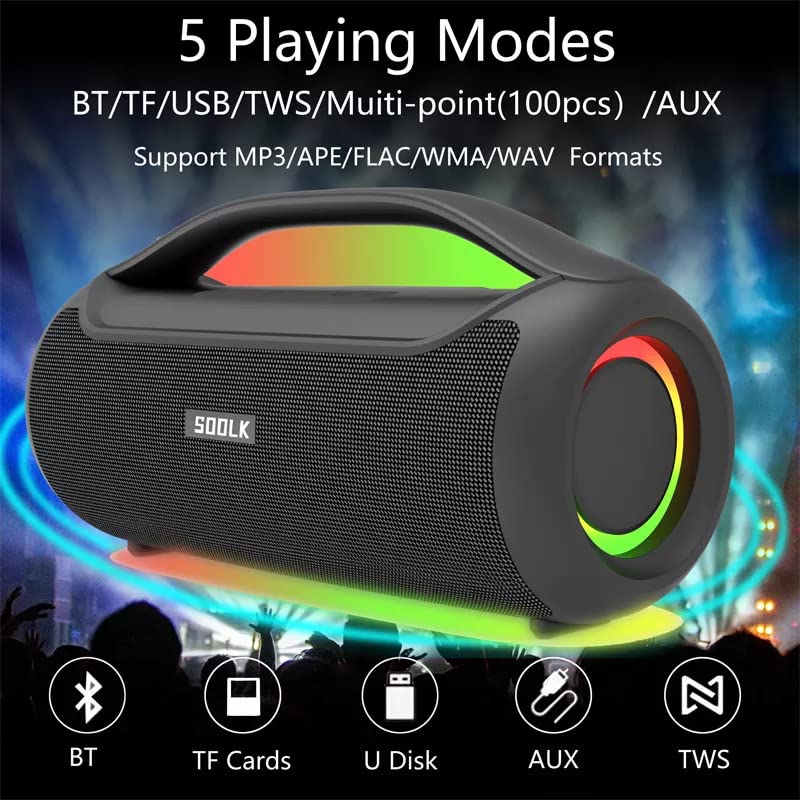
Image: Visual representation of the 5 playing modes supported by the SODLK T300: Bluetooth (BT), TF Cards, U Disk (USB), AUX, and TWS. It also indicates support for MP3/APE/FLAC/WMA/WAV formats.
- בלועטאָאָטה: Connect your device wirelessly as described in section 6.1.
- TF קאָרט: אַרײַנשטעלן אַ TF (MicroSD) קאַרטל מיט אַודיאָ fileאַרײַן אין דעם TF קאַרטל שפּאַלט. דער רעדנער וועט אויטאָמאַטיש איבערגיין צו TF קאַרטל מאָדע און אָנהייבן שפּילן.
- וסב דיסק: אַרייַנלייגן אַ וסב בליץ פאָר מיט אַודיאָ fileאַרײַן אין דעם USB פּאָרט. דער רעדנער וועט אויטאָמאַטיש איבערגיין צו USB מאָדע און אָנהייבן שפּילן.
- AUX אַרייַנשרייַב: Connect an external audio device using a 3.5mm AUX cable (not included) to the AUX port. The speaker will switch to AUX mode.
Use the speaker's control buttons to play/pause, skip tracks, and adjust volume.
6.4 EQ Playing Modes
The speaker offers three equalizer (EQ) modes to optimize your listening experience for different music genres.

Image: Graphic displaying the three EQ playing modes of the SODLK T300: HIFI 6D Surround, Vocal, and Deep Bass, with illustrative icons for each.
Press the EQ button to cycle through the following modes:
- HIFI 6D Surround: גיט אַן איממערסיוו, ברייט סאָונדסtage.
- שטים: Enhances clarity for vocals, ideal for podcasts or acoustic music.
- טיף באַס: Boosts low frequencies for a more impactful bass response.
6.5 LED ליכט קאָנטראָל
The SODLK T300 features dynamic LED lights. Press the Light button to cycle through different lighting modes or to turn the lights off.
6.6 NFC Connection (Near Field Communication)
For compatible devices, NFC allows for quick and easy Bluetooth pairing.
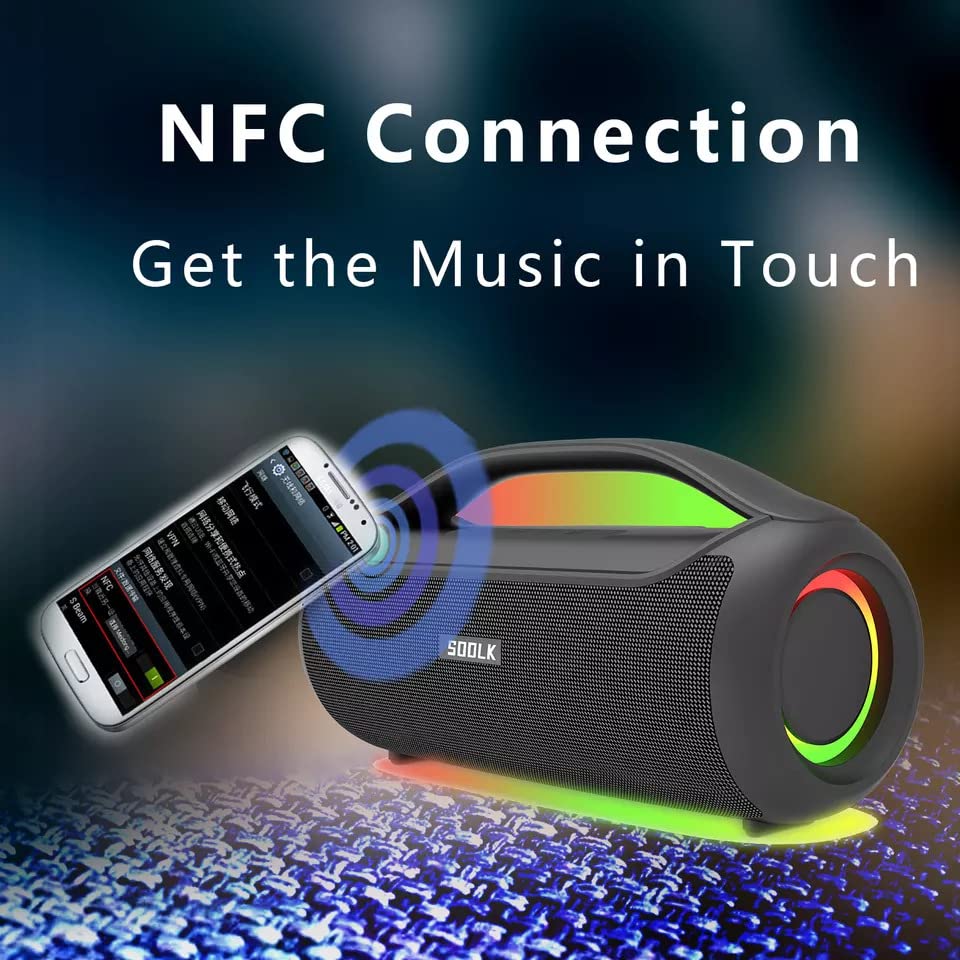
Image: A smartphone being tapped against the SODLK T300 speaker, illustrating the NFC connection process for instant music pairing.
- זיכער מאַכן אַז NFC איז ענייבאַלד אויף דיין סמאַרטפאָון אָדער מיטל.
- Tap your NFC-enabled device gently against the NFC area on the speaker.
- Your device will prompt you to connect via Bluetooth. Confirm the connection.
7. וישאַלט
7.1 רייניקונג
ווישט אָפּ דעם רעדנער מיט אַ ווייכן, טרוקענעם שטאָף. ניצט נישט קיין שרײַבנדיקע רייניגער, אַלקאָהאָל, אָדער אַנדערע כעמישע סאָלווענטן, ווײַל די קענען שאַטן די ייבערפלאַך.
7.2 סטאָרידזש
When not in use for extended periods, store the speaker in a cool, dry place away from direct sunlight and extreme temperatures. It is recommended to charge the speaker at least once every three months to maintain battery health.
8. טראָובלעשאָאָטינג
| פּראָבלעם | מעגלעך סיבה | לייזונג |
|---|---|---|
| דער רעדנער גייט נישט אן. | נידעריק באַטאַרייע. | לאָדט דעם רעדנער גאָר אויף. |
| קיין געזונט. | Volume too low; incorrect input mode; device not paired. | Increase volume; switch to correct input mode (BT, AUX, TF, USB); re-pair Bluetooth device. |
| בלועטאָאָטה פּערינג פיילז. | רעדנער נישט אין פּערינג מאָדע; מיטל בלועטוט אויסגעלאָשן; צו ווייט פון רעדנער. | Ensure speaker is in pairing mode; enable Bluetooth on device; move device closer to speaker. |
| די TWS פֿאַרבינדונג פֿאַרפֿעלט. | Speakers already connected to another device; too far apart. | Disconnect speakers from other devices; ensure speakers are close to each other. |
9. ספּעסאַפאַקיישאַנז
Detailed technical specifications for the SODLK T300 speaker:
| שטריך | באַשרייַבונג |
|---|---|
| מאָדעל נאָמען | T300 |
| רעדנער טיפּ | פּאָרטאַטיוו ספּיקער |
| ספּעציעלע שטריך | Subwoofer, LED Light, TWS Connection |
| קאַנעקטיוויטי טעכנאָלאָגיע | Bluetooth 5.1, Auxiliary, TF Card, USB |
| ווירעלעסס קאָמוניקאַציע | בלועטאָאָטה |
| רעדנער מאַקסימום רעזולטאַט מאַכט | 120 וואטס |
| אַודיאָ רעזולטאַט מאָדע | סטערעאָ |
| אַרומרינגלען סאָונד קאַנאַל קאַנפיגיעריישאַן | 6D |
| מאַכט מקור | באַטאַרייע פּאַוערד |
| קאָנטראָל מעטאָד | ריר קנעפּלעך |
| פּראָדוקט דימענשאַנז | 11.2D x 29.2W x 10.1H סענטימעטער |
| איז וואָטערפּרוף | ניין |
| אַרייַנגערעכנט קאַמפּאָונאַנץ | USB Cable, Speaker, User Manual |
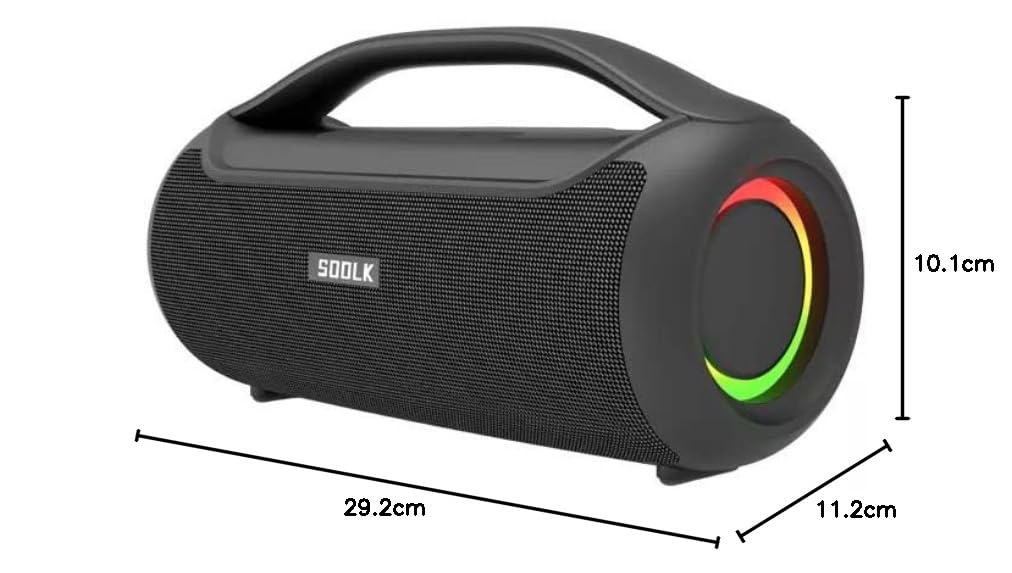
Image: Diagram showing the dimensions of the SODLK T300 speaker: 29.2cm (width), 11.2cm (depth), and 10.1cm (height).
10. וואָראַנטי און שטיצן
The SODLK T300 speaker comes with a 1-יאָר וואָראַנטי פֿון דעם קויפֿדאַטום. די וואָראַנטי דעקט פֿאַבריקאַציע חסרונות און אַרבעט אונטער נאָרמאַל נוצן. עס דעקט נישט שעדיקן געפֿירט דורך אומרעכט נוצן, אַקסאַדענטן, נישט-אָטעריזירטע מאָדיפֿיקאַציעס, אָדער נאָרמאַל טראָגן און טרער.
For warranty claims, technical support, or any inquiries, please contact your retailer or the SODLK customer service department with your purchase details.