
1. הקדמה
This manual provides detailed instructions for the LUCORB Portable Gym Timer, model B0BYH9SP13. This device is designed to assist with various fitness activities by providing accurate timekeeping for interval training, countdowns, count-ups, and stopwatch functions. Please read this manual thoroughly before using the product to ensure proper operation and to maximize its lifespan.
2. זיכערקייַט אינפֿאָרמאַציע
- לייענען אַלע ינסטראַקשאַנז קערפאַלי איידער אַפּערייטינג די מיטל.
- Keep the timer away from water and excessive moisture to prevent damage.
- פרובירט נישט צו צענעמען אדער מאדיפיצירן דעם אפאראט. דאס וועט בטל מאכן די גאראנטיע.
- ניצט נאָר דעם צוגעשטעלטן USB טשאַרדזשינג קאַבל אָדער אַ סערטיפיצירטן עקוויוואַלענט פֿאַר טשאַרדזשינג.
- פֿאַרמײַדן אויסצושטעלן דעם טײַמער צו עקסטרעמע טעמפּעראַטורן אָדער דירעקטע זון פֿאַר פֿאַרלענגערטע פּעריאָדן.
3. פּראָדוקט איבערview
The LUCORB Portable Gym Timer is a compact and versatile device designed for various workout needs. It features a clear LED display, multiple timing modes, and a magnetic back for convenient placement.
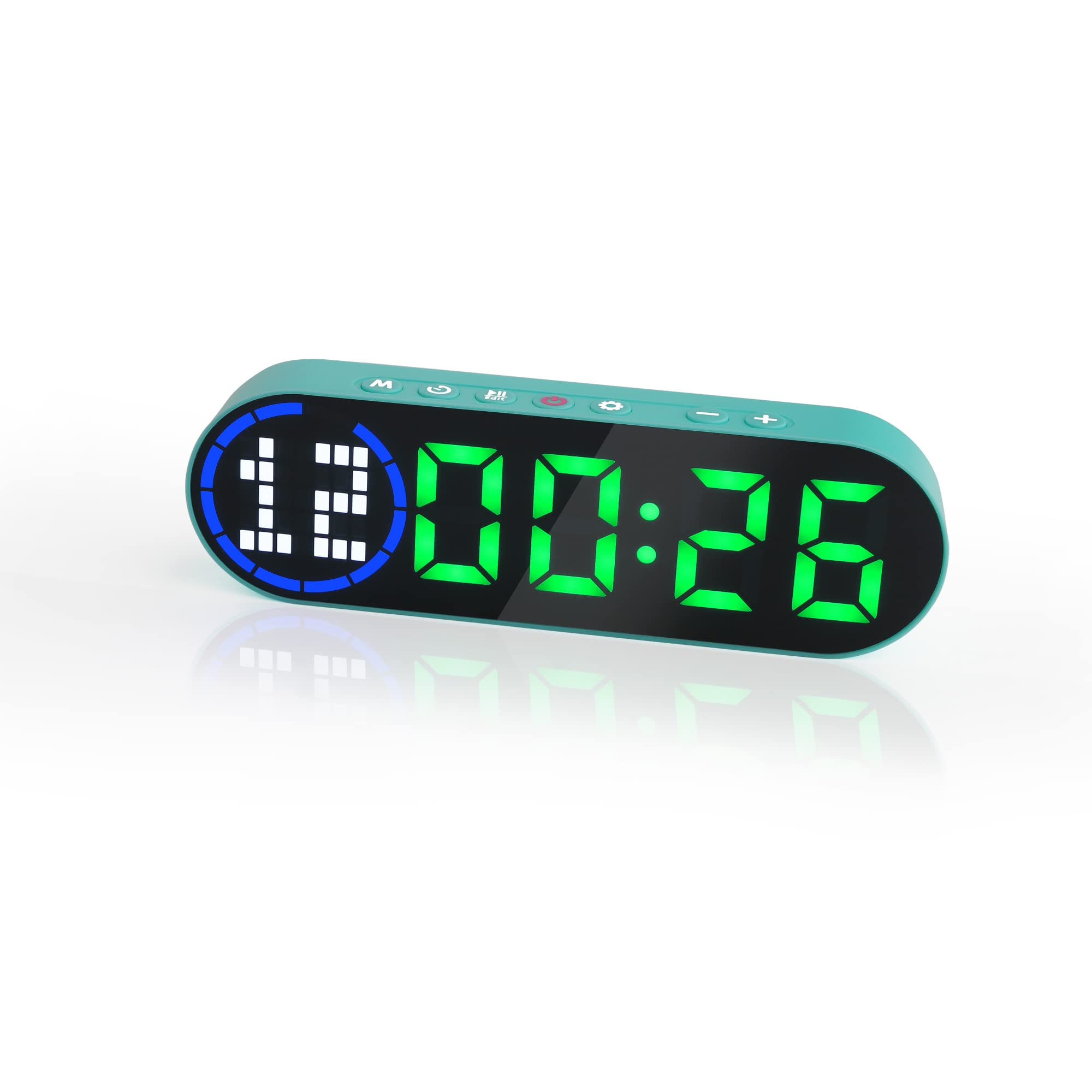
Image 3.1: The LUCORB Portable Gym Timer, highlighting its compact and portable dimensions (approximately 6.3 inches long, 2 inches wide, and 0.9 inches thick). The image also indicates it is rechargeable and battery-powered.
שליסל פֿעיִקייטן:
- סאָליד און פּאָרטאַטיוו פּלאַן: גרינג צו פירן און נוצן ערגעץ.
- מאַגנעטיק צוריק: Allows for secure attachment to metal surfaces.
- קריקאָנלאָדלעך באַטערי: Provides long-lasting power for workouts.
- עטלעכע צייט מאָדעס: Includes Interval Timer, Countdown, Count Up, and Stopwatch.
- Time Progress Bar: Visual indicator for workout progress.
- Adjustable Sound and Countdown: Customizable settings for personalized use.
4. פּעקל אינהאַלט
ביטע טשעק די פּאַקעט פֿאַר די פאלגענדע זאכן:
- LUCORB Portable Gym Timer (1)
- וסב טשאַרדזשינג קאַבלע (1)
- באַניצער מאַנואַל (1)
5. סעטאַפּ
5.1 Charging the Timer
Before first use, fully charge the timer. Connect the provided USB charging cable to the timer's charging port and plug the other end into a standard USB power adapter (not included) or a computer's USB port. The display will indicate charging status. A full charge typically takes 2-3 hours.
5.2 מאַכט אויף / אַוועק
- צו מאַכט אויף: דריקן און האַלטן די מאַכט קנעפּל (usually located on the side or top) for 3 seconds until the display lights up.
- צו מאַכט אַוועק: דריקן און האַלטן די מאַכט קנעפּל for 3 seconds until the display turns off.
5.3 פּלייסמאַנט
The LUCORB Gym Timer features a strong magnetic back, allowing it to be securely attached to any metal surface, such as gym equipment, racks, or whiteboards. Ensure the surface is clean and stable before attaching.
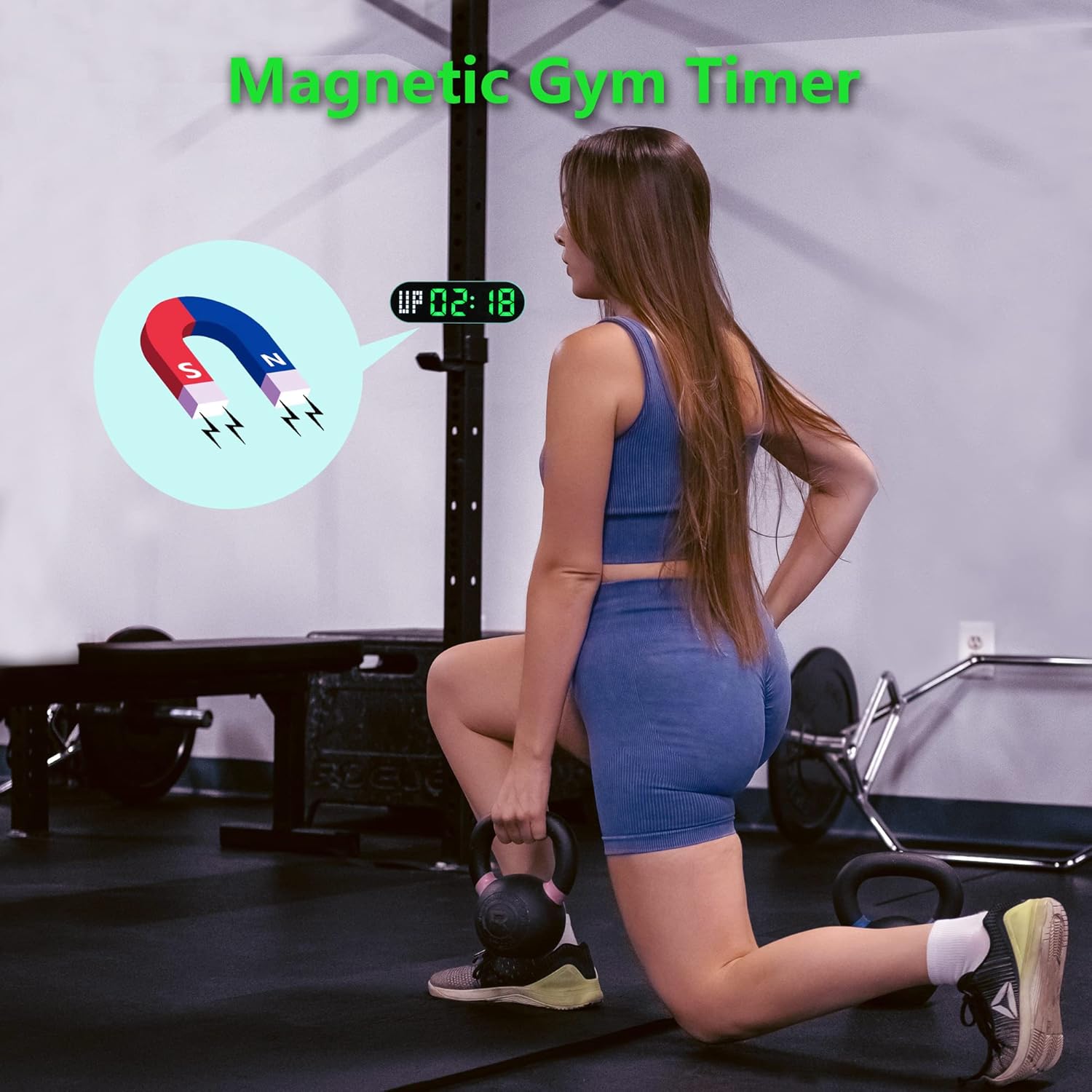
Image 5.1: The timer demonstrating its magnetic attachment capability to a metal gym rack, providing convenient visibility during workouts.
6. אַפּערייטינג ינסטרוקטיאָנס
The timer has several buttons for navigation and settings. Refer to the diagram below for button identification (buttons are typically located on the top edge of the device).
- מאָדע קנעפּל: Cycles through different timing modes (Interval, Countdown, Count Up, Stopwatch).
- SET קנעפּל: Enters setting mode for the current timing program.
- אָנהייב / פּויזע קנעפּל: Starts or pauses the current timer.
- +/- קנעפּלעך: Adjusts values when in setting mode.
6.1 פֿאַרשטיין די ווייַז
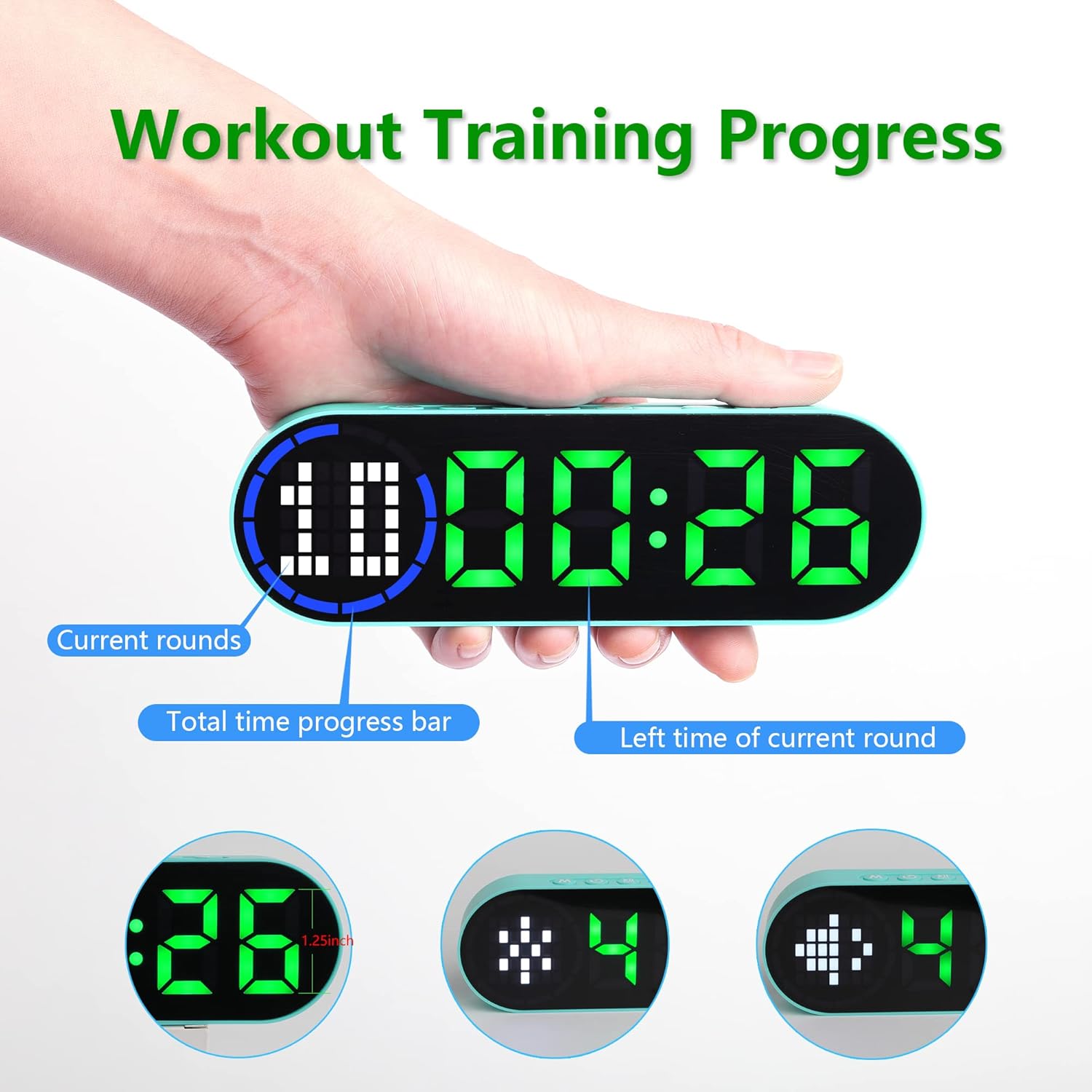
Image 6.1: The timer display indicating "Current rounds" (left), "Total time progress bar" (top segment), and "Left time of current round" (right). This visual feedback helps track workout progress.
6.2 צייט מאָדעס
דרוק די מאָדע קנעפּל to cycle through the available timing modes:

Image 6.2: The timer displaying examples of its four main modes: Interval Timer, Count Down, Count Up, and Stopwatch, each with distinct visual indicators.
6.2.1 Interval Timer (e.g., HIIT, Tabata)
- דרוק מאָדע until "F" (Work) and "C" (Rest) indicators appear.
- דרוק שטעלן to enter setting mode. The time for the first interval (Work) will flash.
- ניצן +/- קנעפּלעך to adjust minutes and seconds for the Work period. Press שטעלן to confirm and move to the Rest period.
- Adjust minutes and seconds for the Rest period using +/- קנעפּלעך. דרוק שטעלן to confirm and move to the number of rounds.
- Adjust the number of rounds. Press שטעלן צו ראַטעווען סעטטינגס און אַרויסגאַנג.
- דרוק אָנהייב / פּויזע to begin the interval workout. The timer will count down the Work period, then the Rest period, for the set number of rounds.
6.2.2 קאָונטדאָוון טיימער
- דרוק מאָדע until "dn" or a countdown format (e.g., 00:00) is displayed.
- דרוק שטעלן to enter setting mode. The time will flash.
- ניצן +/- קנעפּלעך to set the desired countdown time (minutes and seconds). Press שטעלן צו באַשטעטיקן יעדן סעגמענט.
- דרוק אָנהייב / פּויזע צו אָנהייבן די קאַונטדאַון.
6.2.3 Count Up Timer
- דרוק מאָדע until "UP" or a count-up format (e.g., 00:00) is displayed.
- The timer will typically start from 00:00.
- דרוק אָנהייב / פּויזע to begin counting up. Press again to pause.
- To reset, press and hold the אָנהייב / פּויזע button or a dedicated באַשטעטיק button (if available) while paused.
6.2.4 סטאַפּוואַטש
- דרוק מאָדע until "ST" or a stopwatch format (e.g., 00:00:00) is displayed.
- דרוק אָנהייב / פּויזע to begin counting. Press again to pause.
- To reset the stopwatch to zero, press and hold the אָנהייב / פּויזע button or a dedicated באַשטעטיק button (if available) while paused.
6.3 אַדזשאַסטאַבאַל סעטטינגס
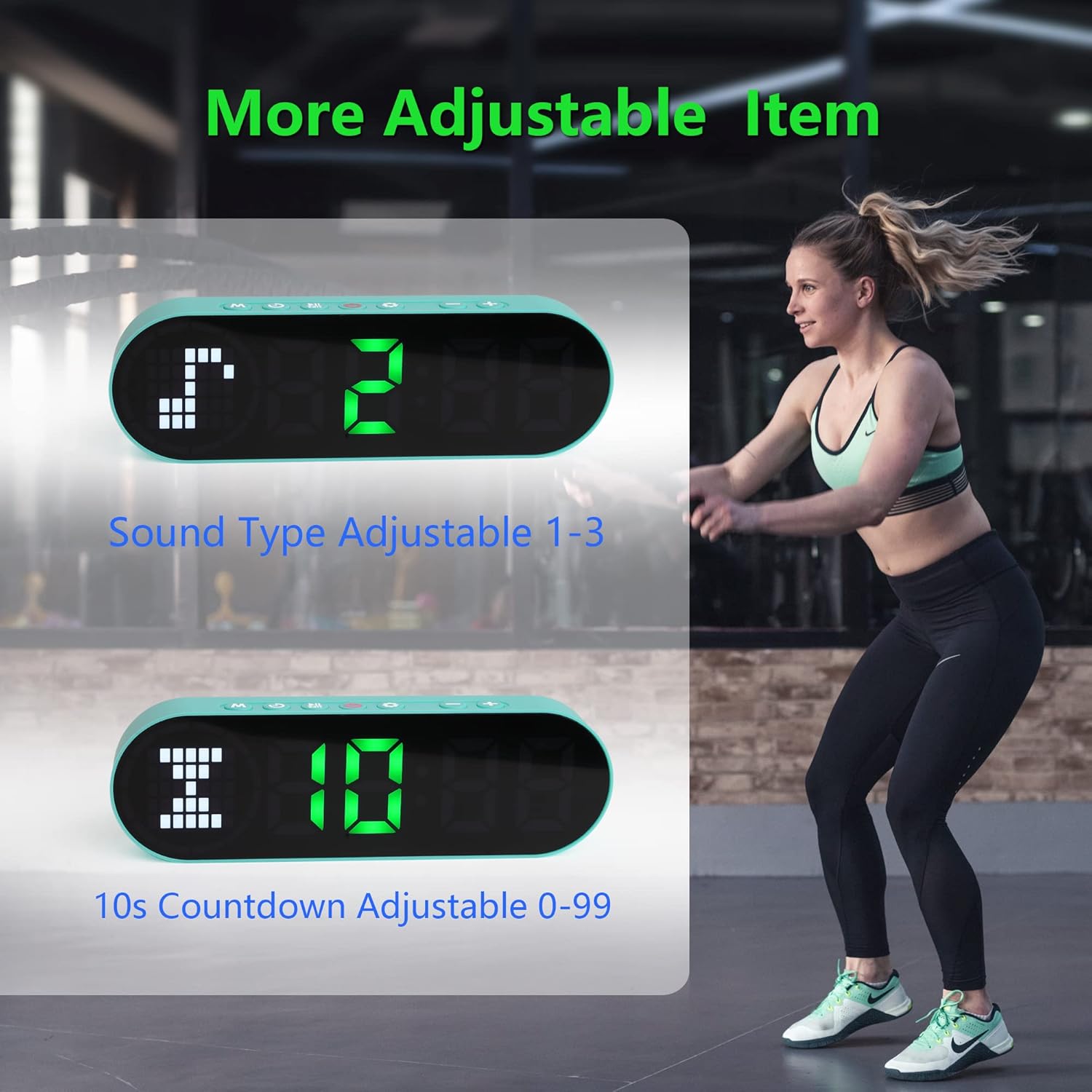
Image 6.3: The timer illustrating adjustable features, including Sound Type (1-3) and a customizable 10-second countdown (0-99 seconds) before a program starts.
6.3.1 Sound Type Adjustment
Some modes allow adjustment of the sound type or volume. While in a setting mode (e.g., Interval Timer setup), look for an option to adjust "Sound Type" (often indicated by a speaker icon or "SND"). Use the +/- קנעפּלעך to cycle through available sound options (e.g., 1, 2, 3 for different tones or volumes). Press שטעלן צו באַשטעטיקן.
6.3.2 Initial Countdown Adjustment
Before starting a timed program (like Interval or Countdown), the timer may offer an initial preparation countdown (e.g., 10 seconds). This can often be adjusted from 0 to 99 seconds. While in a setting mode, look for a "10s Countdown" or "PREP" setting. Use the +/- קנעפּלעך to set the desired pre-countdown duration. Press שטעלן צו באַשטעטיקן.
7. וישאַלט
7.1 רייניקונג
To clean the timer, gently wipe the surface with a dry, soft cloth. Do not use abrasive cleaners, solvents, or harsh chemicals, as these can damage the display or casing.
7.2 סטאָרידזש
When not in use for extended periods, store the timer in a cool, dry place, away from direct sunlight and extreme temperatures. Ensure the battery is partially charged before storing to maintain battery health.
8. טראָובלעשאָאָטינג
- Timer not turning on:
- Ensure the battery is charged. Connect the timer to a power source using the USB cable.
- דריקן און האַלטן די מאַכט קנעפּל פֿאַר 3 סעקונדעס.
- Display is dim or unresponsive:
- ריטשאַרדזש די באַטאַרייע.
- פּרוּווט קערן די מיטל אַוועק און אויף ווידער.
- די קנעפּלעך זענען נישט ריספּאַנדינג:
- Restart the timer by powering it off and then on.
- Ensure your fingers are dry and clean when pressing buttons.
- Timer not holding a charge:
- ענשור אַז די טשאַרדזשינג קאַבלע איז סיקיורלי פארבונדן.
- פּרוּווט אַ אַנדערש וסב מאַכט אַדאַפּטער אָדער פּאָרט.
- אויב די אַרויסגעבן בלייַבט, קאָנטאַקט קונה שטיצן.
9. ספּעסאַפאַקיישאַנז
| סאָרט | LUCORB |
| מאָדעל נומער (ASIN) | B0BYH9SP13 |
| פּונקט וואָג | 127 ג |
| נומער דימענשאַנז (LxWxH) | 160 x 50 x 23 מילימעטער |
| קאָליר | ליכט גרין |
| מאַכט מקור | באַטאַרייע פּאַוערד (קריקאָנלאָדלעך דורך וסב) |
10. וואָראַנטי און שטיצן
For warranty information, technical support, or any inquiries regarding your LUCORB Portable Gym Timer, please refer to the product packaging or contact LUCORB customer service through the retailer where the product was purchased. Please have your model number (B0BYH9SP13) and purchase date available when contacting support.