
1. הקדמה
די מאַנואַל גיט דעטאַלירטע אינסטרוקציעס פֿאַר די Apera Instruments GroStar סעריע GS3 EC/ppm פּען טעסטער קיט (AI103G). די לאַבאָראַטאָריע-גראַד קאַנדאַקטיוויטי מעטער איז דיזיינד פֿאַר פּינקטלעכע מעסטונג פון EC (עלעקטרישע קאַנדאַקטיוויטי), 500ppm, און 700ppm, צוזאַמען מיט טעמפּעראַטור, מאַכנדיג עס פּאַסיק פֿאַר הידראָפּאָניק און אַלגעמיינע וואַסער קוואַליטעט טעסטינג. די מיטל פֿעיִקייטן אַ ריפּלייסאַבאַל טיטאַניום קאַנדאַקטיוויטי סענסאָר און אַ באַניצער-פרייַנדלעך צובינד.
2. פּראָדוקט איבערview
דער גראָסטאַר סעריע GS3 EC/ppm פעדער טעסטער איז דיזיינד פֿאַר פאַרלעסלעכקייט און גרינגקייט פון באַניץ. הויפּט פֿעיִקייטן אַרייַננעמען:
- מעסט קאַנדאַקטיוויטי (EC), 500ppm, 700ppm, און טעמפּעראַטור.
- אויסטוישבאַרער טיטאַניום סענסאָר פֿאַר הויך אַקיעראַסי אין די 0 צו 10 EC קייט.
- באַקלייט HD פאַרשטעלן פֿאַר קלאָרע לייענונגען.
- גרינס-פרייַנדלעך קאַליבראַציע וואָרקפלאָו מיט אַ קאַליבראַציע דערמאָנונג פונקציע.

פיגור 1: Apera Instruments GroStar סעריע GS3 EC/ppm פעדער טעסטער.
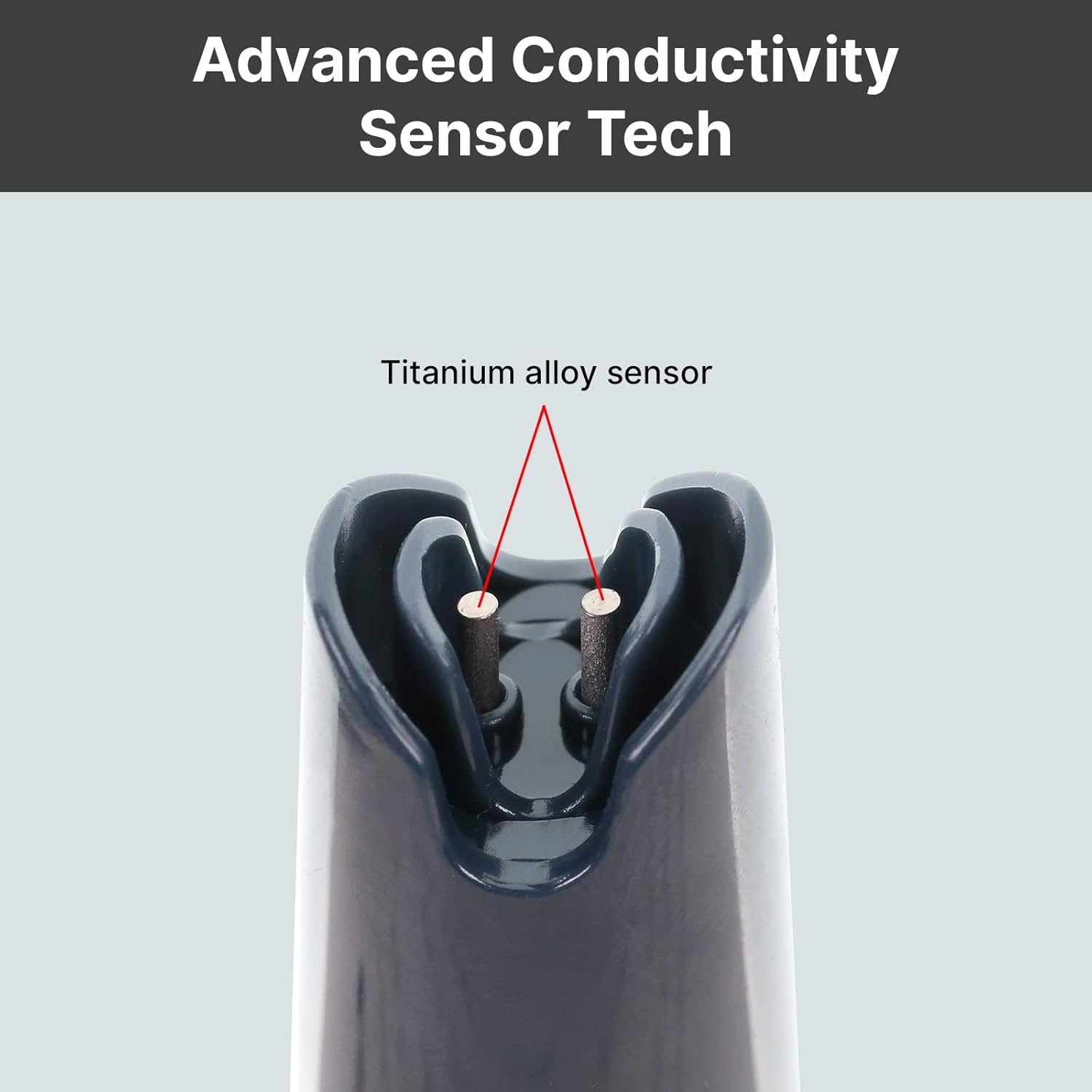
פיגורע 2: נאָענט-אַרויף view פון די דוראַבאַל טיטאַניום צומיש סענסאָר פֿאַר קאַנדאַקטיוויטי מעזשערמאַנץ.
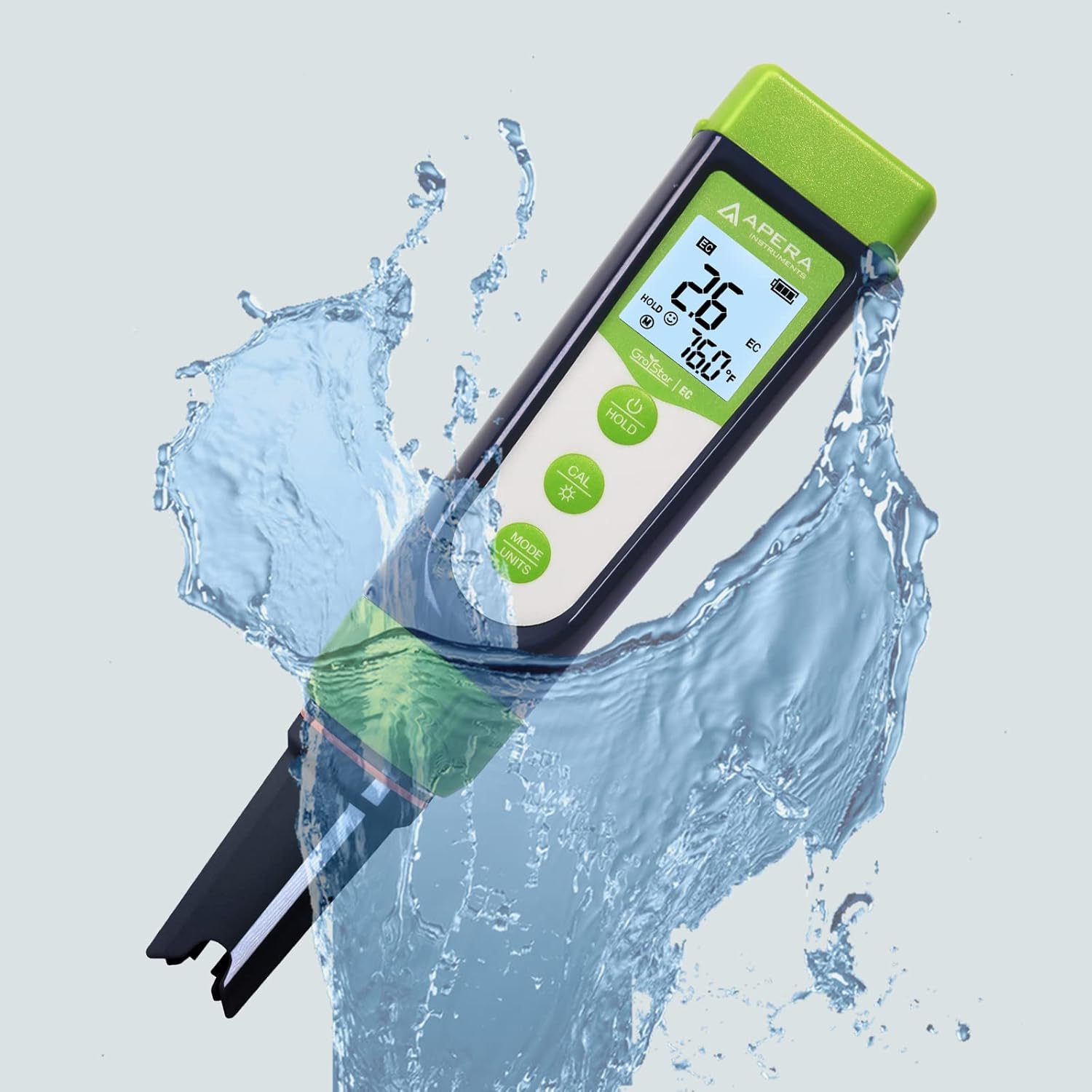
פיגור 3: דער גראָסטאַר GS3 פּען טעסטער דעמאָנסטרירט זיין וואַסער קעגנשטעל בעת באַניץ.
3. סעטאַפּ
פארן ערשטן באַנוץ, זיכער מאַכן אַז אַלע קאָמפּאָנענטן זענען פאַראַן און אַז דער מיטל איז גרייט פֿאַר אָפּעראַציע.
3.1 וואָס איז אין דער קעסטל
- Apera Instruments GroStar סעריע GS3 EC/ppm פעדער טעסטער (דור II)
- 2.77 EC קאַליבראַציע לייזונג
- לאַניאַרד
- 4 AAA באַטעריעס (פאַר-אינסטאַלירט אָדער אַרייַנגערעכנט באַזונדער)

פיגור 4: דער גאַנצער אינהאַלט פֿון קיט, אַרייַנגערעכנט דעם טעסטער, קאַליבראַציע לייזונג, און לאַניאַרד.
3.2 באַטאַרייע ייַנמאָנטירונג
דער אַפּאַראַט דאַרף 4 AAA באַטעריעס. אויב נישט פאַר-אינסטאַלירט, עפֿנט דעם באַטעריע אָפּטייל וואָס געפֿינט זיך אויבן אויף דעם טעסטער, אַרײַנשטעלט די באַטעריעס לויט די פּאָלאַריטעט אינדיקאַטאָרן, און פֿאַרמאַכט זיכער דעם אָפּטייל.
3.3 ערשט צוגרייטונג
- אַראָפּנעמען די פּראַטעקטיוו היטל פון די סענסער.
- שווענקט אויס דעם סענסאר מיט דיסטילירט אדער דעיאָניזירט וואסער.
- שאָקלט אָפּ די איבעריקע וואַסער מיט אַ שאָקל.
4. אַפּערייטינג ינסטרוקטיאָנס
4.1 מאַכט אויף / אַוועק
דרוק די מאַכט קנעפּל צו דרייען דעם טעסטער אן אדער אויס.
4.2 מעאַסורינג
- זיכער מאַכן אַז דער טעסטער איז ריין און קאַליברירט.
- ייַנטונקען די סענסער אין די sampדי לייזונג, און זיכער מאַכן אַז דער סענסאָר איז גאָר אונטערגעטובלט.
- מישט לײַכט און וואַרט ביז די לייענונג זאָל זיך סטאַביליזירן אויפן עקראַן.
- דער דיספּלעי וועט ווײַזן EC/ppm און טעמפּעראַטור לייענונגען.
4.3 וועקסלען מעסטונג מאָדעס (EC/ppm)
דרוק די מאָדע/איינהייטן קנעפּל צו דורכגיין EC, 500ppm, און 700ppm מעסטונג מאָדעס.

פיגור 5: דער טעסטער'ס דיספלעי גייט דורך פארשידענע מעסטונג איינהייטן.
4.4 האַלטן פֿונקציע
דרוק די האַלטן קנעפּל צו איינפֿרירן די איצטיקע לייענונג אויף דער אַרויסווייַזונג. דריק ווידער צו לאָזן.
4.5 טרו-רעד דיספּלעי
דער TruRead דיספּלעי גיט מאַקס, דורכשניטלעך און מינימום מעסטונגען, און אָפֿערט אַ פולשטענדיקע view פון דיינע מעסטונגען.

פיגור 6: די TruRead אַרויסווייַז פֿונקציע, ווײַזנדיק מאַקסימום, דורכשניטלעך און מינימום רעקאָרדירטע ווערטן.
5. קאַלאַבריישאַן
רעגולערע קאליבראציע גאראנטירט גענויע מעסטונגען. די GS3 האט א גרינער-פריינדלעכע קאליבראציע ארבעטס-פלאך און א דערמאָנונג פונקציע.
5.1 קאַלאַבריישאַן פּראָצעס
- קער אויף די טעסטער.
- דרוק די CAL קנעפּל צו אַרייַן קאַליבראַציע מאָדע.
- טונקט אריין דעם סענסאר אין דער 2.77 EC קאליבראציע לייזונג.
- דער טעסטער וועט אויטאָמאַטיש דערקענען די לייזונג און קאַליברירן. וואַרט אויף די סטאַבילע לייענונג און באַשטעטיקונג.
- שווענקט אויס דעם סענסאר מיט דיסטילירט וואסער נאך קאליבראציע.

פיגור 7: וויזועלע רעפּרעזענטאַציע פון דעם טעסטער'ס אַרויסווייַז אין מעסטונג, קאַליבראַציע און טעות שטאַטן.
5.2 קאַליבראַציע דערמאָנונג
דער טעסטער וועט אייך אויטאָמאַטיש דערמאָנען ווען ריקאַליבראַציע איז רעכט, און זיכער מאַכן אַז עס איז אַ קאָנסיסטענטע אַקיעראַסי.
6. וישאַלט
6.1 רייניקונג די סענסער
נאך יעדן באניץ, שווענקט אויס דעם סענסאר גרינטלעך מיט דיסטילירט אדער דעיאניזירט וואסער כדי צו פארמיידן רעשטלעך אויפצובויען. נישט שטארק שראבען דעם סענסאר.
6.2 סטאָרידזש
שטענדיק צוריקשטעלן דעם שוץ-דעקל נאך באניץ. פאר לאנג-טערמין אויפבעווארעניש, זיכער מאכן אז דער סענסאר ווערט געהאלטן פייכט. זעט די פראדוקט פארפאקונג אדער אפעראַ אינסטרומענטן. webזייטל פֿאַר ספּעציפֿישע סטאָרידזש לייזונג רעקאָמענדאַציעס אויב אָנווענדלעך.
6.3 אויסטוישן דעם סענסאר
דער טיטאניום EC סענסאר איז אויסטוישבאר. אויב די סענסאר'ס פאָרשטעלונג ווערט באדייטנד פארערגערט אדער עס ווערט געשעדיגט, קען מען קויפן א נייעם סענסאר און גרינג אינסטאלירן דורך אראפדרייען דעם אלטן און אנשטעלן דעם נייעם.
7. טראָובלעשאָאָטינג
| פּראָבלעם | מעגלעך סיבה | לייזונג |
|---|---|---|
| ומפּינקטלעך רידינגז | סענסאָר איז שמוציק אָדער טרוקן; קאַליבראַציע איז אַלטמאָדיש אָדער נישט ריכטיק; געשעדיגטער סענסאָר. | רייניקן דעם סענסאר; קאַליברירן דעם טעסטער ווידער; פאַרבייטן דעם סענסאר אויב עס איז געשעדיגט. |
| טעסטער גייט נישט אן | טויטע באַטעריעס; אומרעכטע באַטעריע אינסטאַלאַציע. | טוישן באַטעריעס; קאָנטראָלירן די פּאָלאַריטעט פון די באַטעריעס. |
| "CAL Er" טעות בעת קאליבראציע | אומרעכטע קאליבראציע לייזונג; פארפעסטיקטע לייזונג; סענסאר פראבלעם. | זיכער מאַכן אַז מען ניצט די ריכטיקע 2.77 EC לייזונג; ניצט אַ פרישע קאַליבראַציע לייזונג; רייניקט אָדער פאַרבייט דעם סענסאָר. |
8. ספּעסאַפאַקיישאַנז
- מאָדעל נומער: AI103G
- פּראָדוקט דימענשאַנז: 7 X 1.5 X 1.3 אינטשעס
- וואָג: 4.69 אונסעס
- מאַכט מקור: 4 AAA באַטעריז (אַרייַנגערעכנט)
- סענסאָר טיפּ: אויסטוישבאַר טיטאַניום EC פּראָבע
- מעאַסורעמענט פּאַראַמעטערס: EC, 500ppm, 700ppm, טעמפּעראַטור
- ערשטער פאַראַנען דאַטע: 28 סעפטעמבער 2022
9. וואָראַנטי און שטיצן
Apera Instruments פּראָדוקטן ווערן געשטיצט דורך אַ פאַבריקאַנט'ס וואָראַנטי. פֿאַר דעטאַלירטע וואָראַנטי אינפֿאָרמאַציע, טעכנישע שטיצע, אָדער צו קויפן פאַרבייַט טיילן, ביטע באַזוכט די באַאַמטער Apera Instruments וועבזייטל. webזייטל אדער קאנטאקט זייער קאסטומער סערוויס גלייך. האלט אייער קויף קוויטל פאר גאראנטיע טענות.
פאַבריקאַנט: אַפּעראַ ינסטראַמאַנץ


