
הקדמה
The DIZO Earphones with HD Mic (Model DA2106) are designed to provide a clear audio experience for music listening and calls. Featuring an 11.2mm dynamic driver for enhanced bass and a built-in HD microphone for clear communication, these wired in-ear earphones are equipped with a tangle-free cable and a 90-degree angle audio jack for durability and ease of use.
פּעקל אינהאַלט
ביטע באַשטעטיקן אַז אַלע זאכן זענען פאַראַן אין דעם פּעקל:
- DIZO Earphones (Model DA2106)
- באַניצער מאַנואַל (דעם דאָקומענט)
פּראָדוקט איבערview
Familiarize yourself with the components of your DIZO Earphones.

בילד 1: איבערview of DIZO Earphones, illustrating the earbuds, in-line remote control, and 3.5mm audio jack.
- עאַרבודז: Designed for in-ear comfort and sound delivery.
- אין-ליין ווײַט קאָנטראָל: Integrated into the cable for easy access to functions.
- HD מיקראָפאָן: Located on the in-line remote for clear voice capture during calls.
- פֿאַרפּלאָנטערטער קאַבל: Durable cable designed to resist tangling.
- 90-Degree Angle Audio Jack: A 3.5mm connector designed for reduced strain and enhanced durability when plugged into devices.

בילד 2: דעטאַילעד view of the in-line remote control and the 90-degree 3.5mm audio jack.

בילד 3: Focus on the 90-degree angle audio jack, highlighting its design for durability.
סעטאַפּ
Connecting your DIZO Earphones is a straightforward process:
- אידענטיפיצירן דעם אַודיאָ פּאָרט: Locate the 3.5mm audio jack on your device (e.g., smartphone, laptop, tablet). This port is typically marked with a headphone icon.
- Insert the Jack: Gently insert the 3.5mm audio jack of the DIZO Earphones into your device's audio port until it is fully seated. The 90-degree angle design helps reduce stress on the cable.
- Adjust Earphones: Place the earbuds comfortably into your ears. Ensure a snug fit for optimal sound quality and bass response.
- טעסט אַודיאָ: Play some audio from your device to confirm that the earphones are working correctly. Adjust the volume on your device as needed.
אַפּערייטינג ינסטראַקשאַנז
די אין-ליין ווײַט קאָנטראָל ערמעגליכט גרינגע פאַרוואַלטונג פון אַודיאָ ווידערשפּיל און רופן.

בילד 4: Various angles of the earphones, highlighting the in-line remote for control.
- שפּיל / פּויזע מוזיק: Press the multi-function button on the in-line remote once to play or pause the current audio track.
- ווייַטער שפּור: Press the multi-function button twice quickly to skip to the next track.
- פֿריִערדיקע שפּור: Press the multi-function button three times quickly to go back to the previous track.
- ענטפֿערן / סוף רופן: Press the multi-function button once to answer an incoming call or end an active call.
- אָפּוואַרפן רופן: דריק און האלט דעם מולטי-פונקציע קנעפל פאר בערך 2 סעקונדעס צו אפווארפן אן אנקומענדיקן רוף.
- אַקטאַווייט קול אַססיסטאַנט: Press and hold the multi-function button for approximately 2 seconds (when not on a call) to activate your device's voice assistant (e.g., Google Assistant, Siri).
באַמערקונג: Volume control is managed directly through your connected device.
וישאַלט
געהעריקע זאָרג גאַראַנטירט די לאַנגלעבעדיקייט און פאָרשטעלונג פון אייערע אויערפאָונז.
- רייניקונג:
- ווישט אָפּ די אויערקנעפּלעך און קאַבל מיט אַ ווייכן, טרוקענעם, לינט-פֿרייע שטאָף.
- For ear tips, remove them and clean with a mild soap solution if necessary, then rinse thoroughly and ensure they are completely dry before reattaching.
- ניצט נישט קיין שטרענגע כעמיקאלן, אברייסיוו רייניגער, אדער סאָלווענטן.
- סטאָרידזש:
- האַלט די אויערפאָונז אין אַ ריינעם, טרוקענעם אָרט ווען זיי ווערן נישט גענוצט.
- ויסמיידן עקסטרעם טעמפּעראַטורעס און דירעקט זונשייַן.
- Do not wrap the cable too tightly to prevent damage. The tangle-free design helps with neat storage.
- האַנדלינג:
- Avoid pulling the cable forcefully when disconnecting from a device; always grasp the 3.5mm jack.
- Do not expose the earphones to water or excessive moisture. While they have some water repellency, they are not waterproof.
טראָובלעשאָאָטינג
אויב איר טרעפט פּראָבלעמען, זעט די פאלגענדע געוויינטלעכע פּראָבלעמען און לייזונגען:
| פּראָבלעם | לייזונג |
|---|---|
| קיין קול פון די אויערפאנען. |
|
| מיקראָפאָן אַרבעט נישט בעת רופן. |
|
| די געזונט קוואַליטעט איז שלעכט אָדער פאַרקרימט. |
|
ספּעסאַפאַקיישאַנז
Key technical specifications for the DIZO Earphones (Model DA2106):
| שטריך | דעטאַל |
|---|---|
| מאָדעל נומער | DA2106 |
| דרייווער גרייס | 11.2 מם דינאַמיש דרייווער |
| אויער פּלייסמאַנט | אין אויער |
| קאַנעקטיוויטי | מיט אַ דראָט (3.5 מ״מ דזשעק) |
| ימפּידאַנס | 28 אָהמס |
| אָפטקייַט ענטפער | 20000 KHz |
| סענסיטיוויטי | 106 דב |
| מיקראָפאָן | HD Microphone Included |
| קאַבלע פֿעיִקייטן | טאַנגלע פֿרייַ |
| Audio Jack Angle | 90-גראַד |
| וואָג | 14 גראַמז |
| מאַטעריאַל | פּלאַסטיק |
| קאַמפּאַטאַבאַל דעוויסעס | Cellphones, Laptops, Telephones |
| וואַסער קעגנשטעל מדרגה | וואַסער אָפּטרייַביק |
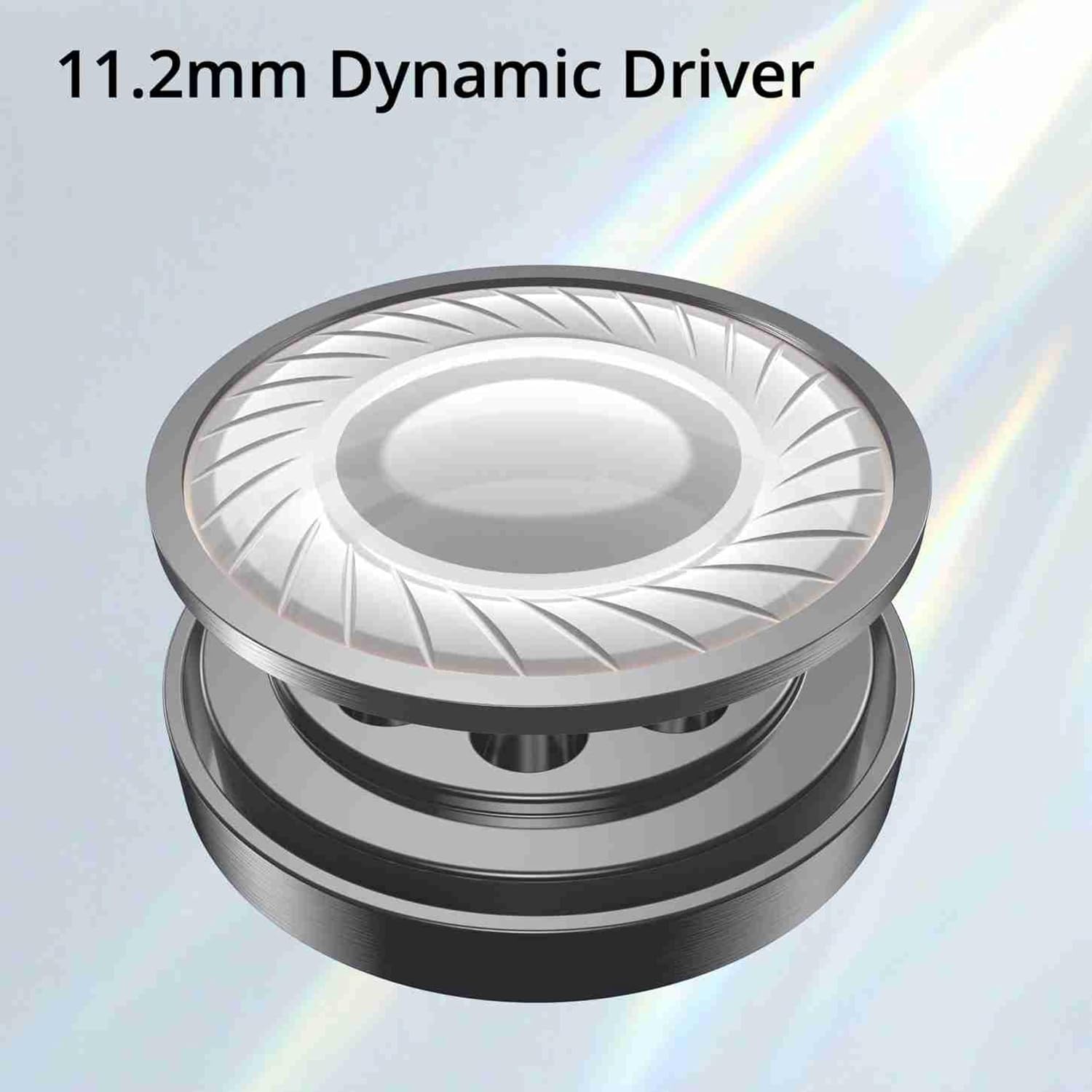
בילד 5: Illustration of the 11.2mm Dynamic Driver, responsible for audio output.

בילד 6: Visual representation of the earphones' capability for excellent bass performance.

בילד 7: Detail of the tangle-free cable, designed for durability and ease of use.
וואָראַנטי און שטיצן
DIZO provides a limited warranty for this product.
- וואָראַנטי פּעריאָד: 12 חדשים פון די טאָג פון קויפן.
- וואָראַנטי סערוויס: For warranty claims or technical support, please carry the product to an authorized service center.
- קאָנטאַקט אינפֿאָרמאַציע:
- בליצפּאָסט: service.in@dizo.net
- אָפּצאָל-פריי נומער: 1800 843 3030
ביטע באַהאַלטן אייער קויפן-באַווייַז פֿאַר וואָראַנטי וואַלידאַציע.