
iGear iG-1012
iGear Duo Charging Cable User Manual
מאָדעל: iG-1012 | בראַנד: iGear
פּראָדוקט איבערview
The iGear Duo Charging Cable is a versatile 2-in-1 solution designed for efficient charging and data synchronization across a wide range of devices. It features both a Type-C to Type-C connection and a Type-C to iPhone-pin connection, making it compatible with various smartphones, laptops, power banks, and other USB-C and Lightning-enabled devices.
שליסל פֿעיִקייטן אַרייַננעמען:
- צווייענדיק קאַנעקטיוויטי: Offers both Type-C to Type-C and Type-C to iPhone-pin connections in a single cable.
- שנעל טשאַרדזשינג: Supports 65W Power Delivery (PD) for Type-C to Type-C connections and 20W fast charging for Type-C to iPhone-pin connections.
- הויך דוראַביליטי: Constructed with a durable nylon braided exterior designed to resist breakage and withstand over 50,000 bends.
- ברייט קאַמפּאַטאַבילאַטי: Compatible with a broad range of devices including Android phones, iPhones, laptops, power banks, and speakers.
- Data Sync Capability: Enables high-speed data transfer up to 480Mbps.

Image: The iGear Duo Charging Cable showcasing its Type-C and detachable Lightning connectors, highlighting its dual functionality.
סעטאַפּ גייד
The iGear Duo Charging Cable is designed for plug-and-play simplicity. No complex setup or software installation is required.
- Identify Device Port: Determine whether your device requires a Type-C connection or an iPhone-pin (Lightning) connection.
- אויסקלייבן קאַנעקטאָר:
- For Type-C devices: Use the integrated Type-C connector.
- For iPhone-pin (Lightning) devices: Attach the Lightning adapter to the Type-C connector. The Lightning adapter is designed to securely fit onto the Type-C end of the cable.
- Connect to Power Source/Device: Plug the appropriate connector into your device (phone, laptop, etc.) and the other Type-C end into a compatible power adapter (wall charger, power bank) or another device for data transfer.
אַפּערייטינג ינסטראַקשאַנז
טשאַרדזשינג דעוויסעס
The iGear Duo Charging Cable supports fast charging for both Type-C and iPhone-pin devices. Ensure your power adapter supports Power Delivery (PD) for optimal charging speeds.
- For Type-C Devices: Connect the Type-C end of the cable to your device and the other Type-C end to a 65W PD compatible power adapter.
- For iPhone-pin Devices: Attach the Lightning adapter to the cable's Type-C end, then connect it to your iPhone-pin device. Plug the other Type-C end into a 20W PD compatible power adapter.
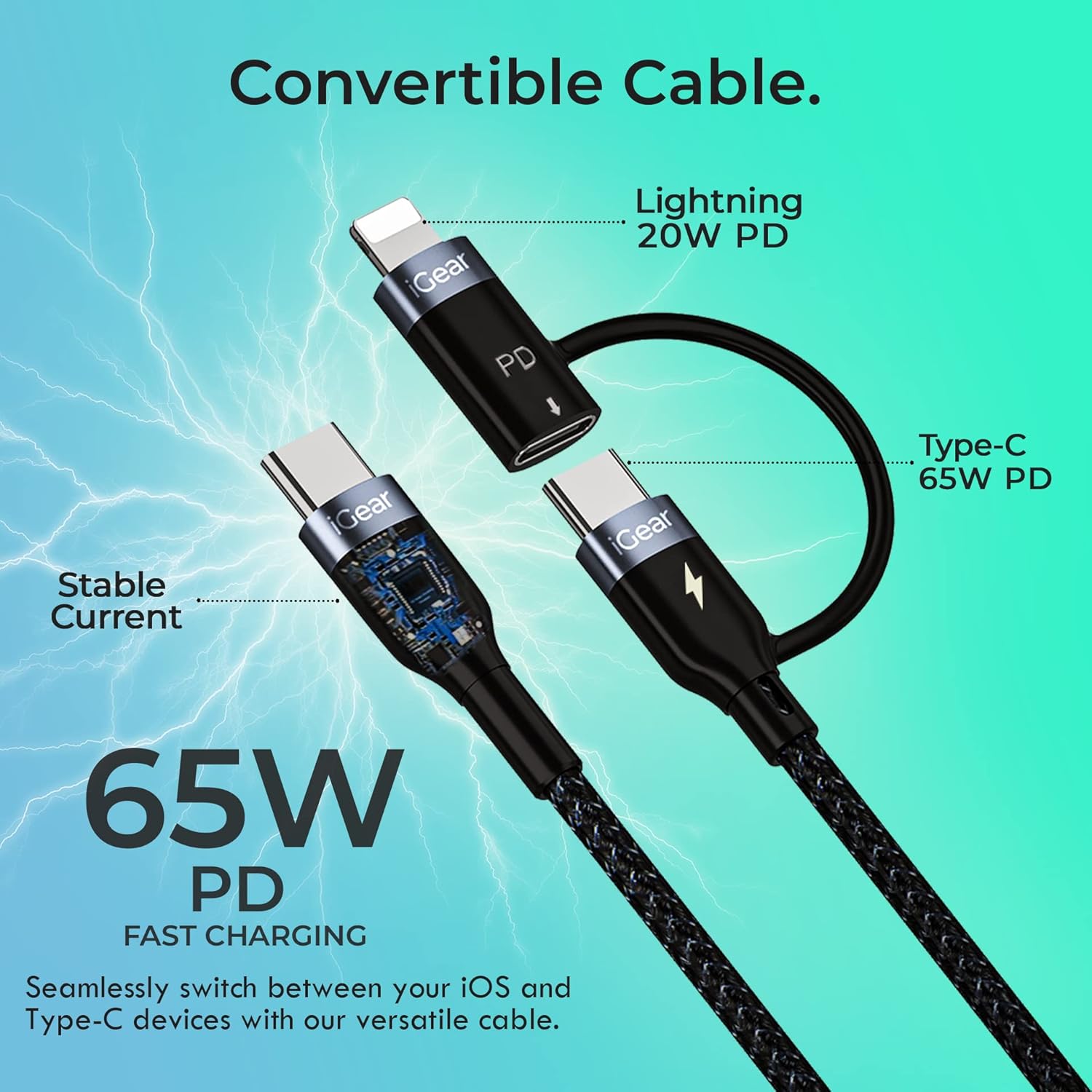
Image: A visual representation of the cable's convertible design, illustrating how the Lightning adapter connects to the Type-C end, and specifying 20W PD for Lightning and 65W PD for Type-C.
דאַטאַ אַריבערפירן
The cable facilitates high-speed data transfer between compatible devices, such as a smartphone and a laptop.
- פאַרבינדן דיווייסאַז: Plug one end of the cable into your device (e.g., smartphone) and the other end into the data port of another device (e.g., laptop).
- אָנהייבן טראַנספער: Follow the prompts on your devices to allow data access and begin transferring files. The cable supports data transfer speeds of up to 480Mbps.

Image: A hand holding a smartphone connected via the iGear Duo Cable, with text overlays indicating "65W Fast Charging" and "Upto 480Mbps Data Transfer," demonstrating its dual capabilities.
זאָרגן און וישאַלט
Proper care will extend the life of your iGear Duo Charging Cable and ensure optimal performance.
- ויסמיידן עקסטרעם בענדינג: While the cable is designed to be durable and withstand many bends, avoid sharp or excessive bending, especially near the connectors, to prevent internal wire damage.
- סטאָר רעכט: When not in use, coil the cable loosely. Avoid tightly wrapping or knotting the cable, which can stress the internal wires and outer braiding.
- האַלטן ריין: Use a soft, dry cloth to wipe down the cable and connectors. Avoid using harsh chemicals or abrasive materials.
- באַשיצן פון עלעמענטן: האַלט דעם קאַבל אַוועק פון עקסטרעמע טעמפּעראַטורן, דירעקט זונשייַן און פייכטקייט.
- שעפּן קאַנעקטערז קערפאַלי: Always pull from the connector head, not the cable itself, when unplugging from a device or power source.

Image: A detailed cross-section view of the cable's construction, highlighting its protective layers: rubber coating for insulation, copper wire for power, aluminum shield for protection, and a nylon braided jacket for durability.
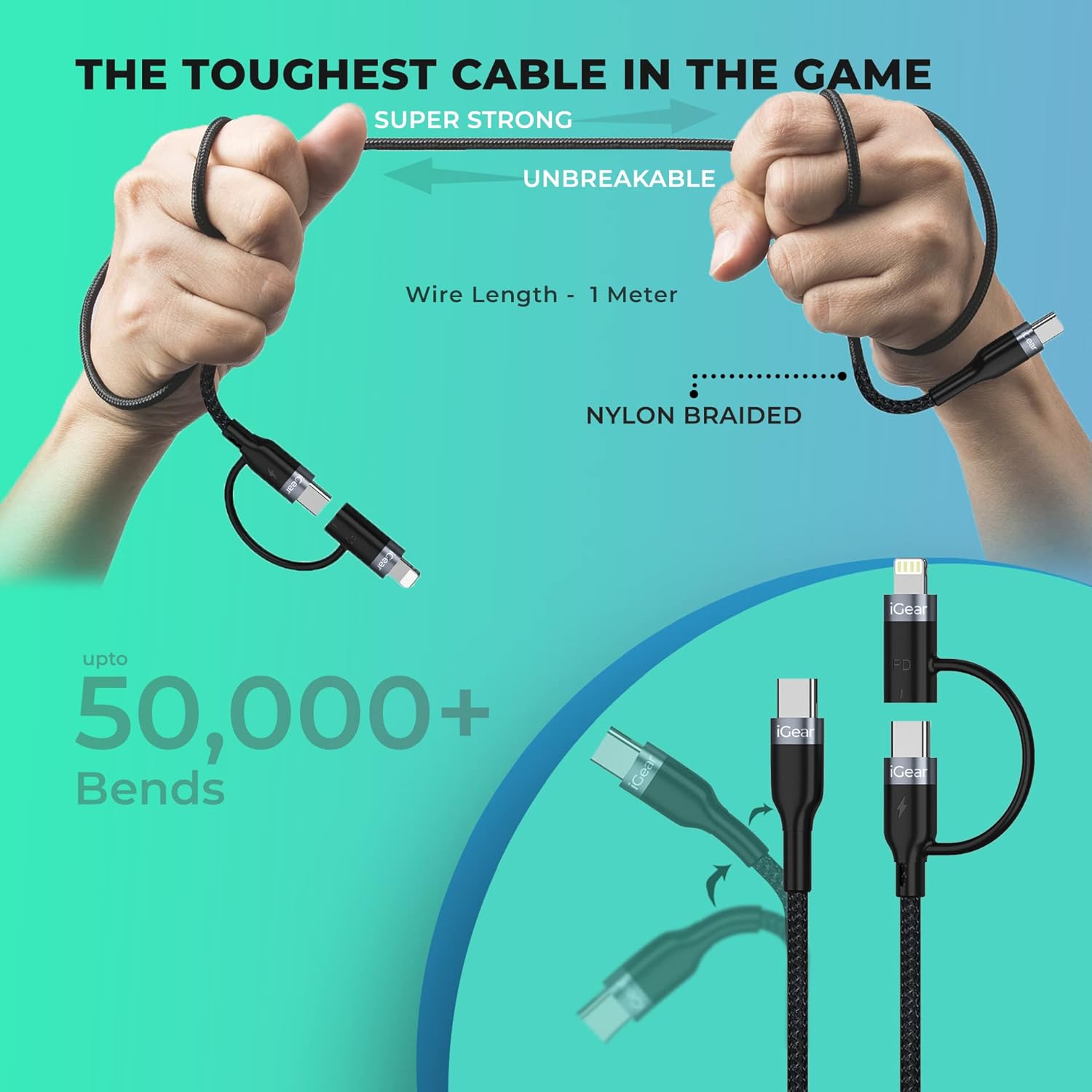
Image: A visual representation of the cable's robust design, showing it being bent and twisted, emphasizing its "Super Strong" and "Unbreakable" nylon braided construction, capable of withstanding over 50,000 bends.
טראָובלעשאָאָטינג
If you encounter issues with your iGear Duo Charging Cable, refer to the following common problems and solutions:
| פּראָבלעם | מעגלעך סיבה | לייזונג |
|---|---|---|
| מיטל ניט טשאַרדזשינג. | Loose connection, incompatible power adapter, dirty port, or damaged cable. |
|
| פּאַמעלעך טשאַרדזשינג גיכקייַט. | Power adapter not supporting PD, device drawing less power, or background apps consuming power. |
|
| דאַטן טראַנספער אַרבעט נישט. | Incorrect connection, device settings, or driver issues. |
|
טעכניש ספּעסאַפאַקיישאַנז
| שטריך | באַשרייַבונג |
|---|---|
| סאָרט | iGear |
| מאָדעל נומער | iG-1012 |
| קאַנעקטער טיפּ | USB Type C, Lightning (via adapter) |
| טיפּ קאַבלע | וסב |
| Power Delivery (Type-C to Type-C) | ביז 65 וואט פּד |
| Power Delivery (Type-C to iPhone-pin) | ביז 20 וואט פּד |
| דאַטאַ טראַנספער ספּיד | אַרויף צו 480 מבפּס |
| קאַמפּאַטאַבאַל דעוויסעס | Headphone, Laptop, Power Bank, Smartphone, Speaker (Android & iPhone) |
| ספּעציעלע פֿעיִקייטן | Braided, Data Transfer, Durable |
| קאָליר | שוואַרץ |
| ויסווייניקסט מאַטעריאַל | ניילאָן |
| פּונקט וואָג | 40 ג |
| פּעקל דימענשאַנז | 16.2 X 8.3 X 2.3 סענטימעטער |
| אַרייַנגערעכנט קאַמפּאָונאַנץ | 1 טשאַרדזשינג קאַבלע |
וואָראַנטי און שטיצן
וואָראַנטי אינפֿאָרמאַציע
The iGear Duo Charging Cable comes with a 1 יאָר וואָראַנטי פֿון דעם קויפֿדאַטום. די וואָראַנטי דעקט פֿאַבריקאַציע חסרונות און פּראָבלעמען וואָס שטאַמען פֿון נאָרמאַלן באַנוץ. עס דעקט נישט שאָדן פֿאַראורזאַכט דורך אומרעכטן באַנוץ, אַקסאַדענטן, נישט-אָטעריזירטע מאָדיפֿיקאַציעס, אָדער נאַטירלעכע קאַטאַסטראָפֿעס.
ביטע באַהאַלטן אייער קויף קוויטל ווי אַ באַווייַז פון קויפן פֿאַר וואָראַנטי קליימז.
קונה שטיצן
For any product-related inquiries, technical assistance, or warranty claims, please contact iGear customer support:
- פאַבריקאַנט: IGEAR TECH PRIVATE LIMITED
- אַדרעס: Goregaon East, Mumbai 400063
- קאָנטאַקט נומער: 9327667193
You may also visit the official iGear store on Amazon for more information and product updates: iGear Amazon Store
פֿאַרבונדענע דאָקומענטן - iG-1012
 |
iGear IG1929 Power Bank User Manual - Charging and Operation Guide Comprehensive user manual for the iGear IG1929 Power Bank, detailing operating instructions, charging methods, usage tips, notes, and frequently asked questions for 5V input devices. |
 |
iGear iG-1111 רעטראָ ראַדיאָ: פֿעיִקייטן, אָפּעראַציע און ספּעציפֿיקאַציעס אויספארשן דעם iGear iG-1111 רעטרא ראַדיאָ. די טראָגבאַרע דעווייס אָפפערט FM/AM/SW ראַדיאָ, MP3 ווידערשפּיל, בלועטוט 5.0, אַ ריטשאַרדזשאַבאַל באַטאַרייע, און מער. לערנט וועגן זייַנע פונקציעס, קאָנטראָלס, און באַניץ אינסטרוקציעס. |
 |
iGear Hoot 360 סוראַונד סאַונד צווילינג ספּיקערס באַניצער מאַנואַל באַניצער מאַנואַל פֿאַר די iGear Hoot 360 סוראַונד סאַונד צווילינג ספּיקערז (מאָדעל iG-1026), דעטאַלירנדיק ספּעסיפיקאַציעס, אָפּעראַציע און טשאַרדזשינג אינסטרוקציעס. |
 |
iGear RazorBeat iG-1041 בלועטוט סאַונדבאַר באַניצער מאַנואַל באַניצער מאַנואַל פֿאַר די iGear RazorBeat iG-1041 בלועטוט סאַונדבאַר. לערנט וועגן פּראָדוקט פֿעיִקייטן, ספּעסיפיקאַציעס, סעטאַפּ, אָפּעראַציע, זיכערהייט עצות און וואָראַנטי אינפֿאָרמאַציע. |
 |
iGear Bumble Bee Wireless Earbuds באַניצער מאַנואַל באַניצער מאַנואַל און ספּעציפֿיקאַציעס פֿאַר די iGear Bumble Bee Wireless Earbuds (מאָדעל iG-1142), וואָס דעקן טשאַרדזשינג, פּערינג, פאַנגקשאַנז און טעכנישע דעטאַלן. |
 |
KEYBEE PRO Wireless Keyboard & Mouse Instruction Manual User manual and setup instructions for the iGear KEYBEE PRO wireless keyboard and mouse set (Model iG-1115). |
Ask a question about this manual
Ask about setup, troubleshooting, compatibility, parts, safety, or missing instructions. Manuals+ will review the question and use this page’s manual context to help answer it.