
1. הקדמה
פּראָדוקט איבערview
The XIAOVV 2.4G WiFi P6 Solar Wireless Outdoor Security Camera is designed to provide reliable surveillance for your property. Featuring a built-in solar panel and a high-capacity battery, it offers continuous operation without the need for frequent charging. Its advanced features include smart PIR motion detection, pan and tilt capabilities, clear night vision, and two-way audio communication.

פיגורע 1: פראָנט view of the XIAOVV solar security camera and its detached solar panel on a wooden table.
שליסל פֿעיִקייטן:
- Integrated Solar Panel & 10,000 mAh Battery: Ensures year-round continuous power.
- קלוגע PIR באַוועגונג דעטעקציע: רעדוצירט פאַלשע אַלאַרמס דורך דעטעקטירן מענטשלעכע קערפּער טעמפּעראַטור.
- פּאַן און טילט פאַנגקשאַנאַליטי: Offers 355° horizontal and 100° vertical rotation for comprehensive coverage.
- HD Night Vision with Spotlight: Provides clear monitoring in low-light conditions and deters intruders.
- צוויי-וועג אַודיאָ: ערמעגליכט רעאַל-צייט קאָמוניקאַציע דורך די קאַמעראַ.
- IP65 וועטער קעגנשטעל: Designed to withstand various outdoor environmental conditions.
- מיליטערישע דאַטן ענקריפּשאַן: Ensures the privacy and security of your recordings.
- פלעקסאַבאַל סטאָרידזש אָפּציעס: Supports local SD card storage and cloud storage services.
פּעקל אינהאַלט:
- 1 x XIAOVV Solar Wireless Security Camera
- 1 x Solar Panel (integrated or separate, depending on model variant)
- 1 רענטגענ מאַונטינג קלאַמער
- 1 x וסב טשאַרדזשינג קאַבלע
- 1 x Screw Kit for Installation
- 1 x באַניצער מאַנואַל (דאָס דאָקומענט)
2. ערשט סעטאַפּ
2.1 אויפלאָדן די קאַמעראַ
Before the first use, ensure the camera's built-in 10,000 mAh battery is fully charged. You can charge it via the USB cable or by exposing the solar panel to direct sunlight for several hours.
2.2 אַפּ אינסטאַלאַציע און אַקאַונט שאַפונג
- Download the official 'xiaovv APP' from your smartphone's App Store (iOS) or Google Play Store (Android).
- עפֿנט די אַפּ און פֿאָלגט די אינסטרוקציעס אויף דעם עקראַן צו שאַפֿן אַ נײַעם באַניצער אַקאַונט.
- Log in to your account and select 'Add Device' or the '+' icon to begin pairing your camera.
- Follow the app's prompts to connect the camera to your 2.4GHz Wi-Fi network. Ensure your Wi-Fi signal is strong at the installation location.
2.3 אַפּאַראַט ינסטאַלירונג
Proper installation is crucial for optimal performance and solar charging efficiency.
- קלייַבן אַ אָרט: Select an outdoor area that provides a clear view of the surveillance zone and where the solar panel can receive at least 4-6 hours of direct sunlight daily. Avoid shaded areas.
- מאָונטינג: Use the provided mounting bracket and screws to securely attach the camera to a wall or other stable surface. Ensure the camera is within range of your 2.4GHz Wi-Fi network.
- סטרויערן ווינקל: Position the solar panel to maximize sun exposure. The camera's pan and tilt features allow for fine-tuning the viewing angle after installation.

Figure 2: XIAOVV solar security camera mounted on an outdoor wall with its solar panel.

Figure 3: Camera installation showing a wide field of view from a mounted position.
3. אַפּערייטינג ינסטרוקטיאָנס
3.1 PIR באַוועגונג דעטעקציע
The camera utilizes advanced PIR (Passive Infrared) technology to detect motion based on human body temperature, significantly reducing false alarms caused by wind, rain, or insects. When motion is detected, the camera will automatically begin recording and send notifications to your smartphone.
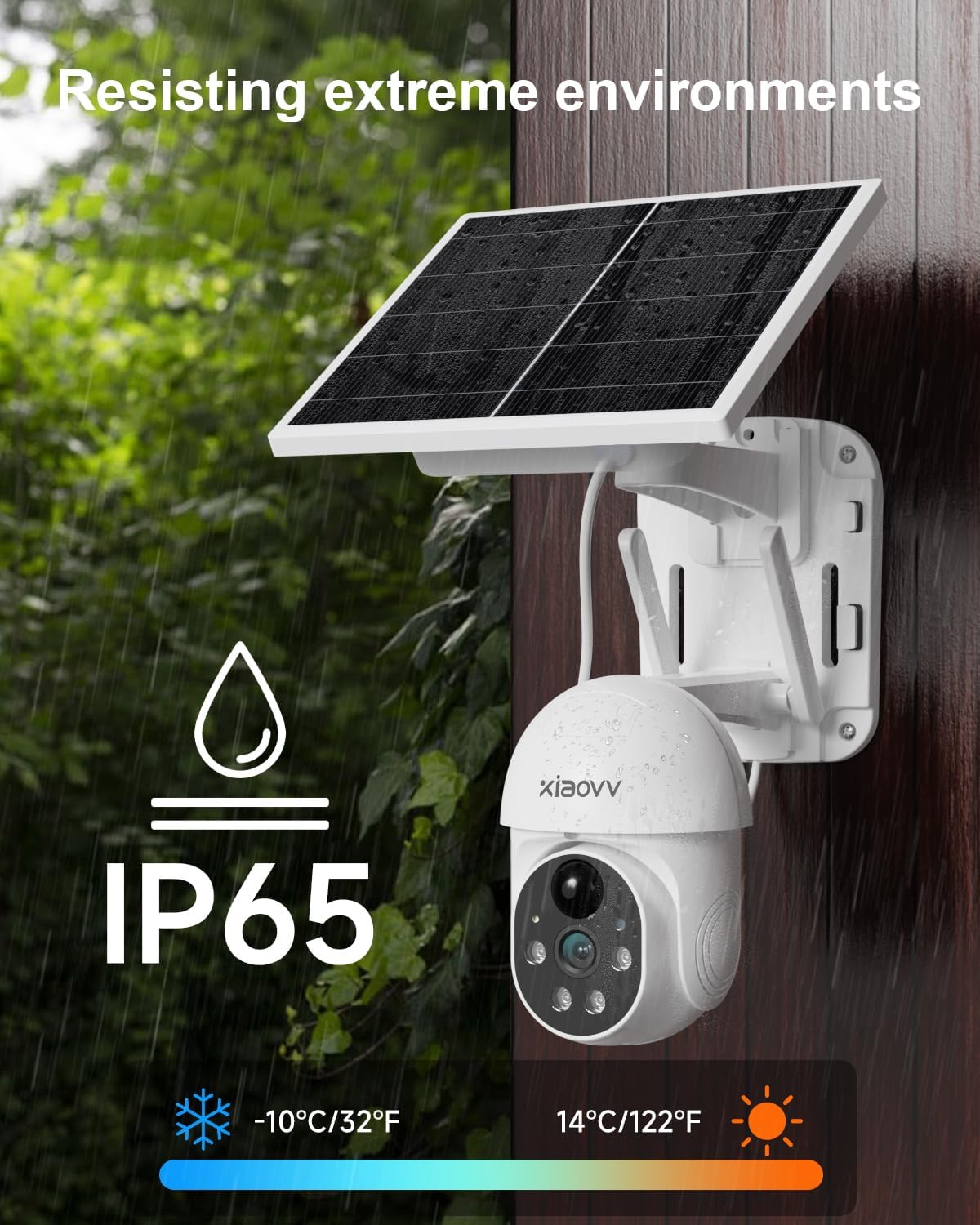
Figure 4: PIR motion detection in action, highlighting human presence at a doorway.
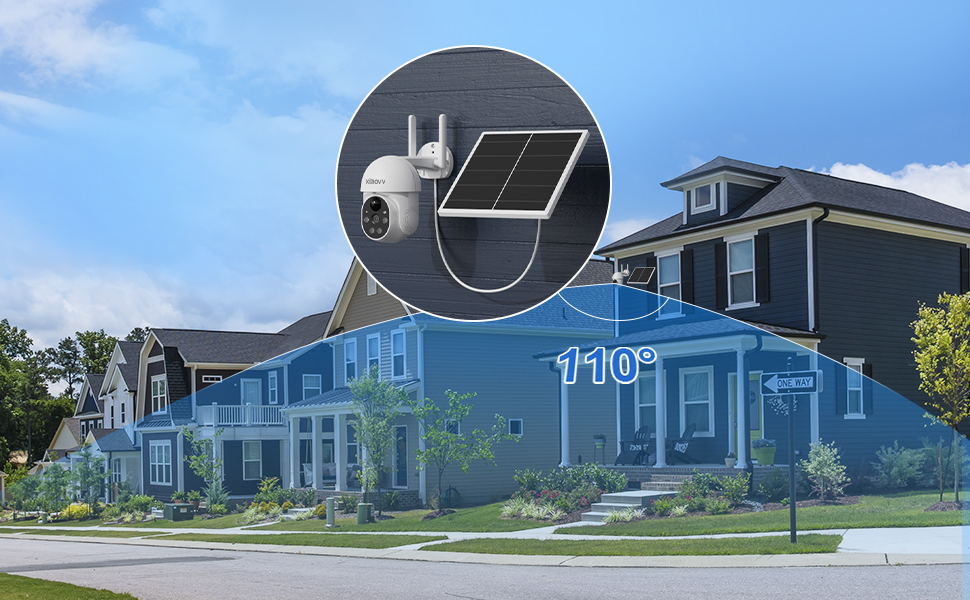
Figure 5: PIR detection mechanism, focusing on temperature-based sensing.
3.2 פּאַן, טילט, און דיגיטאַל זום
קאָנטראָלירן די קאַמעראַ viewing angle remotely through the XIAOVV app. The camera supports 355° horizontal pan and 100° vertical tilt, allowing you to monitor a wide area. Digital zoom is also available for closer inspection of details.

Figure 6: Illustration of the camera's pan (355°) and tilt (90°) range.
3.3 נאכט זעאונג און ספאטלייט
The camera provides clear HD night vision, allowing you to see details even in complete darkness. When motion is detected at night, the integrated spotlight can automatically activate to illuminate the area, providing color night vision and acting as a deterrent. A voice siren can also be triggered.

Figure 7: Camera operating with its spotlight active during nighttime.

Figure 8: Camera features for warning intruders, including spotlight and siren.
3.4 צוויי-וועג אַודיאָ
Communicate with visitors or deter unwanted guests using the camera's built-in microphone and speaker. Access this feature through the live view in the XIAOVV app.

Figure 9: Two-way audio feature allowing communication through the camera.
3.5 רעקאָרדינג און סטאָרידזש
The camera supports two primary recording and storage methods:
- לאקאלע סטאָרידזש: Insert a microSD card (not included) into the designated slot on the camera for continuous or event-triggered recording.
- וואָלקן סטאָרידזש: Subscribe to the optional cloud storage service through the XIAOVV app for secure, remote storage of your video recordings.
3.6 App Features and Multi-Camera View
The XIAOVV app provides a range of personalized functions, including auto-tracking, adjustable PIR sensitivity, siren voice customization, lamplight sensitivity settings, and alarm time period settings. You can also view live feeds from multiple XIAOVV cameras simultaneously within the app, allowing for comprehensive monitoring of different areas.

Figure 10: XIAOVV app interface displaying various personalized functions and camera controls.
4. וישאַלט גיידליינז
4.1 באַטערי מאַנאַגעמענט
The integrated solar panel is designed to keep the 10,000 mAh battery charged, ensuring continuous operation. To maximize charging efficiency:
- Ensure the solar panel is positioned to receive maximum direct sunlight throughout the day.
- Regularly clean the surface of the solar panel to remove dust, dirt, leaves, or snow that may obstruct sunlight.
4.2 וועטער קעגנשטעל
The XIAOVV P6 camera boasts an IP65 weather-resistant rating, meaning it is protected against dust ingress and low-pressure water jets from any direction. It is designed to operate reliably in various outdoor conditions, including rain, snow, and extreme temperatures ranging from -10°C to 50°C (14°F to 122°F).

Figure 11: Camera demonstrating IP65 weather resistance in rainy conditions.
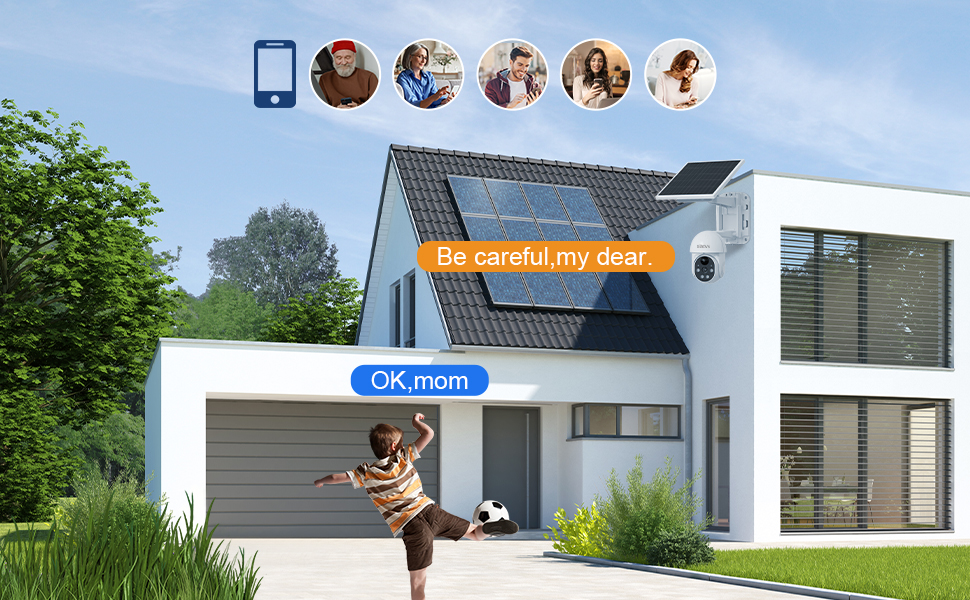
Figure 12: Weather resistance details, including IP65 rating and operational temperature range.
4.3 דאַטאַ זיכערהייַט
XIAOVV prioritizes your privacy. The camera uses military-grade data encryption algorithms to ensure 100% protection of your private data, whether stored locally or in the cloud.

Figure 13: Illustration of military-grade data encryption for privacy protection.
5. טראָובלעשאָאָטינג פּראָסט ישוז
5.1 קאָנעקטיוויטי פּראָבלעמען
- קיין Wi-Fi פֿאַרבינדונג: Ensure your router is broadcasting a 2.4GHz Wi-Fi signal. The camera does not support 5GHz networks.
- שוואַך סיגנאַל: Check the Wi-Fi signal strength at the camera's installation location using your smartphone. If the signal is weak, consider moving the camera closer to the router or installing a Wi-Fi extender.
- פּערינג דורכפאַל: Try resetting the camera (refer to the device for a reset button location, usually a small pinhole) and repeat the pairing process through the XIAOVV app.
5.2 פאַלשע אַלאַרמען
- Adjust PIR Sensitivity: In the XIAOVV app settings, reduce the PIR sensitivity level to prevent triggers from minor movements or environmental factors.
- אָפּטימיזירן קאַמעראַ פּלאַצירונג: Avoid pointing the camera directly at busy roads, swaying trees, or areas with reflective surfaces that might cause unwanted detections.
5.3 רעקארדירונג פראבלעמען
- SD קאַרד ניט דיטעקטאַד: Ensure the microSD card is correctly inserted and formatted within the camera settings via the app. Try a different, compatible SD card if issues persist.
- וואָלקן סטאָרידזש: Verify your cloud storage subscription is active and that your internet connection is stable for uploads.
- Full Storage: Regularly check the remaining storage space on your SD card or cloud account. Delete old recordings if necessary.
5.4 זונ פּאַנעל לאָדט זיך נישט אויף
- Sunlight Exposure: Confirm the solar panel receives adequate direct sunlight for several hours each day. Relocate if necessary.
- מניעות: Clear any debris, dirt, or snow from the solar panel surface.
6. טעכניש ספּעסאַפאַקיישאַנז
| שטריך | באַשרייַבונג |
|---|---|
| מאָדעל | 2.4G WiFi P6 |
| עפעקטיוו ווידעא האַכלאָטע | 2 MP (1080p) |
| קאַנעקטיוויטי טעכנאָלאָגיע | Wireless (2.4G WiFi) |
| מאַכט מקור | Solar Powered (with 10,000 mAh Lithium battery) |
| פּאַן אַנגלע | 355 דיגריז |
| טילט ווינקל | 100 דיגריז |
| Viewינג אַנגלע | 100 דיגריז |
| ספּעציעלע פֿעיִקייטן | Night Vision, PIR Detection, Spotlight, Voice Siren, Two-Way Audio |
| וועטער קעגנשטעל | IP65 |
| מאַטעריאַל | וואָטערפּרוף דרויסנדיק זיכערהייט קאַמעראַ |
| דימענסיעס (L X W X H) | 24 X 24 X 20 סענטימעטער |
| וואָג | 1.5 קילאָגראַמס |
| קאָנטראָל אַפּ | xiaovv APP |
7. גאַראַנטיע און קונה שטיצע
7.1 וואָראַנטי אינפֿאָרמאַציע
This XIAOVV product is covered by a 2-יאָר פאַבריקאַנט ס וואָראַנטי for after-sales maintenance. Spare parts are guaranteed to be available for 1 year from the date of purchase.
7.2 קונה שטיצן
For technical assistance, troubleshooting, or any product-related inquiries, please contact XIAOVV customer support. Online support services are available to provide timely and professional assistance.
Please refer to the official XIAOVV webזייטל אדער אייער קויפן דאקומענטאציע פאר די מערסט אקטועלע קאנטאקט אינפארמאציע.
8. פּראָדוקט ווידעאָ
Video 1: An official product video demonstrating the features and functionality of the XIAOVV Solar Wireless Security Camera.