
1. פּראָדוקט איבערview
The Sharp Digital Alarm Clock (Model SPC483CAMZ) is a compact, battery-operated alarm clock designed for simplicity and ease of use. Its tactile rubberized finish provides a comfortable grip and durability. Key features include a large LCD display, an on-demand blue backlight for night viewing, and an ascending alarm with a snooze function.

פיגורע 1: פראָנט view of the Sharp Digital Alarm Clock, displaying the time.
2. פֿעיִקייטן
- Tactile Rubberized Finish: Provides a comfortable and secure grip, reducing the chance of accidental drops.
- גרויס 1" על-סי-די דיספּלעי: Ensures clear visibility of the time from a distance.
- On-Demand Blue Backlight: Press the snooze button to illuminate the display for 5 seconds, ideal for night-time viewאָן שטערן דעם שלאָף.
- אַסענדינג שרעק: The alarm sound gradually increases in volume to provide a gentle wake-up experience.
- 5-מינוט שלאָף פונקציע: Allows for additional sleep time by pressing the snooze button when the alarm sounds.
- Easy-to-Use Top Button Controls: Intuitive button layout for straightforward time and alarm setting.
- באַטערי אַפּערייטאַד: Requires 2 AAA batteries (not included), offering portability and freedom from power outlets.

Figure 2: Visual representation of the alarm clock's main features.
3. סעטאַפּ
3.1 באַטאַרייע ייַנמאָנטירונג
- געפינט דעם דעקל פונעם באַטעריע־אָפּטייל אויף דער הינטערשטער זייגער.
- שלעפּט אַראָפּ דעם דעקל.
- אַרײַנשטעלן צוויי (2) AAA באַטעריעס (נישט אַרײַנגערעכנט) אין דעם אָפּטייל, און זיכער מאַכן אַז די פּאָלאַריטעט איז ריכטיק (+/-).
- פאַרבייַטן די דעקן פון די באַטאַרייע אָפּטייל.

פיגורע 3: שפּיץ view of the clock with labeled buttons for setup and operation.
4. אַפּערייטינג ינסטרוקטיאָנס
4.1 באַשטעטיקן די צייט
- Press and hold the "TIME SET" button (leftmost button on top). The time display will begin to flash.
- While holding "TIME SET", press the "HR" button (second from right) to adjust the hour. Note the PM indicator for afternoon hours.
- While holding "TIME SET", press the "MIN" button (rightmost button) to adjust the minutes.
- Release the "TIME SET" button to save the current time.
4.2 באַשטעטיקן די שרעק
- Press and hold the "ALARM SET" button (second from left on top). The alarm time display will begin to flash.
- While holding "ALARM SET", press the "HR" button to adjust the alarm hour.
- While holding "ALARM SET", press the "MIN" button to adjust the alarm minutes.
- Release the "ALARM SET" button to save the alarm time.
4.3 Turning Alarm On/Off
- To turn the alarm ON, slide the "ALARM ON/OFF" switch (far right on top) to the 'ON' position. A bell icon will appear on the display.
- To turn the alarm OFF, slide the "ALARM ON/OFF" switch to the 'OFF' position. The bell icon will disappear.
4.4 Using the Snooze/Backlight
- When the alarm sounds, press the large "SNOOZE/BACKLIGHT" button (center top) to activate the snooze function for 5 extra minutes of sleep.
- To activate the blue backlight at any time, simply press the "SNOOZE/BACKLIGHT" button. The display will illuminate for 5 seconds and then turn off automatically to conserve battery life.
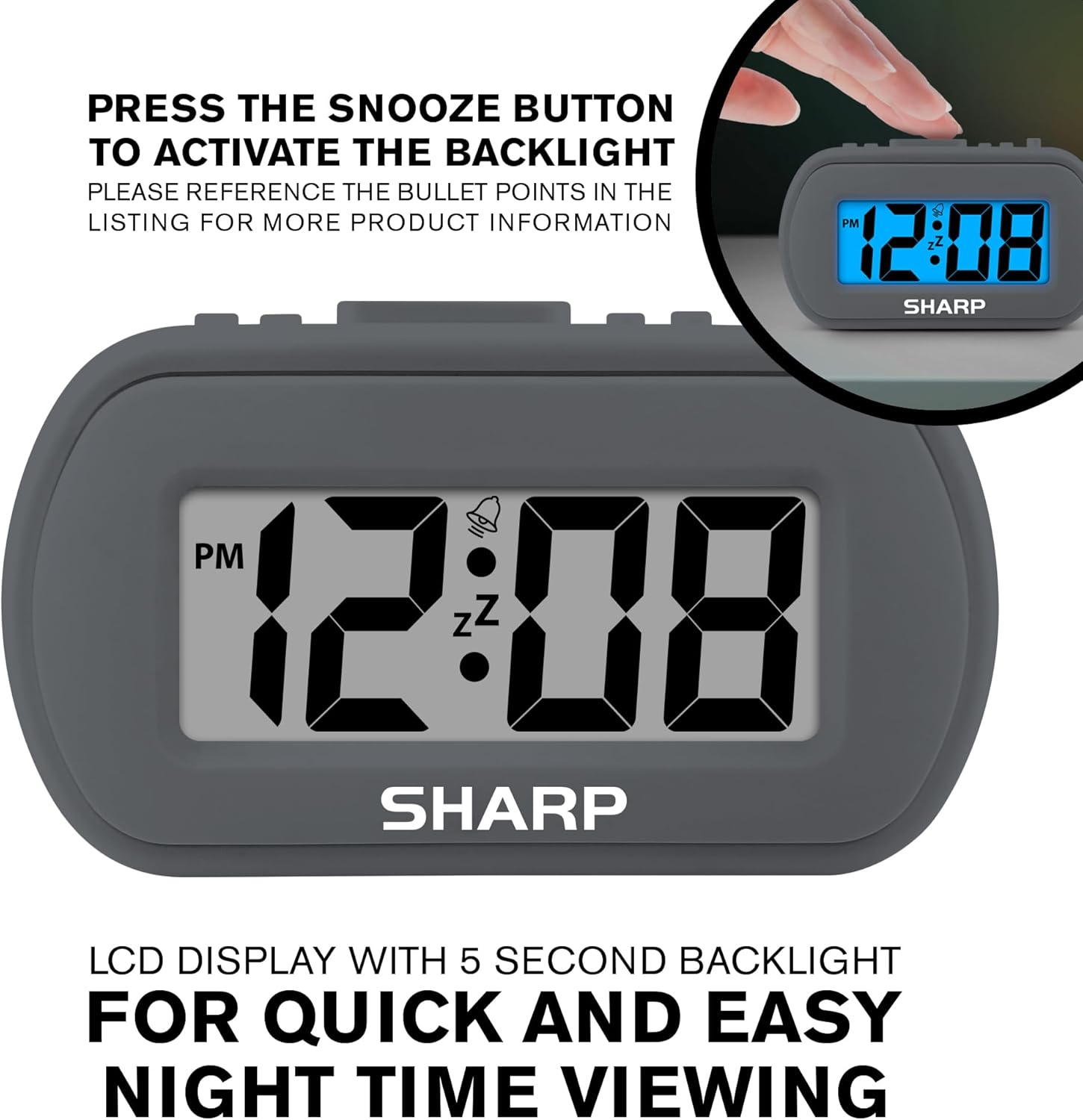
Figure 4: Activating the blue backlight by pressing the snooze button.
5. וישאַלט
5.1 רייניקונג
To clean the clock, wipe it with a soft, dry cloth. Do not use abrasive cleaners or solvents, as they may damage the surface or internal components.
5.2 באַטערי פאַרבייַט
When the display becomes dim or the alarm function weakens, it is time to replace the batteries. Follow the battery installation steps in Section 3.1.
6. טראָובלעשאָאָטינג
| פּראָבלעם | לייזונג |
|---|---|
| Clock display is dim or blank. | Replace the AAA batteries. Ensure correct polarity. |
| דער אַלאַרם קלינגט נישט. | Check if the "ALARM ON/OFF" switch is in the 'ON' position. Ensure batteries are fresh. Verify alarm time is set correctly. |
| די צייט איז נישט ריכטיק. | Reset the time using the "TIME SET", "HR", and "MIN" buttons as described in Section 4.1. |
7. ספּעסאַפאַקיישאַנז
- מאָדעל: SPC483CAMZ
- סאָרט: שאַרף
- ווייַז טיפּ: דיגיטאַל לקד
- דימענשאַנז (L x W x H): 4" x 1.7" x 2.3" אינטשעס
- וואָג: 3.21 אונסעס
- מאַכט מקור: 2 X AAA באַטעריז (ניט אַרייַנגערעכנט)
- מאַטעריאַל: Plastic frame with Rubberized finish
- ספּעציעלע פֿעיִקייטן: On-Demand Blue Backlight, Ascending Alarm, Snooze Function
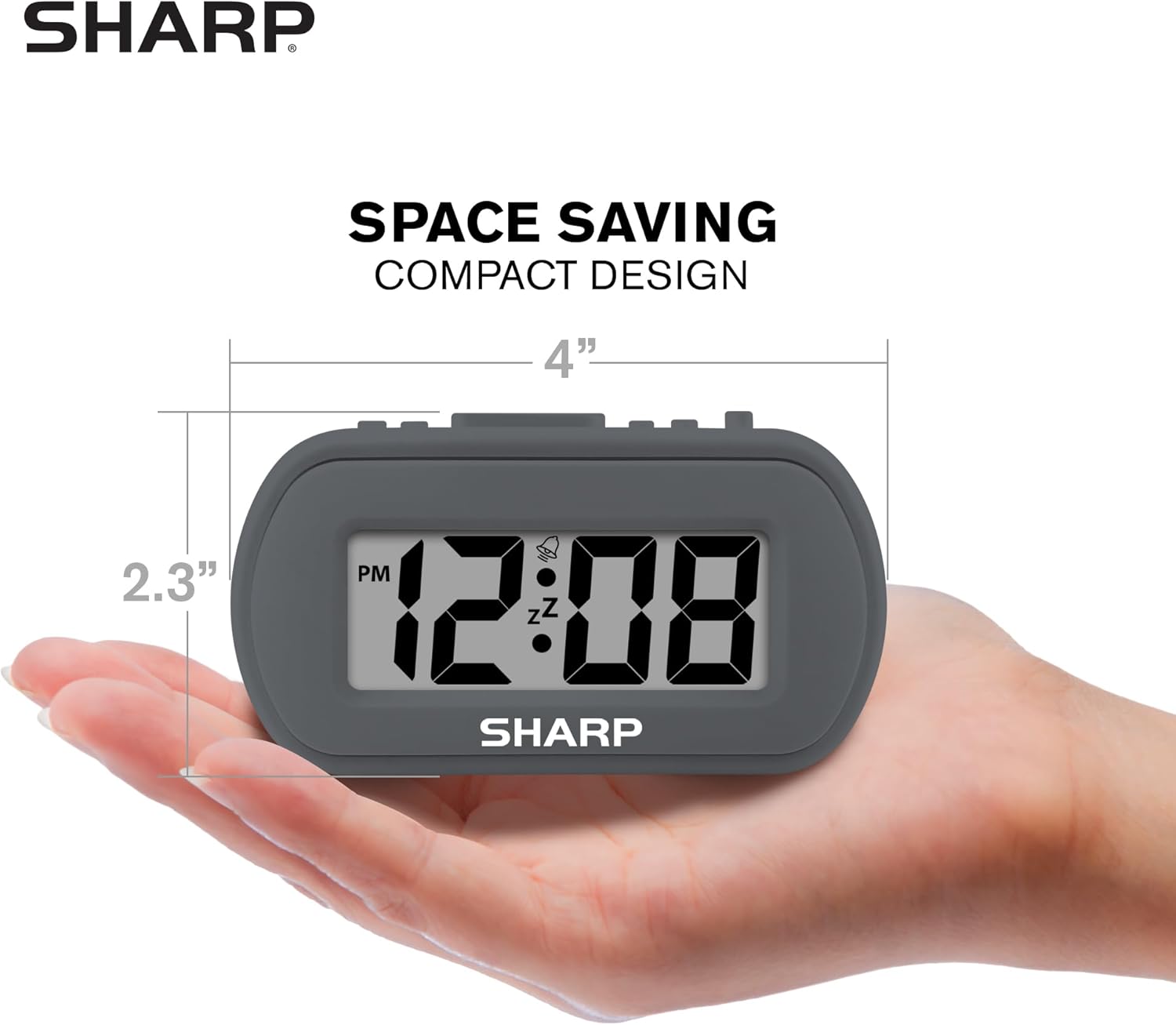
Figure 5: The compact size of the alarm clock, fitting in the palm of a hand.
8. וואָראַנטי און שטיצן
For warranty information or technical support, please refer to the product packaging or contact Sharp customer service directly. Contact details can typically be found on the manufacturer's official website or on the product's retail page.
For further assistance, you may visit the official Sharp store on Amazon: Sharp Store