
הקדמה
This manual provides essential information for the setup, operation, maintenance, and troubleshooting of your Bmax X15 Plus 15.6-inch laptop. Please read this guide thoroughly to ensure proper use and to maximize the lifespan of your device.
סעטאַפּ
1. ונבאָקסינג און ערשט דורכקוק
נעמט פֿאָרזיכטיק אַרויס אַלע קאָמפּאָנענטן פֿון דער פּאַקעט. באַשטעטיקט אַז די פֿאָלגנדיקע זאַכן זענען אַרייַנגערעכנט:
- Bmax X15 Plus Laptop
- מאַכט אַדאַפּטער / טשאַרדזשער
- באַניצער מאַנואַל (דעם דאָקומענט)
Inspect the laptop for any physical damage. If any components are missing or damaged, contact customer support immediately.
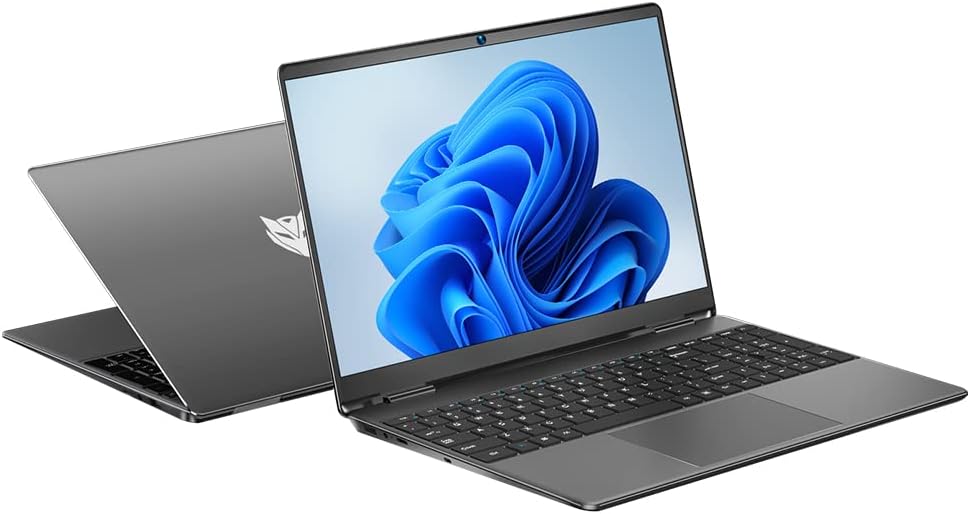
Image: The Bmax X15 Plus laptop displayed open, showing the screen and keyboard.
2. פֿאַרבינדן דעם מאַכט אַדאַפּטער
Before first use, connect the power adapter to the laptop's charging port and then to a power outlet. It is recommended to fully charge the battery before initial operation.
בילד: נאָענט-אַרויף view of the laptop's side ports, highlighting the power input, USB 3.0, mini HDMI, and security lock slot.
3. Initial Power On and Operating System Setup
Press the power button to turn on the laptop. Follow the on-screen instructions to complete the operating system (OS 11) setup, including language selection, network connection, and user account creation.
אפערירן דיין לאַפּטאָפּ
1. קלאַוויאַטור און טאָוטשפּאַד
The Bmax X15 Plus features a full-sized keyboard with a numeric keypad and a large trackpad for comfortable navigation and input.

בילד: פון אויבן אַראָפּ view of the Bmax X15 Plus laptop, showcasing the full keyboard with numeric pad and large touchpad.
2. ווייַז פֿעיִקייטן
Your laptop is equipped with a 15.6-inch Full HD (1920x1080) IPS display, offering wide viewing angles and vibrant colors. The narrow bezel design maximizes screen space.
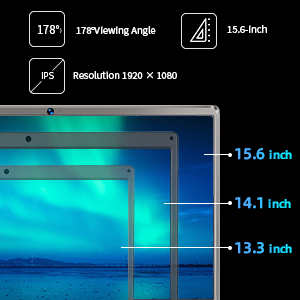
Image: A diagram illustrating the 15.6-inch display size in comparison to smaller screens, emphasizing the IPS technology and 1920x1080 resolution.
3. פאָרשטעלונג און סטאָרידזש
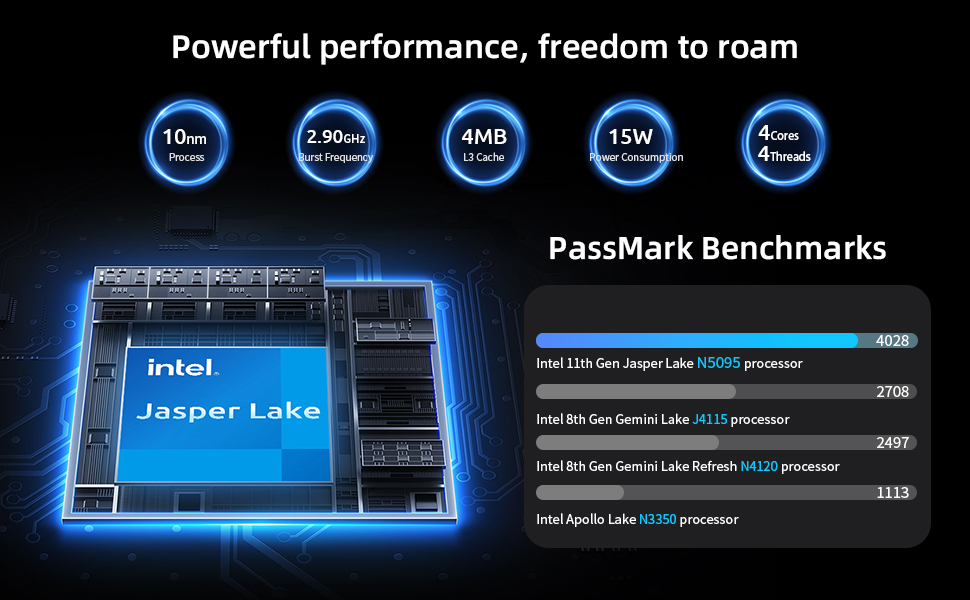
The laptop features an Intel 11th Gen Celeron N5095 Quad-Core Processor (up to 2.9GHz), 12GB DDR4 RAM, and a 512GB SSD for efficient multitasking and fast data access.
4. קאַנעקטיוויטי
Connect to networks using 2.4GHz/5GHz Dual Band Wi-Fi. Peripheral connectivity includes two USB 3.0 ports, a Micro SD card reader, and a mini HDMI port.
וישאַלט
1. רייניקן דיין לאַפּטאָפּ
To maintain optimal performance and appearance, regularly clean your laptop. Use a soft, lint-free cloth for the screen and exterior. For stubborn marks, a slightly dampened cloth with water or a specialized electronics cleaner can be used. Avoid harsh chemicals.
2. Storage Upgrade
The Bmax X15 Plus includes an M.2 2280 expandable slot, allowing for easy SSD upgrades up to 1TB to suit your storage needs. Refer to the diagram below for the location of the M.2 slot. It is recommended to consult a professional for hardware upgrades if you are unsure.
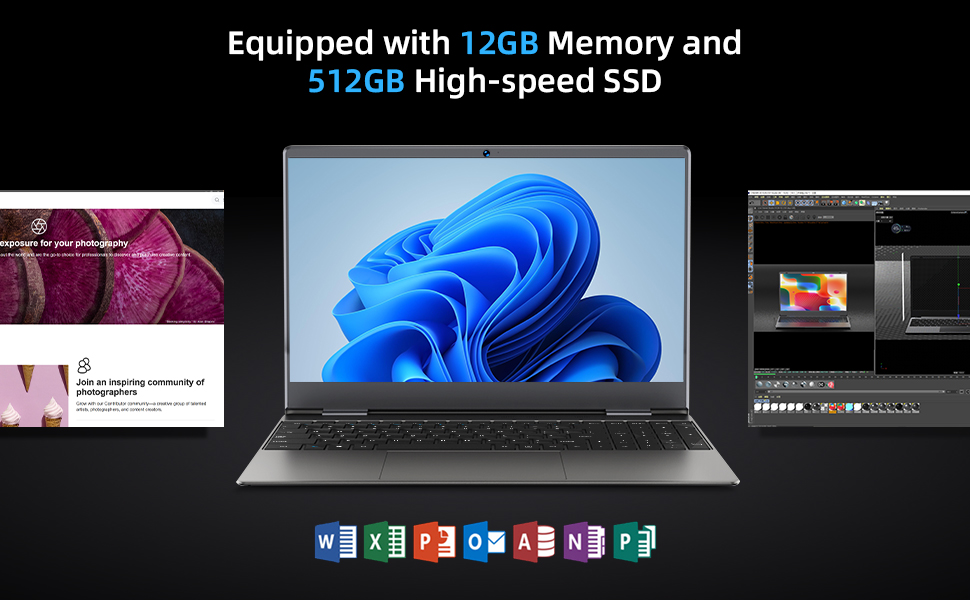
Image: Diagram indicating the M.2 2280 expandable slot on the bottom of the laptop for storage upgrades.
טראָובלעשאָאָטינג
If you encounter issues with your Bmax X15 Plus laptop, refer to the following common troubleshooting steps:
- לאַפּטאָפּ אַרבעט נישט אָן: Ensure the power adapter is securely connected to both the laptop and a working power outlet. Verify the power outlet is functional. If the battery is completely drained, allow it to charge for at least 30 minutes before attempting to power on again.
- Screen remains black after power on: Try connecting an external monitor to the mini HDMI port to check if the display output is working. If an external monitor works, the laptop's internal display may have an issue. If no display on external monitor, try restarting the laptop.
- סיסטעם איז שטייט אדער רעאגירט נישט: Close unnecessary applications. Check for available system updates and install them. Ensure sufficient free space on the SSD. Consider running a system diagnostic or antivirus scan.
- Wi-Fi קאָנעקטיוויטי פּראָבלעמען: Verify that Wi-Fi is enabled in the operating system settings. Restart your router and modem. Ensure you are within range of a Wi-Fi signal.
- טאָוטשפּאַד רעאַגירט נישט: Check if the touchpad has been accidentally disabled via a function key (often Fn + F-key combination). Restart the laptop.
For persistent issues, please contact Bmax customer support.
ספּעסאַפאַקיישאַנז
| שטריך | דעטאַל |
|---|---|
| סאָרט | Bmax |
| מאָדעל נאָמען | X15 Plus |
| פאַרשטעלן גרייס | 15.6 אינטשעס |
| פאַרשטעלן האַכלאָטע | 1920 x 1080 פּיקסעלס (FHD IPS) |
| פּראַסעסער | Intel Celeron N5095 (up to 2.9 GHz, 4 Cores) |
| באַראַן | 12 גיגאבייט LPDDR4 |
| שווער דרייוו | 512 GB SSD (Serial ATA-600) |
| יקספּאַנדאַבאַל סטאָרידזש | M.2 2280 slot (up to 1TB SSD) |
| גראַפיקס קאָופּראַסעסער | Intel UHD גראַפיקס |
| אָפּערייטינג סיסטעם | OS 11 |
| ווירעלעסס טיפּ | 802.11a/b/g/n/ac (צוויי-באַנד Wi-Fi) |
| וסב פּאָרץ | 2 רענטגענ וסב 3.0 פּאָרץ |
| אנדערע פּאָרץ | Mini HDMI, 3.5mm Headset Jack, Micro SD Card Reader |
| פּונקט וואָג | 3.52 פונט (אומגעפער 1.6 ק"ג) |
| פּראָדוקט דימענשאַנז (LxWxH) | 14.1 X 9.5 X 0.78 אינטשעס |
| באַטערי | 1 Lithium Polymer battery (38Wh) |
וואָראַנטי אינפֿאָרמאַציע
The Bmax X15 Plus laptop comes with a 12-חודש וואָראַנטי from the date of purchase. This warranty covers manufacturing defects and ensures the product functions as intended under normal use. Additionally, a 30-טאָג קריק פּאָליטיק ווערט געפֿינט פֿאַר אייער שלום פֿון גייַסט.
Please retain your proof of purchase for warranty claims. The warranty does not cover damage caused by misuse, accidents, unauthorized repairs, or normal wear and tear.
קונה שטיצן
For any questions, technical assistance, or warranty claims, please contact Bmax customer service. Our team is available to provide friendly support.
- אָנליין שטיצן: Visit the official Bmax webוועבזייטל פֿאַר אָפֿט געשטעלטע פֿראַגעס און שטיצע רעסורסן.
- E- בריוו שטיצן: Refer to your product packaging or the official Bmax webזייטל פֿאַר די דעדאַקייטאַד שטיצע בליצפּאָסט אַדרעס.
- טעלעפאָן שטיצן: Contact numbers may be available on the official Bmax webפּלאַץ.
When contacting support, please have your laptop's model number (X15 Plus) and purchase information readily available.