
הקדמה
The Datalogic QuickScan QD2590 is a high-performance, handheld 2D barcode imager designed for various point-of-sale (POS) and general-purpose applications. This device offers fast and reliable scanning of 1D and 2D barcodes, ensuring efficient data capture. Its durable design and flexible connectivity options (USB, RS-232) make it suitable for diverse environments. This manual provides essential information for setting up, operating, maintaining, and troubleshooting your QD2590 scanner.
סעטאַפּ
1. Unpacking the Scanner
נעמט פֿאָרזיכטיק אַרויס אַלע קאָמפּאָנענטן פֿון דער פּאַקאַדזשינג. באַשטעטיקט אַז אַלע זאַכן וואָס זענען אויסגערעכנט אין דער "וואָס איז אין דער קעסטל" סעקציע זענען פֿאַראַן.
- QuickScan QD2590 Portable 1D/2D Barcode Reader (Black)
2. פֿאַרבינדן דעם סקאַנער
The QD2590 scanner supports USB and RS-232 connectivity. Connect the appropriate cable to the scanner's interface port and then to your host device (computer, POS system).
פֿאַר וסב קאַנעקשאַן: Plug the USB cable into an available USB port on your computer. The scanner will typically be recognized automatically, and necessary drivers will be installed by the operating system.
For RS-232 Connection: Connect the RS-232 cable to a serial port on your host device. Ensure proper configuration of the serial port settings on your host system to match the scanner's default settings (e.g., baud rate, data bits, parity, stop bits).
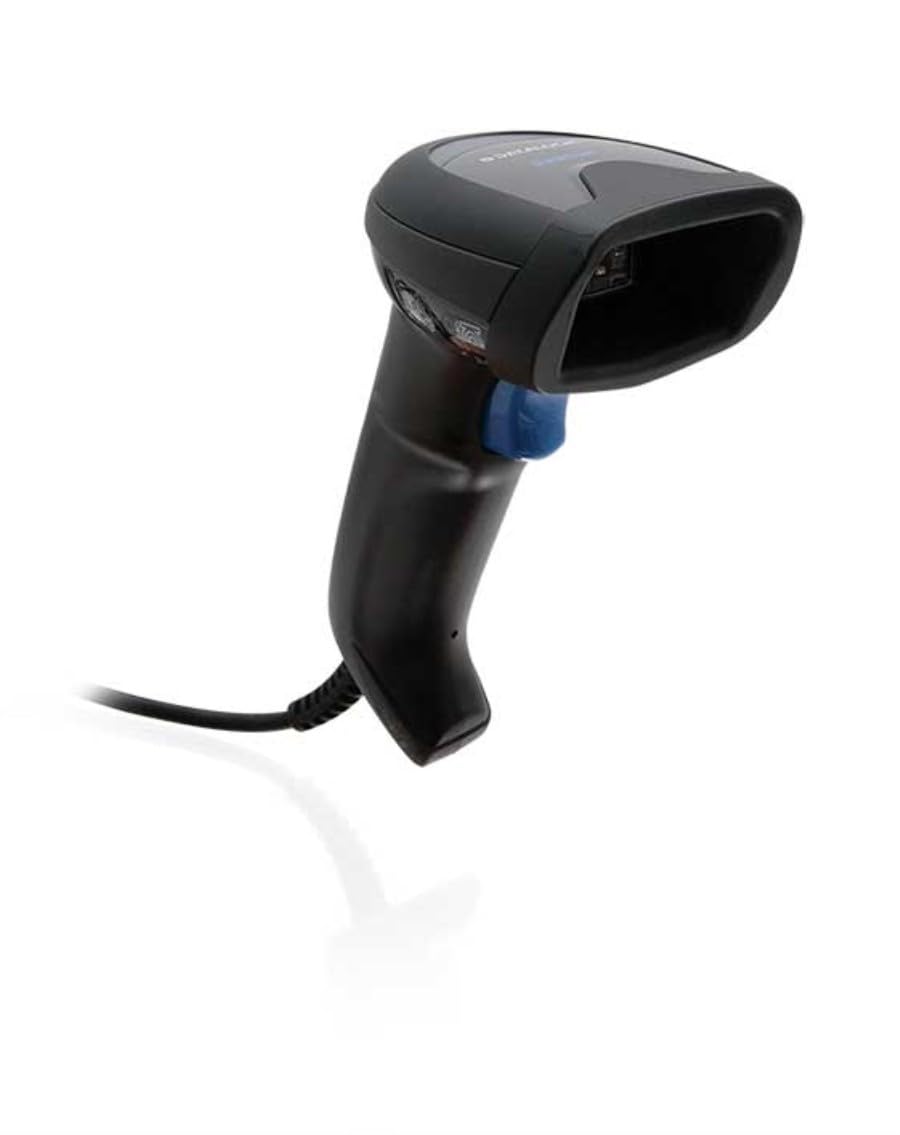
Image: The Datalogic QuickScan QD2590 scanner showing its wired connection.
אַפּערייטינג די סקאַננער
1. גרונטלעכע סקענירן פּראָצעדור
- Ensure the scanner is properly connected and powered on.
- ריכט דעם סקאַנער'ס פֿענצטער אויף דעם באַרקאָד וואָס איר ווילט סקענען.
- Press and hold the trigger button. A red aiming beam will appear.
- Center the aiming beam over the entire barcode.
- Once the barcode is successfully read, the scanner will emit an audible beep and/or the LED indicator will change color (typically green).
- Release the trigger button. The scanned data will be transmitted to your host device.
2. Scanning Feedback
- Good Read Indicator: A successful scan is typically indicated by a green LED and a configurable beep sound.
- אַימינג שטראַל: The red aiming beam helps position the scanner correctly over the barcode.

בילד: פראָנט view of the Datalogic QuickScan QD2590, highlighting the scanning area.
וישאַלט
1. רייניקן דעם סקאַנער
To ensure optimal performance, keep the scanner's window clean. Use a soft, lint-free cloth dampened with water or a mild, non-abrasive cleaner. Do not use harsh chemicals, solvents, or abrasive materials, as these can damage the scanning window or casing.
2. סטאָרידזש
When not in use, store the scanner in a clean, dry environment, away from extreme temperatures, direct sunlight, and corrosive materials. Avoid dropping or subjecting the scanner to excessive impact.
טראָובלעשאָאָטינג
| פּראָבלעם | מעגלעך סיבה | לייזונג |
|---|---|---|
| דער סקאַנער גייט נישט אָן. | Cable not connected properly; host device not powered on. | Check cable connections. Ensure host device is powered on. |
| דער סקאַנער לייענט נישט קיין באַרקאָודז. | Barcode damaged or poorly printed; incorrect symbology enabled; scanning window dirty; scanner not configured correctly. | Try scanning a different barcode. Clean the scanning window. Refer to the full product manual for symbology enablement and advanced configuration. |
| די סקענירטע דאַטן זענען נישט ריכטיק אָדער נישט גאַנץ. | Incorrect data formatting; partial scan. | Ensure the aiming beam covers the entire barcode. Check host application settings for data formatting. |
| No audible beep on good read. | Beeper disabled in configuration. | Refer to the full product manual to enable the beeper. |
For more detailed troubleshooting and advanced configuration, please refer to the complete Datalogic QuickScan QD2590 product manual available on the Datalogic webפּלאַץ.
טעכניש ספּעסאַפאַקיישאַנז
| שטריך | דעטאַל |
|---|---|
| מאָדעל נומער | W126053080 |
| סקאַננער טיפּ | Handheld 2D Imager |
| סקען עלעמענט טיפ | 2D Imager - Red LED Sensor |
| סענסאָר רעסאָלוטיאָן | 1280 X 800 בילדצעלן |
| סקאַן ספּיד | 60 ראָמען פּער סעקונדע (פפּס) |
| Minimum Bar Symbol Width | 3 מיל |
| קאַנעקטיוויטי טעכנאָלאָגיע | Wired (USB, RS-232) |
| מאַכט מקור | DC 5V (via cable) |
| דימענשאַנז (ב x ד x ה) | 6.8 סענטימעטער X 12.6 סענטימעטער X 14.8 סענטימעטער |
| וואָג | 145 ג |
| קאָליר | שוואַרץ |
| קאַמפּאַטאַבאַל דעוויסעס | Smartphone, laptop, desktop, tablet |
| פאַקטיש View ווינקל | 40 דיגריז |
וואָראַנטי און שטיצן
וואָראַנטי אינפֿאָרמאַציע
The Datalogic QuickScan QD2590 barcode scanner comes with a 2-יאָר פאַבריקאַנט ס וואָראַנטידי וואָראַנטי דעקט חסרונות אין מאַטעריאַלן און אַרבעט אונטער נאָרמאַל נוצן. ביטע האַלטן דיין קויפן באַווייַז פֿאַר וואָראַנטי קליימז.
קונה שטיצן
For technical assistance, product inquiries, or warranty service, please contact Datalogic customer support. Visit the official Datalogic webזייטל פֿאַר קאָנטאַקט דעטאַלן, אָפֿט געשטעלטע פֿראַגעס, און נאָך רעסורסן.
Datalogic Official Webפּלאַץ: www.datalogic.com