
Sharp CP-SS30(BK)
שאַרפּ CP-SS30(BK) אַקטיווע ביכערשאַנק רעדנערס באַניצער מאַנואַל
Model: CP-SS30(BK)
1. הקדמה
א דאנק פארן קויפןasing the Sharp CP-SS30(BK) Active Bookshelf Speakers. These speakers are designed to provide superior sound reproduction with versatile connectivity options. Please read this manual carefully before using the product to ensure proper operation and to maximize your listening experience.
The CP-SS30(BK) features a robust plywood cabinet, 60W RMS (2 x 30W) two-way active sound, and multiple input options including Bluetooth v5.0, USB, Optical, Auxiliary, and RCA. It also includes an equalizer with preset and custom bass/treble adjustments, and a full-function remote control for convenience.
2. זיכערקייַט אינפֿאָרמאַציע
Please observe the following safety precautions to prevent damage to the product and to ensure your safety:
- דו זאלסט נישט ויסשטעלן די ספּיקערז צו רעגן אָדער נעץ.
- דו זאלסט נישט פאַרשפּאַרן קיין ווענטאַליישאַן אָופּאַנינגז.
- דו זאלסט נישט ינסטאַלירן לעבן קיין היץ קוואלן אַזאַ ווי ראַדיאַטאָרס, היץ רעדזשיסטערז, סטאָוווז אָדער אנדערע אַפּאַראַט (אַרייַנגערעכנט ampליפיערס) וואָס פּראָדוצירן היץ.
- באַשיצן די מאַכט שנור פון גיין אויף אָדער פּינטשט, ספּעציעל אין די פּלאַגז, קאַנוויניאַנס רעסאַפּיז און די פונט ווו זיי אַרויסגיין פון די אַפּאַראַט.
- נאָר נוצן אַטאַטשמאַנץ / אַקסעסעריז ספּעסיפיעד דורך דער פאַבריקאַנט.
- אָפּשטויסן דעם אַפּאַראַט בעשאַס בליץ סטאָרמז אָדער ווען אַניוזד פֿאַר לאַנג פּיריאַדז.
- אָפּשיקן אַלע סערוויסעס צו קוואַלאַפייד סערוויס פּערסאַנעל. סערוויס איז פארלאנגט ווען דער אַפּאַראַט איז דאַמידזשד אין קיין וועג, אַזאַ ווי מאַכט צושטעלן שנור אָדער צאַפּן איז דאַמידזשד, פליסיק איז ספּילד אָדער אַבדזשעקץ זענען געפאלן אין די אַפּאַראַט, דער אַפּאַראַט איז יקספּאָוזד צו רעגן אָדער נעץ, אַרבעט נישט נאָרמאַלי , אָדער האט שוין דראַפּט.
3. פּעקל אינהאַלט
ביטע קאָנטראָלירט אַז אַלע זאכן זענען פאַראַן און אין גוטן צושטאַנד:
- 2 x Sharp CP-SS30(BK) Bookshelf Speakers
- 1 x רימאָוט קאָנטראָל (באַטעריז אַרייַנגערעכנט)
- 1 x RCA Audio Cable (3 meters)
- 1 x AUX Audio Cable (1.2 meters)
- 1 x Power Cable (1.2 meters)
- 1 x Speaker Connection Cable
- באַניצער דאָקומענטאַטיאָן

Image: All components included in the Sharp CP-SS30(BK) package, including two speakers, remote control, and various cables.
4. פּראָדוקט פֿעיִקייטן
The Sharp CP-SS30(BK) speakers offer a range of features for an enhanced audio experience:
- שטאַרקע אַודיאָ רעזולטאַט: 60W RMS (2 x 30W) two-way active speakers for clear and dynamic sound.
- פּרעמיום קאַנסטראַקשאַן: Plywood cabinet design ensures superior sound reproduction and durability.
- ווירעלעסס קאַנעקטיוויטי: Seamless audio streaming with Bluetooth v5.0.
- קייפל אַרייַנשרייַב: Connect various devices via Bluetooth, USB, Optical, Auxiliary (AUX), and RCA inputs.
- קוסטאָמיזאַבלע געזונט: Built-in equalizer with five preset settings and independent bass and treble adjustment.
- מאָדערן פּלאַן: Removable speaker grilles allow for a contemporary aesthetic.
- באַקוועם קאָנטראָל: Full-function remote control for easy operation from a distance.

בילד: פראָנט view of the Sharp CP-SS30(BK) speakers with the remote control, showcasing their design and compact size.

בילד: א נאָענטע בילד view of the front panel of one Sharp CP-SS30(BK) speaker with the grille removed, highlighting the tweeter, woofer, indicator light, and volume/input knob.
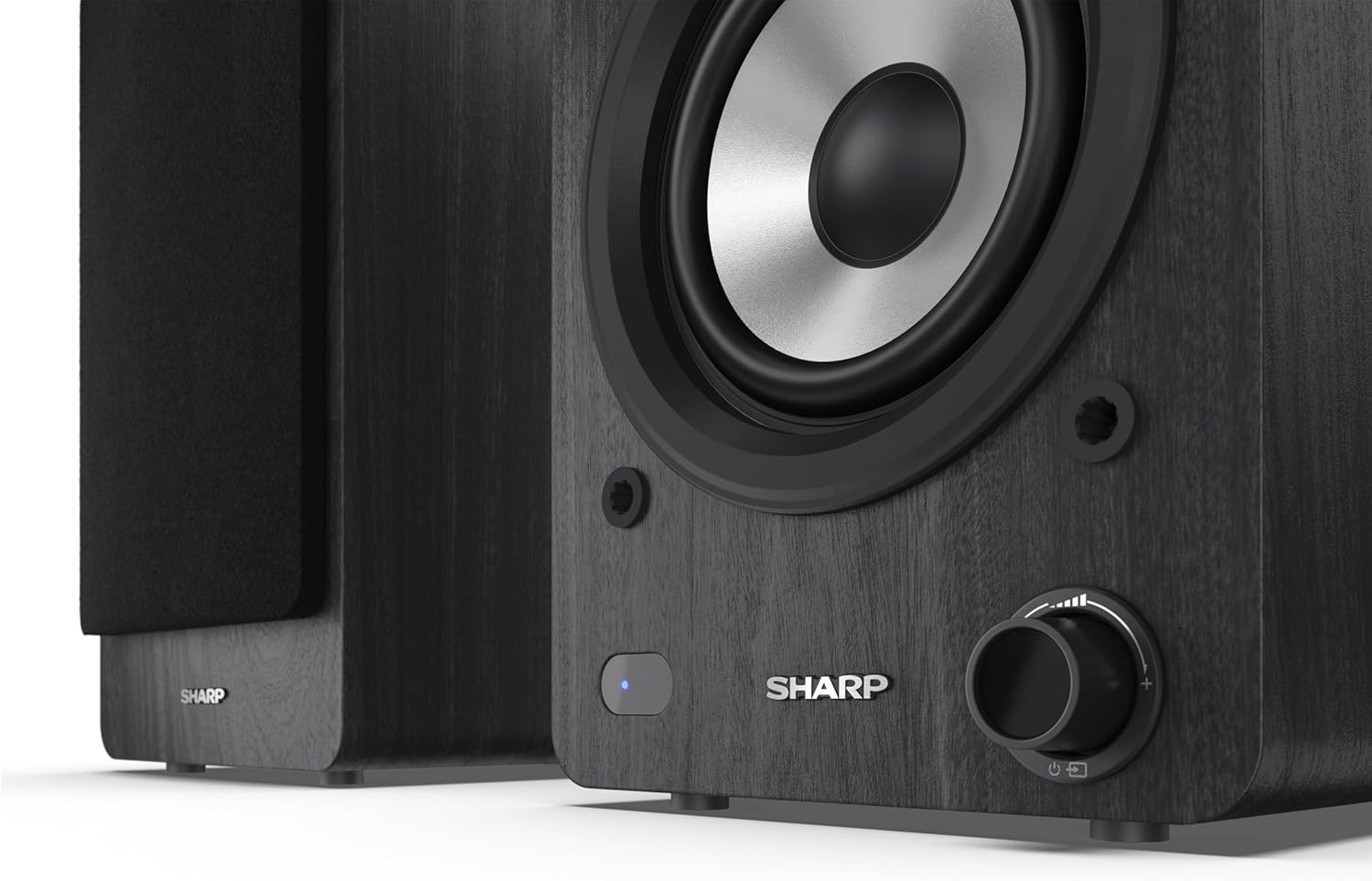
Image: A detailed shot of the control knob and the blue indicator light on the Sharp CP-SS30(BK) speaker, showing the subtle branding.
5. סעטאַפּ
5.1 רעדנער פּלייסמאַנט
For optimal sound quality, place the speakers on a stable, flat surface. Position them at an equal distance from your listening position, forming an equilateral triangle for the best stereo imaging. Ensure there is adequate space behind the speakers for ventilation and cable connections.
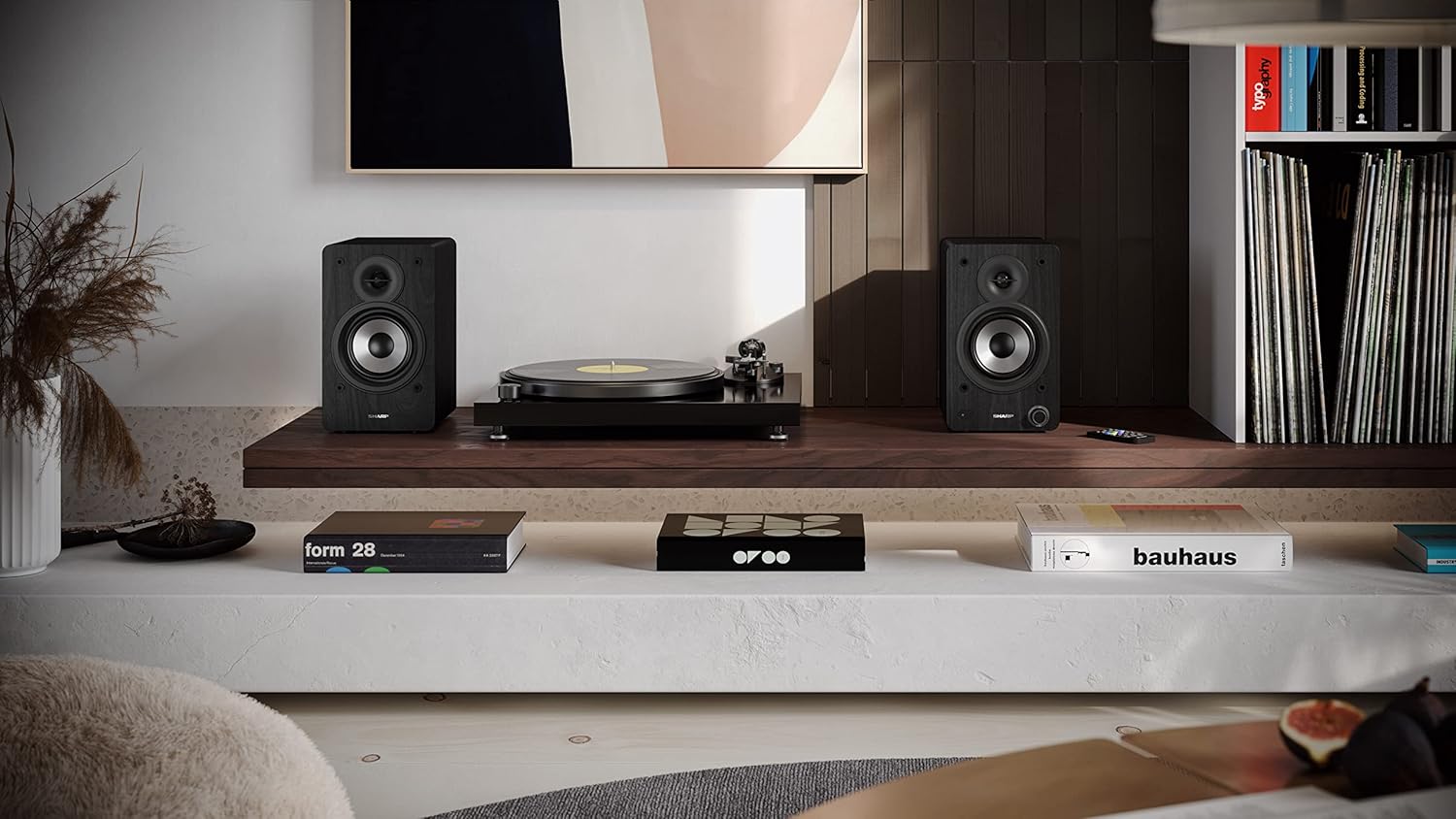
Image: The Sharp CP-SS30(BK) speakers positioned on a shelf in a living room setting, demonstrating a typical setup with a turntable.
5.2 פֿאַרבינדן די רעדנערס
The CP-SS30(BK) consists of one active (main) speaker and one passive (secondary) speaker. Connect them using the provided speaker connection cable.
- Identify the active speaker (with controls and input ports) and the passive speaker.
- Connect one end of the speaker connection cable to the speaker terminals on the active speaker, ensuring correct polarity (+ to + and - to -).
- Connect the other end of the speaker connection cable to the speaker terminals on the passive speaker, maintaining correct polarity.

Image: The rear panel of the Sharp CP-SS30(BK) speakers, illustrating the various input ports (USB, Optical, RCA, AUX) and the speaker connection terminals.
5.3 מאַכט קאַנעקשאַן
- Ensure the power switch on the active speaker is in the OFF position.
- Connect the provided power cable to the AC input on the active speaker.
- שטעקט אריין דעם אנדערן עק פונעם עלעקטרישן קאבל אין א פאסיגע וואנט ווענטיל.
6. אַפּערייטינג ינסטרוקטיאָנס
6.1 פּאַוערינג אויף / אַוועק
To power on the speakers, flip the power switch on the active speaker to the ON position. The indicator light on the front will illuminate. To power off, flip the switch back to OFF.
6.2 אַרייַנשרייַב סעלעקציע
You can select the input source using the remote control or the knob on the front of the active speaker. Available inputs include Bluetooth, USB, Optical, Auxiliary (AUX), and RCA.
- בלועטאָאָטה: Select Bluetooth input. The indicator light will flash, indicating pairing mode. זוכן פֿאַר "SHARP CP-SS30(BK)" on your device and connect. The light will become solid once paired.
- וסב: אַרייַנלייגן אַ וסב פאָר מיט אַודיאָ files into the USB port on the active speaker.
- אָפּטיש: Connect an optical cable from your audio source (e.g., TV, game console) to the Optical input.
- AUX: Connect an AUX cable from your audio source (e.g., smartphone, tablet) to the AUX input.
- רקאַ: Connect RCA cables from your audio source (e.g., turntable, CD player) to the RCA inputs.
6.3 באַנד קאָנטראָל
Adjust the volume using the remote control's volume buttons or by rotating the knob on the front of the active speaker.
6.4 גלייכרעכטער סעטטינגס
The speakers feature an equalizer to tailor the sound to your preference. Use the remote control to:
- Select from five preset equalizer modes (e.g., Flat, Rock, Pop, Classical, Jazz).
- Adjust bass and treble levels independently for a customized sound profile.
7. וישאַלט
To ensure the longevity and optimal performance of your Sharp CP-SS30(BK) speakers, follow these maintenance guidelines:
- רייניקונג: Use a soft, dry cloth to clean the speaker cabinets. Do not use liquid cleaners or aerosol sprays, as they may damage the finish or internal components.
- גרילז: The speaker grilles are removable for cleaning. Gently pull them off to clean any dust accumulation on the drivers. Reattach them carefully.
- ווענטילאַטיאָן: Ensure that the ventilation openings on the back of the active speaker are not obstructed to prevent overheating.
- סטאָרידזש: אויב איר לייגט די רעדנערס אויף פאר א לענגערע צייט, שטעלט זיי אפ פון עלעקטריציטעט און לייגט זיי אויף אין א קיל, טרוקן ארט ווייט פון דירעקט זונשייַן און עקסטרעמע טעמפּעראַטורן.
8. טראָובלעשאָאָטינג
If you encounter any issues with your speakers, please refer to the following common problems and solutions:
| פּראָבלעם | מעגלעך סיבה | לייזונג |
|---|---|---|
| קיין מאַכט | Power cable not connected; Power outlet not active; Power switch off. | Ensure power cable is securely connected. Check power outlet with another device. Flip power switch to ON. |
| קיין געזונט | Incorrect input selected; Volume too low; Cables not connected properly; Source device issue. | Select the correct input source. Increase volume. Check all audio cables (RCA, AUX, Optical, USB) and speaker connection cable for secure fit and correct polarity. Test with a different audio source. |
| בלועטאָאָטה פּערינג ניט אַנדערש | רעדנערס נישט אין פּערינג מאָדע; דעווייס צו ווייט; שטערונג. | Ensure Bluetooth input is selected and indicator light is flashing. Move device closer to speakers. Avoid strong electromagnetic interference. Try unpairing and re-pairing. |
| פאַרקרימט געזונט | Volume too high; Source audio quality is poor; Speaker placement. | Reduce volume. Check the audio source quality. Adjust speaker placement to avoid reflections or resonance. |
| ווייַט קאָנטראָל נישט ארבעטן | Batteries depleted; Obstruction between remote and speaker; Remote not pointed correctly. | Replace remote control batteries. Remove any obstructions. Point the remote directly at the active speaker's sensor. |
9. ספּעסאַפאַקיישאַנז
| שטריך | דעטאַל |
|---|---|
| מאָדעל נומער | CP-SS30(BK) |
| רעזולטאַט מאַכט | 60 Watts RMS (2 x 30W) |
| רעדנער טיפּ | Active Bookshelf, 2-Way |
| קאַבינעט מאַטעריאַל | Wood (Plywood) |
| קאַנעקטיוויטי טעכנאָלאָגיע | Bluetooth v5.0, USB, Optical, Auxiliary (AUX), RCA |
| בלועטאָאָטה ווערסיע | v5.0 |
| אַודיאָ רעזולטאַט מאָדע | סטערעאָ (2.0 קאַנאַל) |
| אָפטקייַט ענטפער | 60 הז |
| קאָנטראָללער טיפּ | קנעפּל, רימאָוט קאָנטראָל |
| פּראָדוקט גרייסן (יעדער רעדנער) | 19D x 15.8W x 24.8H cm (7.5D x 6.2W x 9.8H אינטשעס) |
| פּונקט וואָג | 4.3 קילאָגראַמס (9.5 לבס) |
| קאָליר | שוואַרץ |
| רעקאָממענדעד ניצט | Gaming console, Music player, Smartphone/Tablet, Ambient sound system, Television |
| קאַמפּאַטאַבאַל דעוויסעס | לאַפּטאָפּ, סמאַרטפאָון, טאַבלעט |

Image: Diagram showing the dimensions of one Sharp CP-SS30(BK) speaker (Height: 248mm, Width: 158mm, Depth: 190mm).
10. וואָראַנטי און שטיצן
וואָראַנטי: This product comes with a 1-year warranty for spare parts availability from the date of purchase. Please retain your proof of purchase for warranty claims.
For technical support, troubleshooting assistance beyond this manual, or warranty inquiries, please contact Sharp customer service. Refer to the contact information provided in the user documentation included in your package or visit the official Sharp webפּלאַץ.
Note: Software updates guaranteed until information is not available.
Ask a question about this manual
Ask about setup, troubleshooting, compatibility, parts, safety, or missing instructions. Manuals+ will review the question and use this page’s manual context to help answer it.