
הקדמה
This manual provides essential information for the safe and effective use of your ProForm Treadmill t8.5. Please read all instructions carefully before assembly and operation. Keep this manual for future reference.
וויכטיק סאַפעטי אינפֿאָרמאַציע
Before using this equipment, ensure you understand all safety precautions. Consult a physician before beginning any exercise program. Always use the safety key during operation.
- האַלטן קינדער און פּעץ אַוועק פון די טרעדמיל בעשאַס אָפּעראַציע.
- Place the treadmill on a level surface with adequate clearance around it.
- ניצט נישט דעם טרעדמיל אויב עס איז געשעדיגט אדער פונקציאנירט נישט גוט.
- טראָגט פּאַסיקע ספּאָרט קליידער און אַטלעטישע שיך.
- האַלט שטענדיק די האַנטריילס ווען איר אָנהייבט אָדער אָפּשטעלט די טרעדמיל.
סעטאַפּ און אַסעמבלי
ונפּאַקקינג
Carefully remove all components from the packaging. Place the packaging materials aside for potential future transport or disposal. Ensure all parts listed in the assembly guide (not included in this manual) are present.
פּלייסמאַנט
Position the treadmill on a flat, stable surface. Ensure there is at least 2 meters (6.5 feet) of clear space behind the treadmill and 0.5 meters (1.6 feet) on each side for safe operation and access.
מאַכט קאַנעקשאַן
Connect the power cord to a grounded electrical outlet. Do not use extension cords unless absolutely necessary and ensure they are rated for the treadmill's power requirements.

Image: The ProForm Treadmill t8.5 fully assembled, showcasing its design and console.
פאָלדינג און אַנפאָולדינג
The ProForm Treadmill t8.5 features a SpaceSaver design for convenient storage. To fold, lift the running deck until it locks into an upright position. To unfold, gently push the release mechanism and lower the deck to the floor.
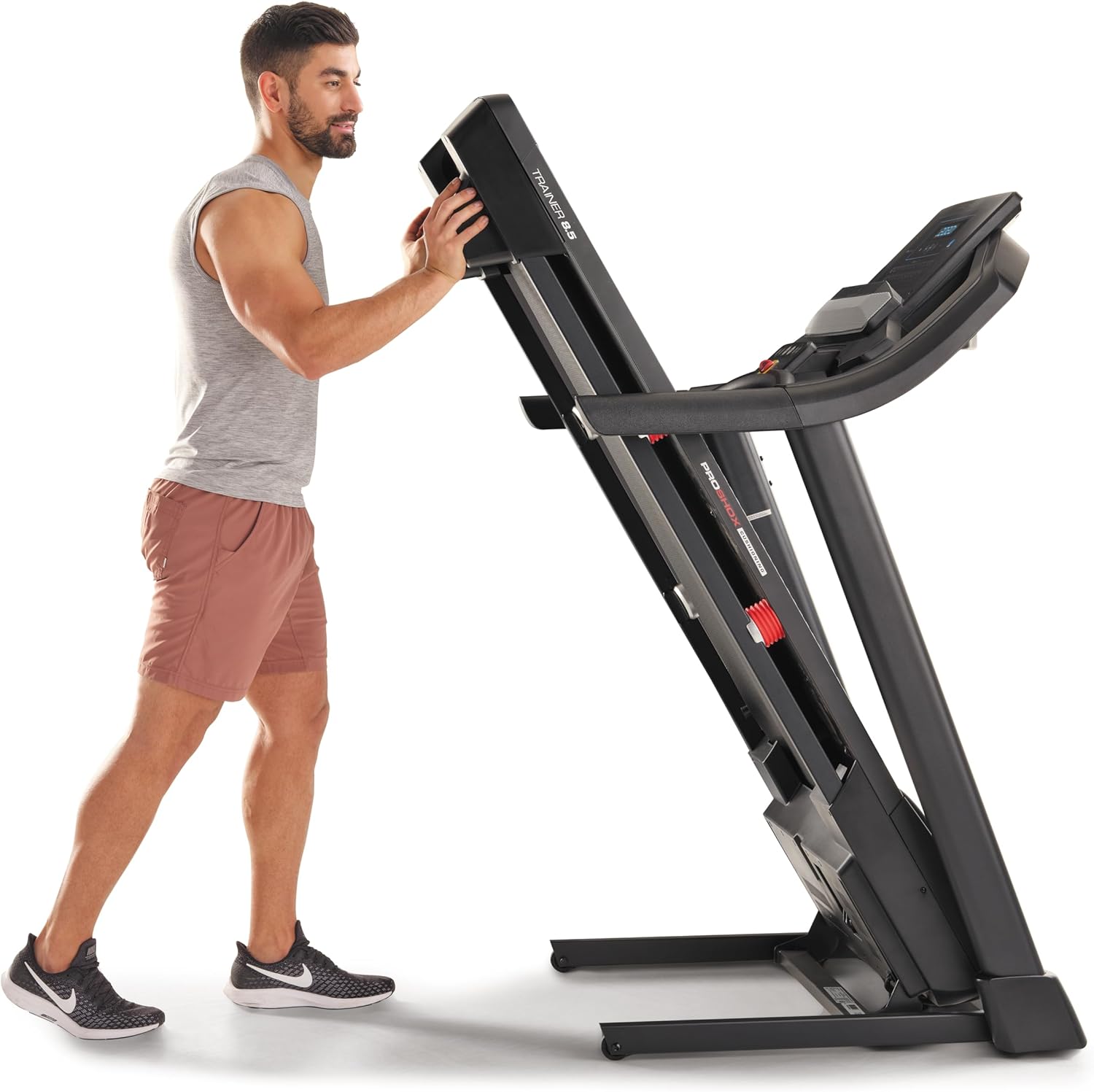
Image: A user demonstrating the folding mechanism of the treadmill for storage.

Image: A user demonstrating the unfolding process of the treadmill, preparing it for use.
אַפּערייטינג ינסטראַקשאַנז
קאַנסאָול איבערview
The console features a display for workout metrics, digital quick speed and incline controls, and dual 2-inch speakers. Familiarize yourself with the button layout before starting your workout.

בילד: דעטאַלירט view of the treadmill's console, highlighting the display and control panel.
סטאַרטינג אַ וואָרקאָוט
- Attach the Safety Key: Clip the safety key to your clothing and insert the other end into the console's designated slot. The treadmill will not operate without the safety key.
- מאַנואַל מאָדע: Press the 'Start' button to begin a manual workout. The belt will start moving at a low speed.
- פּראָגראַם מאָדע: Select a pre-set workout program from the console. Follow the on-screen prompts to begin.
אַדזשאַסטינג גיכקייט און שיפּוע
- גיכקייַט: Use the 'QuickSpeed' buttons or the '+' and '-' buttons to adjust the belt speed from 0 to 16 kph.
- גרייכן: Use the 'Quick Incline' buttons or the '+' and '-' buttons to adjust the incline from 0% to 10%.

Image: A user actively running on the treadmill, illustrating its operational use.
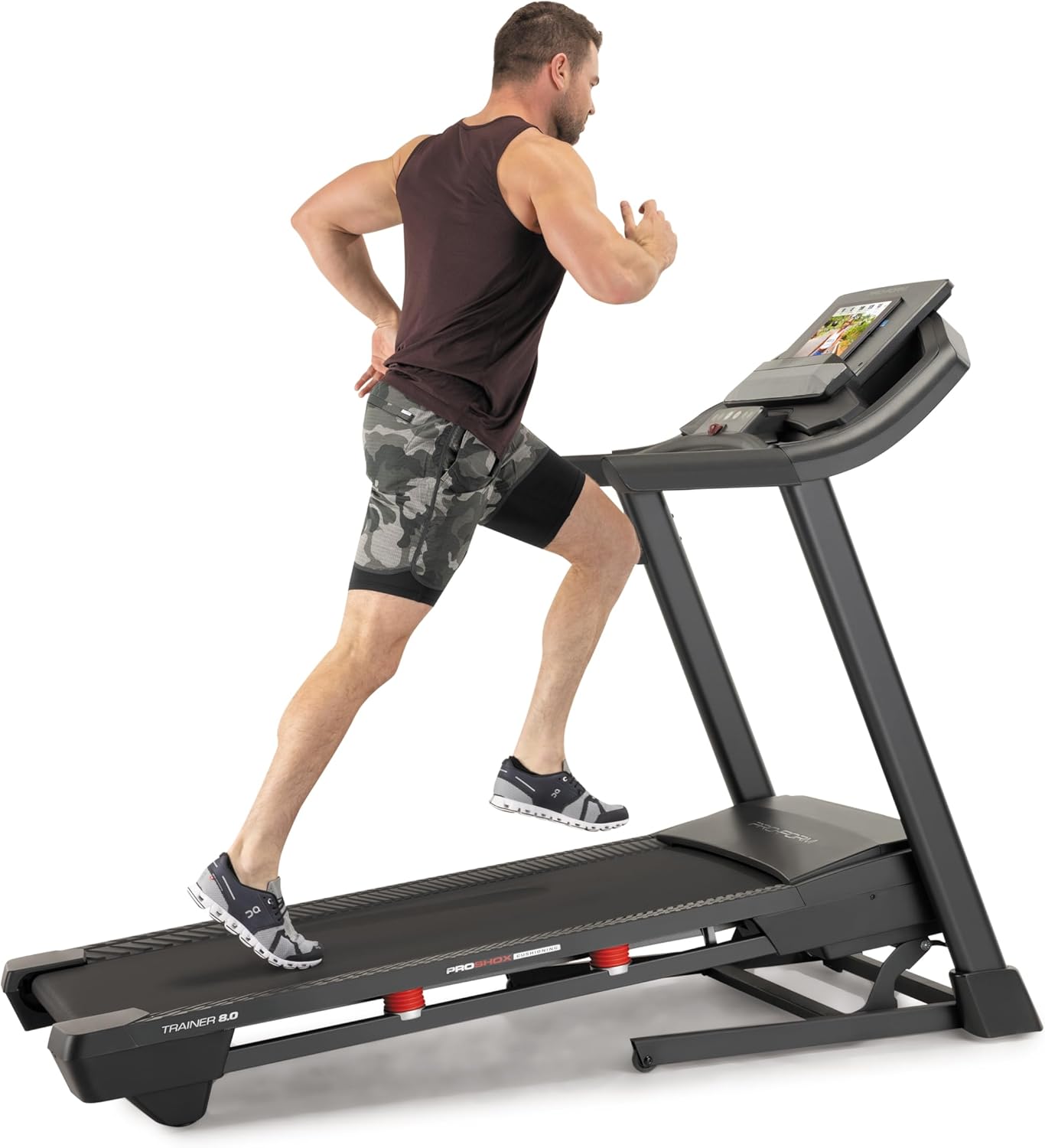
Image: Another perspective of a user running on the treadmill, highlighting the running surface.
אפשטעלן די טרעדמיל
To stop the treadmill, press the 'Stop' button on the console. For an emergency stop, pull the safety key from the console. The treadmill will immediately cease operation.
וישאַלט
רעגולערע אויפהאלטונג גאראנטירט די לאנגעוויטי און אפטימאלע פערפארמאנס פון אייער טרעדמיל.
רייניקונג
- קאַנסאָול: Wipe the console with a damp cloth. Avoid abrasive cleaners or excessive moisture.
- Running Deck and Belt: Periodically clean the running deck and belt with a damp שטאָף צו באַזייַטיקן שטויב און דעבריס.
גאַרטל לובריקיישאַן
The running belt may require lubrication after extended use. Refer to the specific lubrication instructions provided with your treadmill or contact customer service for guidance. Use only approved treadmill lubricant.
גאַרטל שפּאַנונג און אַליינמאַנט
If the running belt slips or drifts to one side, it may need adjustment. Consult the detailed assembly guide or contact customer service for instructions on how to properly tension and align the belt. Incorrect adjustment can damage the treadmill.
טראָובלעשאָאָטינג
This section addresses common issues you might encounter with your ProForm Treadmill t8.5.
| פּראָבלעם | מעגלעך סיבה | לייזונג |
|---|---|---|
| טרעדמיל טוט נישט אָנהייבן | עלעקטרישע שנור נישט איינגעשטאכן; זיכערהייט שליסל נישט אריינגעשטעלט; קרייז צוימער האט אויסגעלאשן. | זיכער מאַכן אַז דער עלעקטרישער שנור איז זיכער אַרײַנגעשטעקט; אַרײַנשטעקן דעם זיכערהייטס-שליסל אינגאַנצן; קאָנטראָלירן דעם הויזגעזינד-קרייז-צוימער. |
| פליסנדיק גאַרטל סליפּס | גאַרטל שפּאַנונג צו לויז. | Adjust belt tension (refer to maintenance section or assembly guide). |
| Console display is blank | Power issue; Console cable disconnected. | Check power connection; Ensure all console cables are securely connected (refer to assembly guide). |
| ומגעוויינטלעך ראַש בעשאַס אָפּעראַציע | לויזע טיילן; גאַרטל רייבונג; מאָטאָר פּראָבלעם. | Inspect for loose bolts and tighten; Lubricate belt if needed; If noise persists, contact customer service. |
ספּעסאַפאַקיישאַנז
Key technical specifications and features of the ProForm Treadmill t8.5:
| שטריך | דעטאַל |
|---|---|
| מאָדעל | t8.5 |
| סאָרט | פּראָפאָרם |
| Digital Quick Incline Control | 0% - 10% |
| Digital QuickSpeed Control | 0 – 16 kph (0 – 11.2 Miles per Hour) |
| Tread Belt Dimensions | 51 X 140 סענטימעטער |
| מאַקסימום וואָג קאַפּאַציטעט | 135 קג |
| ספּיקערז | Dual 2” Speakers |
| פּונקט וואָג | 81 קילאָגראַמס |
| מאַטעריאַל | אַלומינום |
| ספּעציעלע פֿעיִקייטן | Portable (SpaceSaver Design) |
| ציל וילעם | דערוואַקסענע, יוגנט |
| מאַקסימום כאָרספּאַוער | 2.6 כאָרספּאַוער |
וואָראַנטי און שטיצן
For detailed warranty information, please refer to the warranty card included with your product or visit the official ProForm webזייטל. גאַראַנטיע טערמינען און באדינגונגען קענען זיין אַנדערש לויט געגנט.
קונה סערוויס
If you have questions, require technical assistance, or need to order replacement parts, please contact ProForm customer service. Contact details can typically be found on the ProForm webזייטל אדער אין אייער פּראָדוקט'ס פּאַקאַדזשינג.