
1. הקדמה
Thank you for choosing yobola Wireless Earbuds. This manual provides detailed instructions on how to set up, operate, and maintain your earbuds to ensure optimal performance and longevity. Please read this manual carefully before use.
2. פּעקל אינהאַלט
- yobola Wireless Bluetooth Earbuds
- טשאַרדזשינג קאַסע
- וסב-C טשאַרדזשינג קאַבלע
- באַניצער מאַנואַל
3. פּראָדוקט איבערview

Image: The yobola brand logo, featuring the company name in black text.
The yobola T8 Wireless Earbuds are designed for a superior audio experience, featuring advanced Bluetooth 5.3 technology, deep bass, and HiFi stereo sound. They are lightweight and comfortable for extended wear, and equipped with ENC noise cancellation for clear calls.

Image: A large white earbud with musical notes emanating from it, illustrating the True Wireless Stereo (TWS) feature and high-fidelity audio.
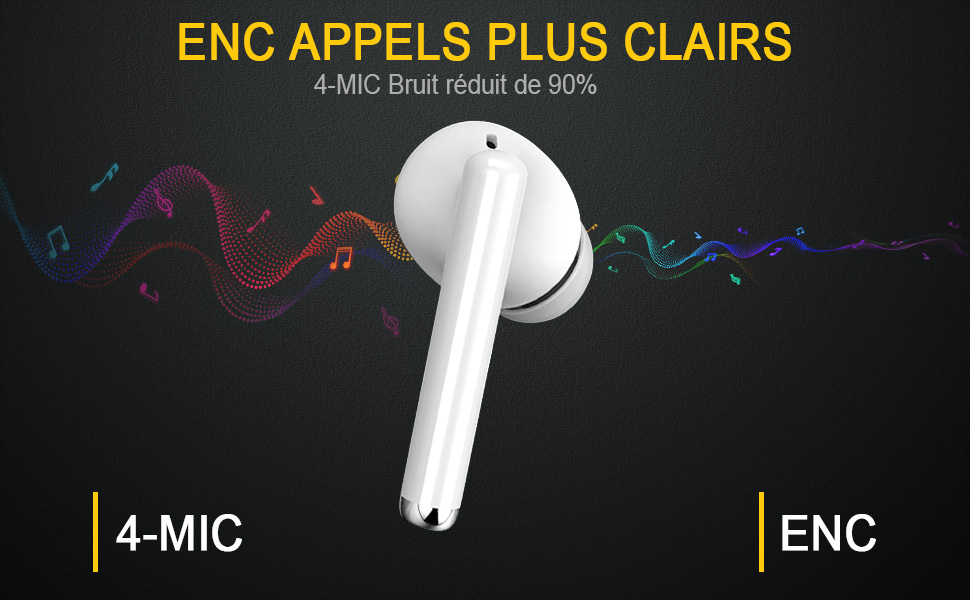
Image: A white earbud with text indicating "ENC Clearer Calls" and "4-MIC Noise reduced by 90%", highlighting the enhanced call quality feature.

Image: Two earbuds and their charging case surrounded by floating feathers, emphasizing their super lightweight design (only 4g per earbud).
4. סעטאַפּ
4.1 אויפלאָדן די אויערקנעפּלעך און קעסטל
פארן ערשטן באַנוץ, זאָלט איר גאָר אויפלאָדן די אויערן-קנעפּלעך און דעם אויפלאָדן-קעסטל. פֿאַרבינדט דעם צוגעשטעלטן USB-C קאַבל צום אויפלאָדן-פּאָרט אויפן קעיס און אַ שטראָם-מקור. די אינדיקאַטאָר-ליכט אויפן קעיס וועט ווײַזן דעם אויפלאָדן-סטאַטוס.
- Earbuds provide over 5 hours of playback on a single charge.
- The charging case extends total playback time up to 25 hours.
4.2 בלועטאָאָטה פּערינג
The earbuds feature advanced Bluetooth 5.3 for a stable connection.
- נעמט ארויס ביידע אויערן-קנעפלעך פון די טשאַרדזשינג קעסטל. זיי וועלן אויטאמאטיש אריינגיין אין פּערינג מאָדע.
- אויף אייער דעווייס (סמאַרטפאָן, טאַבלעט, פּיסי), אַקטיווירט בלועטוט.
- זוכן פֿאַר בלועטוט דעווייסעס און אויסקלייבן "T8" פון דער ליסטע.
- אַמאָל פארבונדן, וועט איר הערן אַ באַשטעטיקונג פּראָמפּט, און די אויערקנעפּלעך וועלן זיין גרייט פֿאַר נוצן.

Image: A visual representation of the easy pairing process, showing the charging case, earbuds, and a smartphone screen displaying the Bluetooth connection to "T8".

Image: Earbuds shown alongside Apple, Android, and Windows logos, indicating broad compatibility with various operating systems.
5. אַפּערייטינג ינסטרוקטיאָנס
The yobola T8 earbuds feature intuitive touch controls for various functions:
- שפּיל / פּויזע מוזיק: איין צאַפּן אויף יעדער עאַרבוד.
- ווייַטער ליד: צאַפּ צוויי מאָל אויף די רעכטע אויערקנעפּל.
- פֿריִער ליד: צאַפּ צוויי מאָל אויף די לינקע אויערקנעפּל.
- ענטפֿערן / סוף רופן: איין צאַפּן אויף יעדער עאַרבוד.
- אָפּוואַרפן רופן: לאַנג דריקן אויף יעדן אויערקנעפּעל.
- סטרויערן באַנד: Specific gestures may vary; refer to the quick start guide for precise volume control actions.
- אַקטיווירן שטימע אַסיסטאַנט (סירי): טרייפאַך צאַפּן אויף יעדן אויערקנעפּעל.

Image: A white earbud shown fitted comfortably within a human ear, demonstrating its ergonomic design and secure fit.
6. וישאַלט
6.1 רייניקונג
Regularly clean your earbuds and charging case with a soft, dry, lint-free cloth. Do not use harsh chemicals or abrasive materials.
6.2 וואַסער קעגנשטעל
The earbuds are IPX7 water-resistant, meaning they can withstand sweat and splashes. They are suitable for workouts and outdoor sports. However, they are not designed for swimming or submersion in water. Ensure the charging port is dry before charging.

Image: Two earbuds covered in water droplets, accompanied by a water drop icon, signifying their IPX7 sweat and water resistance.
6.3 סטאָרידזש
ווען נישט אין באַנוץ, לייגט די אויערקנעפּלעך אין זייער טשאַרדזשינג קעסטל צו באַשיצן זיי און האַלטן זיי טשאַרדזשד. לייגט זיי אין אַ קיל, טרוקן אָרט אַוועק פון עקסטרעמע טעמפּעראַטורן.
7. טראָובלעשאָאָטינג
- אויערקנעפּלעך נישט פּערינג: Ensure both earbuds are out of the case and fully charged. Turn off Bluetooth on other nearby devices. Try resetting the earbuds (refer to specific reset instructions if available in the quick start guide).
- קיין קול: Check volume levels on both the earbuds and your connected device. Ensure earbuds are properly paired.
- טשאַרדזשינג ישוז: Verify the charging cable and power source are working. Ensure the charging contacts on the earbuds and case are clean and dry.
- נעבעך רופן קוואַליטעט: Ensure earbuds are clean. The 4-microphone ENC noise cancellation should provide clear calls, but environmental factors can still affect quality.
8. ספּעסאַפאַקיישאַנז
| שטריך | דעטאַל |
|---|---|
| מאָדעל נאָמען | T8 |
| מאָדעל נומער | LY-20230111 |
| בלועטאָאָטה ווערסיע | 5.3 |
| עאַרבוד פּלייַטיים | ~5 hours (single charge) |
| גאַנץ שפּילצייט (מיט קעסטל) | אַרויף צו 25 שעה |
| וואַסער קעגנשטעל | IPX7 |
| מיקראָפאָנעס | 4 (מיט ENC ראַש קאַנסאַליישאַן) |
| עאַרבוד ווייט | ~4 Grams |
| קאַמפּאַטאַבילאַטי | iOS, Android, Windows, and all Bluetooth-enabled devices |
9. וואָראַנטי און שטיצן
Your yobola Wireless Earbuds come with a 1-יאָר פאַבריקאַנט ס וואָראַנטי פֿון דעם קויפֿדאַטום. די וואָראַנטי דעקט פֿאַבריקאַציע־דעפֿעקטן. ביטע באַהאַלטן אייער קויפֿבאַווײַז פֿאַר וואָראַנטי־קליימז.
For technical support, troubleshooting assistance, or warranty inquiries, please contact yobola customer service through the retailer's platform or visit the official yobola brand store online. Refer to the packaging or product listing for specific contact details.
אינפֿאָרמאַציע וועגן די פֿאַרפֿיגבאַרקייט פֿון רעזערוו טיילן און געראַנטירטע ווייכווארג דערהייַנטיקונגען איז נישט פֿאַרפֿיגבאר אין דעם מאָמענט.