
1. הקדמה
This instruction manual provides detailed guidance for the assembly, operation, and maintenance of your Fenge 23.6 Inch Monitor Stand. Please read this manual thoroughly before use to ensure proper setup and to maximize the benefits of the product.
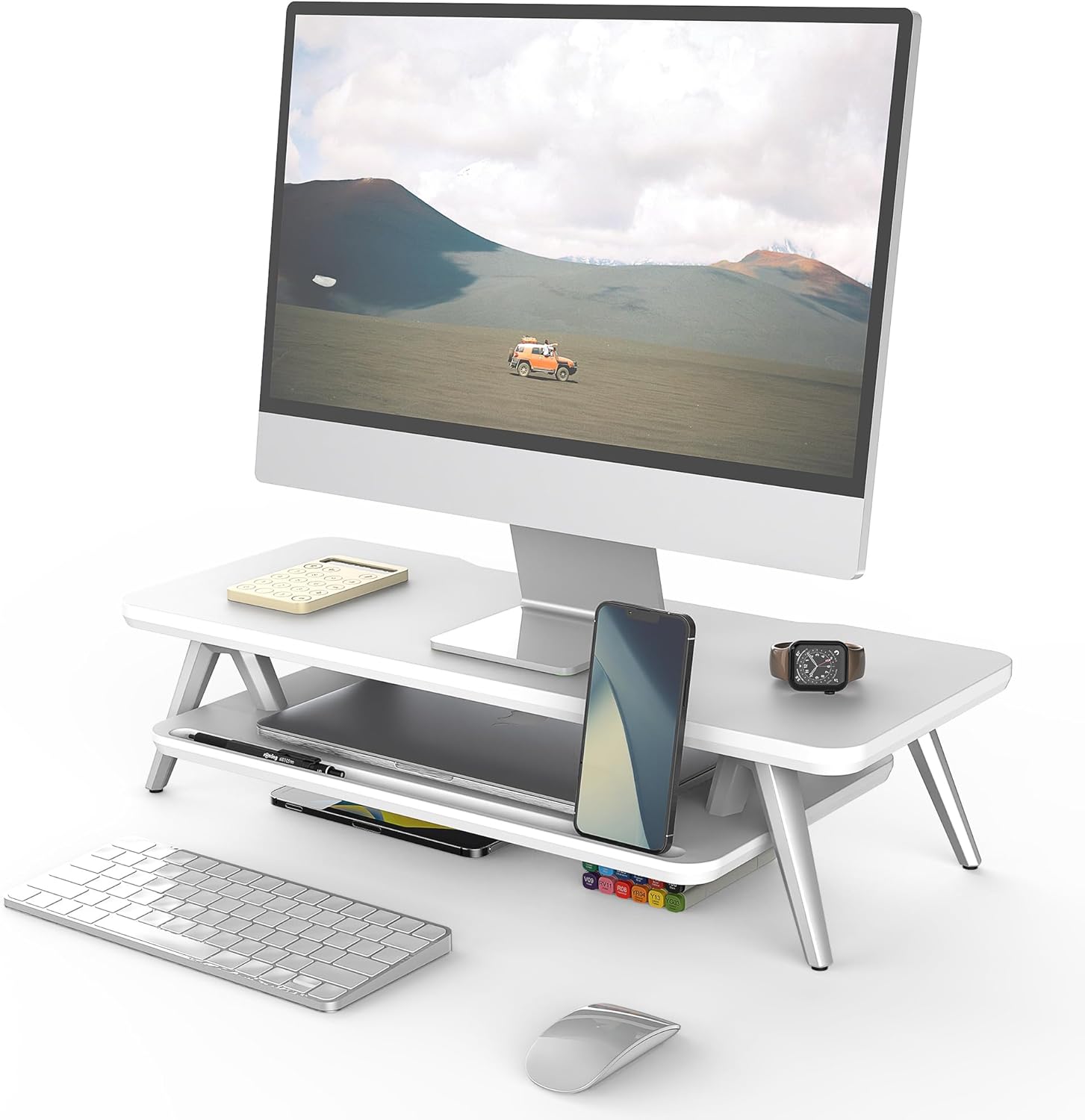
Image 1: Fenge 23.6 Inch Monitor Stand in a typical desk setup.
The Fenge Monitor Stand is designed to elevate your monitor to an ergonomic viewing height, reducing neck and shoulder strain. It also offers integrated storage solutions and cable management features to help maintain an organized workspace.
2. וויכטיק סאַפעטי אינפֿאָרמאַציע
- Ensure all components are securely fastened before placing any items on the stand.
- נישט איבערשטייגן די מאקסימום לאסט קאפאציטעט פון 66 פונט (30 ק"ג).
- האַלטן קליין טיילן אַוועק פון קינדער צו פאַרמייַדן טשאָוקינג כאַזערדז.
- Avoid exposing the stand to excessive moisture or direct sunlight.
- שטעלט דעם שטאַנד אויף אַ סטאַבילן, גלייכן ייבערפלאַך צו פאַרמייַדן עס צו איבערקערן.
3. פּעקל אינהאַלט
באַשטעטיקט אַז אַלע די פאלגענדע קאָמפּאָנענטן זענען אַרייַנגערעכנט אין דיין פּעקל:
- Top Panel (1x)
- Bottom Shelf (1x)
- Aluminum Feet (4x)
- Rubber Pads (4x)
- Assembly Hardware (Screws, Allen Wrench)
- אינסטרוקציע מאַנואַל (דעם דאָקומענט)
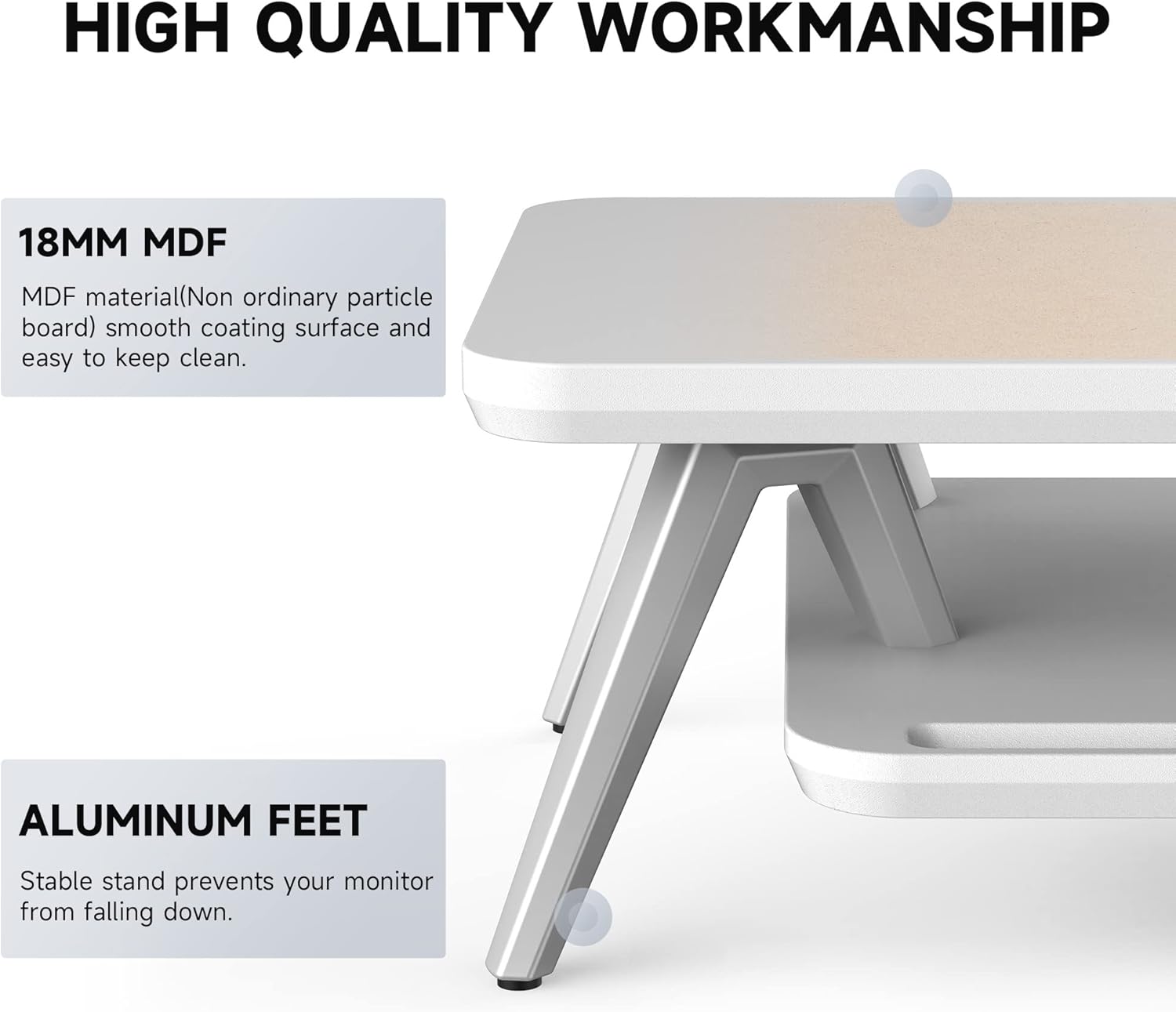
Image 2: Components of the Fenge Monitor Stand, highlighting the MDF panel and aluminum feet.
4. אַסעמבלי אינסטרוקציעס
Assembly typically takes 5-8 minutes. Follow these steps:
- Attach the Aluminum Feet: Securely fasten the four aluminum feet to the underside of the top panel using the provided screws and Allen wrench. Ensure they are tightly secured for stability.
- Install the Bottom Shelf: Slide the bottom shelf into the designated slots on the aluminum feet. The shelf should fit snugly.
- Apply Rubber Pads: Attach the four rubber pads to the bottom of the aluminum feet. These pads prevent scratching your desktop and enhance stability.
- לעצט טשעק: Verify that all connections are secure and the stand is stable before placing your monitor or other items on it.
Video 1: This video demonstrates the assembly process and highlights the functional design of the Fenge monitor stand.
5. באַניץ און פֿעיִקייטן
5.1 ערגאָנאָמישער פּלאַן
The Fenge Monitor Stand elevates your screen by 5.7 inches, promoting a comfortable viewing angle and helping to prevent neck and shoulder discomfort during prolonged use.

Image 3: Visual representation of ergonomic benefits, including desktop organization, monitor elevation, and cervical spine health.
5.2 2-Tier Desktop Organizer
The stand features a two-tier design with high-capacity compartments, allowing you to store office accessories, notebooks, and other supplies, keeping your desktop tidy and clutter-free.

בילד 4: דעטאַלירט view of the storage compartments, ideal for organizing desk essentials.
5.3 קאַבלע מאַנאַגעמענט
Integrated cable management slots help route and organize your cords, preventing tangles and maintaining a clean aesthetic.

Image 5: Illustration of the cable management system, keeping cords organized and out of sight.
5.4 Phone/Tablet Slot
A dedicated slot is provided for holding your smartphone or tablet, keeping it upright and easily accessible while you work.

Image 6: The monitor stand featuring its M-type stable structure, phone/tablet slot, and cable management trough.
Video 2: This video showcases the Fenge monitor stand in various desk setups, demonstrating its organizational capabilities and aesthetic appeal.
6. קער און וישאַלט
- רייניקונג: ווישט דעם שטאַנד מיט אַ ווייכן, דamp שטאָף. ויסמיידן אַברייסיוו קלינערז אָדער האַרב קעמיקאַלז וואָס קען שעדיקן די ענדיקן.
- שטויב: Regularly dust the surface with a dry, lint-free cloth.
- דורכקוק: קאָנטראָלירט פּעריִאָדיש אַלע שרויפֿן און פֿאַרבינדונגען צו זיכער מאַכן אַז זיי בלייבן פֿעסט. פֿעסטציִען אויב נייטיק.
7. טראָובלעשאָאָטינג
- שטאַנד איז וואָבלי:
- מאַכן זיכער אַז אַלע סקרוז זענען טייטאַנד.
- Verify the stand is placed on a flat, stable surface.
- Check that the rubber pads are correctly installed on all four feet.
- שוועריקייט אַסעמבאַל:
- Refer to Section 4: Assembly Instructions and review the steps carefully.
- זייט זיכער אַז איר ניצט די ריכטיקע ייַזנוואַרג פֿאַר יעדן שריט.
- אויב ישוז אָנהאַלטן, קאָנטאַקט קונה שטיצן.
8. ספּעסאַפאַקיישאַנז
| שטריך | דעטאַל |
|---|---|
| סאָרט | Fenge |
| מאָדעל | 23.6 Inch Monitor Stand |
| מאַטעריאַל | אינזשענירטע האָלץ (MDF) |
| קאָליר | ווייַס |
| פּראָדוקט דימענשאַנז (L x W x H) | 23.6 X 11 X 5.7 אינטשעס |
| פּונקט וואָג | 11 פונט (5 קג) |
| מאַסע קאַפּאַציטעט | 66 פונט (30 קג) |
| אַסעמבלי פארלאנגט | יא |
| ענדיקן טיפּ | לאַקערד |
| UPC | 694743169188 |

Image 7: Technical drawing showing the dimensions and load capacity of the monitor stand.
9. וואָראַנטי און שטיצן
For warranty information or customer support, please refer to the product packaging or contact Fenge customer service directly. Keep your purchase receipt for any warranty claims.