
הקדמה
א דאנק פארן קויפןasing the Auna Mary Ann Bluetooth Turntable System. This versatile audio system combines vintage aesthetics with modern functionality, allowing you to enjoy your vinyl records, CDs, DAB+/FM radio, and digital music via USB or Bluetooth. This manual provides essential information for safe operation, setup, and maintenance of your device. Please read it thoroughly before use and keep it for future reference.
זיכערקייַט אינסטרוקציעס
- לייענען אַלע ינסטראַקשאַנז קערפאַלי איידער אַפּערייטינג די מיטל.
- האַלטן די מאַנואַל פֿאַר צוקונפֿט דערמאָנען.
- Do not expose the unit to rain, moisture, or direct sunlight.
- זאָרגט פֿאַר געהעריקע ווענטילאַציע; פֿאַרשטאָפּט נישט קיין ווענטילאַציע עפענונגען.
- שטעלן די אַפּאַראַט אויף אַ סטאַביל, גלייַך ייבערפלאַך.
- ניצן בלויז אַטאַטשמאַנץ / אַקסעסעריז ספּעסיפיעד דורך דער פאַבריקאַנט.
- אָפּשטעקן די אַפּאַראַט בעשאַס בליץ סטאָרמז אָדער ווען אַניוזד פֿאַר לאַנג פּיריאַדז.
- אָפּשיקן אַלע סערוויסעס צו קוואַלאַפייד סערוויס פּערסאַנעל.
- פֿאַרמײַדט צו שטעלן זאַכן אָנגעפֿילט מיט פֿליסיקייטן, ווי וואַזעס, אויף דעם אַפּאַראַט.
- צי ניט שטעלן נאַקעט פלאַם קוואלן, אַזאַ ווי ליכטיק ליכט, אויף דעם אַפּאַראַט.
פּעקל אינהאַלט
Carefully unpack the box and ensure all items are present and in good condition:
- 1 x Auna Mary Ann Turntable System with Integrated Speakers
- 1 x מאַכט אַדאַפּטער
- 1 x רימאָוט קאָנטראָל
- 1 רענטגענ 45 רפּם אַדאַפּטער
- 1 x באַניצער מאַנואַל (דאָס דאָקומענט)
פּראָדוקט איבערview
The Auna Mary Ann system features a comprehensive set of controls and connections for various audio sources.
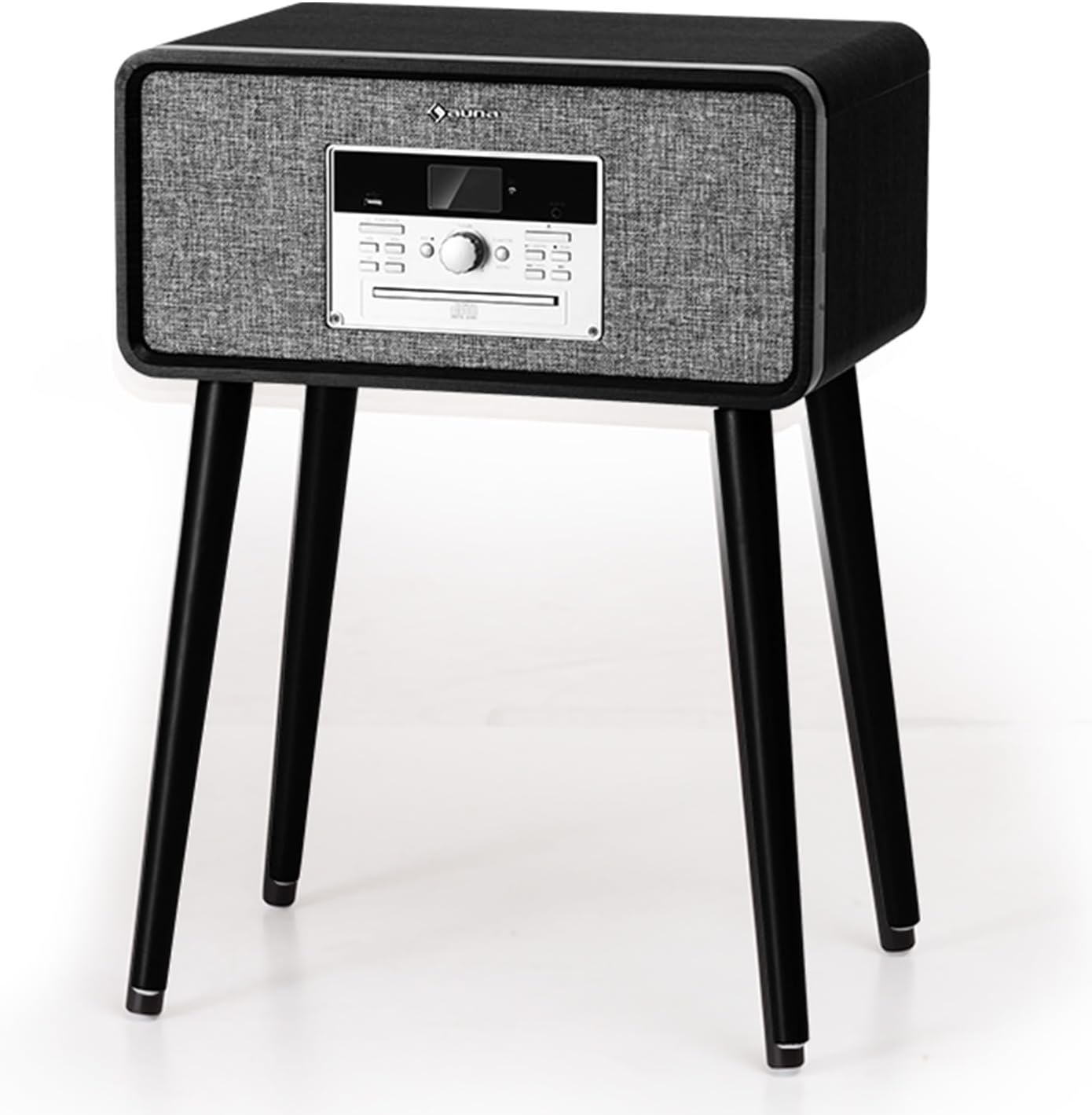
פראָנט view of the Auna Mary Ann Turntable System, showing the main unit with integrated speakers, control panel, and LCD display.
שליסל פֿעיִקייטן:
- 3-גיך דריי-טיש: שטיצט 33 1/3, 45, און 78 RPM רעקאָרדס.
- ינאַגרייטיד סטערעאָ ספּיקערז: 24 Watts RMS for clear audio output.
- אַוטאָ סטאָפּ פֿונקציע: Automatically stops the platter when a record finishes, protecting your vinyl.
- קייפל פּלייַבאַקק אָפּציעס: CD player, DAB+/FM radio, USB input for MP3 playback, AUX-in, and Bluetooth connectivity.
- דיגיטאַל קאַנווערזשאַן: Easily convert vinyl records to MP3 fileס דורך USB.
- באַניצער-פרייַנדלעך קאָנטראָלס: Intuitive control panel with an LCD display and a multifunctional rotary knob.
- וויןtagE פּלאַן: Elegant wooden finish with a straight tonearm and magnetic cartridge.
- קאָנווערטיבלע פּלאַן: Removable feet allow for standalone use or tabletop placement.
סעטאַפּ
- אויספּאַקן: Carefully remove the turntable system from its packaging. Retain the packaging for future transport or storage.
- אָרט: Place the unit on a stable, level surface away from direct sunlight, heat sources, and excessive dust or vibrations. Ensure adequate space around the unit for ventilation.
- Feet Installation (Optional): If you wish to use the system as a standalone unit, attach the provided feet to the designated points on the bottom of the main unit. Ensure they are securely fastened.

Diagram showing the dimensions of the Auna Mary Ann Turntable System, illustrating its convertible design with and without the removable feet.
- מאַכט קשר: Connect the power adapter to the DC input port on the back of the unit, then plug the adapter into a suitable wall outlet.
- אַנטענע קשר: For optimal DAB+/FM radio reception, ensure the FM antenna is properly extended.
- שטויב דעקל: Remove any protective films or ties from the dust cover and ensure it can open and close smoothly.
אַפּערייטינג ינסטראַקשאַנז
אַלגעמיינע אָפּעראַציע:
- מאַכט אויף / אַוועק: Press the Power button on the front panel or remote control to turn the unit on or off.
- מאָדע סעלעקציע: Use the "Function" button on the unit or remote to switch between Phono (Vinyl), CD, DAB+, FM, USB, AUX, and Bluetooth modes.
- באַנד קאָנטראָל: Adjust the volume using the rotary knob on the front panel or the Volume +/- buttons on the remote control.
Playing Vinyl Records:
- Select "Phono" mode.
- Place a record on the platter. If playing a 45 RPM single, place the 45 RPM adapter on the spindle first.
- אויסקלייבן די ריכטיקע גיכקייט (33 1/3, 45, אדער 78 רפּם) ניצנדיק דעם גיכקייט אויסקלייבער קנעפל.
- מעלדונג די טאָונאַרם שלאָס.
- Lift the tonearm using the cueing lever and position it over the desired track on the record.
- Lower the tonearm gently onto the record using the cueing lever. The record will begin to play.
- At the end of the record, the auto-stop function will stop the platter. Lift the tonearm, return it to its rest, and engage the lock.

Visual representation of key features including 3-speed playback, powerful stereo speakers, auto-stop function, and support for various record sizes.
שפּיל CDs:
- Select "CD" mode.
- Press the Eject button to open the CD tray.
- לייגט אַ סי-די מיט דער עטיקעט זײַט אַרויף אין דעם טאַץ.
- Press the Eject button again to close the tray. The CD will load and begin playing automatically.
- Use the Play/Pause, Skip Forward/Backward buttons on the unit or remote to control playback.
DAB+/FM ראַדיאָ:
- Select "DAB+" or "FM" mode.
- For DAB+ radio, the system will automatically scan for available stations upon first use. Use the navigation buttons to browse and select stations.
- For FM radio, use the tuning buttons to manually or automatically scan for stations.
- You can save your favorite stations as presets for quick access. Refer to the display for specific instructions on saving presets.
בלועטאָאָטה קאַנעקטיוויטי:
- Select "Bluetooth" mode. The display will show "BT" or "Pairing".
- אַקטיווירן בלועטוט אויף אייער פונדרויסנדיק מיטל (סמאַרטפאָן, טאַבלעט, אאז"וו).
- זוכן פֿאַר "Auna Mary Ann" or a similar device name in your device's Bluetooth settings.
- Select the device to pair. Once connected, you will hear a confirmation sound, and the display will indicate a successful connection.
- Play music from your external device. Audio will stream through the turntable system's speakers.
USB Playback & Recording:
- אַרײַנשטעלן אַ USB בליץ דרייוו אין דעם USB פּאָרט.
- Select "USB" mode. The system will automatically detect and play compatible MP3 files.
- Recording Vinyl to USB:
- זייט זיכער אַז אַ USB דרייוו איז אַרײַנגעשטעלט.
- Select "Phono" mode and start playing a vinyl record.
- Press the "Record" button (usually indicated by a REC icon) on the unit. The display will show recording status.
- Press the "Record" button again to stop recording. The recorded audio will be saved as an MP3 file אויף די וסב פאָר.
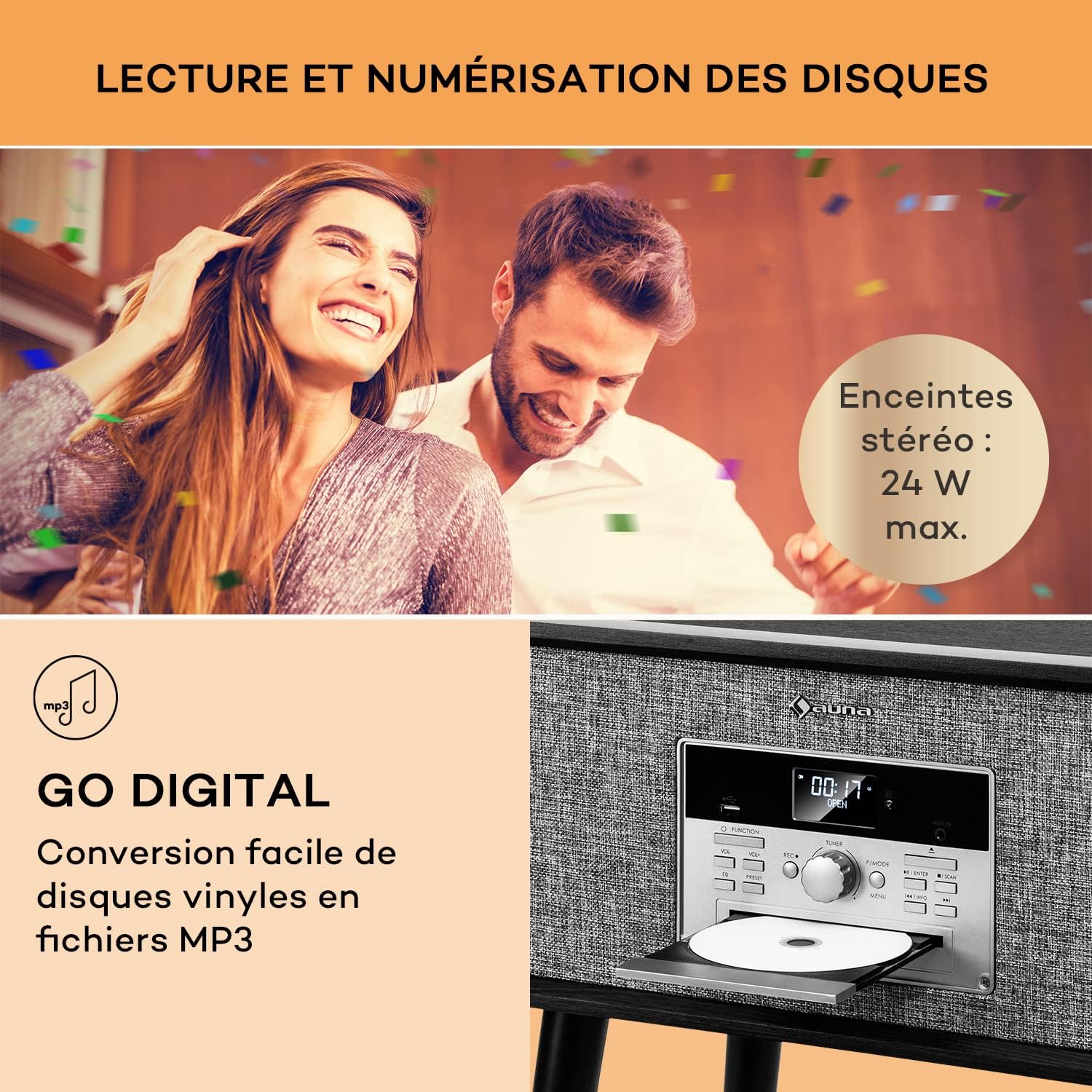
Image illustrating the "Go Digital" feature for converting vinyl to MP3 via USB, and the silent belt-drive mechanism for 33 1/3, 45, or 78 RPM playback.
AUX אין:
- Connect an external audio device (e.g., an older MP3 player) to the AUX-in port using a 3.5mm audio cable (not included).
- Select "AUX" mode.
- שפּילט אַודיאָ פֿון אייער עקסטערנעם מיטל.
וישאַלט
- רייניקונג די אַפּאַראַט: ווישט אָפּ די אויסערלעכע זייט פון דער אַפּאַראַט מיט אַ ווייכן, טרוקענעם שטאָף. ניצט נישט קיין שרײַבנדיקע רייניגער, וואַקסן אָדער סאָלווענטן.
- רייניקן דעם סטיילוס: Gently clean the stylus regularly with a soft brush, brushing from back to front. Avoid touching the stylus with your fingers.
- Cleaning Records: Use a dedicated record cleaning brush and solution to keep your vinyl records free of dust and static.
- שטויב דעקל: Keep the dust cover closed when not in use to protect the turntable and stylus from dust.
- סטילוס אויסטויש: The stylus has a limited lifespan (typically 300-500 hours of playback). If you notice a decrease in sound quality, replace the stylus. Contact Auna support for compatible replacement styli.
טראָובלעשאָאָטינג
| פּראָבלעם | מעגלעך סיבה | לייזונג |
|---|---|---|
| קיין מאַכט | שטראָם אַדאַפּטער נישט פארבונדן; שטראָם אַוטלעט נישט אַקטיוו. | זיכער מאַכן אַז דער מאַכט אַדאַפּטער איז זיכער פארבונדן צו דער אַפּאַראַט און אַ אַרבעטנדיקער מאַכט ווענטיל. |
| קיין געזונט פון ספּיקערז | Volume too low; incorrect mode selected; external speakers connected (if applicable). | Increase volume. Select the correct input mode. Disconnect external speakers if you want sound from internal speakers. |
| טערטייבאַל נישט ספּיננינג | Speed selector incorrect; tonearm not lifted; auto-stop engaged. | Check speed setting. Lift tonearm. Ensure auto-stop is not preventing rotation prematurely (though it should only stop at end of record). |
| Poor sound quality from vinyl | Dirty record; dirty or worn stylus; incorrect speed. | Clean the record. Clean or replace the stylus. Verify the correct speed setting. |
| בלועטאָאָטה איז נישט קאַנעקטינג | Device not in pairing mode; external device Bluetooth off; too far from unit. | Ensure the turntable is in Bluetooth pairing mode. Turn on Bluetooth on your external device and search for "Auna Mary Ann". Move closer to the unit. |
| סי-די שפּילט נישט | CD inserted incorrectly; dirty or scratched CD; incorrect mode. | Ensure CD is inserted label-side up. Clean the CD. Select "CD" mode. |
ספּעסאַפאַקיישאַנז
| סאָרט | AUNA |
| מאָדעל נאָמען | Mary Ann |
| טערנטייבאַל ספּידז | 33 1/3, 45, 78 רפּם |
| מאָטאָר טיפּ | גאַרטל-געטריבן |
| קאַנעקטיוויטי טעכנאָלאָגיע | Bluetooth, USB, RCA (output, implied by HiFi system) |
| אַודיאָ רעזולטאַט מאַכט | 24 Watts RMS (integrated speakers) |
| מאַכט קאַנסאַמשאַן | 24 וואט |
| מאַכט מקור | עלעקטריק קאַבלע |
| קאַמפּאַטאַבאַל דעוויסעס | Speaker, MP3 player, Personal computer, Smartphone, Tablet, Ampליפער |
| מאַטעריאַל | האלץ |
| קאָליר | שוואַרץ |
| פּונקט וואָג | 8.5 קילאָגראַמס |
| Dimensions (L x W x H) with feet | 34 סענטימעטער X 49 סענטימעטער X 68.5 סענטימעטער |
| Dimensions (L x W x H) without feet | 34 סענטימעטער X 49 סענטימעטער X 25 סענטימעטער |
וואָראַנטי און שטיצן
Auna products are designed and manufactured to the highest quality standards. For information regarding warranty coverage, please refer to the warranty card included with your purchase or visit the official Auna webפּלאַץ.
Should you encounter any issues or require technical assistance, please contact Auna customer support. You can typically find contact information on the official Auna website or through your retailer. Please have your model name ("Mary Ann") and purchase details ready when contacting support.
אָנליין שטיצן: Visit the Auna brand store on Amazon or the official Auna website for FAQs and further assistance.


