
1. פּראָדוקט איבערview
The XIAOVV Solar Wireless Outdoor Security Camera is designed to provide reliable outdoor surveillance with eco-friendly solar power. It features advanced motion detection, night vision capabilities, and remote access for comprehensive home security.

Image 1: XIAOVV Solar Wireless Outdoor Security Camera with integrated solar panel.
2. פּעקל אינהאַלט
- XIAOVV Solar Wireless Outdoor Security Camera (1 unit)
- מאַונטינג בראַקאַץ און סקרוז
- וסב טשאַרדזשינג קאַבלע
- באַניצער מאַנואַל
- (Note: Micro SD card for local storage is not included and must be purchased separately.)
3. פּראָדוקט פֿעיִקייטן
- Solar Powered with 10000mAh Battery: Ensures continuous operation by recharging the built-in battery via solar panel.
- PIR קלוגע דעטעקציע: Triggers recording and alerts based on human body temperature, reducing false alarms.
- ספּאָטלייט און קול סירענע: Deters intruders with integrated light and sound alarms.
- וועטער-באַשטענדיק פּלאַן (IP65): Built to withstand various outdoor conditions, including rain, snow, and high temperatures.
- פּאַן און טילט פאַנגקשאַנאַליטי: Offers a 355° horizontal and 100° vertical rotation for wide area coverage.
- HD Night Vision: Provides clear visibility in low-light conditions and complete darkness.
- באַוועגונג טראַקינג: Automatically follows detected moving objects within its monitoring range.
- זיכער דאַטאַ ענקריפּשאַן: Utilizes military-grade encryption to protect user privacy and data.
- 1080p ווידעא רעזאָלוציע: קאַפּטשערז קלאָר און דיטיילד ווידעא פאָאָtage.
- ווירעלעסס קאַנעקטיוויטי: Connects via 2.4GHz Wi-Fi for remote access and control.
- מאָביל אַפּ קאָנטראָל: Compatible with Android and iPhone devices for live viewing, settings adjustment, and alerts.
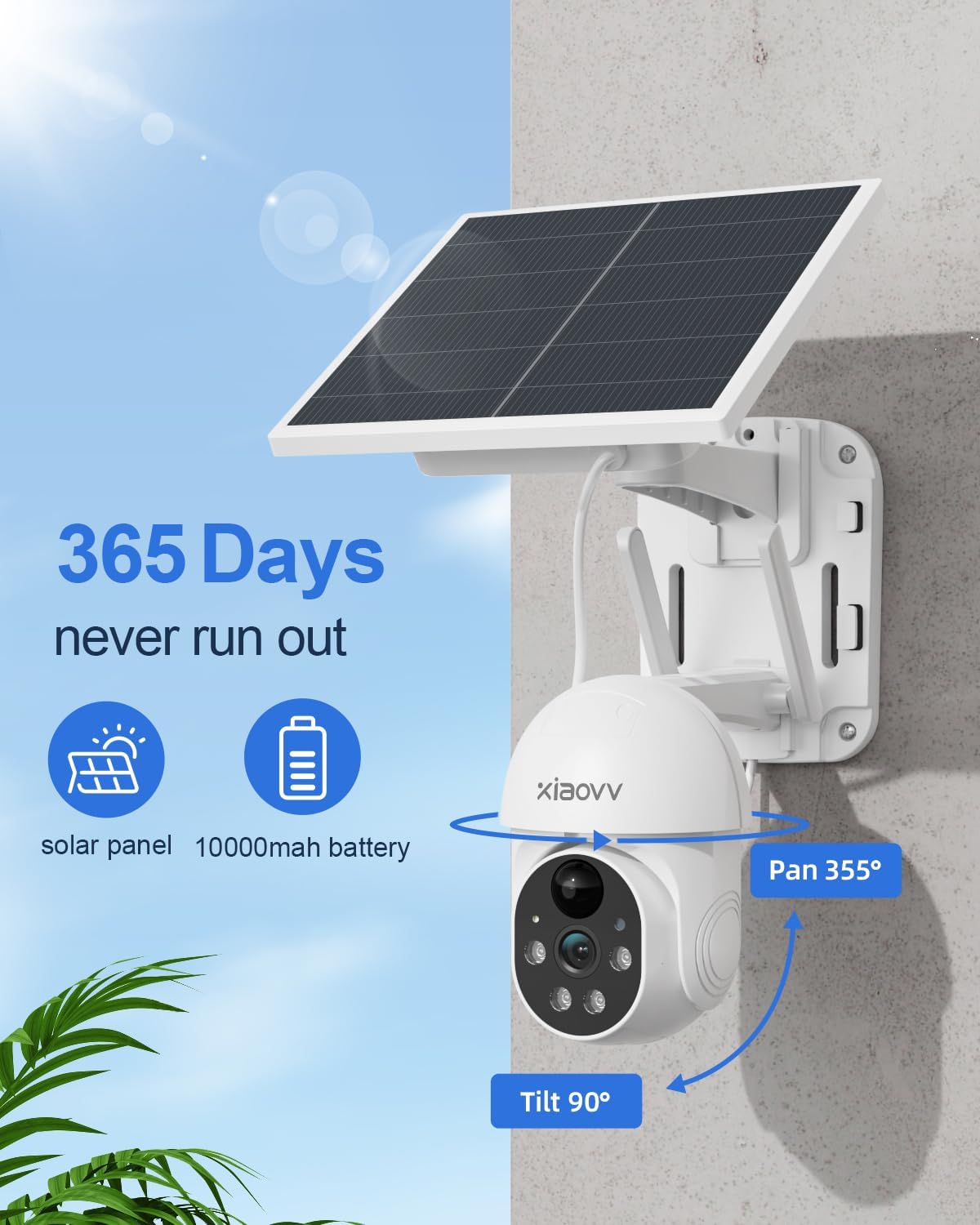
Image 2: Key features including 365-day power, 10000mAh battery, and Pan/Tilt capabilities.

Image 3: Night vision with spotlight and siren for intruder deterrence.
4. סעטאַפּ גייד
4.1 ערשט טשאַרדזשינג
Before first use, fully charge the camera's built-in 10000mAh battery using the provided USB cable and a standard 5V/2A power adapter (not included). A full charge ensures optimal performance and solar charging efficiency.
4.2 אַפּ ינסטאַלירונג
- Scan the QR code in the quick start guide or search for the "XIAOVV" app in your mobile device's app store (Google Play Store for Android, Apple App Store for iOS).
- אראפקאפיע און ינסטאַלירן די אַפּלאַקיישאַן.
- Register a new account and log in.
4.3 קאַמעראַ פּערינג
- מאַכט אויף די אַפּאַראַט.
- Open the XIAOVV app and follow the on-screen instructions to add a new device.
- Ensure your mobile device is connected to a 2.4GHz Wi-Fi network. The camera does not support 5GHz Wi-Fi.
- Scan the QR code displayed on your phone with the camera lens, or follow alternative pairing methods if prompted.
- אַמאָל פארבונדן, קענט איר געבן א נאמען פאר אייער קאַמעראַ און קאָנפיגורירן די ערשטע סעטטינגס.
4.4 גשמיות ינסטאַלירונג
קלייַבן אַ אָרט מיט ample direct sunlight for the solar panel and a clear view of the area you wish to monitor. The camera is designed for wall mounting.
- Mark the drilling positions using the mounting bracket as a template.
- באָערט לעכער און אַרײַנשטעקט וואַנט פּלאַגז אויב נייטיק.
- באַפֿעסטיקן די מאַונטינג קלאַמער צו דער וואַנט מיט שרויפֿן.
- צוטשעפּען די אַפּאַראַט צו די מאַונטינג קלאַמער.
- Adjust the camera angle to cover the desired area. Ensure the solar panel is positioned to receive maximum sunlight throughout the day.
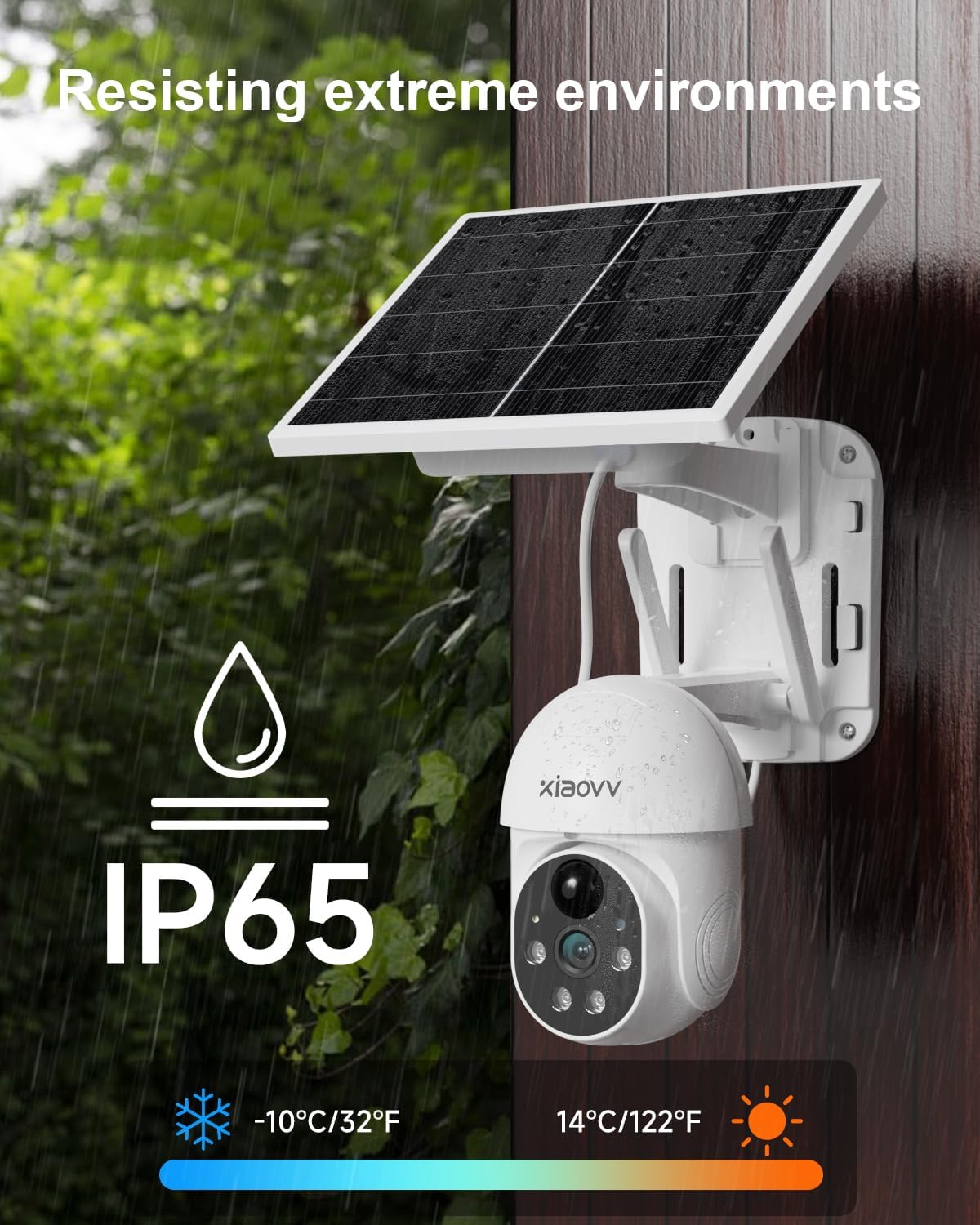
Image 4: Weatherproof design (IP65) for outdoor installation.
5. אַפּערייטינג ינסטרוקטיאָנס
5.1 לעבן View
עפֿנט די XIAOVV אַפּ און סעלעקטירט אייער קאַמעראַ צו view לעבן פאָאָtage. You can switch between standard and HD resolution within the app.
5.2 באַוועגונג דעטעקציע און וואָרענונגען
The camera uses PIR smart detection to identify human movement. Configure alert settings in the app to receive notifications on your phone when motion is detected. You can also enable the spotlight and voice siren to activate upon detection.

Image 5: PIR motion detection for accurate alerts.
5.3 פּאַן/טילט קאָנטראָל
Use the directional controls within the app to remotely adjust the camera's viewing angle (355° horizontal, 100° vertical). The motion tracking feature can automatically follow subjects.
5.4 נאַכט זעאונג
The camera automatically switches to HD night vision in low-light conditions, providing clear black and white footage. The integrated spotlight can be activated for color night vision or to deter intruders.
5.5 סטאָרידזש אָפּציעס
The camera supports local storage via a Micro SD card (up to 128GB, not included) for continuous or event-triggered recording. Cloud storage subscription options may also be available through the app for secure off-site backup.

Image 6: Storage options including encrypted cloud and local SD card recording.
6. וישאַלט
- ריין די לענס: Regularly wipe the camera lens with a soft, dry cloth to ensure clear image quality.
- ריין זונ פּאַנעל: Keep the solar panel free of dust, dirt, and debris to maximize charging efficiency.
- קאָנטראָלירן די באַטאַרייע מדרגה: Monitor the battery status via the app, especially during prolonged periods of low sunlight.
- Firmware דערהייַנטיקונגען: Periodically check the app for available firmware updates to ensure optimal performance and security.
- זיכער מאָונטינג: Periodically check that the camera is securely mounted and adjust if necessary.
7. טראָובלעשאָאָטינג
| פּראָבלעם | לייזונג |
|---|---|
| די אַפּאַראַט איז נישט קאַנעקטינג צו Wi-Fi | Ensure your Wi-Fi is 2.4GHz. Check Wi-Fi signal strength at the camera's location. Restart your router and camera. Re-attempt pairing through the app. |
| נעבעך בילד קוואַליטעט | Clean the camera lens. Ensure there are no obstructions. Check your Wi-Fi connection speed. Adjust video resolution settings in the app. |
| די באַטאַרייע איז נישט טשאַרדזשינג | Ensure the solar panel is receiving direct sunlight for several hours daily. Clean the solar panel. Check the USB charging cable connection. |
| באַוועגונג וואָרענונגען נישט באַקומען | Check app notification settings on your phone. Ensure motion detection is enabled in the camera settings. Verify the camera has a stable internet connection. |
| אַפּאַראַט אָפפלינע | Check Wi-Fi connection and power supply. Restart the camera. If the issue persists, re-pair the camera with the app. |
8. ספּעסאַפאַקיישאַנז
- סאָרט: קסיאַאָוווו
- מאָדעל: Solar Wireless Outdoor Security Camera
- קאַנעקטיוויטי: וויירלעס (2.4GHz Wi-Fi)
- ווידעא האַכלאָטע: 1080 פּ
- באַטערי: 10000mAh ליטהיום יאָן (אַרייַנגערעכנט)
- מאַכט מקור: Solar Powered, USB Charger
- פּאַן/טילט קייט: 355 ° האָריזאָנטאַל, 100 ° ווערטיקאַל
- נאַכט זעאונג: Yes (HD, Infrared, Spotlight)
- באַוועגונג דעטעקשאַן: PIR Smart Detection
- וועטערפּראָאָף שאַץ: IP65
- מאַטעריאַל: מעטאַל
- קאַמפּאַטאַבאַל דעוויסעס: Smartphone (Android, iPhone), Tablet
- מאַונטינג טיפּ: וואנט בארג
- נומער וואָג: 1.63 קג
- אַרייַנגערעכנט קאַמפּאָונאַנץ: טשאַרדזשער (USB קאַבל)
9. וואָראַנטי און שטיצן
This XIAOVV Solar Wireless Outdoor Security Camera comes with a 2-יאָר פאַבריקאַנט ס וואָראַנטי. For technical support, warranty claims, or further assistance, please contact XIAOVV customer service through the contact information provided in your product packaging or on the official XIAOVV webפּלאַץ.
פּריוואַטקייט שוץ: XIAOVV prioritizes user privacy and employs military-grade data encryption to ensure the security of your personal data.

Image 7: Emphasizing encrypted data protection.