
JORAIR MK01, MK06, DH-JH12, TZ-K1
JORAIR MK01 MK06 DH-JH12 TZ-K1 HEPA Replacement Filter Instruction Manual
Model: MK01, MK06, DH-JH12, TZ-K1
1. הקדמה
This document provides essential information for the proper use and maintenance of your JORAIR HEPA replacement filter. This filter is designed to maintain optimal air quality in compatible air purifiers.
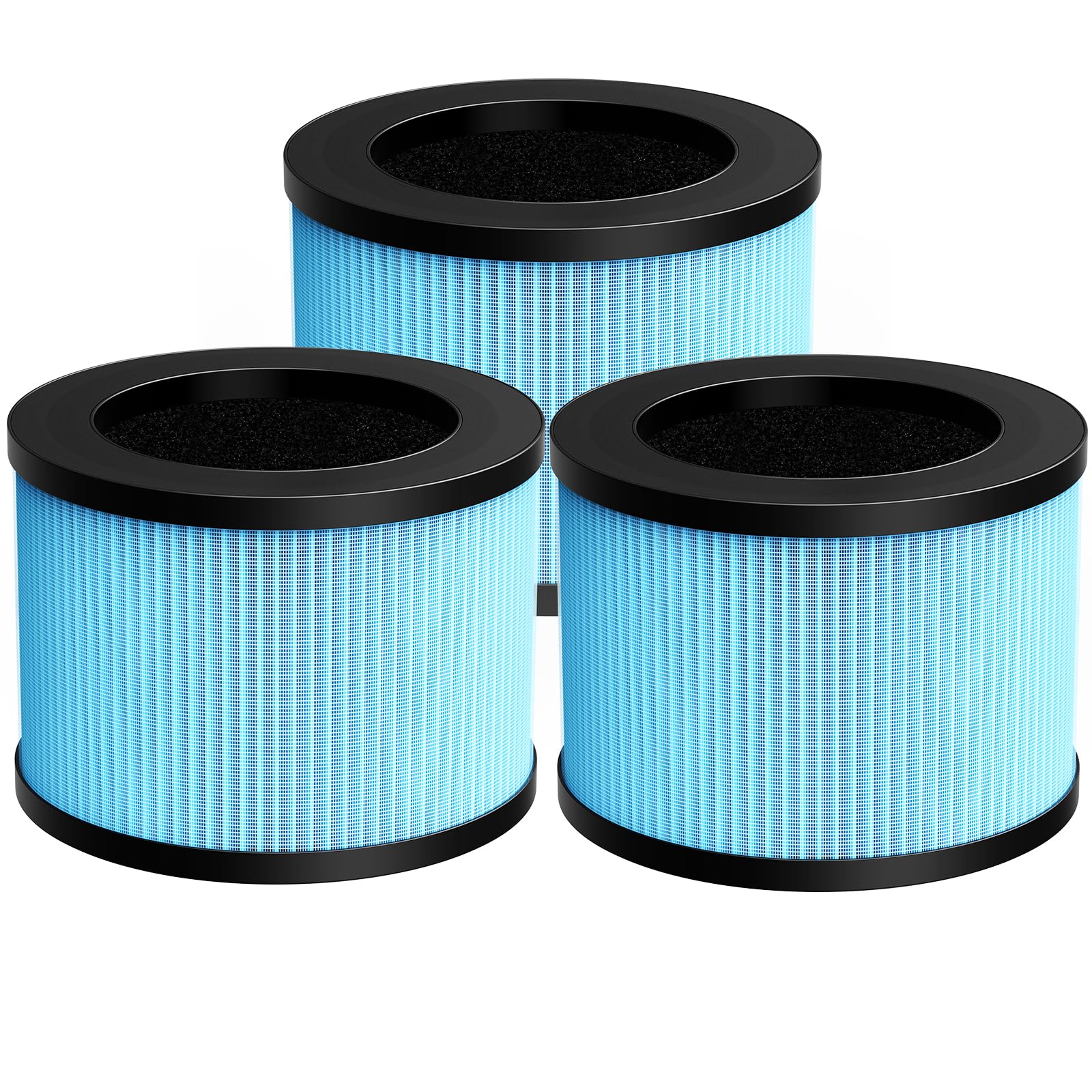
Figure 1.1: JORAIR HEPA Replacement Filter.
2. Compatible Air Purifier Models
The JORAIR replacement filter is compatible with a range of air purifier models. Please verify your air purifier model against the list below:
- MK01 לופט פּיוראַפייער
- MK06 לופט פּיוראַפייער
- MG01JH Air Purifier
- VOOPNU DH-JH12 Air Purifier
- טאָליפע TZ-K1 לופט פּיוראַפייער
- Kloudi DH-JH01 Air Purifier
- POMORON MJ001H Air Purifier
- POMORON MJ012H Air Purifier
- FreAire KN6391RGB Air Purifier
- HAP601 לופט פּיוראַפייער
- Intelabe EPI080/EP1080 Air Purifier
- Elechomes EPI081/EP1081 Air Purifier
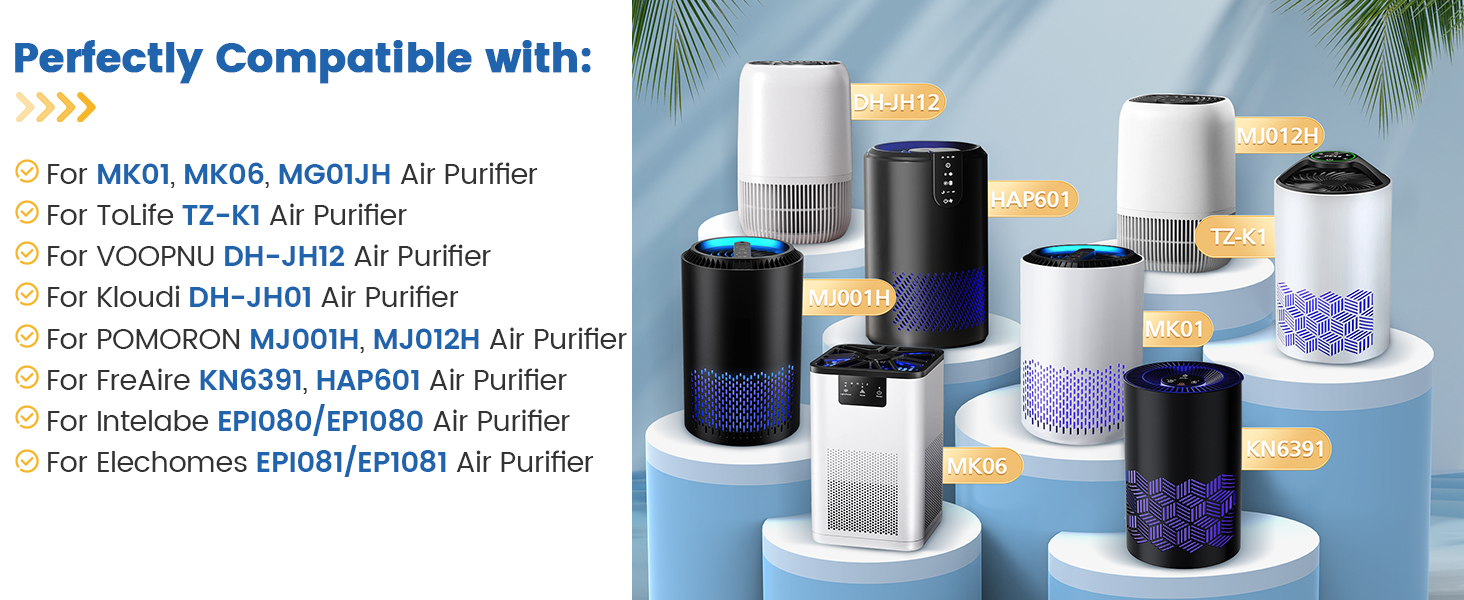
Figure 2.1: Visual representation of compatible air purifier models.
3. Product Features: 4-in-1 Filtration System
This replacement filter incorporates a 4-in-1 high-efficiency filtration system designed to capture various airborne particles and odors. The system includes:

פיגורע 3.1: איבערview of the 4-in-1 filtration system.
- Nylon Pre-filter: This initial layer captures larger particles such as dust, hair, lint, and fibers, extending the life of subsequent filters.

Figure 3.2: Detail of the Pre-Filter Layer.
- Special Silver Ion Filter: This layer is designed to interact with harmful particles, contributing to air purification.

Figure 3.3: Detail of the Special Silver Ion Filter Layer.
- HEPA פילטער: This True HEPA layer captures 99.97% of airborne particles as small as 0.3 microns, including pollen, dust, and pet dander.

Figure 3.4: Detail of the HEPA Filter Layer.
- אַקטיווייטיד קאַרבאָן פילטער: This layer effectively absorbs household odors and fumes from sources such as pets, cooking, smoke, wildfires, and volatile organic compounds (VOCs).

Figure 3.5: Detail of the Activated Carbon Filter Layer.
4. Setup: Filter Installation
The replacement filter is designed for easy installation without the need for special tools. Follow these general steps for filter replacement:
- מאַכט אַוועק: Ensure your air purifier is turned off and unplugged from the power outlet before beginning the replacement process.
- צוטריט פילטער קאמפארטמענט: Refer to your air purifier's specific manual for instructions on how to open the filter compartment. This usually involves removing a cover or base.
- אַראָפּנעמען אַלטן פֿילטער: Carefully remove the used filter. Dispose of it according to local regulations.
- אינסטאַלירן נײַעם פֿילטער: Insert the new JORAIR replacement filter into the compartment, ensuring it is seated correctly. Pay attention to any directional arrows on the filter or in the air purifier's manual.
- פֿאַרמאַכן אָפּטייל: זיכער צומאַכן דעם דעקל פֿון פֿילטער אָפּטייל.
- ומקערן מאַכט: Plug in and power on your air purifier. Reset the filter indicator light if your model has one (refer to your air purifier's manual for specific instructions).
5. אפעראציע באטראכטונגען
As a replacement filter, its operation is integrated with your air purifier. Ensure your air purifier is functioning correctly after installation. The filter works continuously with the air purifier to clean the air.
6. Maintenance: Filter Replacement Schedule
Regular replacement of the HEPA filter is crucial for maintaining the performance of your air purifier and ensuring effective air purification. It is recommended to replace the filter every 3-6 חדשים. The actual replacement interval may vary depending on environmental conditions, air quality, and frequency of air purifier usage.

Figure 6.1: Recommended filter replacement interval and visual comparison of new vs. used filter.
7. טראָובלעשאָאָטינג
אויב איר האָט פּראָבלעמען נאָך דעם ווי איר האָט אויסגעטוישט אייער פילטער, באַטראַכט די פאלגענדע:
- רידוסט לופט לויפן: Ensure the filter is installed correctly and the compartment cover is fully closed. Check for any obstructions in the air intake or outlet of the air purifier.
- פּערסיסטענט רייעך: If odors persist shortly after replacement, verify that the new filter is genuine and installed correctly. Ensure the air purifier's internal components are clean.
- פילטער אינדיקאַטאָר ליכט: If the filter replacement indicator light remains on after installing a new filter, consult your air purifier's manual for instructions on how to reset the filter life counter.
- ומגעוויינטלעך נויזיז: Check that the filter is seated firmly and not causing any vibration or obstruction within the air purifier.
8. ספּעסאַפאַקיישאַנז
| אַטריביוט | דעטאַל |
|---|---|
| סאָרט | JORAIR |
| מאָדעל אינפֿאָרמאַציע | MK01 MK06 DH-JH01 filter |
| פּונקט וואָג | 9.3 אונסעס (בעערעך 264 גראַמז) |
| פּראָדוקט דימענשאַנז | 5.2 X 3.7 X 5.2 אינטשעס (L X W X H) |
| מאַטעריאַל טיפּ | פּאַפּיר |
| פילטריישאַן סיסטעם | 4-in-1 (Nylon Pre-filter, Special Silver Ion Filter, HEPA Filter, Activated Carbon Filter) |
9. שטיצן
For any questions, concerns, or support regarding your JORAIR replacement filter, please contact the manufacturer directly. Refer to the packaging or the original product listing for specific contact details.
Note: Warranty information is typically provided with the original air purifier unit or by the filter manufacturer. Please retain your purchase receipt for warranty inquiries.
Ask a question about this manual
Ask about setup, troubleshooting, compatibility, parts, safety, or missing instructions. Manuals+ will review the question and use this page’s manual context to help answer it.