
הקדמה
Welcome to your PowerLocus P2 Bluetooth Over-Ear Headphones. This manual provides detailed instructions for setup, operation, maintenance, and troubleshooting to ensure optimal performance and longevity of your device.
וואָס איז אין די קעסטל
- PowerLocus P2 Bluetooth Headphones
- וסב טשאַרדזשינג קאַבלע
- 3.5 מם אַודיאָ קאַבלע
- שווער קעריינג פאַל
- באַניצער מאַנואַל (דעם דאָקומענט)
פּראָדוקט איבערview
Familiarize yourself with the key features and components of your PowerLocus P2 headphones.

Image: PowerLocus P2 Rose Gold Headphones highlighting features like Deep Bass, Bluetooth 5.0, Multi-Point Connection, Extended Battery Life, Quick Charging, and Low Latency.
קאָנטראָלס און פּאָרץ
The headphones feature intuitive controls for easy management of audio and calls, along with versatile connectivity options.

בילד: דעטאַלירט view of the headphone's side, illustrating the control buttons, Micro SD/TF card slot, 3.5mm audio jack, and indicating support for Bluetooth, Aux, Micro SD/TF, and FM Radio modes.
סעטאַפּ
טשאַרדזשינג די כעדפאָונז
Before first use, fully charge your headphones to ensure maximum battery life.
- פֿאַרבינדט דעם USB טשאַרדזשינג קאַבל צום טשאַרדזשינג פּאָרט אויף די כעדפאָונז.
- פֿאַרבינדט דעם אַנדערן עק פֿונעם USB קאַבל צו אַ קאָמפּאַטיבלע USB מאַכט מקור (למשל, קאָמפּיוטער, וואַנט אַדאַפּטער).
- די LED אינדיקאַטאָר וועט ווייַזן די טשאַרדזשינג סטאַטוס (למשל, רויט פֿאַר טשאַרדזשינג, בלוי פֿאַר גאָר טשאַרדזשד).
- א פולע אויפלאדונג נעמט בערך 2.5 שעה.
בלועטאָאָטה פּערינג
Connect your headphones wirelessly to your preferred devices.
- מאַכן זיכער אַז די כעדפאָונז זענען אויסגעדרייט אַוועק.
- Press and hold the Power/Multi-function button until the LED indicator flashes red and blue, indicating pairing mode.
- אויף אייער דעווייס (סמאַרטפאָן, טאַבלעט, פּיסי), אַקטיווירט בלועטוט און זוכט פֿאַר פֿאַראַן דעווייסעס.
- Select "PowerLocus P2" from the list of devices.
- אַמאָל פארבונדן, וועט דער LED אינדיקאַטאָר ווערן בלוי אָדער בלינקען בלוי לאַנגזאַם.
- The headphones support simultaneous connection to two devices.
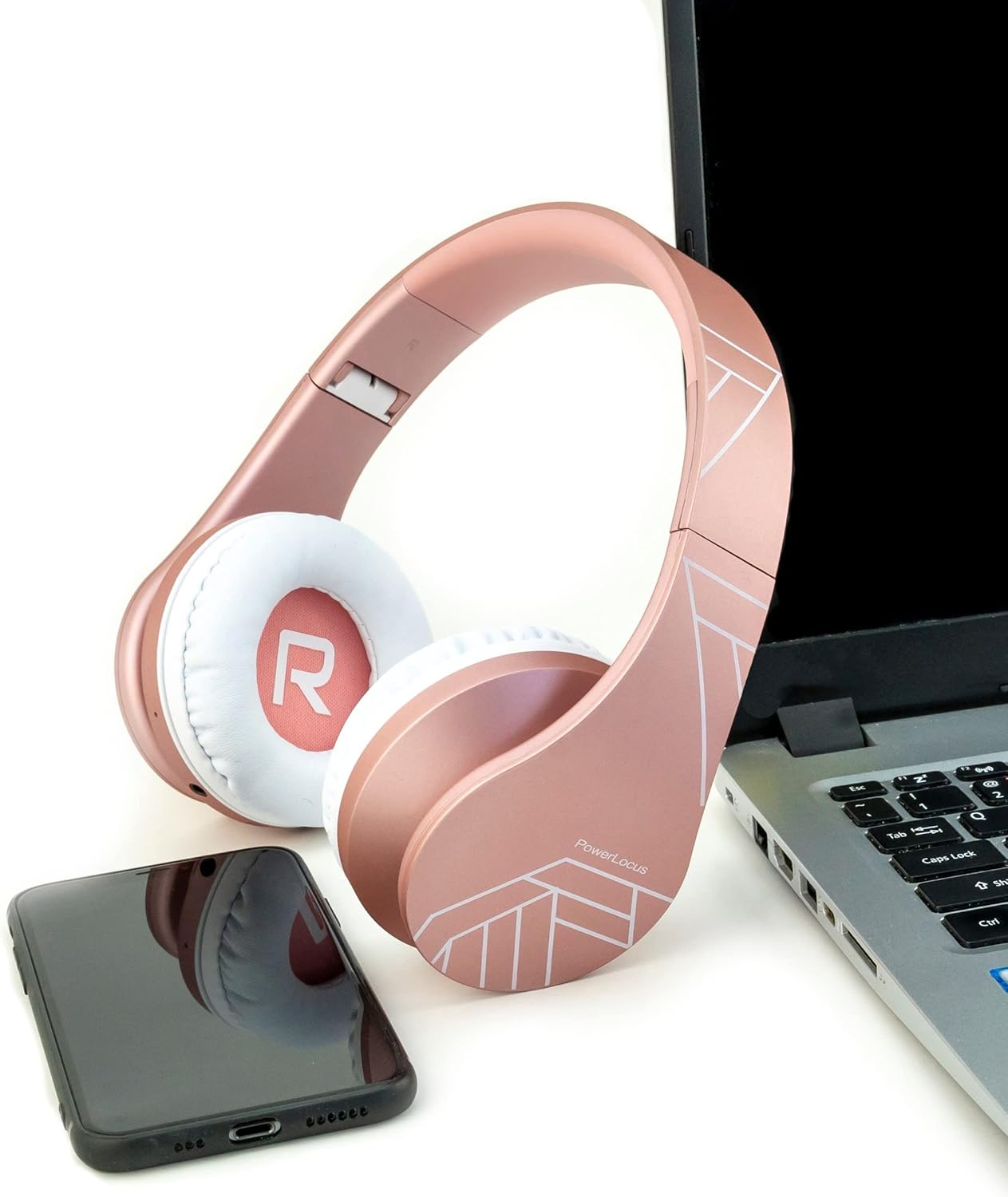
Image: PowerLocus P2 headphones positioned next to a laptop and a smartphone, illustrating their universal compatibility with various devices.
אַפּערייטינג ינסטראַקשאַנז
מאַכט אויף / אַוועק
- צו אנצינדן: דריק און האלט דעם פּאַוער קנעפּל פֿאַר 3 סעקונדעס.
- צו אויסלעשן: דריק און האלט דעם פּאַוער קנעפּל פֿאַר 3 סעקונדעס.
באַנד קאָנטראָל
- Volume Up: Press the "+" button.
- Volume Down: Press the "-" button.
מוזיק פּלייַבאַקק
- שפּיל / פּויזע: דריקן די מולטי-פונקציע קנעפּל אַמאָל.
- Next Track: Press and hold the "+" button.
- Previous Track: Press and hold the "-" button.
אַנסווערינג קאַללס
- ענטפֿערן/ענדיגן רוף: דריק איין מאָל דעם מולטי-פֿונקציע קנעפּל.
- Reject Call: Press and hold the Multi-function button for 2 seconds.
- Redial Last Number: Double-press the Multi-function button.
Micro SD/TF Card Mode
Insert a Micro SD/TF card into the designated slot. The headphones will automatically switch to Micro SD/TF card playback mode.
עפעם ראַדיאָ מאָדע
Press the "M" (Mode) button to switch to FM Radio mode. Use the "+" and "-" buttons to scan for stations.
דראָט מאָדע (AUX)
Connect the supplied 3.5mm audio cable to the headphone's AUX port and your audio device. This mode works even if the headphone battery is depleted.

Image: A person wearing PowerLocus P2 headphones, illustrating their universal compatibility with various devices including cellphones, PCs, tablets, laptops, and TVs.
וישאַלט
- רייניקט די כעדפאָונז רעגולער מיט אַ ווייכן, טרוקענעם שטאָף.
- פֿאַרמײַדט אויסשטעלן די כעדפאָונז צו עקסטרעמע טעמפּעראַטורן, פֿײַכטקייט אָדער פֿליסיקייטן.
- Store the headphones in the provided hard carrying case when not in use to prevent damage.
- פרובירט נישט צו צענעמען אדער מאדיפיצירן די כעדפאונס.
- The ear cushions are made of soft memory foam for comfort and can be gently wiped.

Image: PowerLocus P2 headphones demonstrating their soft memory foam earmuffs, foldable design for portability, and adjustable headband for a comfortable fit.
טראָובלעשאָאָטינג
קיין מאַכט
- זיכער מאַכן אַז די כעדפאָונז זענען גאָר אויפגעלאָדן.
- קאָנטראָלירט דעם טשאַרדזשינג קאַבל און מאַכט מקור.
קען נישט פארבינדן דורך בלוטוט
- Ensure the headphones are in pairing mode (flashing red and blue LED).
- מאַכן זיכער אַז בלועטאָאָטה איז ענייבאַלד אויף דיין מיטל.
- Move the headphones closer to your device (within 12 feet / approx. 3.6 meters).
- ויסמעקן פריערדיקע בלועטוט קאַנעקשאַנז אויף דיין מיטל און פּרוּווט ווידער צו פאַרבינדן.
קיין געזונט
- קאָנטראָלירט דעם באַנד לעוועל אויף ביידע די כעדפאָונז און אייער פֿאַרבונדענע מיטל.
- Ensure the headphones are correctly paired via Bluetooth or the 3.5mm audio cable is securely connected.
- If using Micro SD/TF card, ensure the card is inserted correctly and contains playable audio files.
נעבעך געזונט קוואַליטעט
- גיי נענטער צו דיין בלוטוט דעווייס צו פארמיידן אריינמישונג.
- פרובירט אן אנדערע אודיא מקור אדער file.
- Ensure the earcups are properly seated on your ears for optimal sound isolation.

Image: A person listening to music with PowerLocus P2 headphones, illustrating the amazing sound quality, deep bass, and extended treble for an enjoyable audio experience.
ספּעסאַפאַקיישאַנז
| שטריך | באַשרייַבונג |
|---|---|
| סאָרט | PowerLocus |
| מאָדעל נאָמען | P2 |
| קאָליר | רויז גאָלד |
| פאָרם פאַקטאָר | Over-Ear (Circum-Aural) |
| קאַנעקטיוויטי טעכנאָלאָגיע | ווירעלעס (בלוטוט), ווייערד (3.5 מ"מ דזשעק) |
| בלועטאָאָטה ווערסיע | 5.3 |
| בלועטאָאָטה קייט | 12 פֿיס (אומגעפער 3.6 מעטער) |
| אַודיאָ דרייווער גרייס | 40 מילאַמיטערז |
| ימפּידאַנס | 32 אָהמס |
| סענסיטיוויטי | 105 דב |
| אָפטקייַט ראַנגע | 20 הערץ - 20,000 הערץ |
| ראַש קאָנטראָל | געזונט אפגעזונדערטקייט |
| טשאַרדזשינג צייט | 2.5 שעה |
| דורכשניטלעך באַטאַרייע לעבן | 19 שעה |
| קאַמפּאַטאַבאַל דעוויסעס | Gaming Console, Computer, Laptop, Tablet, Phone |
| ספּעציעלע פֿעיִקייטן | Micro SD/TF Card Mode, FM Radio, Built-in Microphone |
| Material (Internal) | פאָקס לעדער |
| וואַסער קעגנשטעל מדרגה | ניט וואָטערפּרוף |
וואָראַנטי און שטיצן
Your PowerLocus P2 headphones come with a 2 יאָר וואָראַנטי.
For any questions or support regarding your PowerLocus P2 headphones, please contact us via Amazon. We aim to respond within one hour.
For more information, visit the official PowerLocus store on Amazon: PowerLocus Store