
Benss BRBD06
Benss BRBD06 Digital Radio User Manual
Model: BRBD06
1. הקדמה
Thank you for choosing the Benss BRBD06 Digital Radio. This portable multi-band receiver is designed to provide clear reception of FM, AM, and Shortwave (SW) broadcasts, featuring a digital display, alarm clock, and sleep timer functions. Its compact size and battery operation make it ideal for both indoor and outdoor use. Please read this manual thoroughly before operating the device to ensure proper use and to maximize its performance.
2. שליסל פֿעיִקייטן
- מולטי-באַנד אָפּטראָג: Supports FM (87-108MHz), AM (522-1620KHz), and Shortwave (3.00-21.85MHz) bands for a wide range of listening options.
- Advanced DSP Chip: Ensures stable signal reception and effective noise filtering for clear audio.
- דיגיטאַל לקד ווייַז: Clear screen with backlight for easy viewing of frequency, time, and other settings.
- שרעק זייגער פונקציע: Set an alarm to wake up to your favorite radio station.
- שלאָפן טימער: Program the radio to automatically turn off after 10-90 minutes, perfect for falling asleep to music or talk radio.
- באַטערי אַפּערייטאַד: Powered by 2 AA batteries (not included) for portability and emergency use.
- 3.5 מם כעדפאָון דזשאַק: פֿאַר פּריוואַט צוגעהערט.
- סאָליד און פּאָרטאַטיוו: Pocket-sized design (12.5 x 7 x 2 cm) for easy carrying.
- שלאָס פונקציע: פאַרהיט אַקסאַדענטאַל קנעפּל דריקונגען.

בילד: איבערview of key features including AM/FM/SW radio, DSP, Sleep Timer, 3.5mm Earphone Jack, Alarm, and 2*AA Battery operation. The image also highlights the 360-degree rotatable antenna.
3. פּראָדוקט איבערview
3.1. קאָמפּאָנענטן און קאָנטראָלן

בילד: פראָנט view of the Benss BRBD06 Digital Radio, showing the speaker grille, LCD display, control buttons (Power, Band, Volume Up/Down, Scan/Sleep, M+/M-), and the extended telescopic antenna.

בילד: הינטערשטע view of the Benss BRBD06 Digital Radio, highlighting the battery compartment cover and product information label.

בילד: זייט view of the Benss BRBD06 Digital Radio, showing the 3.5mm headphone jack and the DC 3V power input port.
3.2. דימענשאַנז
The Benss BRBD06 radio is designed for portability. Its approximate dimensions are:
- לענג: 12.5 סענטימעטער (4.9 אינטשעס)
- ברייט: 7 סענטימעטער (2.8 אינטשעס)
- הייך: 2 סענטימעטער (0.8 אינטשעס)
- וואָג: 142 ג (0.31 לבס)

Image: The Benss BRBD06 radio shown with its dimensions: 12.2cm length, 7.3cm width, and 3cm height, illustrating its portable size.
4. סעטאַפּ
4.1. באַטאַרייע ייַנמאָנטירונג
The Benss BRBD06 radio operates on two (2) AA batteries (not included). For optimal performance and longevity, use high-quality alkaline batteries.
- געפֿינען די באַטאַרייע אָפּטייל אויף די צוריק פון די ראַדיאָ.
- רוקט דעם דעקל פונעם באַטעריע־אָפּטייל אַראָפּ צו עס עפֿענען.
- אַרײַנשטעלן צוויי AA באַטעריעס, און זיכער מאַכן אַז די ריכטיקע פּאָלאַריטעט (+ און -) איז אָנגעוויזן אין דעם אָפּטייל.
- פֿאַרמאַכט דעם דעקל פֿון דער באַטעריע־אָפּטיילונג דורך עס צוריקצורוקן אין פּלאַץ ביז עס קליקט זיכער.
באַמערקונג: אַרויסנעמען די באַטעריעס אויב דער ראַדיאָ וועט נישט ווערן גענוצט פֿאַר אַ לענגערער צייט צו פאַרמייַדן ליקאַדזש און שעדיקן.

Image: A visual guide demonstrating the process of opening the battery compartment and inserting two AA batteries into the Benss BRBD06 radio.
5. אַפּערייטינג ינסטרוקטיאָנס
5.1. מאַכט אויף / אויסגעלאשן
דרוק די מאַכט קנעפּל () located on the top right of the radio to turn it on or off.
5.2. Band Selection (FM/AM/SW)
דרוק די BAND קנעפּל on the right side of the radio to cycle through FM, AM, and SW (Shortwave) bands.
- עפעם: 87-108 מהז
- AM: 522-1620 כז
- SW: 3.00-21.85 מהז

Image: Illustration of the radio receiving signals across SW, FM, and AM bands.
5.3. טונינג סטאַנציעס
There are two primary methods for tuning stations:
- מאַנואַל טונינג: ניצן די V+ און V- buttons to manually adjust the frequency up or down.
- Automatic Scan (One-Click Search): לאנג דריקן די SCAN קנעפּל for 3 seconds. The radio will automatically scan and save available stations.

Image: A visual guide demonstrating how to use the "SCAN" button for automatic station search.
5.4. באַנד אַדזשאַסטמאַנט
ניצן די M+ און M- קנעפּלעך צו פאַרגרעסערן אָדער פאַרמינערן די באַנד מדרגה.

Image: An illustration emphasizing the powerful volume capability of the radio.
5.5. Setting the Clock and Alarm
The radio features a 12H/24H time display with an LCD backlight.
- Refer to the specific instructions in the included quick start guide for detailed steps on setting the time and alarm, as button combinations may vary.
- To set the alarm, ensure the radio is off. Press and hold the שרעק קנעפּל (if present, or a combination of buttons as per guide) to enter alarm setting mode.
- ניצן די V+ און V- קנעפּלעך צו סטרויערן די שעה און מינוט.
- דרוק די שרעק קנעפּל ווידער צו באַשטעטיקן און אַרויסגאַנג.

Image: The radio's LCD screen displaying both 12-hour and 24-hour time formats, highlighting the optional clock display with backlight.
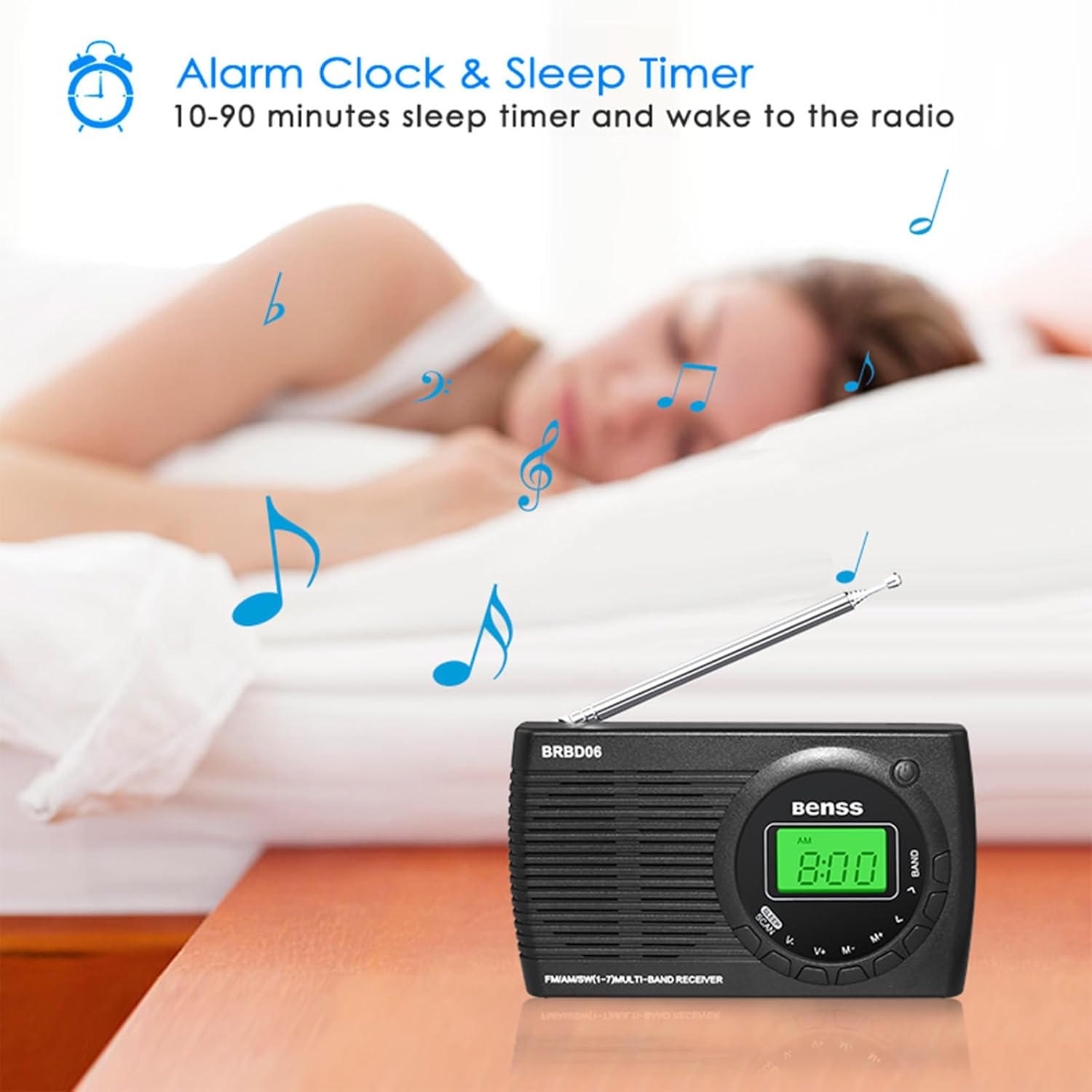
Image: The Benss BRBD06 radio on a bedside table, illustrating its alarm clock and sleep timer capabilities, allowing users to fall asleep or wake up to radio.
5.6. שלאָף טייַמער פונקציע
The sleep timer allows the radio to automatically turn off after a set period (10-90 minutes).
- While the radio is on, short press the שלאָף קנעפּל (often combined with SCAN).
- Each press will cycle through available sleep timer durations (e.g., 10, 20, 30, ..., 90 minutes).
- Select your desired duration. The radio will automatically turn off after this time.

Image: An illustration depicting the sleep timer function, showing the radio on a bedside table with a person sleeping in the background.
5.7. לאַק פֿונקציע
To prevent accidental operation, the radio features a lock function. Refer to your quick start guide for the specific button combination to activate/deactivate the lock. Typically, it involves a long press of a designated button or a combination of buttons.
5.8. ניצן כעדפאָונז
Connect any standard 3.5mm stereo headphones to the headphone jack located on the side of the radio for private listening. The internal speaker will automatically mute when headphones are connected.

Image: An illustration showing a person using headphones connected to the Benss BRBD06 radio via its 3.5mm headphone jack.
6. וישאַלט
- רייניקונג: Wipe the radio with a soft, dry cloth. Do not use liquid cleaners or abrasive chemicals.
- סטאָרידזש: When not in use for extended periods, remove the batteries and store the radio in a cool, dry place away from direct sunlight and extreme temperatures.
- אַנטענע זאָרגן: Handle the telescopic antenna gently. Avoid bending or forcing it, as this can cause damage.
- וואַסער ויסשטעלן: This radio is not waterproof. Avoid exposure to water, rain, or high humidity.
7. טראָובלעשאָאָטינג
| פּראָבלעם | מעגלעך סיבה | לייזונג |
|---|---|---|
| ראַדיאָ טוט זיך נישט אָן. |
|
|
| Poor reception/static. |
|
|
| דער עקראַן איז טונקל אָדער ליידיק. |
|
|
| דער אַלאַרם קלינגט נישט. |
|
|
8. ספּעסאַפאַקיישאַנז
| מאָדעל נומער | BRBD06 |
| סאָרט | בענס |
| פּראָדוקט דימענשאַנז | 12.5 X 7 X 2 סענטימעטער |
| וואָג | 142 ג |
| מאַכט מקור | 2 קס אַאַ באַטעריז (ניט אַרייַנגערעכנט) |
| טונער טעכנאָלאָגיע | דספּ |
| ראַדיאָ באַנדס געשטיצט | FM (87-108MHz), AM (522-1620KHz), SW (3.00-21.85MHz) |
| קאַנעקטיוויטי טעכנאָלאָגיע | Wi-Fi (Note: This refers to internal chip, not Wi-Fi radio functionality) |
| ספּעציעלע שטריך | Portable, Alarm Clock, Sleep Timer, Headphone Jack |
| אַרייַנגערעכנט קאַמפּאָונאַנץ | Radio unit, Stereo Headphones (as per product data) |
9. וואָראַנטי און שטיצן
Benss products are manufactured with quality and performance in mind. For information regarding warranty coverage, technical support, or service inquiries, please refer to the warranty card included with your product or visit the official Benss webזייטל. האַלט אייער קויף קוויטל ווי אַ באַווייַז פון קויפן פֿאַר קיין וואָראַנטי קליימז.
פֿאַר ווייטערדיקע הילף, קענט איר אויך קאָנטאַקטירן דעם הענדלער וואו איר האָט געקויפט דעם פּראָדוקט.
Ask a question about this manual
Ask about setup, troubleshooting, compatibility, parts, safety, or missing instructions. Manuals+ will review the question and use this page’s manual context to help answer it.