
1. פּראָדוקט איבערview
This Hama USB-C to Lightning charging cable is designed for efficient charging and high-speed data synchronization of Apple iPhones, iPads, and iPods. It supports fast charging when used with a compatible fast charger and offers data transfer speeds up to 480 Mbps.
פּעקל אינהאַלט
- 1x Hama USB-C to Lightning Charging Cable (1.5m, White)
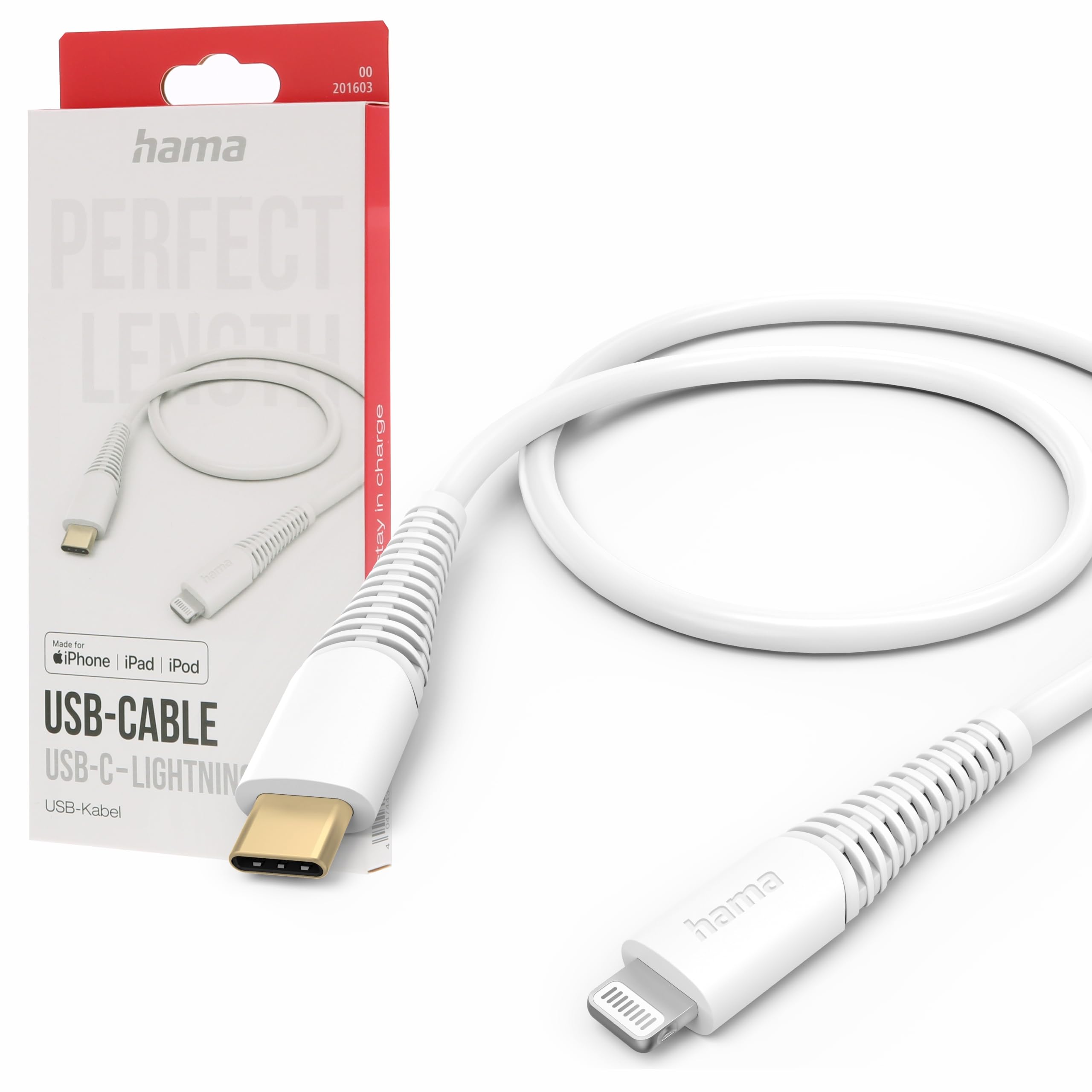
Image: The Hama USB-C to Lightning Charging Cable, white, with a USB-C connector on one end and a Lightning connector on the other.
2. סעטאַפּ אינסטרוקציעס
To begin using your Hama USB-C to Lightning cable, follow these simple steps:
- ידענטיפיצירן קאַנעקטערז: Locate the USB-C connector (smaller, oval-shaped) and the Lightning connector (flat, reversible) on the cable.
- פאַרבינדן צו מאַכט מקור / קאָמפּיוטער: Insert the USB-C connector into a compatible USB-C power adapter (for charging) or a USB-C port on your computer (for charging and data transfer).
- Connect to Apple Device: Insert the Lightning connector into the charging port of your iPhone, iPad, or iPod. Ensure a firm connection.
Your device should now begin charging or be recognized by your computer for data transfer.
3. אַפּערייטינג ינסטרוקטיאָנס
טשאַרדזשינג דיין מיטל
This cable supports fast charging for compatible Apple devices. For optimal charging speed, use a USB-C power adapter that supports Power Delivery (PD) or other fast charging protocols.
- Connect the USB-C end of the cable to a wall charger or power bank.
- Connect the Lightning end to your Apple device.
- The device's screen will indicate that it is charging.
דאַטאַ אַריבערפירן
The cable facilitates high-speed data transfer up to 480 Mbps, allowing you to sync photos, videos, music, and other files between your Apple device and a computer.
- Connect the USB-C end of the cable to a USB-C port on your computer.
- Connect the Lightning end to your Apple device.
- Your computer should recognize the device, allowing you to access its storage for data transfer.
4. קער און וישאַלט
To ensure the longevity and optimal performance of your Hama charging cable, please follow these care guidelines:
- ויסמיידן עקסטרעם בענדינג: Do not excessively bend or crimp the cable, especially near the connectors, as this can damage the internal wires.
- האַלטן טרוקן: Protect the cable from moisture and liquids. Do not use it in wet environments.
- ריין דזשענטלי: If necessary, clean the cable and connectors with a soft, dry cloth. Avoid using harsh chemicals or abrasive materials.
- סטאָר רעכט: When not in use, store the cable in a clean, dry place, ideally coiled loosely to prevent tangling and damage.
- מאַטעריאַל: The exterior material is Polychlorure de vinyle (PVC), which is durable but can be damaged by sharp objects or extreme heat.
5. טראָובלעשאָאָטינג
מיטל ניט טשאַרדזשינג
- טשעק קאַנעקשאַנז: Ensure both the USB-C and Lightning connectors are fully and securely inserted into their respective ports.
- באַשטעטיקן מאַכט מקור: Confirm that the USB-C power adapter or computer port is functional and providing power. Try a different power source if available.
- דורכקוקן קאַבלע: Check the cable for any visible damage, such as cuts or frayed wires. If damaged, discontinue use.
- טעסט מיט אן אנדער אפאראט/קאבל: Try charging a different Apple device with this cable, or try charging your device with a different, known-working cable to isolate the issue.
דאַטן אַריבערפירן ישוז
- זיכער קאַנעקשאַנז: Ensure the cable is firmly connected to both your computer and Apple device.
- Computer Port: Try connecting the USB-C end to a different USB-C port on your computer.
- Device Trust: On your Apple device, ensure you have tapped 'Trust This Computer' when prompted.
- ווייכווארג/דרייווערס: Ensure your computer's operating system and iTunes (if applicable) are up to date.
6. טעכניש ספּעסאַפאַקיישאַנז
| מאָדעל נומער | 00201603 |
| ASIN | B0BL1CGYP6 |
| לענג | 1.5 מעטער |
| קאָליר | ווייַס |
| קאַנעקטער טיפּ | וסב טיפּ C, בליץ |
| קאַנעקטער דזשענדער | זכר צו זכר |
| דאַטאַ אַריבערפירן קורס | 480 מעגאַביטן פּער סעקונדע |
| מאַקסימום קראַנט | 3 Ampערעס |
| מאַקסימום וואָלtage | 20 וואלטס |
| ספּעציעלע שטריך | High Speed Charging and Data Transfer |
| קאַמפּאַטאַבאַל דעוויסעס | Smartphones (Apple iPhones, iPads, iPods), Power Banks, Laptops, Speakers, Tablets |
| עקסטעריאָר מאַטעריאַל | פּאָליוויניל קלאָרייד (פּוק) |
| פּראָדוקט דימענשאַנז (L x W x H) | 19.5 X 9 X 1.5 סענטימעטער |
| פּונקט וואָג | 47.82 גראַמז |
| העסקעם | CE |
7. וואָראַנטי און שטיצן
Hama products are manufactured with high quality standards. This product includes a 1-יאָר פאַרפֿיגבאַרקייט פון רעזערוו טיילן פון די דאַטע פון קויפן.
For technical support, warranty claims, or further assistance, please contact Hama customer service through their official webזייטל אדער דעם פארקויפער וואו דער פראדוקט איז געקויפט געווארן. ביטע באהאלטן אייער באווייז פון קויפן פאר גאראנטיע צוועקן.
For more information, visit the official Hama webפּלאַץ: www.hama.com