
PROSCAN PSP1678
PROSCAN PSP1678 בלועטאָאָטה רעדנער באַניצער מאַנואַל
Model: PSP1678
הקדמה
א דאנק פארן קויפןasing the PROSCAN PSP1678 LED Light Up Bluetooth Speaker. This manual provides essential information for the safe and efficient operation of your device. Please read it thoroughly before use and retain it for future reference.
The PSP1678 is a versatile portable speaker featuring Bluetooth connectivity, built-in FM radio, USB/TF card input, AUX input, and a microphone input, all complemented by dynamic LED lighting and a built-in rechargeable battery.
זיכערקייַט אינפֿאָרמאַציע
- שטעלט נישט אויס דעם רעדנער צו עקסטרעמע טעמפּעראַטורן, דירעקטע זונשייַן, אדער הויכע פֿײַכטקייט.
- ויסמיידן דראַפּינג אָדער ונטערטעניק די רעדנער צו שטאַרק ימפּאַקץ.
- נעמט נישט אויס, פאררעכט אדער מאדיפיצירט נישט דעם איינהייט אליין. לאָזט איבער אלע סערוויסעס צו קוואַליפֿיצירטע פּערסאָנעל.
- האַלט דעם רעדנער אַוועק פון וואַסער און אַנדערע פליסיקייטן. דאָס פּראָדוקט איז נישט וואַסערפּרוף.
- ניצט נאָר דעם ספּעציפֿישן טשאַרדזשינג קאַבל און מאַכט אַדאַפּטער.
- רייניקט דעם רעדנער מיט אַ ווייכן, טרוקענעם שטאָף. ניצט נישט קיין שרײַבנדיקע רייניגערס אדער סאָלווענטן.
- זאָרגט פֿאַר געהעריקע ווענטילאַציע ווען איר אַפּערירט דעם רעדנער.
פּעקל אינהאַלט
- PROSCAN PSP1678 בלועטאָאָטה רעדנער
- וסב טשאַרדזשינג קאַבלע
- באַניצער מאַנואַל (דעם דאָקומענט)
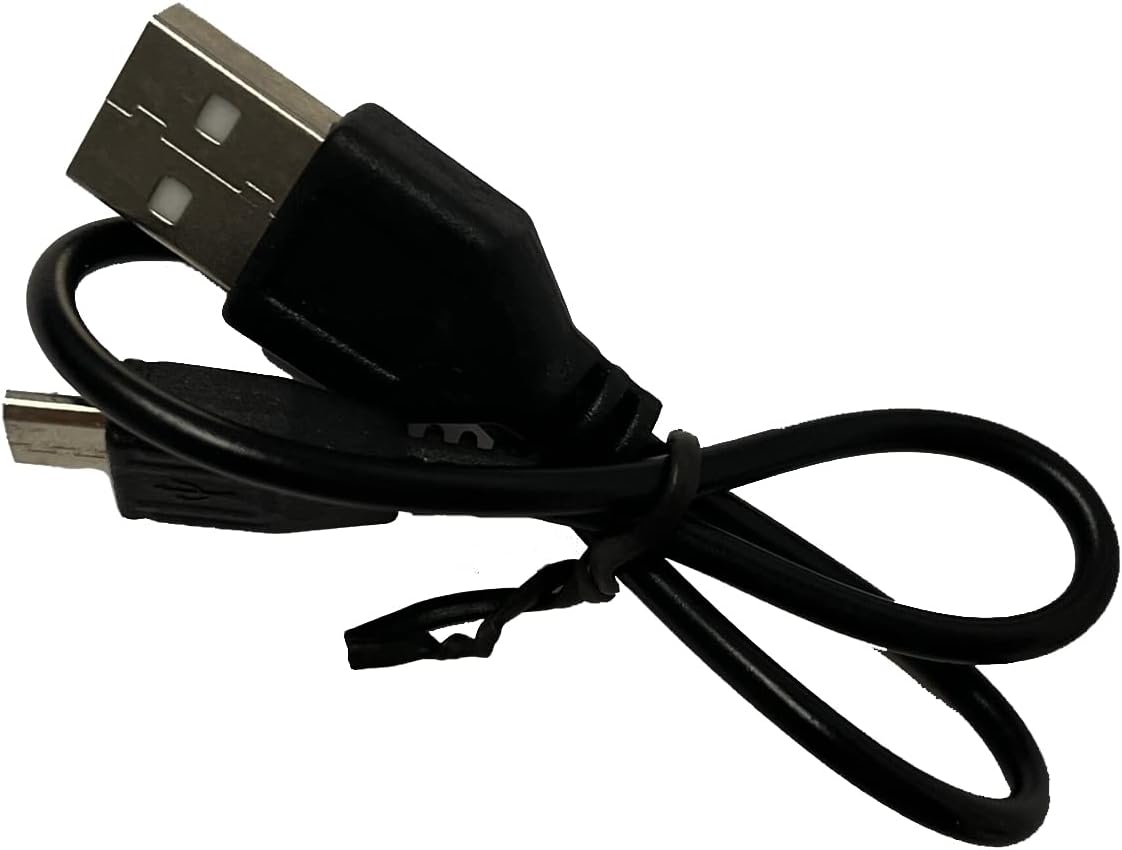
Image: Included USB Charging Cable. This cable is used to recharge the speaker's internal battery.
פּראָדוקט איבערview
Familiarize yourself with the various parts and controls of your PROSCAN PSP1678 speaker.

בילד: פראָנט view of the PROSCAN PSP1678 speaker, showcasing the dual 4-inch speakers with active LED lighting. The PROSCAN logo is visible between the speakers.

Image: Top panel of the PROSCAN PSP1678 speaker, showing the control buttons, USB port, TF card slot, AUX input, microphone input, and the main volume/mode knob.
קאָנטראָל פּאַנעל פאַנגקשאַנז:
- מאַכט קנעפּל: דריקן און האַלטן צו ווענדן די רעדנער אויף / אַוועק.
- מאָדע קנעפּל: Short press to switch between Bluetooth, FM Radio, USB/TF, and AUX modes.
- שפּיל / פּויזע קנעפּל: In Bluetooth/USB/TF mode, press to play or pause. In FM mode, press to auto-scan and save stations.
- פריערדיגע/וואליום אראפ קנעפל: Short press for previous track/station. Long press to decrease volume.
- ווייטער/וואליום אַרויף קנעפּל: Short press for next track/station. Long press to increase volume.
- וסב פּאָרט: פֿאַר USB פלאַש דרייוו ווידערשפּיל.
- טף קאַרד שפּעלטל: פֿאַר TF (MicroSD) קאַרטל ווידערשפּיל.
- AUX אַרייַנשרייַב: 3.5 מ״מ דזשעק פֿאַר פֿאַרבינדן עקסטערנע אַודיאָ דעוויסעס.
- מיקראָפאָן אַרייַנשרייַב: 6.35 מ״מ דזשעק פֿאַר פֿאַרבינדן אַ מיקראָפֿאָן.
- DC 5V טשאַרדזשינג פּאָרט: פֿאַר פֿאַרבינדן דעם USB טשאַרדזשינג קאַבל.
- באַנד קנעפּל: Rotates to adjust the master volume.
סעטאַפּ
1. טשאַרדזשינג די ספּיקער
Before first use, fully charge the speaker. Connect the small end of the included USB charging cable to the DC 5V charging port on the speaker and the other end to a USB power adapter (not included) or a computer USB port. The charging indicator light will illuminate during charging and turn off when fully charged.
טשאַרדזשינג צייט: בערך 3-4 שעה.
2. פּאָווערינג אויף / אויסגעלאשן
דריקן און האַלטן די מאַכט קנעפּל on the control panel for approximately 3 seconds to turn the speaker On or Off.
אַפּערייטינג ינסטראַקשאַנז
1. בלועטאָאָטה מאָדע
- צינדט אן דעם רעדנער. עס וועט אויטאמאטיש אריינגיין אין בלוטוט פארבינדונג מאָדוס, אנגעצייכנט דורך א בלינקנדיקע LED ליכט און אן אוידבארע פראמפט.
- אַקטיווירן בלועטוט אויף אייער מאָביל מיטל (סמאַרטפאָן, טאַבלעט, אאז"וו).
- זוכן פֿאַר "PSP1678" in the list of available Bluetooth devices.
- Select "PSP1678" to connect. Once successfully paired, you will hear a confirmation sound, and the LED light will stop flashing.
- איר קענט איצט שפּילן אַודיאָ פֿון אייער דעווייס דורך דעם רעדנער.
באַמערקונג: דער רעדנער וועט אויטאָמאַטיש פּרובירן זיך ווידער צו פֿאַרבינדן מיטן לעצטן פֿאַרבונדענעם מיטל ווען עס ווערט אָנגעצונדן.
2. עפעם ראַדיאָ מאָדע
- Turn on the speaker. Press the מאָדע קנעפּל repeatedly until you hear the FM radio prompt.
- צו אויטאָמאַטיש סקענען און ראַטעווען די פאַראַן FM סטאַנציעס, דריקט קורץ די שפּיל / פּויזע קנעפּלדער רעדנער וועט סקענען און אויפהיטן סטאנציעס אויטאמאטיש.
- ניצן די פֿריִערדיקע און Next Buttons צו נאַוויגירן צווישן געראַטעוועטע סטאַנציעס.
3. USB/TF קאַרטל פּלייבאַק
- Insert a USB flash drive or TF (MicroSD) card into the respective port.
- The speaker will automatically switch to USB or TF mode and begin playing audio files (MP3 format recommended). If it doesn't, press the מאָדע קנעפּל צו אויסקלויבן דעם ריכטיקן מאָדע.
- ניצן די שפּיל / פּויזע, פֿריִערדיקע, און Next Buttons צו קאָנטראָלירן ווידערשפּיל.
4. AUX אינפוט מאָדע
- פֿאַרבינדט איין עק פֿון אַ 3.5 מ״מ אַודיאָ קאַבל (נישט אַרייַנגערעכנט) צום AUX אַרייַנגאַנג פּאָרט אויף דעם רעדנער.
- פֿאַרבינדט דעם אַנדערן עק פֿונעם קאַבל צום אַודיאָ־אַרויסגאַנג פֿון אייער עקסטערנעם מיטל (למשל, MP3 שפּילער, קאָמפּיוטער).
- דרוק די מאָדע קנעפּל צו באַשטימען צו AUX מאָדע.
- Control audio playback from your connected external device.
5. מיקראָפאָן אַרייַנשרייַב
Connect a wired microphone (not included) to the Microphone Input jack. The microphone audio will be mixed with the current audio playback. Adjust the main volume knob to control the overall sound level.
6. געפירט ליכט קאָנטראָל
The LED lights on the speaker automatically activate when the speaker is powered on. There is no dedicated button to turn the lights off or change patterns. They are designed to enhance the audio experience.
וישאַלט
- רייניקונג: Use a soft, dry, lint-free cloth to clean the speaker's exterior. Do not use liquid cleaners, aerosols, or solvents.
- סטאָרידזש: ווען נישט אין באַנוץ פֿאַר לענגערע פּעריאָדן, זאָל מען דעם רעדנער אַוועקלייגן אין אַ קיל, טרוקן אָרט, אַוועק פֿון דירעקטער זון און עקסטרעמע טעמפּעראַטורן.
- באַטערי זאָרגן: כדי צו פארלענגערן די לעבן פון די באַטעריע, זאָלט איר נישט אָפט אויסלאָדן די באַטעריע. לאָדט דעם רעדנער אָפט אויף, אפילו אויב עס ווערט נישט גענוצט, כדי צו האַלטן די באַטעריע געזונט.
טראָובלעשאָאָטינג
| פּראָבלעם | מעגלעך סיבה | לייזונג |
|---|---|---|
| דער רעדנער לאָזט זיך נישט אָנ. | די באַטעריע איז נידעריק אָדער אויסגעשעפּט. | Charge the speaker fully using the provided USB cable. |
| קיין געזונט. | די וואליום איז צו נידעריג. נישט ריכטיג אויסגעקליבן. די אפאראט איז נישט ריכטיג פארבונדן. | Increase volume on speaker and connected device. Press Mode button to select correct input. Reconnect Bluetooth/AUX cable. |
| קען נישט פארבינדן דורך בלוטוט. | דער רעדנער איז נישט אין פּערינג מאָדע. דער דעווייס איז צו ווייט. שטערונג. | Ensure speaker is in Bluetooth mode (flashing LED). Move device closer to speaker. Turn off other Bluetooth devices. |
| די FM ראַדיאָ אָפּנאַם איז שוואַך. | שוואַך סיגנאַל. | Relocate the speaker to an area with better reception. Perform auto-scan again. |
| די USB/TF קארטל שפילט נישט. | אומרעכט file פֿאָרמאַט. קאַרטל/דרייוו נישט ריכטיק אַרײַנגעשטעלט. | פאַרזיכערן files are in MP3 format. Reinsert the USB drive/TF card firmly. Press Mode button to select correct input. |
ספּעסאַפאַקיישאַנז
| שטריך | דעטאַל |
|---|---|
| מאָדעל נומער | PSP1678 |
| רעדנער מאַכט | 5W x 2 |
| רעדנער גרייס | 4 אינטש X 2 |
| קאַנעקטיוויטי | בלועטוט, יו-עס-בי, טף קארטל, אוקס, עף-עם ראדיא |
| מיקראָפאָן אַרייַנשרייַב | יא |
| מאַכט מקור | Built-in Rechargeable Battery, Corded Electric (via USB) |
| פּראָדוקט דימענשאַנז (ד רענטגענ וו רענטגענ ה) | 6.25" x 16.25" x 7.75" |
| פּונקט וואָג | 4 פונט |
| UPC | 058465824457 |

Image: PROSCAN PSP1678 speaker with approximate dimensions indicated: 15.47 inches height, 7.28 inches width, and 5.9 inches depth.
וואָראַנטי און שטיצן
PROSCAN products are designed and manufactured to the highest quality standards. For warranty information or technical support, please refer to the warranty card included with your purchase or visit the official PROSCAN webזייטל. האַלט דיין קויפן באַווייַז פֿאַר וואָראַנטי קליימז.
For further assistance, you may contact PROSCAN customer service through their official channels. Please have your model number (PSP1678) and purchase details ready.
באַמערקונג: וואָראַנטי טערמינען און באדינגונגען קענען זיין אַנדערש לויט געגנט.
Ask a question about this manual
Ask about setup, troubleshooting, compatibility, parts, safety, or missing instructions. Manuals+ will review the question and use this page’s manual context to help answer it.