
1. הקדמה
Thank you for choosing the SCOORNEST A9 Wireless Mini Security Camera. This manual provides essential information for the safe and effective use of your device. Please read it thoroughly before operation and retain it for future reference. This camera is designed for indoor surveillance, offering features such as 1080P video, motion detection, and mobile app connectivity.
2. פּראָדוקט איבערview
2.1 פּעקל אינהאַלט
באַשטעטיקן אַז אַלע זאכן זענען פאַראַן אין דיין פּעקל:
- 1 x SCOORNEST A9 Mini Camera
- 1 רענטגענ מאַגנעטיק קלאַמער
- 1 x וסב טשאַרדזשינג קאַבלע
- 1 x באַניצער מאַנואַל

Image: The package includes one mini camera, one magnetic bracket, and one USB charging cable.
2.2 Camera Components and Features
The SCOORNEST A9 camera is a compact device with essential features for home security.

Image: The SCOORNEST A9 Mini Camera shown next to a smartphone displaying its live video feed.
שליסל פֿעיִקייטן אַרייַננעמען:
- 1080P פול HD ווידעא: Provides clear and smooth video recording.
- באַוועגונג דעטעקשאַן: Automatically detects movement and can trigger recording or alerts.
- WiFi קאַנעקטיוויטי: Connects to your 2.4GHz Wi-Fi network for remote viewing.
- Wireless Battery Operated: Allows flexible placement without constant power connection.
- נאַכט זעאונג: Enables monitoring in low-light conditions.
- שלייף רעקאָרדינג: Supports Micro SD card storage up to 128GB (not included).

Image: Visual representation of the camera's main features: 1080P resolution, motion detection, WiFi connectivity, and wireless battery operation.
3. סעטאַפּ גייד
Follow these steps to set up your SCOORNEST A9 camera:
3.1 Download the Mobile App
- Scan the QR code provided in the quick start guide or search for "HDwifCamPro" in the Apple App Store (for iOS devices) or Google Play Store (for Android devices).
- אראפקאפיע און ינסטאַלירן די אַפּ אויף דיין סמאַרטפאָנע.
3.2 Connect the Camera to Your Phone
- Ensure the camera is charged or connected to a power source using the USB cable.
- Power on the camera using the 'ON/OFF' button.
- Open the HDwifCamPro app and follow the on-screen instructions to add a new device. This typically involves connecting to the camera's direct Wi-Fi hotspot (usually starting with 'IPC-' or similar) in your phone's Wi-Fi settings, then returning to the app.
3.3 Connect to Home Wi-Fi
- Once connected to the camera's hotspot, the app will prompt you to connect the camera to your home 2.4GHz Wi-Fi network.
- אויסקלייבן אייער Wi-Fi נעץ פון דער ליסטע און אַרייַן די פּאַראָל.
- The camera will then connect to your home Wi-Fi, allowing you to view live video remotely from anywhere.

Image: A visual guide illustrating the three-step process for connecting the camera: downloading the HDwifCamPro app, connecting the camera directly to the phone, and then connecting the camera to a 2.4GHz WiFi network for remote access.
4. אַפּערייטינג ינסטרוקטיאָנס
4.1 מאַכט אויף / אַוועק
Press and hold the 'ON/OFF' button to power the camera on or off. An indicator light will confirm the status.
4.2 לעבן View
Once the camera is connected to your Wi-Fi network, open the HDwifCamPro app to access the live video feed. You can monitor your space in real-time.

Image: A smartphone screen showing a clear and smooth 1080P resolution video feed of a modern living room, demonstrating the camera's video quality.
4.3 באַוועגונג דעטעקשאַן
Enable motion detection in the app settings. When motion is detected, the camera can automatically start recording and send push notifications to your phone.

Image: A scene depicting motion detection, where a person is shown in a room, and a red alarm icon signifies that motion has been captured by the camera.
4.4 נאַכט זעאונג
The camera is equipped with night vision capabilities for monitoring in low-light or dark environments. This feature typically activates automatically or can be toggled in the app.

Image: A split image demonstrating the camera's day and night vision capabilities, showing a child sleeping in color during the day and in black and white with night vision enabled.
4.5 רעקאָרדינג און סטאָרידזש
Insert a Micro SD card (up to 128GB, not included) into the camera's slot for local storage. The camera supports loop recording, overwriting the oldest footagע ווען די קארטל איז פול.
4.6 Flexible Placement
The camera's wireless and compact design, along with the magnetic bracket, allows for versatile placement in various indoor settings.
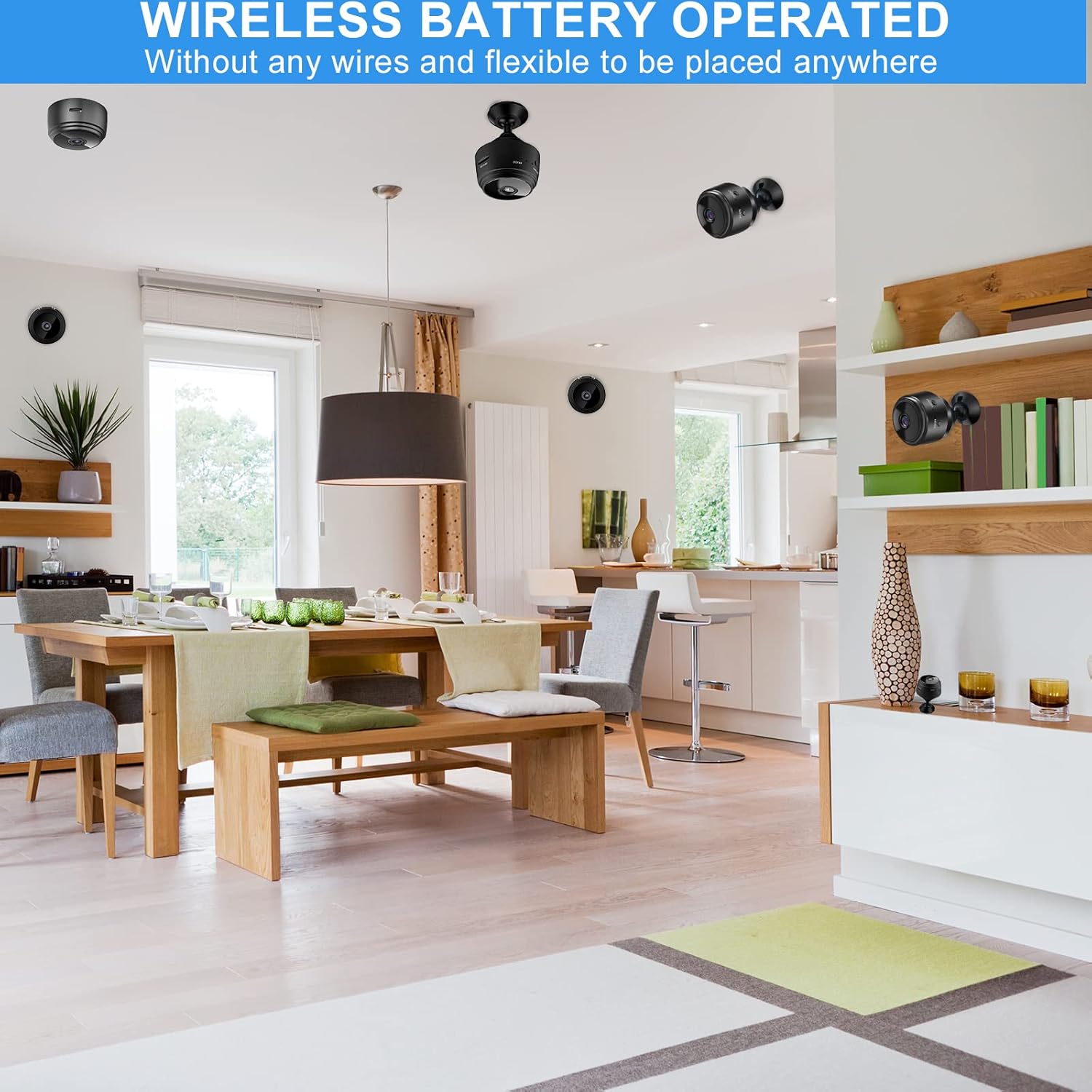
Image: Several mini cameras are shown discreetly placed in different areas of a home, highlighting their wireless and battery-operated nature for flexible installation.
4.7 Multi-Scenario Use
The SCOORNEST A9 camera is suitable for various indoor monitoring needs, including:
- היים זיכערהייט: מאָניטאָרירן אַרייַנגאַנגען, וואוינונגס־געביטן, אדער ווערטפולע זאַכן.
- בעיבי מאָניטאָרינג: Keep an eye on infants in their nursery.
- ליבלינג מאָניטאָרינג: Observe pets while away from home.
- עלטער זאָרגן: Provide surveillance for elderly family members.
- אפיס זיכערהייט: Monitor small office spaces.

Image: A collage demonstrating the camera's versatility across multiple scenarios, including home, baby, car, pet, elderly care, and office environments.
5. וישאַלט
5.1 רייניקונג
To clean the camera, gently wipe the lens and body with a soft, dry cloth. Avoid using harsh chemicals or abrasive materials that could damage the device.
5.2 באַטערי טשאַרדזשינג
Charge the camera using the provided USB cable and a standard 5V USB power adapter. A full charge typically takes a few hours. The indicator light will change to show charging status.
5.3 סטאָרידזש
When not in use for extended periods, store the camera in a cool, dry place. Ensure the battery is partially charged to maintain its health.
6. טראָובלעשאָאָטינג
If you encounter issues with your SCOORNEST A9 camera, please refer to the following common problems and solutions:
- קאַמעראַ פֿאַרבינדט זיך נישט צו Wi-Fi: Ensure your Wi-Fi network is 2.4GHz. Check the Wi-Fi password for accuracy. Restart both the camera and your router.
- No live video feed: Verify the camera is powered on and connected to your Wi-Fi. Check your phone's internet connection.
- באַוועגונג דעטעקציע אַרבעט נישט: Ensure motion detection is enabled in the app settings. Check the sensitivity level.
- נעבעך ווידעא קוואַליטעט: Ensure the camera lens is clean. Check your Wi-Fi signal strength; a weak signal can affect video streaming quality.
- באַטעריע לעבן איז קורץ: Battery life can vary based on usage (e.g., continuous recording, frequent motion detection). Ensure the camera is fully charged before use. For continuous operation, keep it plugged into a power source.
אויב פראבלעמען בלייבן, ביטע קאנטאקטירט קאסטומער סופארט פאר הילף.
7. ספּעסאַפאַקיישאַנז
| שטריך | באַשרייַבונג |
|---|---|
| מאָדעל נומער | A9 |
| דימענסיעס (L X W X H) | 1.69 X 1.69 X 0.87 אינטשעס |
| פּונקט וואָג | 2.39 אונסעס |
| ווידעא האַכלאָטע | 1080P (2 MP) |
| ראַם קורס | 30 fps |
| קאַנעקטיוויטי | Wireless (2.4GHz WiFi) |
| מאַכט מקור | באַטעריע געטריבן (300mAh) |
| דרינענדיק / דרויסנדיק באַניץ | דרינענדיק |
| וואַסער קעגנשטעל מדרגה | ניט וואַסער קעגנשטעליק |
| סטאָרידזש | שטיצט מיקראָ SD קאַרטל ביז 128 גיגאבייט (נישט אַרייַנגערעכנט) |
| קאָנטראָללער טיפּ | Android (compatible with iOS via app) |
8. וואָראַנטי און שטיצן
SCOORNEST is committed to providing reliable products and customer satisfaction. This product comes with a איין יאָר וואָראַנטי from the date of purchase and לעבנס-לאַנג נאָך-פאַרקויף סערוויס.
If you encounter any issues or have questions regarding your SCOORNEST A9 camera, please contact our customer support team. We aim to respond and resolve your concerns within 24 hours.
For support, please refer to the contact information provided with your purchase or on the official SCOORNEST webפּלאַץ.