
1. הקדמה
This manual provides essential information for the proper use and maintenance of your OUKITEL WP18 Pro Rugged Smartphone. Please read it carefully to ensure optimal performance and longevity of your device. The OUKITEL WP18 Pro is designed for durability and extended use, featuring a large battery and robust construction.
2. פּראָדוקט איבערview
Familiarize yourself with the physical components and controls of your OUKITEL WP18 Pro smartphone.

פיגורע 2.1: פראָנט View פון די מיטל

פיגורע 2.2: צוריק View פון די מיטל

פיגורע 2.3: זייַט View מיט קנעפּלעך און פּאָרטן
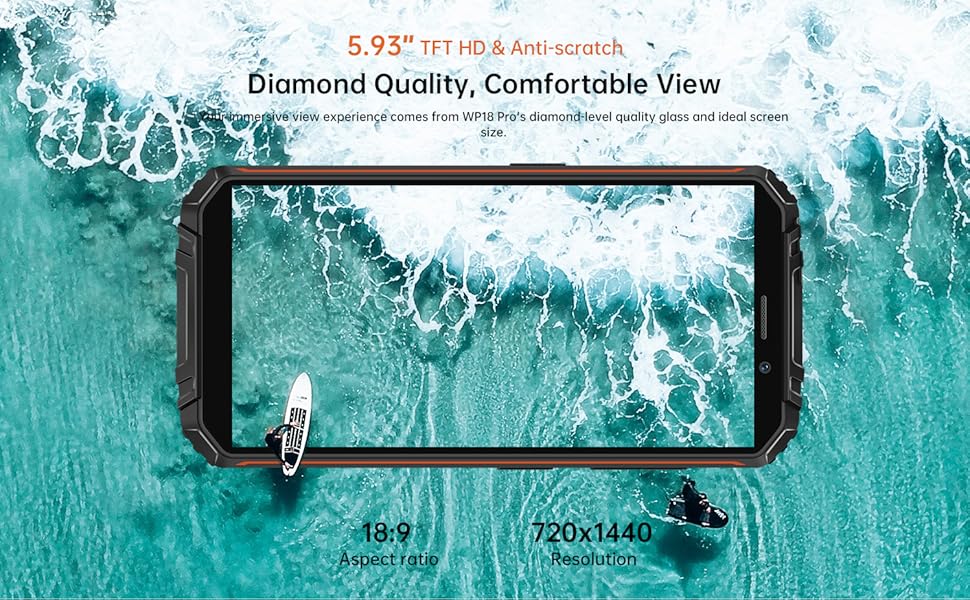
The device features a 5.93-inch HD+ display on the front. The rear houses the camera module and the OUKITEL branding. On the sides, you will find the power button, volume controls, and a customizable button, along with the SIM/SD card slot and charging port.
3. סעטאַפּ
3.1. סים קארטל און סד קארטל אינסטאלירונג
The OUKITEL WP18 Pro supports dual Nano SIM cards or one Nano SIM card and one TF (microSD) card for expandable storage up to 1TB.
- געפינט די סים קארטל טאַץ אויף דער זייט פון דעם מיטל.
- ניצט דעם צוגעשטעלטן סים ארויסווארפער געצייג צו עפענען דעם טאץ.
- לייגט פֿאָרזיכטיק אײַער נאַנאָ סים קאַרטל(ן) און/אָדער TF קאַרטל אין די באַשטימטע סלאָץ. מאַכט זיכער אַז די גאָלדענע קאָנטאַקטן זענען געווענדט אַראָפּ.
- שטופּ אָפּ דעם טאַץ צוריק אין דעם אַפּאַראַט ביז עס איז גלייך מיט דער זייט.

פיגורע 3.1: SIM/SD Card Tray
3.2. ערשטע אויפלאדונג און איינשאַלטן
פארן ערשטן באַנוץ, איז רעקאָמענדירט צו גאָר אָפּלאָדן אייער מיטל.
- פֿאַרבינדט דעם USB טיפּ-C קאַבל צום טשאַרדזשינג פּאָרט אין דער אונטערשטער טייל פֿון טעלעפֿאָן.
- פֿאַרבינדט דעם אַנדערן עק פֿונעם קאַבל צו אַ קאָמפּאַטיבלע מאַכט אַדאַפּטער און שטעקט עס אַרײַן אין אַ וואַנט ווענטיל.
- דער טשאַרדזשינג אינדיקאַטאָר וועט דערשייַנען אויף דעם עקראַן. לאָזט דעם טעלעפאָן טשאַרדזשען ביז עס דערגרייכט 100%.
- To power on, press and hold the Power button (usually on the right side) until the OUKITEL logo appears.

פיגורע 3.2: טשאַרדזשינג די מיטל
4. אַפּערייטינג ינסטרוקטיאָנס
4.1. גרונטלעכע טעלעפאָן פונקציעס
- מאַכט אויף / אַוועק: דריק און האלט דעם פּאַוער קנעפּל. אויסקלייבן 'אויסשלאָגן' אדער 'ריסטאַרטן' פון מעניו.
- באַנד קאָנטראָל: ניצט די באַנד אַרויף און באַנד אַראָפּ קנעפּלעך אויף דער זייט צו סטרויערן מעדיע, רוף און אַלאַרם וואַליומז.
- סקרין שלאָס / ופשליסן: דריק קורץ דעם פּאַוער קנעפּל צו פֿאַרשליסן אָדער עפֿענען דעם עקראַן.
- ופשליסן פינגערפּרינט: Register your fingerprint in the Security settings to unlock the device using the side-mounted fingerprint sensor.
4.2. אַפּאַראַט אָפּעראַציע
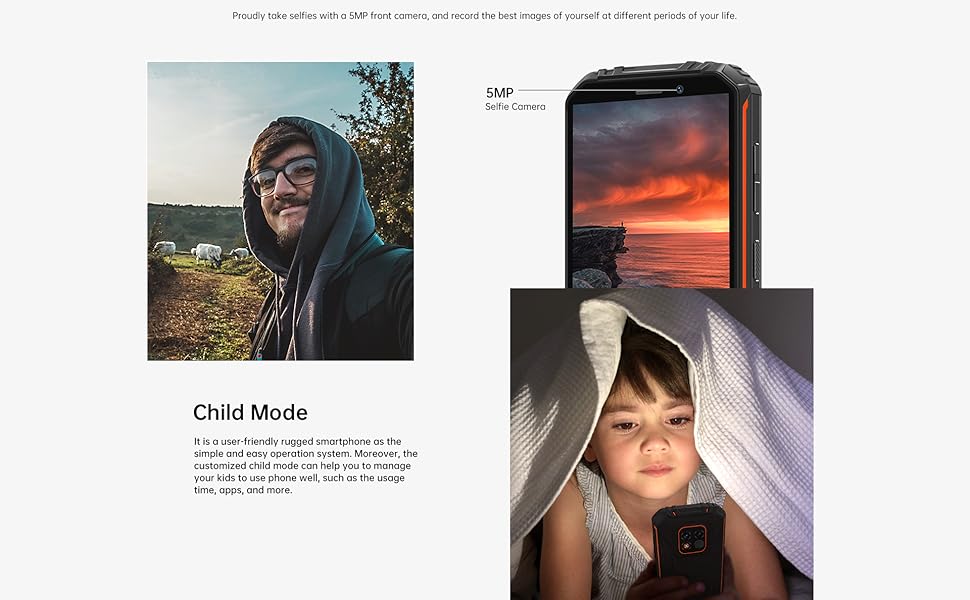
The OUKITEL WP18 Pro is equipped with a 13MP main camera, a 5MP auxiliary camera, and a 5MP front camera. It also features an underwater mode.
- עפֿנט די קאַמעראַ אַפּליקאַציע פֿון אייער היים־עקראַן אָדער אַפּ שופֿלאָד.
- Select your desired mode (Photo, Video, Portrait, Underwater, etc.).
- Tap the screen to focus on a specific area.
- Press the Shutter button to capture a photo or start/stop video recording.

פיגורע 4.1: Camera Module Details

פיגורע 4.2: קאַמעראַ סample Images
4.3. שטאַרקע פֿעיִטשערז
The OUKITEL WP18 Pro is built to withstand harsh environments, meeting IP68, IP69K, and MIL-STD-810G standards for water, dust, and drop resistance.
- וואָטערפּרוף: Can be immersed in up to 1.5 meters of water for 30 minutes. Ensure all port covers are securely closed before exposure to water.
- שטויבפּראָאָף: גאָר פּראָטעקטעד קעגן שטויב ינגרעסס.
- פאַל-באַווייַז: דיזיינד צו אויסהאלטן פאלן פון ביז 1.5 מעטער.
- טעמפּעראַטור קעגנשטעל: Operates in temperatures ranging from -10°C to 70°C.

פיגורע 4.3: וואָטערפּרוף קאַפּאַביליטי

פיגורע 4.4: טעמפּעראַטור קעגנשטעל
ווידעא 4.1: Demonstrating the Ruggedness of OUKITEL WP18 Pro. This video shows the phone being subjected to water, dust, and drop tests, highlighting its durable design.
ווידעא 4.2: OUKITEL WP18 Pro Rugged Phone Features. This video provides a detailed overview of the phone's robust construction and features designed for extreme conditions.
4.4. Battery and OTG Functionality
The device is powered by a massive 12500mAh battery, offering extended usage times. It also supports OTG (On-The-Go) functionality, allowing it to act as a power bank for other devices.
- באַטאַרייע לעבן: Up to 37 days standby, 70 hours calling, 48 hours music, and 22 hours video playback.
- OTG פאַרקערט טשאַרדזשינג: Connect other devices via a compatible OTG cable to charge them using your WP18 Pro's battery.

פיגורע 4.5: 12500mAh Battery Performance
פיגורע 4.6: OTG Reverse Charging
4.5. אַנדרויד 12 סיסטעם
The OUKITEL WP18 Pro runs on Android 12, offering a clean interface, enhanced privacy features, and a smooth user experience.
פיגורע 4.7: אַנדרויד 12 צובינד
5. וישאַלט
כדי צו זיכער מאַכן די לאַנגלעבעדיקייט און אָפּטימאַלע פאָרשטעלונג פון דיין OUKITEL WP18 Pro, נאָכפאָלגן די וישאַלט גיידליינז:
- רייניקונג: ניצן אַ ווייך, דamp א שטאָף צו ווישן דעם אַפּאַראַט. פֿאַרמייַדן שאַרפע כעמיקאַלן אָדער אַברייסיוו מאַטעריאַלן.
- פּאָרט קער: Ensure all port covers (USB, SIM tray) are securely closed, especially before exposing the phone to water or dust. Regularly check ports for debris and clean gently with a soft brush if necessary.
- פאַרשטעלן פּראַטעקשאַן: While the screen is made of Corning Gorilla Glass, using an additional screen protector can provide extra defense against scratches.
- ווייכווארג דערהייַנטיקונגען: קאָנטראָלירט און אינסטאַלירט רעגולער סיסטעם דערהייַנטיקונגען צו זיכער מאַכן אַז אייער מיטל האט די לעצטע זיכערהייט פּאַטשאַז און פאָרשטעלונג פֿאַרבעסערונגען.
6. טראָובלעשאָאָטינג
If you encounter issues with your OUKITEL WP18 Pro, try the following solutions:
- מיטל נישט פּאַוערינג אויף: זיכער מאַכן אַז די באַטאַרייע איז אויפגעלאָדן. פֿאַרבינדט דעם טשאַרדזשער און וואַרט אַ פּאָר מינוט איידער איר פּרוּווט ווידער אָנצוצינדן.
- ניט ריספּאַנדאַבאַל פאַרשטעלן: Try restarting the device by holding down the Power button for about 10-15 seconds until it reboots.
- שלעכט נעץ סיגנאַל: קאָנטראָלירט צי אייער סים קאַרטל איז ריכטיק אַרײַנגעשטעלט. גייט צו אַ געגנט מיט בעסערע נעץ קאַווערידזש.
- אַפּפּס קראַשן/פֿרירן: Clear the cache of the problematic app in Settings > Apps. If the issue persists, try reinstalling the app.
- די באַטאַרייע איז געשווינד ויסגעשעפּט: Close unused apps running in the background. Reduce screen brightness. Check battery usage in Settings to identify power-hungry apps.
- וואַסער/שטויב ויסשטעל: If the device has been exposed to water or dust, ensure all ports are dry before charging. Do not open the device.
If these steps do not resolve the issue, please contact OUKITEL customer support.
7. ספּעסאַפאַקיישאַנז
| שטריך | באַשרייַבונג |
|---|---|
| סאָרט | OUKITEL |
| מאָדעל | WP18 Pro |
| זכּרון סטאָרידזש קאַפּאַסיטי | 64 גיגאבייט (אויסברייטבאר ביז 1 טב דורך מיקראָסד) |
| באַראַן | 4 גיגאבייט |
| פאַרשטעלן גרייס | 5.93 Inches HD+ (720*1440 resolution, 400NIT brightness) |
| קאָמפּאַטאַביליטי פֿאַר דראָטלאָזע קעריערס | T-Mobile, Metro by T-Mobile, Mint Mobile, Republic Wireless (4G Dual SIM) |
| סעליאַלער טעכנאָלאָגיע | 4G |
| קאַנעקטיוויטי טעכנאָלאָגיע | בלועטוט, ען-עף-סי, יו-עס-בי |
| קאָליר | מאַראַנץ |
| נומער דימענשאַנז (L X W X H) | 6 X 3 X 0.8 אינטשעס |
| אָפּערייטינג סיסטעם | אַנדרויד 12 |
| באַטאַרייע קאַפּאַציטעט | 12500 מאַה |
| דערציען אַפּאַראַט | 13MP Main Camera + 5MP Auxiliary Camera |
| פראָנט אַפּאַראַט | 5MP |
| האַלטבאַרקייט סטאַנדאַרדס | IP68, IP69K, MIL-STD-810G |
8. וואָראַנטי און שטיצן
OUKITEL provides comprehensive support for your WP18 Pro device:
- 30-טאָג קריק פּאָליטיק: הנאה האָבן פון אַ 30-טאָגיקע צוריקקער-פּעריאָדע אָן קיין סיבה פֿון דעם קויפֿדאַטום.
- איין-יאָר פריי וואָראַנטי: Your device is covered by a one-year warranty for manufacturing defects.
- לאַנג-טערמין טעכנישע שטיצע: OUKITEL offers ongoing technical assistance for your product.
- 24-שעה אָנליין קונה סערוויס: Dedicated customer service is available 24/7 to address your inquiries and concerns.
For warranty claims or technical assistance, please visit the official OUKITEL webזייטל אדער קאנטאקט זייער קאסטומער סערוויס גלייך.