
1. אויפשטעלן און ערשטע באנוץ
1.1 פּעקל אינהאַלט
באַשטעטיקן אַז דיין פּעקל כּולל די פאלגענדע זאכן:
- EURANS Smart Watch IW1 Lite
- טשאַרדזשינג קאַבלע
- באַניצער מאַנואַל
1.2 טשאַרדזשינג די מיטל
Before first use, fully charge your smart watch. The device features a 7-day battery life with typical use and a standby time of 30 days. A full charge typically takes 1 hour.
- פֿאַרבינדט דעם מאַגנעטישן טשאַרדזשינג קאַבל צו די טשאַרדזשינג קאָנטאַקטן אויף דער צוריקזייט פֿון דער זייגער.
- שטעקט אריין דעם USB עק פונעם קאַבל אין א סטאַנדאַרט USB מאַכט אַדאַפּטער (5V/1A רעקאָמענדירט) אדער א קאָמפּיוטער'ס USB פּאָרט.
- The watch screen will display a charging indicator. Ensure the contacts are clean and dry before charging.
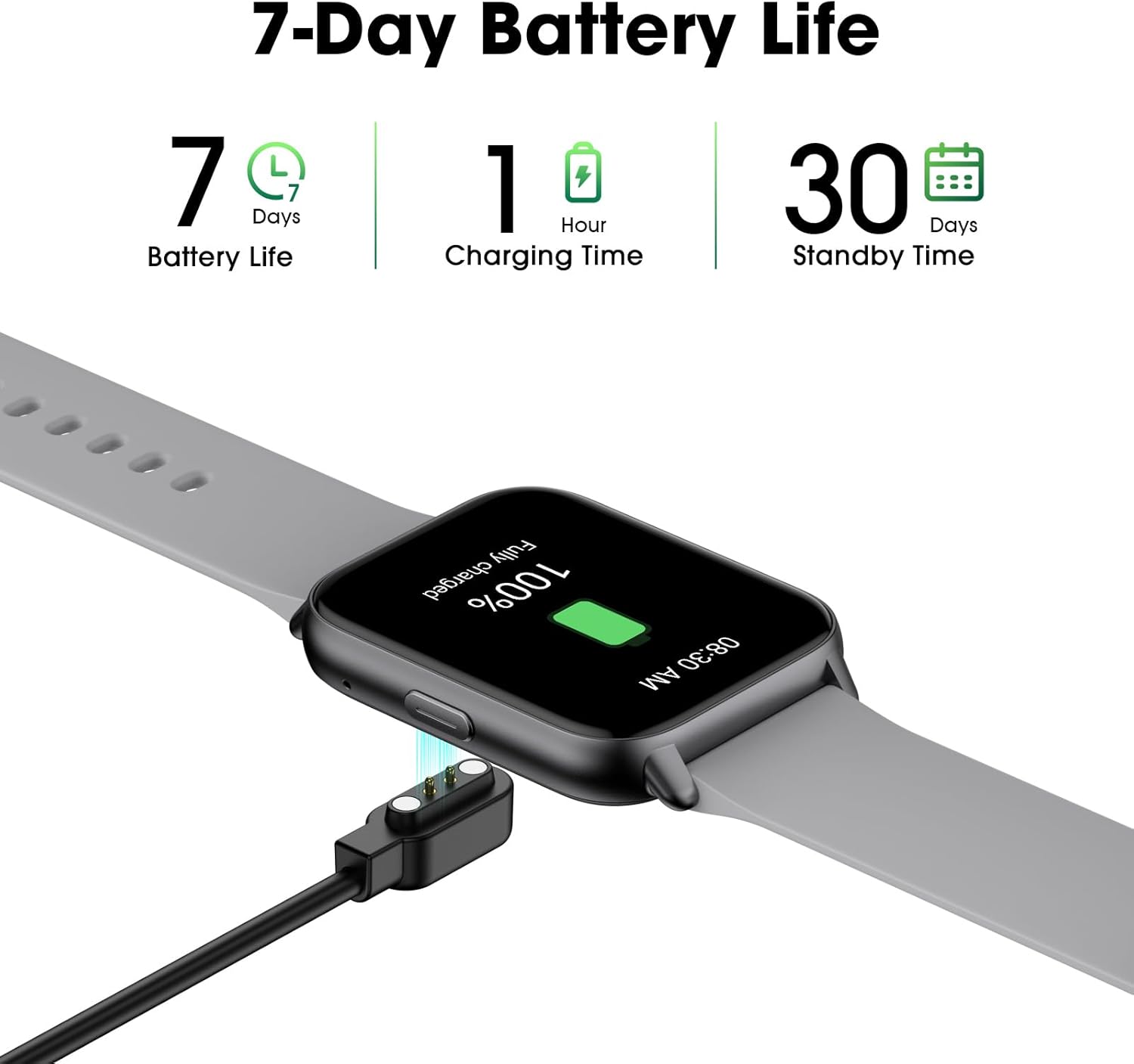
Image: The EURANS Smart Watch IW1 Lite connected to its magnetic charging cable, showing a full charge. Text on the image indicates '7 Days Battery Life', '1 Hour Charging Time', and '30 Days Standby Time'.
1.3 פּאַוערינג אויף / אַוועק
- מאַכט אויף: דריק און האלט דעם זייט קנעפל פאר א פאר סעקונדעס ביז דער עקראן צינדט זיך אן.
- מאַכט אַוועק: From the watch face, swipe down to access the quick settings, then tap the power icon, or navigate to 'Settings' > 'Power Off' and confirm.
1.4 יקערדיק נאַוויגאַציע
The EURANS Smart Watch IW1 Lite features a touch-sensitive HD screen and a side button for navigation.
- שלעפּן אַרויף / אַראָפּ: סקראָלן דורך מעניוז אדער נאָוטאַפאַקיישאַנז.
- שלעפּן לינקס / רעכט: Access different function screens (e.g., activity data, heart rate).
- צאַפּן: אויסקלייבן אַן אייטעם אָדער באַשטעטיקן אַן אַקציע.
- זייַט קנעפּל: Press to return to the watch face or wake the screen.

Image: The EURANS Smart Watch IW1 Lite showing the main watch face with current time (08:26), date (APR 06, SATURDAY), and activity metrics including calories burned (234), steps taken (8000), and distance (4.25). A smaller inset image shows options for 'Binding APP' or 'Skip Binding'.
1.5 אפציאנעלע אַפּ פֿאַרבינדונג
The EURANS Smart Watch IW1 Lite is designed to function independently without requiring a smartphone app. All core features like step counting, calorie tracking, and health monitoring are accessible directly on the watch. However, an optional companion application can be used to access additional features:
- Data Record & Check: View historical fitness and health data.
- Weather Display: Receive weather updates on your watch.
- Message Notification: Receive alerts from your smartphone.
Refer to the app's instructions for pairing and setup if you choose to use these extended features.
2. אפערירן דעם סמאַרט וואַך
2.1 טעטיקייט טראַקינג
The watch automatically tracks your daily activity. Swipe through the watch faces to view your current statistics.
- שריט טאָמבאַנק: Records the number of steps taken throughout the day.
- קאַלאָריעס טראַקער: שאַצט קאַלאָריעס פארברענט באזירט אויף דיין טעטיקייט.
- דיסטאַנץ טראַקער: רעכנט אויס די באדעקטע דיסטאנץ.

Image: A man and a woman running outdoors. Below them, three circular icons display activity data: 426 Kcal (Calories), 9973 Steps, and 3.96 KM (Distance).
2.2 געזונט מאָניטאָרינג
The EURANS Smart Watch IW1 Lite provides continuous health monitoring features.
- האַרץ קורס מאָניטאָר: Measures your heart rate throughout the day. Access the heart rate screen to view רעאַל-צייט דאַטן און היסטאָרישע טרענדס.
- בלוט זויערשטאָף (SpO2) מעסטונג: Provides on-demand blood oxygen saturation readings.
- שלאָף מאָניטאָר: טראַקט אייערע שלאָף־מוסטערן, אַרייַנגערעכנט טיפע שלאָף, לייכטע שלאָף און אויפוואַכצײַטן.
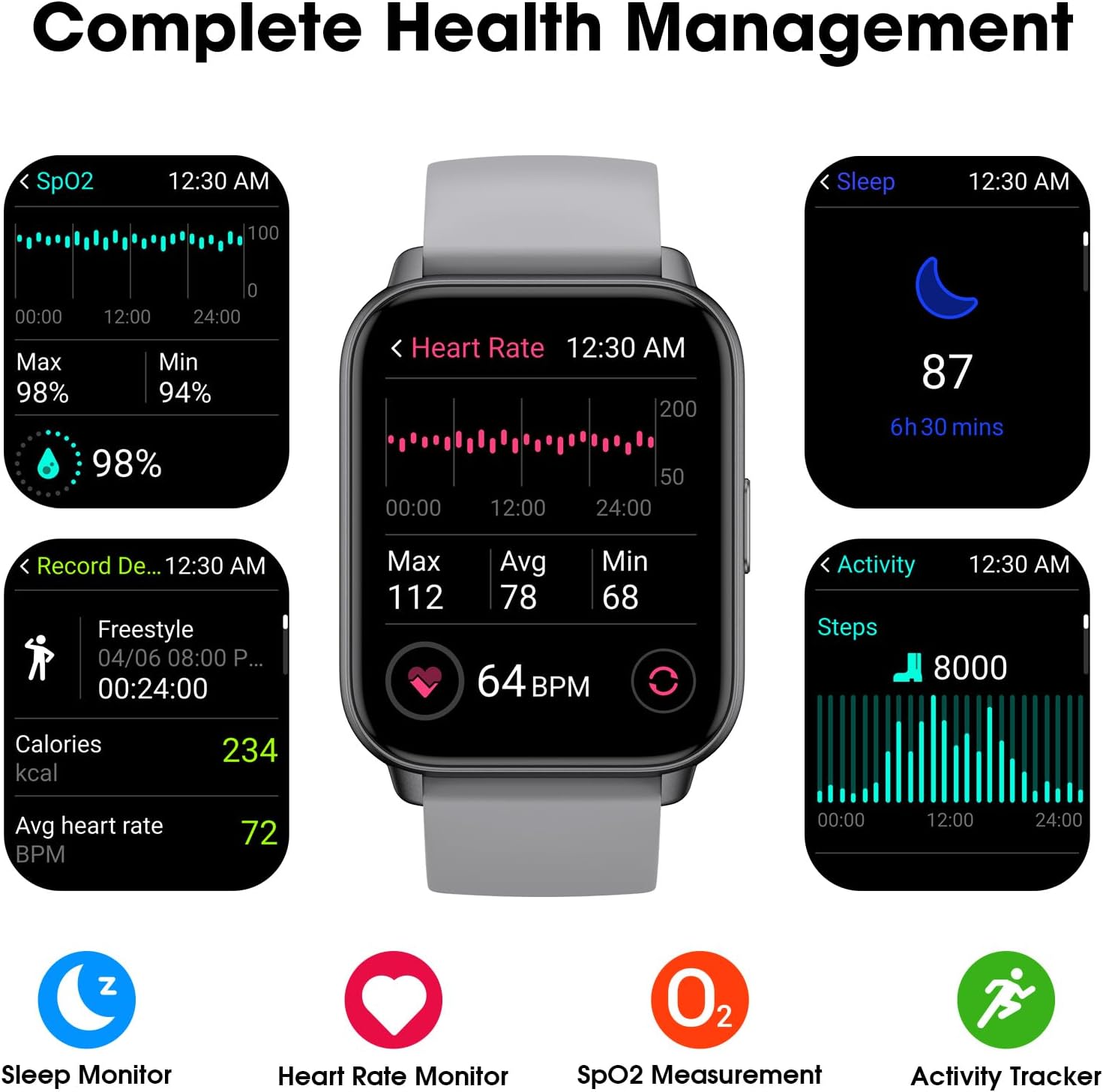
Image: A collage of watch screens demonstrating various health management features. These include SpO2 measurement (98%), heart rate monitoring (64 BPM with max/avg/min), sleep tracking (87, 6h 30 mins), and activity recording (calories, heart rate, steps).
2.3 Watch Functions
Beyond fitness tracking, the watch includes several utility functions:
- צייט ווייַז: Customizable watch faces to show time and date.
- וועקער זייגער: שטעלן אַלאַרמס גלייַך אויף די וואַך.
- סטאַפּוואַטש: פֿאַר צייט-אַקטיוויטעטן.
- טיימער: For countdowns.
2.4 Display Readability
The EURANS Smart Watch IW1 Lite features a 1.69-inch HD screen designed for clear visibility.
- גרויס נומערן: Time and data are displayed with large, easy-to-read digits.
- זונשייַן לייענבאַרקייט: The screen is optimized for visibility even under direct sunlight.

בילד: א נאָענטע בילד view of the EURANS Smart Watch IW1 Lite screen, demonstrating its large and easy-to-read display. The image shows the time (08:26), date (APR 06), and activity metrics, emphasizing clarity and readability under various lighting conditions.
3. וישאַלט
3.1 רייניקן דיין זייגער
Regular cleaning helps maintain the watch's performance and appearance.
- ווישט דעם עקראַן און רימען מיט אַ ווייכן, דamp, לינט-פֿרייַ שטאָף.
- ויסמיידן ניצן שטרענגע כעמיקאַלן, אַברייסיוו רייניגער, אָדער סאָלוואַנץ.
- זיכער מאַכן אַז די טשאַרדזשינג קאָנטאַקטן זענען ריין און טרוקן צו פאַרמייַדן קעראָוזשאַן און ענשור געהעריק טשאַרדזשינג.
3.2 וואַסער קעגנשטעל
The EURANS Smart Watch IW1 Lite is IP68 waterproof, meaning it is resistant to dust and can withstand immersion in water up to 1.5 meters for up to 30 minutes.
- It is suitable for daily use, such as hand washing, rain, and swimming in shallow water.
- Do not use the watch in hot water, saunas, or steam rooms, as steam can penetrate the seals.
- Avoid prolonged immersion or high-pressure water activities like diving or high-speed water sports.
- דו זאלסט נישט אַרבעטן די קנעפּלעך אונטער וואַסער.
3.3 סטאָרידזש
When not in use for extended periods, store the watch in a cool, dry place. It is recommended to charge the watch periodically to maintain battery health.
4. טראָובלעשאָאָטינג
If you encounter issues with your EURANS Smart Watch IW1 Lite, refer to the following common solutions:
- זייגער גייט נישט אן: זיכער מאַכן אַז די זייגער איז גאָר אויפגעלאָדן. פֿאַרבינדט עס צום טשאַרדזשער פֿאַר לפּחות 10 מינוט.
- זייגער לאָדט זיך נישט אויף: Check that the charging cable is securely connected to both the watch and the power source. Ensure the charging contacts on the watch and cable are clean and free of debris.
- Inaccurate activity data: Ensure the watch is worn snugly on your wrist, about one finger's width above your wrist bone. Movement of the watch on your wrist can affect sensor accuracy.
- עקראַן רעאַגירט נישט: Try restarting the watch by holding the side button until the power off option appears, then power off and on again. If unresponsive, allow the battery to fully drain and then recharge.
- Time/Date incorrect: If connected to an app, ensure the watch is synced. If not using an app, manually adjust the time and date through the watch's settings.
4.1 פאַבריק באַשטעטיק
If problems persist, a factory reset may resolve the issue. Note that this will erase all data on the watch.
- Navigate to 'Settings' on your watch.
- Select 'System' or 'Reset'.
- Choose 'Factory Reset' and confirm the action.
5. ספּעסאַפאַקיישאַנז
| שטריך | באַשרייַבונג |
|---|---|
| מאָדעל נומער | IW1 Lite |
| סאָרט | EURANS |
| פאַרשטעלן גרייס | 1.69 אינטשעס |
| באַטאַרייע קאַפּאַציטעט | 350 מיליamp שעהן |
| טיפּיש באַטערי לעבן | אַרויף צו 7 טעג |
| סטאַנדביי צייט | אַרויף צו 30 טעג |
| טשאַרדזשינג צייט | בעערעך 1 שעה |
| וואַסער קעגנשטעל | IP68 |
| קאַנעקטיוויטי | בלועטאָאָטה |
| אַפּערייטינג סיסטעם קאַמפּאַטאַבילאַטי | Android, iOS (for optional app features) |
| ספּעציעלע פֿעיִקייטן | Activity Tracker, Sleep Monitor, Time Display, Heart Rate Monitor, SpO2 Measurement |
6. וואָראַנטי און שטיצן
6.1 וואָראַנטי אינפֿאָרמאַציע
Your EURANS Smart Watch IW1 Lite is covered by a limited manufacturer's warranty. Please refer to the warranty card included in your product packaging for specific terms and conditions, including warranty period and coverage details.
6.2 קונה שטיצן
For technical assistance, troubleshooting, or warranty claims, please contact EURANS customer support. Contact details can typically be found on the product packaging, the official EURANS webוועבזייטל, אדער דורך אייער הענדלער.