

1. הקדמה
This manual provides detailed instructions for the safe and efficient use of your yobola Wireless Earbuds, model LY-20230101. Please read this manual thoroughly before using the product and retain it for future reference.

Image: yobola Wireless Earbuds, highlighting features like HiFi Lossless Audio and a Big Brand Chipset for superior sound quality.
2. וואָס איז אין דער קעסטל
דער פּראָדוקט פּעקל כולל די פאלגענדע זאכן:
- ווירעלעסס עאַרבודז
- טשאַרדזשינג קאַסע
- וסב- C קאַבלע
- באַניצער מאַנואַל
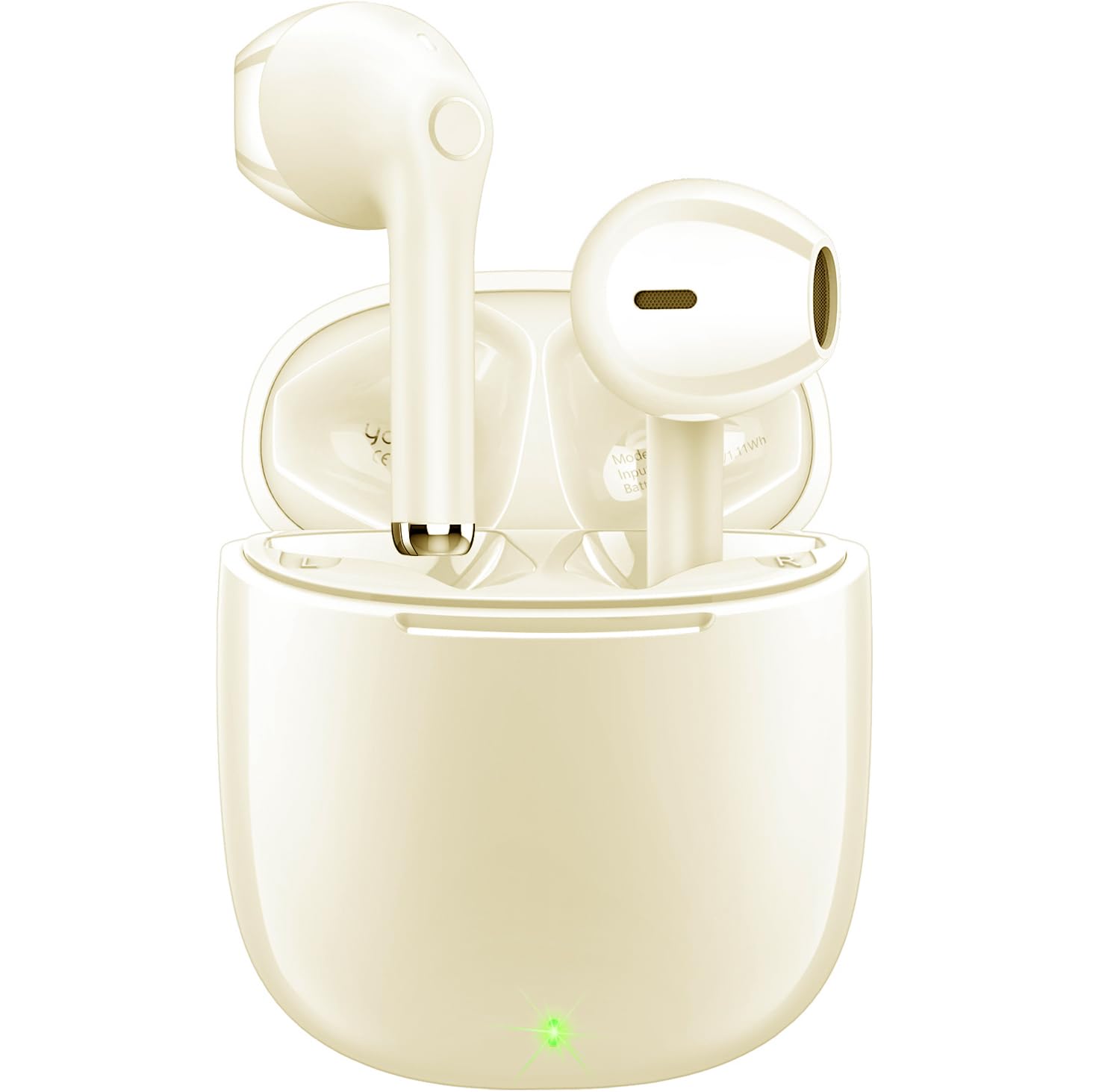
Image: The yobola Wireless Earbuds and their charging case, as typically found in the product packaging.
3. ספּעסאַפאַקיישאַנז
| שטריך | דעטאַל |
|---|---|
| מאָדעל נאָמען | LY-20230101 |
| סאָרט | יאָבאָלאַ |
| קאַנעקטיוויטי טעכנאָלאָגיע | ווירעלעס (בלוטוט 5.0) |
| בלועטאָאָטה קייט | 10 מעטער |
| ראַש קאָנטראָל | Sound Isolation (ENC for calls) |
| קאָנטראָל מעטאָד | ריר |
| באַטערי לעבן | 5 שעה (אויערקנעפּלעך) |
| טשאַרדזשינג צובינד | וסב-C |
| וואַסער קעגנשטעל מדרגה | וואָטערפּרוף (IPX7) |
| פּונקט וואָג | 4 Grams (each earbud) / 0.141 ounces |
| פּראָדוקט דימענשאַנז | 0.71 X 0.71 X 1.34 אינטשעס |
| מאַטעריאַל | אַקרילאָניטריל בוטאַדין סטירען (ABS), פּאָליקאַרבאָנאַט (PC) |
| קאַמפּאַטאַבאַל דעוויסעס | iOS, Android, Windows, Smartphones, Laptops (all Bluetooth devices) |

Image: The lightweight design of the earbuds, weighing only 3.7g each, for comfortable wear.
4. סעטאַפּ און פּערינג
Follow these steps to set up and pair your yobola Wireless Earbuds with your device:
- טשאַרדזשינג די עאַרבודז: Before first use, ensure the earbuds and charging case are fully charged using the provided USB-C cable. The indicator lights on the case will show charging status.
- מאַכט אויף: עפֿנט דעם טשאַרדזשינג קעסטל. די אויערקנעפּלעך וועלן זיך אויטאָמאַטיש אָנצינדן און אַרײַן אין פּערינג מאָדע.
- אַקטאַווייט בלועטאָאָטה: אויף אייער דעווייס (סמאַרטפאָן, טאַבלעט, לאַפּטאָפּ), אַקטיווירט בלועטוט.
- אויסקלייַבן דיווייס: In your device's Bluetooth settings, search for available devices and select "T7" (or similar name, refer to product packaging if different) from the list.
- באַשטעטיקן קשר: Once selected, the earbuds will connect automatically. You will hear an audio prompt confirming the connection.
The earbuds are designed for automatic pairing. After the initial setup, they will automatically connect to the last paired device when removed from the charging case.

Image: Illustration of the automatic pairing process with a smartphone.
5. אַפּערייטינג ינסטרוקטיאָנס
5.1 ריר קאָנטראָלס
The earbuds feature intuitive touch controls for managing audio playback and calls:
- שפּיל / פּויזע: איין צאַפּן אויף יעדער עאַרבוד.
- ווייַטער שפּור: טאָפּל צאַפּן אויף די רעכט עאַרבוד.
- פֿריִערדיקע שפּור: טאָפּל צאַפּן אויף די לינקס עאַרבוד.
- ענטפֿערן / סוף רופן: איין צאַפּן אויף יעדער עאַרבוד.
- אָפּוואַרפן רופן: דריקן און האַלטן יעדער עאַרבוד פֿאַר 2 סעקונדעס.
- באַנד אַרויף: דריק און האַלט די רעכטע אויערקנעפּל.
- באַנד אַראָפּ: דריק און האַלט די לינקע אויערקנעפל.
- אַקטיווירן שטימע אַסיסטאַנט (סירי/גוגל אַסיסטאַנט): טרייפאַך צאַפּן אויף יעדן אויערקנעפּעל.

Image: Proper placement of the earbud in the ear for optimal comfort and sound.
5.2 רוף פאַרוואַלטונג
The earbuds are equipped with a 4-microphone system and Environmental Noise Cancellation (ENC) technology to ensure clear calls by reducing up to 90% of ambient noise.
- ענטפֿערן קאַללס: צאַפּן איין עאַרבוד אַמאָל.
- ענדיקן קאַללס: Tap either earbud once during a call.
- רידזשעקטינג רופט: Press and hold either earbud for approximately 2 seconds when a call comes in.

Image: The earbud's 4-microphone system and ENC technology for clearer calls.
6. וישאַלט און קער
To ensure the longevity and optimal performance of your earbuds, follow these maintenance guidelines:
- רייניקונג: רייניקט רעגולער די אויערקנעפּלעך און די טשאַרדזשינג קעסטל מיט אַ ווייכן, טרוקענעם, לינט-פֿרייע שטאָף. פֿאַרמייַדט ניצן שאַרפֿע מאַטעריאַלן אָדער שאַרפֿע כעמיקאַלן.
- וואַסער קעגנשטעל: The earbuds have an IPX7 waterproof rating, meaning they can withstand immersion in water up to 1 meter for 30 minutes. However, the charging case is not waterproof. Ensure earbuds are dry before placing them back in the charging case.
- סטאָרידזש: האַלט די אויערקנעפּלעך אין זייער טשאַרדזשינג קעסטל ווען זיי ווערן נישט גענוצט צו באַשיצן זיי פון שטויב און שאָדן. האַלט אין אַ קיל, טרוקן אָרט אַוועק פון עקסטרעמע טעמפּעראַטורן.
- טשאַרדזשינג: Use only the provided USB-C cable or a certified equivalent for charging. Avoid overcharging.

Image: The earbuds demonstrating their waterproof capability.
7. טראָובלעשאָאָטינג
If you encounter issues with your yobola Wireless Earbuds, refer to the following common solutions:
- אויערקנעפּלעך נישט פּערינג:
- מאַכן זיכער אַז ביידע עאַרבודז זענען באפוילן.
- Place earbuds back in the case, close the lid, then open it again to reset.
- אויסלעשן און אן די בלועטוט פון אייער דעווייס.
- Forget "T7" (or similar) from your device's Bluetooth list and try pairing again.
- קיין קלאַנג פֿון איין אויערקנעפּל:
- זיכער מאַכן אַז ביידע אויערקנעפּלעך זענען אויפגעלאָדן און פארבונדן.
- פרובירט צוריקצולייגן ביידע אויערקנעפּלעך אין דעם טשאַרדזשינג קעסטל און זיי ווידער ארויסנעמען.
- Perform a factory reset if available (refer to specific product instructions if a reset button is present).
- טשאַרדזשינג ישוז:
- Check the USB-C cable and charging adapter for damage.
- זיכער מאַכן אַז די טשאַרדזשינג פּאָרט אויף דער קעיס איז ריין און פריי פון שמוץ.
- באַשטעטיקן אַז די מאַכט מקור אַרבעט.
- נעבעך רופן קוואַליטעט:
- זיכער מאַכן אַז די אויערקנעפּלעך זענען ריין, ספּעציעל די מיקראָפאָן געביטן.
- Check for strong Bluetooth interference in your environment.
- Ensure your phone's signal is strong.
8. מיטל קאָמפּאַטיביליטי
The yobola Wireless Earbuds are designed for broad compatibility:
- Compatible with iOS devices (Apple iPhones, iPads).
- Compatible with Android devices (smartphones, tablets).
- Compatible with Windows devices (laptops, desktops).
- Supports all devices with Bluetooth connectivity.

Image: The earbuds are compatible with various operating systems including iOS, Android, and Windows.
9. אפיציעלע פּראָדוקט ווידעאָ
ווידעא: אן אפיציעלע פראדוקט ווידעא ווייזונגasing the yobola Wireless Bluetooth Earbuds, demonstrating their features and usage. This video provides a visual overview of the product's design, functionality, and key benefits.
10. וואָראַנטי און שטיצן
Specific warranty information is typically provided with your product packaging or can be found on the official yobola website. For technical support, troubleshooting assistance, or warranty claims, please refer to the contact information provided in your product documentation or visit the yobola brand store on Amazon.
yobola Brand Store: Visit the yobola Store