
1. הקדמה און איבערview
The Humanscale eFloat Go is an electric height-adjustable desk designed for both home and commercial office environments. It features innovative anti-collision technology, quiet motors, and a programmable hand switch, allowing users to seamlessly adjust their working position throughout the day.
שליסל פֿעיִקייטן אַרייַננעמען:
- Electric Height-Adjustable Table for dynamic work postures.
- Programmable hand switch to store and recall preferred height settings.
- Spacious 30" Depth by 60" Width top (for this specific model).
- Designed for quick and easy setup.
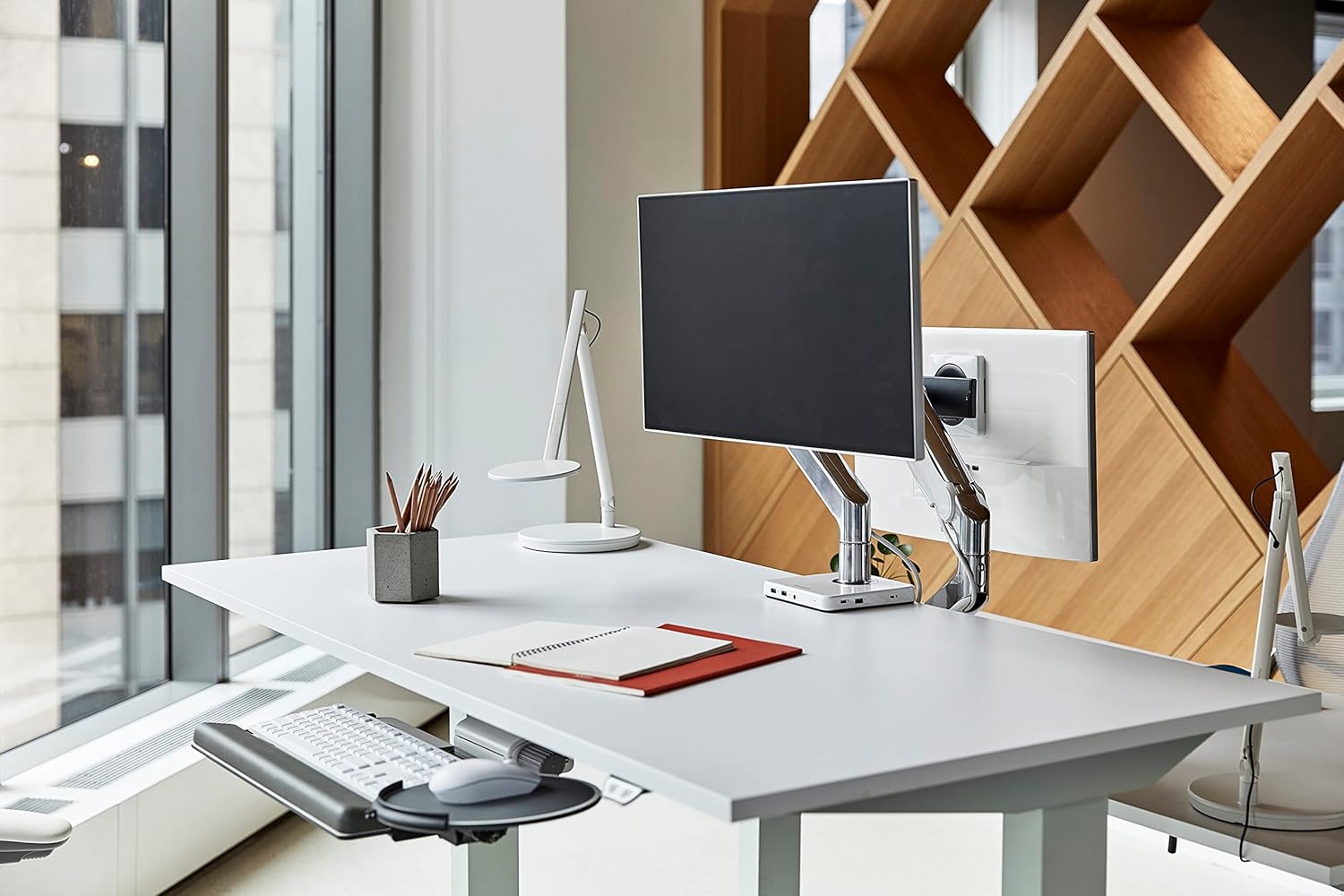
Image 1.1: The Humanscale eFloat Go desk in a modern office environment, showcasing its design and functionality with a monitor and accessories.
2. זיכערקייַט אינפֿאָרמאַציע
Please read and understand all safety instructions before operating the eFloat Go desk. Failure to follow these instructions may result in injury or damage to the product.
- Always keep hands and objects clear of all moving parts during height adjustments.
- נישט איבערשטייגן די רעקאמענדירטע מאקסימום וואָג פון 250 פונט (113 קג) on the desk surface to ensure stability and safe operation.
- Ensure the power cord is properly routed to prevent tripping hazards or damage.
- לאָזט נישט קינדער אָפּערירן דעם טיש אָן השגחה פֿון אַ דערוואַקסענעם.
- פֿאַרמײַדט צו שטעלן פֿליסיקייטן גלייך אויף דער טיש־פֿלאַך אָן געהעריקע אונטערשטע טיילן אָדער שוץ.
3. סעטאַפּ און אַסעמבלי
The Humanscale eFloat Go desk is designed for straightforward assembly, typically taking under 5 minutes with the recommended tools. Assembly requires at least one person.
3.1 פארלאנגט מכשירים
- שרויפנ - ציער (ניט אַרייַנגערעכנט)
3.2 אַסעמבלי סטעפּס
- אָפּלייגן קאַמפּאָונאַנץ: Carefully remove all parts from the packaging and lay them out on a clean, soft surface to prevent scratches. Verify all components are present according to the packing list.
- Attach Legs to Top: Position the desk top upside down. Align the desk legs with the pre-drilled holes on the underside of the desk top. Secure the legs using the provided screws and a screwdriver.
- Connect Control Box and Hand Switch: Locate the control box and connect the motor cables from each leg. Connect the hand switch cable to the designated port on the control box.
- רוט קאַבלעס: Use the included cable management clips to neatly route all cables, ensuring they do not interfere with the desk's movement.
- פאַרבינדן מאַכט: Plug the power cord into the control box, then into a standard electrical outlet.
- Initial Power-On and Reset: After connecting power, the desk may require an initial reset. Refer to Section 4.1 for first-time use and reset procedures.

Image 3.1: Dimensional diagram of the eFloat Go desk, illustrating its 29" depth, 58" width, and 26.5" height.
4. אַפּערייטינג ינסטרוקטיאָנס
The eFloat Go desk features an intuitive programmable hand switch for easy height adjustment and memory settings.
4.1 First-Time Use and Reset
Upon initial power-on or after a power interruption, the desk may need to be reset:
- דריקן און האַלטן די אַראָפּ arrow button until the desk reaches its lowest position and then slightly rises. Release the button.
- The desk is now calibrated and ready for use.
4.2 אַדזשאַסטירן טיש הייך
- To raise the desk, press and hold the UP פייַל קנעפּל.
- To lower the desk, press and hold the אַראָפּ פייַל קנעפּל.
- Release the button at your desired height.
4.3 פּראָגראַמירן זכּרון פּרעסעטס
The hand switch allows you to save up to three preferred height settings:
- Adjust the desk to your desired height using the UP/DOWN arrow buttons.
- דרוק די M (Memory) button. The display will show 'S-'.
- אינערהאלב 3 סעקונדעס, דריק איינעם פון די נומערירטע פאָרגעשטעלטע קנעפּלעך (1, 2, אָדער 3). The display will show 'S-1', 'S-2', or 'S-3' to confirm the setting is saved.
- Repeat for other desired height settings.
4.4 ניצן זכּרון פּרעסעטס
צו באַוועגן דעם טיש צו אַ געראַטעוועטע הייך:
- פשוט דריקן דעם קאָרעספּאָנדירנדיקן נומערירטן פּרעסעט קנעפּל (1, 2, אָדער 3דער טיש וועט זיך אויטאָמאַטיש באַוועגן צו דער געראַטעוועטער הייך.
4.5 Anti-Collision Technology
The eFloat Go desk is equipped with anti-collision technology. If the desk encounters an obstruction during height adjustment, it will automatically stop and reverse slightly to prevent damage. Clear any obstructions before resuming adjustment.

בילד 4.1: א נאָענטע בילד view of the programmable hand switch, showing the up/down arrows, memory button (M), and three preset buttons (1, 2, 3).
5. וישאַלט
Proper care will ensure the longevity and optimal performance of your Humanscale eFloat Go desk.
- רייניקונג: Wipe the desk surface and frame with a dry, soft cloth. For stubborn marks, a slightly damp cloth with mild soap can be used, followed by drying thoroughly. Avoid abrasive cleaners or harsh chemicals.
- ינווייראַנמענאַל טנאָים: Avoid direct sunlight exposure for extended periods, as this may affect the laminate finish.
- וואָג פאַרשפּרייטונג: Do not place heavy objects exclusively on the edges of the desk. Distribute weight evenly across the surface.
- קאַבלע פאַרוואַלטונג: קאָנטראָלירט פּעריִאָדיש אַז אַלע קייבלס זענען זיכער געפירט און נישט צוקוועטשט אָדער געשעדיגט.
6. טראָובלעשאָאָטינג
If you encounter issues with your eFloat Go desk, refer to the following common troubleshooting steps:
6.1 Desk Not Moving
- טשעק מאַכט: Ensure the power cord is securely plugged into both the desk's control box and a functioning wall outlet.
- באַשטעטיק פּראָצעדור: Perform the reset procedure described in Section 4.1.
- אָווערלאָאַד שוץ: If the desk has been overloaded (exceeding 250 lbs), the motor may have temporarily shut off. Remove excess weight and wait a few minutes before attempting to operate again.
6.2 Uneven Movement or Noise
- קוק פֿאַר אַבסטראַקשאַנז: Ensure there are no objects impeding the legs or frame during movement.
- מדרגה ייבערפלאַך: Verify the desk is placed on a level floor. Adjust the leveling feet if necessary.
- צוריקציִען די שרויפן: Over time, some assembly screws may loosen. Carefully re-tighten all assembly screws.
6.3 Anti-Collision System Triggering Frequently
- קלאָרער וועג: Ensure the desk's path of movement is completely clear of any objects, cables, or walls.
- סענסיטיוויטי: If the issue persists without clear obstructions, contact Humanscale support for potential sensitivity adjustments or further diagnostics.
7. ספּעסאַפאַקיישאַנז
| שטריך | דעטאַל |
|---|---|
| מאָדעל נומער | FTR3060BL_FG1230DS |
| פּראָדוקט דימענשאַנז (ד רענטגענ וו רענטגענ ה) | 29" x 58" x 26.5" (73.66 ס״מ x 147.32 ס״מ x 67.31 ס״מ) |
| Top גרייס | 30" D x 60" W (76.2 cm x 152.4 cm) |
| מאַקסימום וואָג רעקאָממענדאַטיאָן | 250 פונט (113 קג) |
| פּונקט וואָג | 164 פונט (74.39 קג) |
| שפּיץ מאַטעריאַל טיפּ | לאַמינאַט האָלץ |
| באַזע מאַטעריאַל | מעטאַל |
| קאָליר | Silver on Black |
| ליפטינג מעקאַניזאַם | עלעקטריק |
| פארלאנגט אַסעמבלי | יא |
| רעקאָממענדעד נומער פון מענטשן פֿאַר אַסעמבלי | 1 |
| מכשירים רעקאָמענדירט פֿאַר פֿאַרזאַמלונג | שרויף דרייווער |
8. וואָראַנטי און שטיצן
Humanscale stands behind the quality of its products.
8.1 וואָראַנטי אינפֿאָרמאַציע
The Humanscale eFloat Go desk is covered by a 10-Year, 24/7 Humanscale Warranty. This comprehensive warranty covers parts and labor for manufacturing defects under normal use. Please retain your proof of purchase for warranty claims.
8.2 קונה שטיצן
For technical assistance, warranty claims, or further inquiries, please contact Humanscale customer support. You can find more information and contact details by visiting the official Humanscale store: