
הקדמה
This manual provides essential instructions for the safe and effective operation of your Andoer 4K Digital Camera Video Camcorder. Please read this manual thoroughly before use and retain it for future reference.
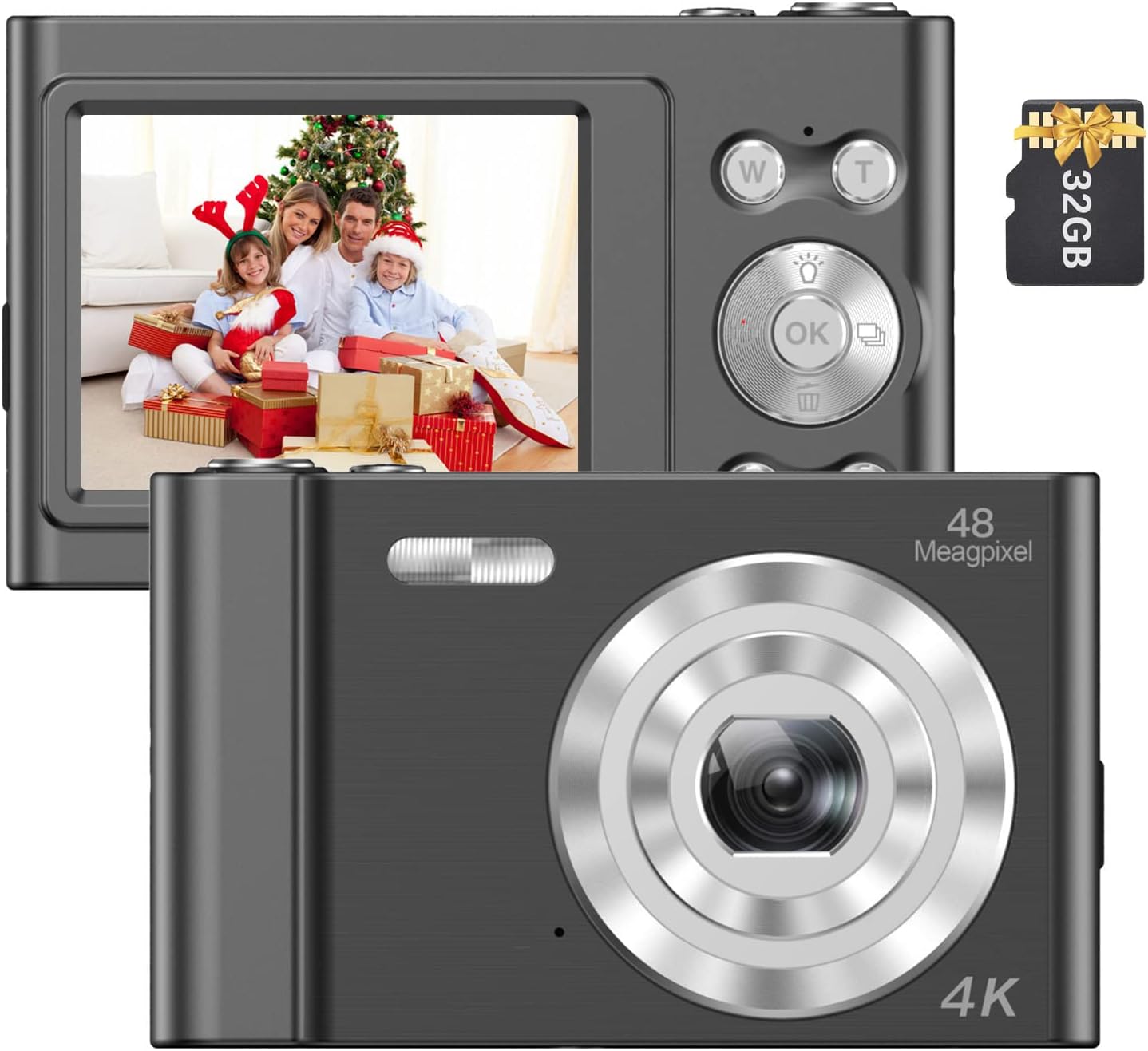
Image: The Andoer 4K Digital Camera, shown with its 2.4-inch IPS screen displaying a family scene and a 32GB memory card.
פּעקל אינהאַלט
באַשטעטיקט אַז אַלע זאכן וואָס זענען אויסגערעכנט אונטן זענען אַרייַנגערעכנט אין אייער פּעקל:
- 1 x Andoer Digital Camera
- 1 x וסב טשאַרדזשינג קאַבלע
- 1 x האַנטגעלענק רימען
- 1 x קערי באַג
- 1 X 32GB זיקאָרן קאַרד
- 1 x באַניצער מאַנואַל (ענגליש)
סעטאַפּ
1. באַטאַרייע ייַנמאָנטירונג און טשאַרדזשינג
The camera features a built-in lithium battery. Before first use, ensure the battery is fully charged.
- Connect the camera to a USB power source (e.g., computer, wall adapter) using the provided USB charging cable.
- The charging indicator light will illuminate. Once charging is complete, the light will typically change color or turn off.
2. זכּרון קאַרטל ינסטאַלירונג
A 32GB memory card is included. The camera supports Class-10 external TF (Micro SD) memory cards up to 128GB.
- געפינען די זכּרון קאָרט שפּעלטל אויף די אַפּאַראַט.
- Insert the memory card into the slot with the gold contacts facing the correct direction (refer to the diagram on the camera body if available) until it clicks into place.
- To remove, gently press the card inward until it springs out.
3. ערשטע איינשאַלטונג
Press and hold the power button (usually marked with a power symbol) for a few seconds until the screen illuminates.
אַפּערייטינג ינסטראַקשאַנז
יקערדיק קאָנטראָלס
Familiarize yourself with the camera's buttons and their functions:
- מאַכט קנעפּל: טוט אָן/אויסלעשן די קאַמעראַ.
- לאָדן קנעפּל: נעמט בילדער אדער הייבט אן/שטעלט אפ ווידעא רעקארדירונג.
- W/T Buttons: Control the 16X digital zoom (W for Wide, T for Telephoto).
- OK קנעפּל: באַשטעטיקט אויסוואַלן אין מעניוז.
- מאָדע (M) קנעפּל: Switches between different shooting modes (e.g., Photo, Video, Playback).
- מעניו קנעפּל: צוטריט קאַמעראַ סעטטינגס.

בילד: א דעטאַלירטע view of the camera's front, highlighting the lens and the '48 Megapixel' marking, indicating its high-resolution capability.
פאָטאָ מאָדע
צו כאַפּן נאָך בילדער:
- Turn on the camera and ensure it is in Photo Mode (indicated on the 2.4-inch IPS screen).
- Frame your shot using the screen. Use the W/T buttons to adjust the 16X digital zoom.
- Press the Shutter Button halfway to focus, then fully press to take the picture.
ווידעא מאָדע
צו רעקאָרדירן ווידיאס:
- Switch to Video Mode using the Mode (M) button.
- Press the Shutter Button to start recording. A recording indicator will appear on the screen.
- Press the Shutter Button again to stop recording.

Image: A hand holding the Andoer camera, displaying a family on a beach on its screen, illustrating its use for capturing memories.
פארגרעסער פונקציע
The camera features 16X digital zoom. Use the 'T' button to zoom in and the 'W' button to zoom out. Digital zoom magnifies the image electronically, which may affect image quality at higher magnifications.

Image: A visual comparison showing the effect of 1x zoom versus 16x digital zoom, demonstrating the camera's magnification capability.
פּלייַבאַקק מאָדע
צו שייַעךview your photos and videos:
- Switch to Playback Mode using the Mode (M) button.
- Use the navigation buttons (often integrated with the OK button) to scroll through your media.
- דרוק דעם OK קנעפּל צו view אַ פאָטאָ אָדער שפּיל אַ ווידעא.
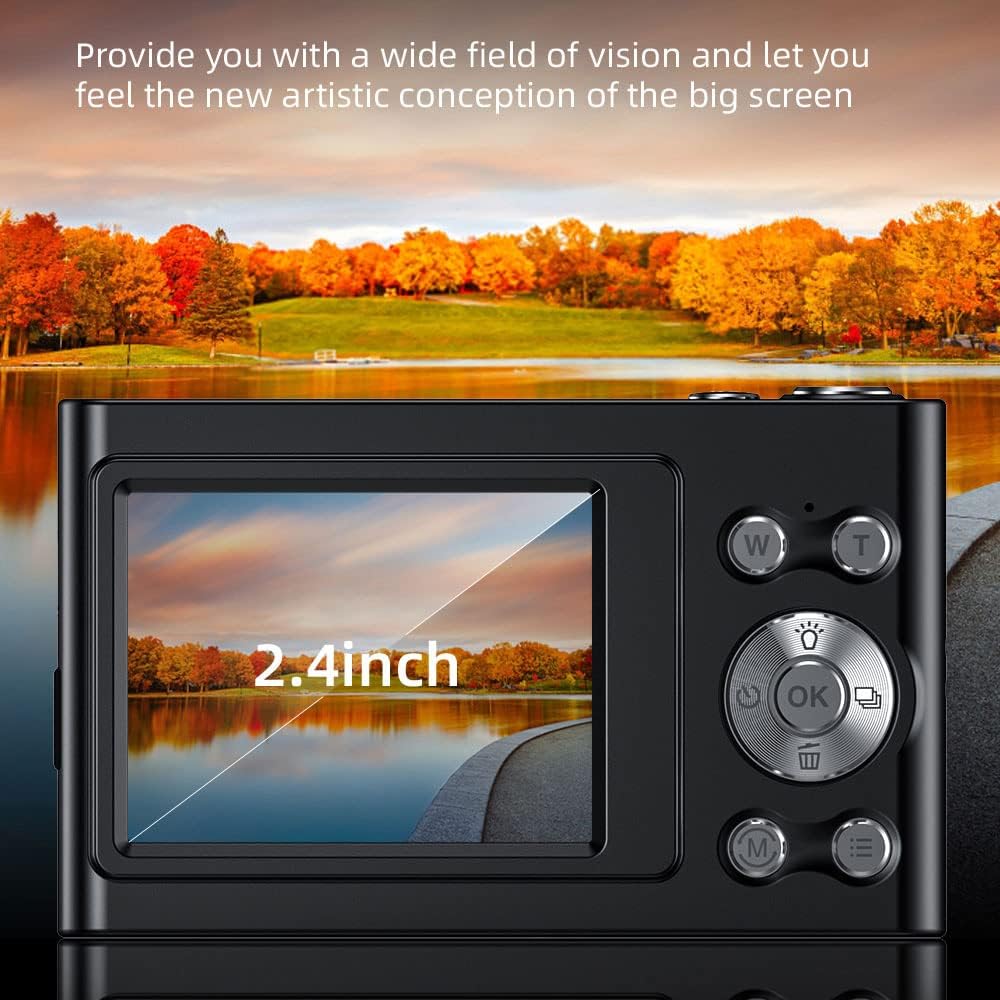
Image: The camera's 2.4-inch IPS screen displaying a vibrant landscape, illustrating the screen size and display quality.
Camera Settings and Features
Access the Menu to adjust various settings:
- רעזאלוציע: Set photo resolution up to 48MP and video resolution up to 4K.
- שאָס מאָדעס: Select from Auto, Sport, Night, Portrait, Landscape, Backlight, Party, Beach, High Sensitivity.
- ווייַס באַלאַנס: Adjust for Auto, Daylight, Cloudy, Fluorescent, Tungsten.
- Self-Timer: Options for Off, 2 sec, 5 sec, 10 sec.
- אַנטי-שייק: Digital image stabilization to reduce blur.
- Face Detect & Smile Capture: Features to assist in portrait photography.
- געבויט-אין פלאַש: גיט באַלויכטונג אין נידעריק-ליכט באדינגונגען.
- אַוטאָ מאַכט אַוועק: Configurable to Off, 1 minute, 3 minutes, 5 minutes, 10 minutes to conserve battery.

Image: A graphic illustrating the camera's image quality enhancement features, including intelligent analysis, color restoration, and fine picture quality.
וישאַלט
רייניקונג די אַפּאַראַט
- ניצט אַ ווייכן, לינט-פֿרייע שטאָף צו רייניקן דעם קאַמעראַ קערפּער.
- For the lens and screen, use a specialized lens cleaning cloth and solution. Avoid abrasive materials.
באַטערי קער
- פֿאַרמײַדט אָפֿט פֿולשטענדיק אויסצולאָדן די באַטעריע.
- Charge the battery regularly, even if the camera is not in use for extended periods.
סטאָרידזש
- האַלט די קאַמעראַ אין אַ קיל, טרוקן אָרט, אַוועק פון דירעקט זונשייַן און עקסטרעמע טעמפּעראַטורן.
- Use the provided carry bag for protection during transport.
טראָובלעשאָאָטינג
אויב איר טרעפט פּראָבלעמען מיט אייער קאַמעראַ, זעט די פאלגענדע געוויינטלעכע פּראָבלעמען און לייזונגען:
| פּראָבלעם | מעגלעך לייזונג |
|---|---|
| די קאַמעראַ גייט נישט אָן. | זיכער מאַכן אַז די באַטאַרייע איז אויפגעלאָדן. פֿאַרבינדט עס צו אַ מאַכט מקור און פּרוּווט ווידער. |
| זכּרון קאַרטל טעות. | Reinsert the memory card. Ensure it is a Class-10 TF card and formatted correctly. Try a different compatible memory card. |
| בילדער זענען בלערי. | Ensure the lens is clean. Check lighting conditions. Use the anti-shake function. Hold the camera steady. |
| פלאַש אַרבעט נישט. | Check flash settings in the menu. Ensure the flash is enabled for the current shooting mode. |
| די קאַמעראַ פרירט זיך אָדער רעאַגירט נישט. | Remove and reinsert the battery (if accessible) or press and hold the power button for 10 seconds to force a shutdown. |
ספּעסאַפאַקיישאַנז
Detailed technical specifications for your Andoer 4K Digital Camera Video Camcorder:
- בילד סענסאָר: קמאָס סענסאָר
- ווייַז: 2.4 אינטש IPS פאַרשטעלן
- בילד רעזאלוציע: אַרויף צו 48 מפּ
- ווידעא האַכלאָטע: 4K (3840x2160), 2.7K (2688x1520), 1080P (1920x1080), 720P (1280x720)
- דיגיטאַל פארגרעסער: 16X
- בילד סטאַביליזאַטיאָן: דיגיטאַל
- פאָקוס טיפּ: Auto Focus (Contrast Detection)
- סטאָרידזש: Supports Class-10 TF (Micro SD) card up to 128GB (32GB included)
- קאַנעקטיוויטי: וסב
- מאַכט צושטעלן: געבויט-אין ליטהיום באַטערי
- נומער גרייס: 9.5 * 5.8 * 2.5 סענטימעטער / 3.7 * 2.3 * 1 אינטש
- נומער וואָג: 115 ג / 4.1 אַז
- קאָליר: שוואַרץ
זיכערקייַט אינפֿאָרמאַציע
ווארענונג:
כּדי צו פֿאַרמייַדן דערשטיקונגס־געפֿאַר, האַלט דעם פּלאַסטיק זעקל אַוועק פֿון בעיביס און קינדער.

Image: A warning label in multiple languages advising to keep plastic bags away from children to prevent suffocation.
וואָראַנטי און שטיצן
For warranty information, please refer to the documentation included with your purchase or contact your retailer. For technical support or further assistance, please reach out to Andoer customer service through their official webזייטל אדער די קאָנטאַקט אינפֿאָרמאַציע וואָס איז צוגעשטעלט אויף אייער פּראָדוקט פּאַקאַדזשינג.