
1. הקדמה
The AnkerWork SR500 is a professional conference speaker and microphone designed to enhance your meeting experience with advanced audio technology. This manual provides essential information for setting up, operating, and maintaining your device.

Figure 1: AnkerWork SR500 Conference Speaker and Microphone unit.
2. פּעקל אינהאַלט
באַשטעטיקן אַז אַלע זאכן זענען פאַראַן אין דיין פּעקל:
- AnkerWork SR500 Conference Speaker and Microphone
- וסב-C צו וסב-א קאַבלע
- באַניצער מאַנואַל
3. סעטאַפּ און קאַנעקטיוויטי
3.1 פֿאַרבינדן זיך צו דיין מיטל
- Connect the provided USB-C to USB-A cable to the AnkerWork SR500.
- Plug the USB-A end of the cable into an available USB port on your computer (Laptop, Smartphone).
- די דעווייס איז פּלאַג-און-פּליי און זאָל אויטאָמאַטיש דערקענט ווערן דורך אייער אָפּערייטינג סיסטעם.
- Select the AnkerWork SR500 as your audio input and output device in your preferred conference software (e.g., Zoom, Microsoft Teams).

Figure 2: The SR500 is compatible with various conferencing platforms like Zoom, Microsoft Teams, Skype, and Google Meet.
3.2 Daisy Chaining Multiple Units
For larger conference rooms, up to 5 AnkerWork SR500 units can be daisy-chained together to expand audio coverage.
- Connect the first SR500 unit to your computer via USB.
- Use Ethernet cables (not included) to connect subsequent SR500 units to the previous one.
- Ensure all devices are updated to the latest firmware version via the AnkerWork Software for optimal performance.

Figure 3: Multiple SR500 units can be linked via PoE cable to cover large meeting spaces.
4. אַפּערייטינג ינסטרוקטיאָנס
4.1 קאָנטראָלס און ינדיקאַטאָרס
The AnkerWork SR500 features intuitive touch controls on its surface:
- מאַכט קנעפּל: דרוק צו קער די מיטל אויף / אַוועק.
- באַנד אַרויף / אַראָפּ קנעפּלעך: סטרויערן די רעדנער באַנד.
- שטיל קנעפּל: מוטיקן אָדער אָנמאַכן די מיקראָפאָן.
- רופן קנעפּל: ענטפֿערן אָדער ענדיקן רופן.
- בלועטאָאָטה קנעפּל: Initiate Bluetooth pairing (if supported by your model).
4.2 VoiceRadar 2.0 Technology
The exclusive VoiceRadar 2.0 technology uses deep learning to isolate your voice from background noise, ensuring clear communication.

Figure 4: VoiceRadar 2.0 pinpoints and amplifies your voice during meetings, filtering out background noise.
4.3 Microphone Performance
Equipped with 8 omnidirectional microphones, the SR500 can pick up voices from up to 16 feet (5 meters) away with 48 kHz quality.
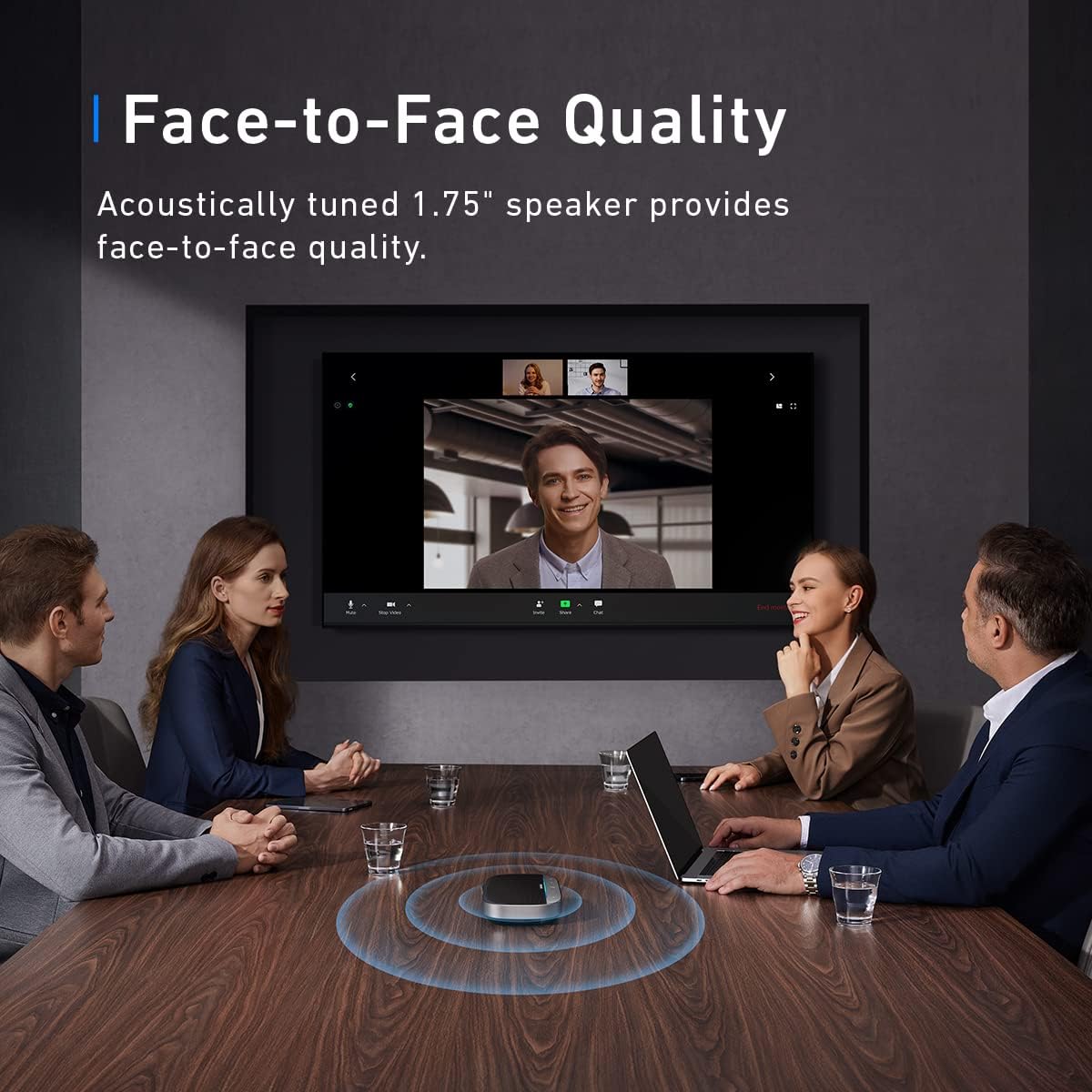
Figure 5: The SR500 features 8 omnidirectional microphones for high-quality voice pickup.

Figure 6: The SR500 can pick up voices from up to 16 feet (5 meters) away.
5. וישאַלט
- ריין די מיטל מיט אַ ווייך, טרוקן שטאָף. ויסמיידן ניצן האַרב קעמיקאַלז אָדער אַברייסיוו מאַטעריאַלס.
- האַלטן די מיטל אַוועק פון וואַסער, נעץ און עקסטרעם טעמפּעראַטורעס.
- סטאָר די מיטל אין אַ קיל, טרוקן אָרט ווען ניט אין נוצן.
6. טראָובלעשאָאָטינג
6.1 Device Not Recognized / "Unrecognized USB Device" Error
- Ensure the USB cable is securely connected to both the SR500 and your computer.
- Try connecting the SR500 to a different USB port on your computer.
- Restart your computer and try connecting the device again.
- Check for any available driver updates for your computer's USB ports or the SR500 via the AnkerWork Software.
6.2 Mute Button Not Syncing with Microsoft Teams
- Ensure your AnkerWork SR500 firmware is up to date using the AnkerWork Software.
- Check Microsoft Teams settings to ensure the SR500 is correctly selected as the audio device and that no conflicting settings are enabled.
- Restart Microsoft Teams or your computer.
6.3 Poor Audio Quality or Low Volume
- Adjust the volume on the SR500 using the +/- buttons and also check your computer's system volume.
- Ensure the SR500 is placed centrally in the meeting space for optimal microphone pickup.
- Verify that VoiceRadar 2.0 is active for noise cancellation.
- If using multiple daisy-chained units, ensure all connections are secure and firmware is updated.
7. ספּעסאַפאַקיישאַנז
| מאָדעל נאָמען | A3311 |
| מאַונטינג טיפּ | טאַבלעטאָפּ בארג |
| רעדנער טיפּ | קאָנפֿערענץ |
| קאַמפּאַטאַבאַל דעוויסעס | לאַפּטאַפּ, סמאַרטפאָנע |
| קאָליר | שוואַרץ |
| פּראָדוקט דימענשאַנז | 8.03"די x 15.4"ה |
| פּונקט וואָג | 1.26 פונט |
| מאַקסימום קייט | 5 מעטער (16 ft) |
| קאָנטראָל מעטאָד | קול |
| קאַנעקטיוויטי טעכנאָלאָגיע | וסב |
| רעדנער מאַקסימום רעזולטאַט מאַכט | 10 וואטס |
| אָפטקייַט ענטפער | 20 הז |
| אַודיאָ רעזולטאַט מאָדע | סטערעאָ |
| UPC | 194644113605 |
| פאַבריקאַנט | אַנקער |
8. וואָראַנטי און שטיצן
8.1 פּראָדוקט וואָראַנטי
The AnkerWork SR500 comes with a limited warranty. Please refer to the product packaging or the official AnkerWork webזייטל פֿאַר ספּעציפֿישע וואָראַנטי טערמינען און באַדינגונגען.
8.2 ווייכווארג דערהייַנטיקונגען
Regularly update your device's firmware using the AnkerWork Software to ensure optimal performance and access to the latest features.
For further assistance or technical support, please visit the official AnkerWork support channels.