
הקדמה
This manual provides comprehensive instructions for the setup, operation, and maintenance of your Yealink W78P DECT IP Phone System. Please read this manual thoroughly before using the device to ensure proper functionality and to prevent damage. Keep this manual for future reference.
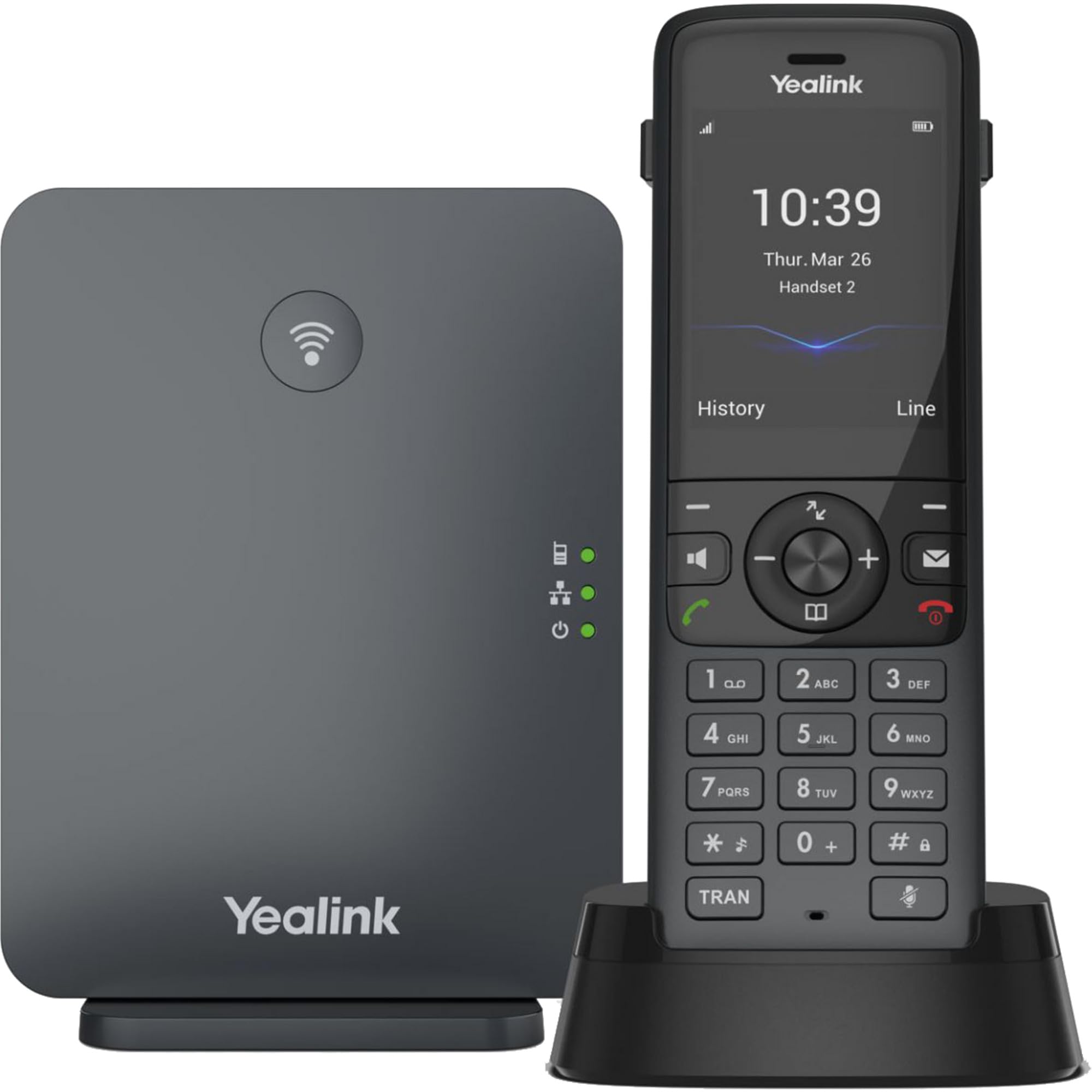
Image: The Yealink W78P system, featuring the W70B base station and the W78H cordless handset in its charging cradle.
וואָס איז אין די קעסטל
באַשטעטיקן אַז אַלע זאכן זענען פאַראַן אין דיין פּעקל:
- וו 78 ה כאַנדסעט
- וו 70 ב באַזע סטאנציע
- Handset Charging Cradle
- Power Adapter for Handset Charging Cradle and Base Station
- נעץ קאַבלע
סעטאַפּ גייד
1. Connecting the Base Station (W70B)
- מאַכט קשר: Connect the power adapter to the W70B base station and plug it into a power outlet. Alternatively, if your network supports Power over Ethernet (PoE), connect the base station to a PoE-enabled network switch using the provided network cable.
- נעץ קאַנעקשאַן: Connect one end of the network cable to the LAN port on the W70B base station and the other end to your router or network switch.
- Wait for the base station to power on and obtain an IP address. The network indicator LED on the base station will illuminate steadily when connected.
2. Charging the Handset (W78H)
- Connect the power adapter to the handset charging cradle and plug it into a power outlet.
- Place the W78H handset into the charging cradle. The battery icon on the handset display will indicate charging status. Allow the handset to charge fully before initial use.
3. Initial Handset Registration
The W78H handset typically comes pre-registered to the W70B base station in a W78P package. If registration is required or if you are adding a new handset:
- On the W70B base station, press and hold the registration button until the registration LED flashes.
- On the W78H handset, navigate to Menu > Settings > Registration > Register Handset.
- Select the desired base station (if multiple are detected) and enter the base station PIN (default is 0000).
- The handset will display "Handset Subscribed" upon successful registration.
אַפּערייטינג ינסטראַקשאַנז
מאַכן און באַקומען קאַללס
- צו מאַכן אַ רוף: רעדל די נומער און דריקן די רופן key (green phone icon).
- צו ענטפֿערן אַ רוף: דרוק די רופן שליסל אָדער די ספּיקערז שליסל.
- צו ענדיקן אַ רוף: דרוק די סוף רופן key (red phone icon).
- רעדיאַל: דרוק די רופן key to access the call history and select a number to redial.
אַוואַנסירטע רופן פֿעיִקייטן
- האַלטן: דריקן די בעשאַס אַ רוף האַלטן soft key. Press it again to resume the call.
- אַריבערפירן: דריקן די בעשאַס אַ רוף אַריבערפירן ווייכע קנעפל, דייעל די נייע נומער, און דריק אַריבערפירן ווידער.
- קאָנפֿערענץ: דריקן די בעשאַס אַ רוף קאָנפ soft key, dial the second party's number, and once connected, press קאָנפ ווידער זיך אנצושליסן אין אלע פארטייען.
כעדסעט קאַנעקשאַן
- בלועטאָאָטה העאַדסעט: The W78H handset supports Bluetooth connectivity. Navigate to Menu > Settings > Bluetooth to enable Bluetooth and pair with your headset.
- 3.5mm Jack Headset: Connect a compatible 3.5mm headset to the headset jack on the side of the W78H handset.
DECT Radio Coverage
The W78P system offers a radio coverage of up to 50 meters indoors and up to 300 meters outdoors, under ideal conditions. Environmental factors may affect actual range.
וישאַלט
רייניקונג
- Wipe the handset and base station with a soft, damp שטאָף.
- דו זאלסט נישט נוצן אַברייסיוו קלינערז אָדער סאָלוואַנץ.
- פאַרזיכערן אַז די מיטל איז פּאַוערד אַוועק און אַנפּלאַגד איידער רייניקונג.
באַטערי קער
- The W78H handset provides up to 21 hours of talk time and 166 hours of standby time under ideal conditions.
- פֿאַר אַן אָפּטימאַלן באַטאַרייע לעבן, פֿאַרמייַדט עקסטרעמע טעמפּעראַטורן.
- Charge the handset regularly. A 10-minute charge provides approximately 2 hours of talk time.
טראָובלעשאָאָטינג
If you encounter issues with your Yealink W78P system, refer to the table below for common problems and solutions.
| פּראָבלעם | מעגלעך סיבה | לייזונג |
|---|---|---|
| קיין רעדל טאָן | Base station not powered or not connected to network. | Check power and network cable connections to the W70B base station. Ensure network indicator LED is steady. |
| Handset displays "Unregistered" | Handset lost registration with base station. | Re-register the handset to the base station following the steps in the "Initial Handset Registration" section. |
| נעבעך אַודיאָ קוואַליטעט | Out of DECT range, interference, or network issues. | Move closer to the base station. Check for sources of interference (e.g., Wi-Fi routers, microwaves). Verify network stability. |
| האַנדסעט לאָדט זיך נישט אויף | Charging cradle not powered or handset not seated correctly. | Ensure the charging cradle's power adapter is connected. Re-seat the handset firmly in the cradle. |
טעכניש ספּעסאַפאַקיישאַנז
| שטריך | דעטאַל |
|---|---|
| סאָרט | יעלינק |
| מאָדעל נומער | W78P |
| קאָליר | שוואַרץ |
| מאַטעריאַל | אַקרילאָניטרילע בוטאַדיענע סטירענע (אַבס) |
| נומער דימענשאַנז (L X W X H) | 24 X 51 X 157 מילאַמיטערז |
| פּונקט וואָג | 500 גראַמז |
| מאַכט מקור | באַטאַרייע פּאַוערד |
| נומער פון באַטעריז | 1 ליטהיום-יאָן |
| טעלעפאָן רעדן צייט | 21 שעה |
| טעלעפאָן סטענדביי צייט | 166 שעה |
| קאַמפּאַטאַבאַל דעוויסעס | Yealink W56H, Yealink W57R, Yealink W59R, Yealink W73H, Yealink W78H |
| קאַללער שייַן | יא |
| מולטי-ליניע אפעראציע | יא |
| לאַנד פון אָריגין | USA |
| UPC | 841885125675, 841885109125 |
וואָראַנטי אינפֿאָרמאַציע
The Yealink W78P DECT IP Phone System comes with a 2-יאָר פאַבריקאַנט ס וואָראַנטי. Please retain your proof of purchase for warranty claims. For detailed terms and conditions, refer to the warranty documentation included with your product or visit the official Yealink webפּלאַץ.
קונה שטיצן
For technical assistance, troubleshooting beyond this manual, or service inquiries, please contact Yealink customer support. You can find contact information on the official Yealink webוועבזייטל אדער דורך אייער פּראָדוקט פאַרקויפער.