
הקדמה
The Riptunes White Noise Sound Machine (Model SM136) is designed to provide a soothing audio environment for sleep, relaxation, or concentration. It features 36 high-fidelity sounds, a 7-color night light, and an auto-off timer function. This manual provides instructions for the proper setup, operation, and maintenance of your device.

Image: The Riptunes White Noise Sound Machine positioned next to a sleeping individual, illustrating its use for promoting restful sleep.

Image: The Riptunes White Noise Sound Machine placed near a person working on a laptop, demonstrating its ability to help block out distractions and enhance focus.
זיכערקייַט אינפֿאָרמאַציע
- Do not use this device near water or in excessively humid environments.
- Avoid high volume levels for prolonged use, especially for children, to prevent potential hearing damage.
- This product is not intended for use by children as a toy. Keep out of reach of small children.
- Ensure the USB C-Cable is connected to a compatible power source (5V DC) for charging.
פּראָדוקט איבערview
The Riptunes White Noise Sound Machine features an intuitive control panel for easy operation. Familiarize yourself with the buttons and ports:

Image: Detailed diagram of the Riptunes White Noise Sound Machine's top panel, indicating the function of each button and control, including Timer Setting, Light Brightness, White Noise, Fan Sound, Volume, Power Button, Light Switch, Color Light Adjust, and Nature Sound.
- מאַכט קנעפּל: טוט אָן/אויס דעם אַפּאַראַט.
- באַנד קאָנטראָל: Adjusts the sound output level.
- Sound Selection Buttons: Cycle through White Noise, Fan Sounds, and Nature Sounds.
- ליכט באַשטימען: Activates and deactivates the night light.
- ליכט ברייטנאַס: Adjusts the intensity of the night light.
- Color Light Adjust: Changes the color of the night light or activates color rotation.
- טיימער באַשטעטיקן: Sets the auto-off timer to 30, 60, or 90 minutes.
- טיפ C טשאַרדזשינג פּאָרט: פֿאַר פֿאַרבינדן דעם טשאַרדזשינג קאַבל.
- כעדפאָון דזשאַק: פֿאַר פּריוואַט צוגעהערט.
סעטאַפּ
טשאַרדזשינג די מיטל
- Locate the Type C charging port on the device.
- Connect the provided USB C-Cable to the charging port.
- Plug the other end of the USB C-Cable into a compatible 5V DC power source (e.g., USB wall adapter, computer USB port).
- The device will indicate charging status (e.g., an indicator light). A full charge typically takes approximately 2.5 hours.
- Once fully charged, the device provides approximately 7 hours of continuous playtime. A red light will flash when the battery is low.
אַפּערייטינג ינסטראַקשאַנז
מאַכט אויף / אַוועק
- To turn the device ON, press the מאַכט קנעפּל.
- To turn the device OFF, press the מאַכט קנעפּל ווידער.
סאָונד סעלעקציע
The device offers 36 soothing sounds, categorized into White Noise, Fan Sounds, and Nature Sounds.

Image: Visual representation of the 36 high-fidelity soothing sounds, categorized into 7 white noises, 7 fan sounds, and 22 nature relaxing sounds, with icons for examples like Birds, Ocean Waves, Lullaby, Stream, Crickets, and Thunder.
- דרוק די דעדאַקייטאַד ווייסע ראַש button to cycle through white noise options.
- דרוק די דעדאַקייטאַד פאַן סאָונד button to cycle through fan sound options.
- דרוק די דעדאַקייטאַד נאַטור סאָונד button to cycle through nature sound options.
באַנד אַדזשאַסטמאַנט
- דרייען די באַנד קאָנטראָל קנופּ קלאַקווייז צו פאַרגרעסערן דעם באַנד.
- דרייען די באַנד קאָנטראָל קנעפּל קעגן זייגער צו פֿאַרמינערן דעם באַנד.
נאַכט ליכט אָפּעראַציע
The device features a 7-color night light with adjustable brightness.
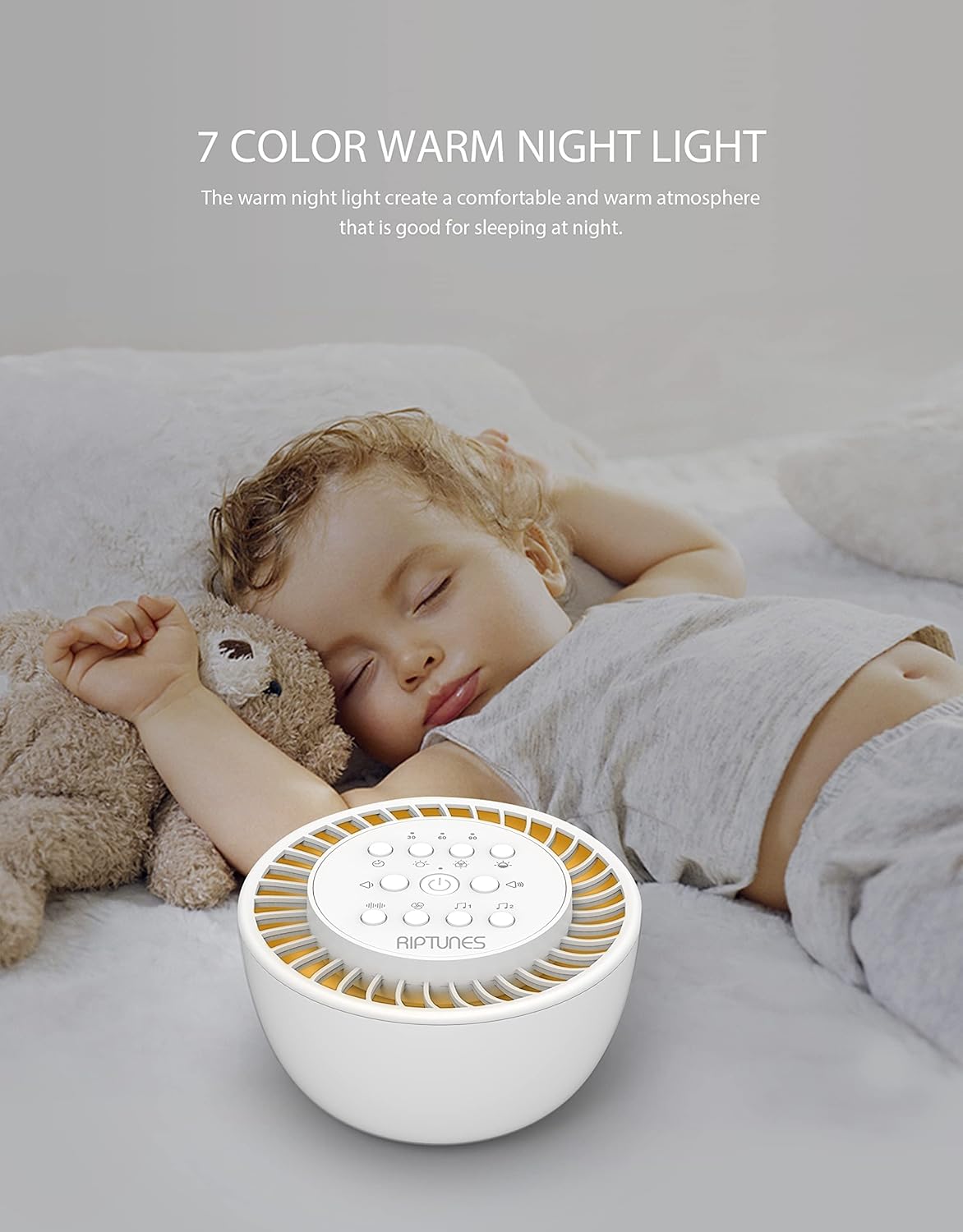
Image: The Riptunes White Noise Sound Machine providing a warm night light in a nursery setting, with a baby sleeping peacefully nearby, highlighting its use for creating a comfortable atmosphere.
- דרוק די ליכט סוויטש button to turn the night light ON/OFF.
- בשעת די ליכט איז אָן, דריק די Color Light Adjust button to cycle through the 7 available colors or activate a color rotation mode.
- ניצן די ליכט ברייטנאַס button to adjust the intensity of the light.
טייַמער פֿונקציע
Set an auto-off timer to conserve battery or for specific sleep cycles.

Image: The Riptunes White Noise Sound Machine next to a sleeping woman, with visual cues for 30, 60, and 90-minute auto-off timer options, emphasizing its convenience for timed use.
- דרוק די טיימער באַשטעטיקן button to select a duration of 30, 60, or 90 minutes. The device will automatically turn off after the selected time.
- To disable the timer and allow continuous play, press the טיימער באַשטעטיקן button until no timer indicator is active.
זכּרון פֿונקציע
The device includes a built-in memory that will recall your last sound and light settings when powered on again.
כעדפאָון נוצן
- Insert standard 3.5mm headphones into the כעדפאָון דזשאַק פֿאַר פּריוואַט צוגעהערט.
- When headphones are connected, sound will be routed through the headphones and the device's speaker will be muted.
וישאַלט
- To clean the device, gently wipe the exterior with a soft, dry cloth.
- ניצט נישט קיין שאַרפע רייניקונגס־מיטלען, סאָלווענטן אדער שטרענגע כעמיקאַלן, ווייל די קענען שאַטן די ענדיקונג.
- Keep the device away from dust and moisture.
טראָובלעשאָאָטינג
- מיטל נישט קער אויף: Ensure the device is charged. Connect it to a power source using the USB C-Cable and allow it to charge for at least 30 minutes before attempting to power on again.
- קיין קול: Check the volume level and ensure it is not set to minimum. If headphones are connected, disconnect them to check speaker output.
- רויט ליכט פלאַשינג: This indicates a low battery. Connect the device to a power source for charging.
- Night light not working: Ensure the light switch is pressed. Check if the device has sufficient battery charge.
ספּעסאַפאַקיישאַנז
| מאָדעל נומער | SM136 |
| דימענשאַנז | 4.8 X 5.21 X 3.1 אינטשעס (12.2 X 13.2 X 7.9 סענטימעטער) |
| וואָג | 15.45 אונסעס (0.44 קג) |
| באַטאַרייע קאַפּאַציטעט | 3.7V/1200mAH Lithium Ion |
| טשאַרדזשינג וואָלtage | 5V DC |
| טשאַרדזשינג צייט | בעערעך 2.5 שעה |
| קעסיידערדיק פּלייַטימע | בעערעך 7 שעה |
| הילכער | 52mm, 2Ω, 5W, 1% THD, 76dB SNR |
| נומער פון סאָונדס | 36 |
| נאַכט ליכט קאָלאָרס | 7 |
| טיימער אָפּציעס | 30, 60, 90 מינוט |
| מאַטעריאַל | פּלאַסטיק |
| קאָליר | ווייַס |
| UPC | 810941028922 |
וואָראַנטי און שטיצן
פאַבריקאַנט'ס וואָראַנטי
This Riptunes product is covered by a 1-יאָר לימיטעד וואָראַנטי from the date of purchase. This warranty covers manufacturing defects and workmanship under normal use. It does not cover damage caused by misuse, accident, unauthorized modification, or external causes.
קונה שטיצן
For technical assistance, warranty claims, or any questions regarding your Riptunes White Noise Sound Machine, please contact Riptunes customer support. Refer to the product packaging or the official Riptunes webזייטל פֿאַר די מערסט אַקטועלע קאָנטאַקט אינפֿאָרמאַציע.