
הקדמה
Thank you for choosing the NOKLEAD Digital Indoor Thermometer Hygrometer. This device provides accurate and real-time monitoring of indoor temperature and humidity, along with a clock display. Designed for ease of use, it helps you maintain a comfortable and healthy living environment. Please read this manual carefully before use to ensure proper operation and longevity of your device.
שליסל פֿעיִקייטן
- Fast Refresh & High Accuracy: Updates readings every 10 seconds with temperature accuracy of ±1°C (0-40°C) / ±2°C (40-60°C) and humidity accuracy of ±3%RH.
- לופט קאָמפאָרט ינדיקאַטאָר: Displays DRY, COMFORT, or WET conditions at a glance.
- 3.34-אינטש לקד ווייַז: Clear, bold numbers for easy readability from various angles.
- עטלעכע מאַונטינג אָפּציעס: Includes desktop stand, magnetic attachment, and adhesive pad for wall mounting.
- לאנג באַטאַרייע לעבן: Powered by 2 x CR2032 button cell batteries, lasting 8-12 months.
- צייט און דאַטע ווייַז: Integrated clock function with 12h/24h selection.
- Upgraded Calibration Function: Allows for manual adjustment of temperature and humidity readings for optimal accuracy.
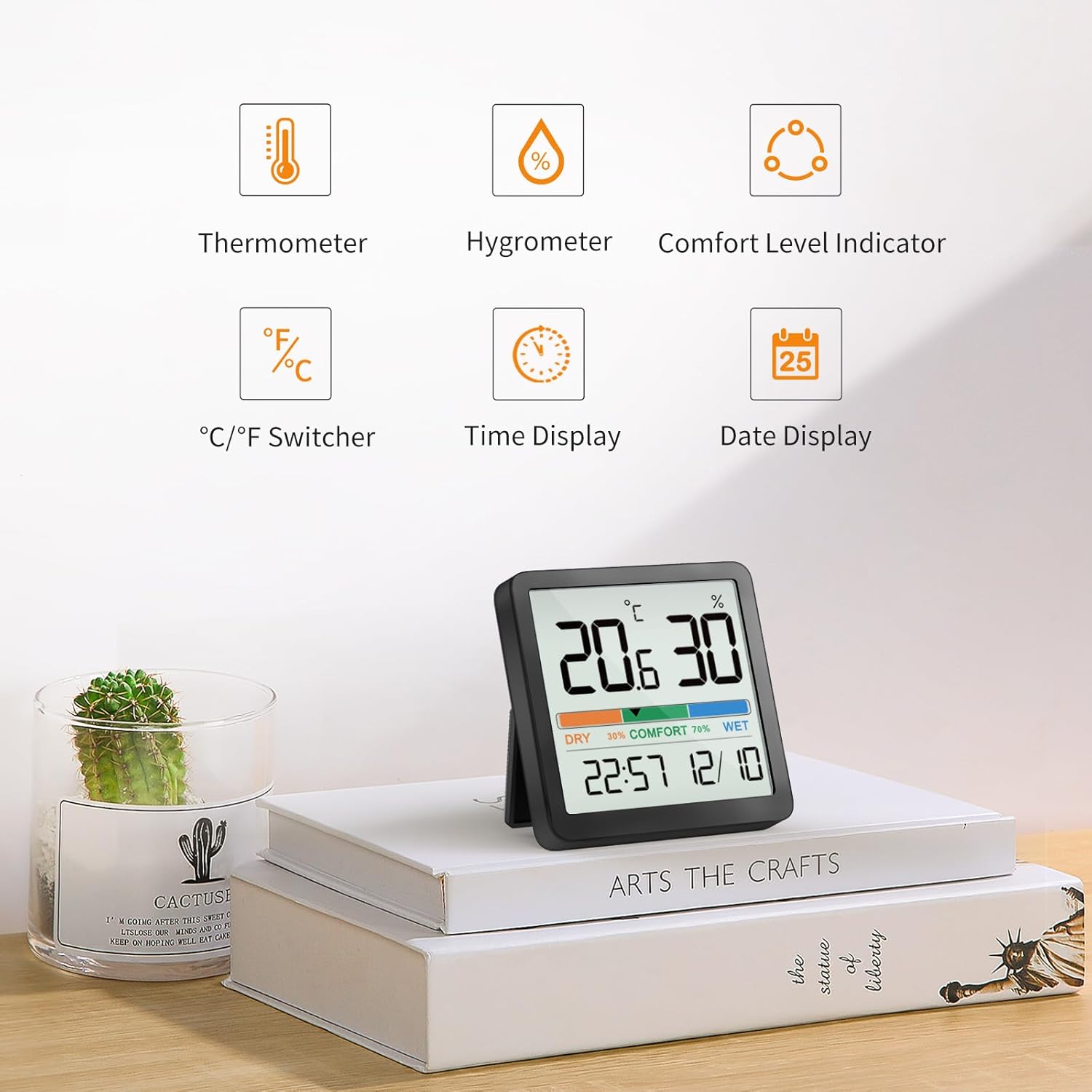
פיגורע 1: איבערview of device features.
וואָס איז אין די קעסטל
- NOKLEAD Digital Indoor Thermometer Hygrometer x 1
- CR2032 Button Cell Batteries x 2 (one installed, one spare)
- Adhesive Metal Pad x 1
- באַניצער מאַנואַל x 1
פּראָדוקט איבערview

Figure 2: Front display of the device.
The device features a large LCD screen displaying temperature (in °C or °F), relative humidity (%), a comfort level indicator (DRY, COMFORT, WET), current time, and date. On the back, you will find the battery compartment and control buttons for settings.
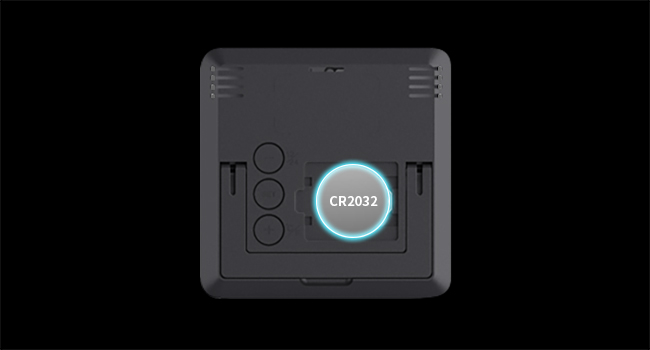
פיגורע 3: דערציען view with battery compartment and buttons.
סעטאַפּ
ייַנמאָנטירונג פון באַטאַרייע
- געפינט דעם דעקל פונעם באַטעריע־אָפּטייל אויף דער הינטערשטער זייט פונעם אַפּאַראַט.
- אַראָפּנעמען די דעקל.
- Insert two CR2032 button cell batteries, ensuring correct polarity (+/-). One battery is typically pre-installed.
- Replace the battery compartment cover. The device will power on automatically.
פּלייסמאַנט אָפּציעס
The NOKLEAD 5253T offers versatile placement options:
- דעסקטאָפּ שטאַנד: Utilize the integrated foldable stand on the back to place the device on any flat surface, such as a desk, shelf, or counter.
- מאַגנעטיק אַטאַטשמאַנט: The device has a built-in magnet, allowing it to be securely attached to metallic surfaces like refrigerators.
- וואַנט מאָונטינג: Use the provided adhesive metal pad to stick the device to a non-metallic wall surface.

פיגורע 4: עקסamples of device placement in different environments.
אָפּעראַציע
מאַכט אויף / אַוועק
The device automatically powers on once batteries are installed. There is no manual power on/off button.
טעמפּעראַטור איינהייט אויסוואַל (°C/°F)
To switch between Celsius (°C) and Fahrenheit (°F), press the '+' button located on the back of the device.
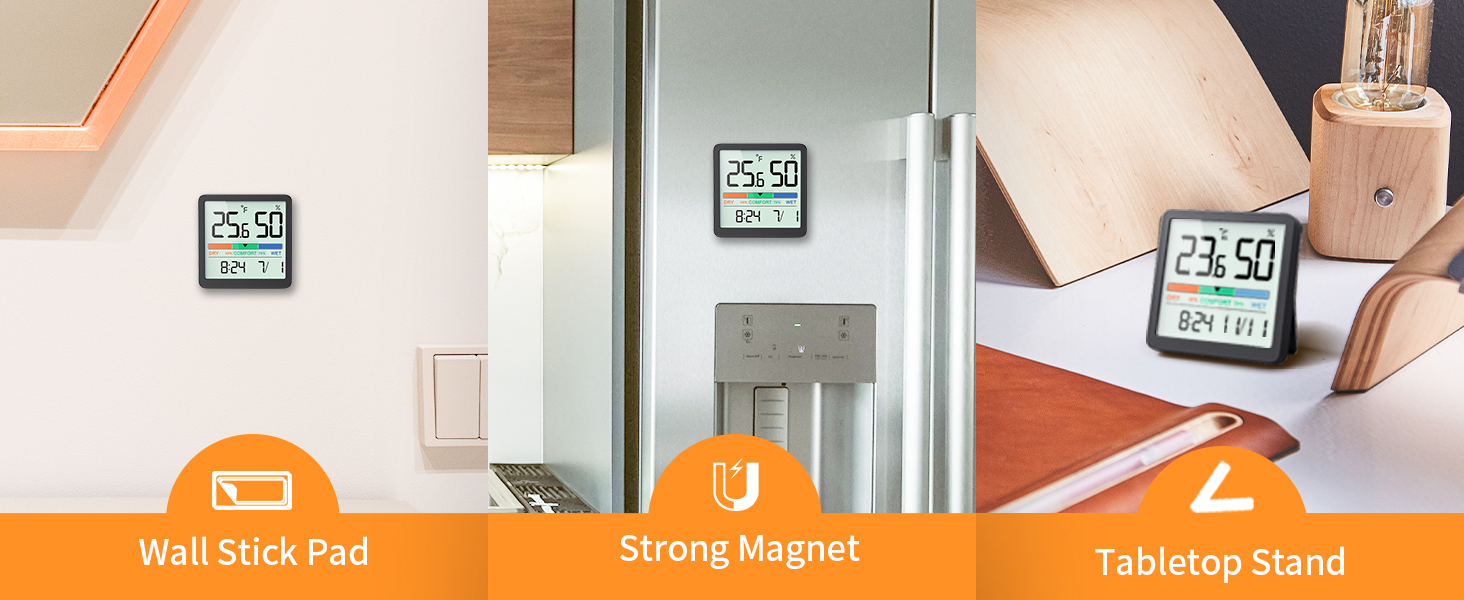
Figure 5: Switching between °C and °F.
Time Format Selection (12h/24h)
To switch between 12-hour and 24-hour time formats, press the '-' button located on the back of the device.
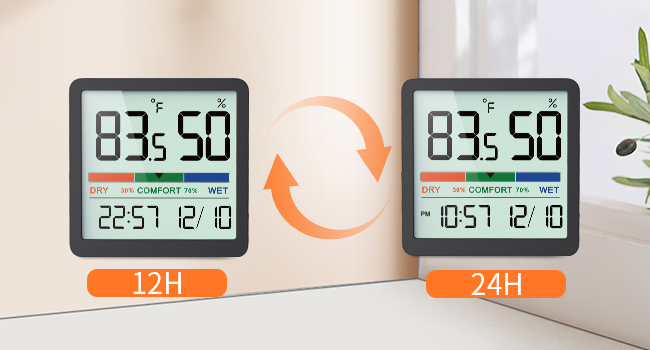
Figure 6: Switching between 12h and 24h time formats.
לופט קאָמפאָרט ינדיקאַטאָר
The device features a visual comfort indicator bar that quickly displays the current air conditions:
- טרוקן: הומידיטי אונטער 30%
- COMFORT: הומידיטי צווישן 30% און 69%
- נאַס Humidity 70% or above
This indicator helps you determine if a humidifier or dehumidifier is needed to maintain optimal indoor air quality.

Figure 7: Air Comfort Indicator ranges.
קאַלאַבריישאַן פֿונקציע
If you suspect the readings are inaccurate due to placement or environmental factors, you can calibrate the sensor. The calibration allows for adjustments of up to ±5°C/±41°F for temperature and ±10%RH for humidity. Refer to the detailed instructions provided in the full user manual for the specific calibration procedure.
וישאַלט
רייניקונג
ווישט אָפּ דאָס אַפּאַראַט מיט אַ ווייכן, טרוקענעם שטאָף. ניצט נישט קיין שרײַבנדיקע רייניקונגס־מיטלען און טונקט נישט דאָס אַפּאַראַט אין וואַסער.
באַטערי פאַרבייַט
When the display becomes dim or the device stops functioning, replace the CR2032 batteries. Follow the battery installation steps outlined in the Setup section.
טראָובלעשאָאָטינג
- קיין ווייַז: Ensure batteries are correctly installed with proper polarity. Replace batteries if they are depleted.
- ומפּינקטלעך רידינגז: Allow the device to stabilize for at least 30 minutes after initial setup or relocation. If discrepancies persist, utilize the calibration function as described in the Operation section.
- Display Not Changing: The device refreshes every 10 seconds. Ensure there are actual changes in temperature or humidity for the display to update.
ספּעסאַפאַקיישאַנז
| שטריך | באַשרייַבונג |
|---|---|
| מאָדעל נומער | 5253ט |
| טעמפּעראַטור ראַנגע | 14.2°F - 140°F (-9.9°C - 60°C) |
| טעמפּעראַטור אַקקוראַסי | ± 2 ° F (1 ° C) |
| הומידיטי ראַנגע | 10% - 95% RH |
| הומידיטי אַקיעראַסי | ±3% רה |
| דערפרישן קורס | יעדער 10 סעקונדעס |
| ווייַז גרייס | 3.34 אינטשעס |
| מאַכט מקור | 2 x CR2032 Button Cell Batteries |
| פּראָדוקט דימענשאַנז | 2.76 X 2.76 X 0.55 אינטשעס (70 מם X 70 מם X 14 מם) |
| פּונקט וואָג | 2.12 אונסעס (60 גראַמז) |
וואָראַנטי און שטיצן
NOKLEAD products are designed for reliability and performance. If you encounter any issues or have questions regarding your NOKLEAD Digital Indoor Thermometer Hygrometer, please contact our customer support team. We are committed to providing the best possible solution for you.
For support, please refer to the contact information provided with your purchase or visit the official NOKLEAD webפּלאַץ.