
הקדמה
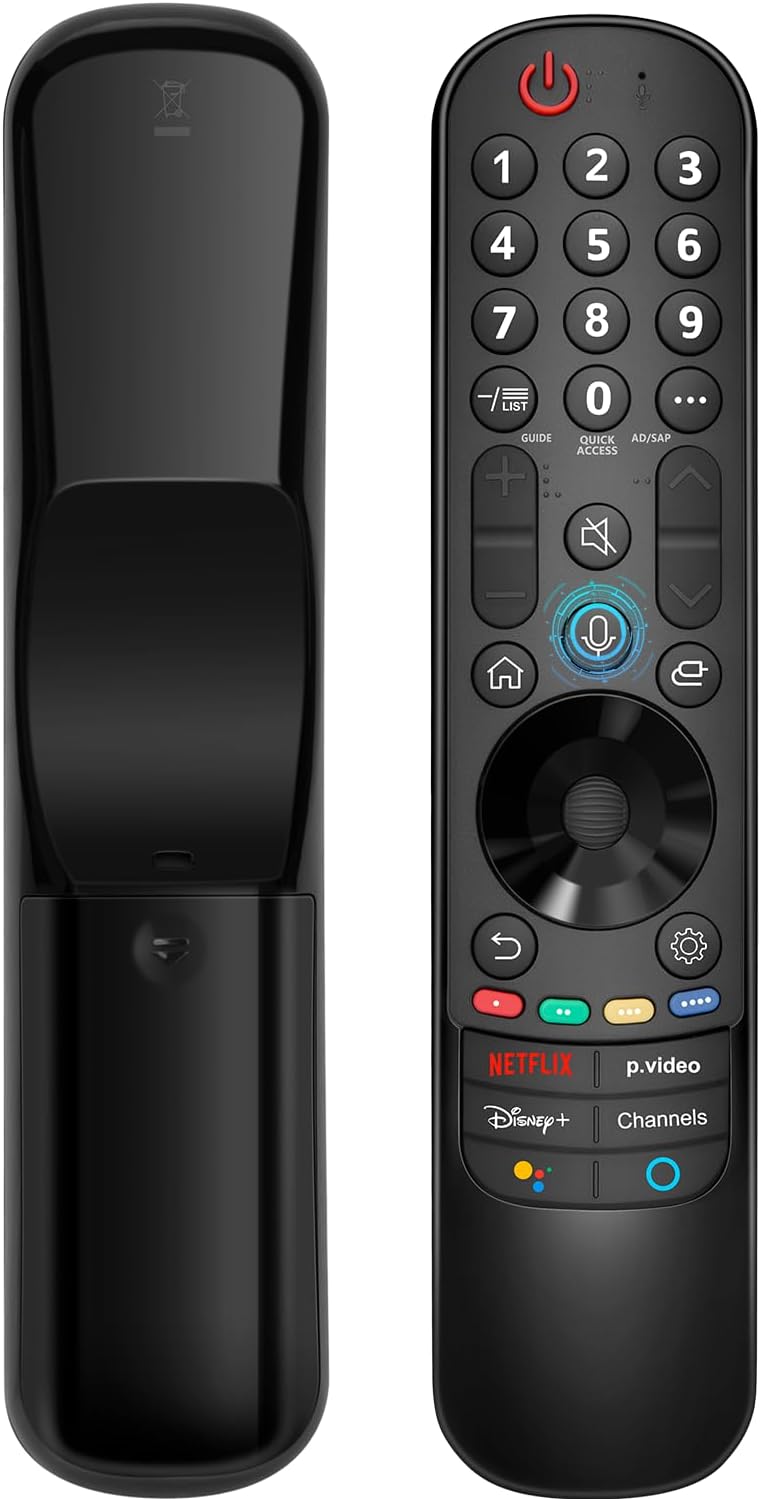
This manual provides instructions for the Angrox AN-MR21GA Magic Remote Control, designed as a replacement for compatible LG Smart TVs. This remote features pointer functionality, voice control, and dedicated shortcut buttons for enhanced navigation and user experience.
The remote is compatible with LG 2021, 2022, 2023, and 2024 OLED, QNED Mini-LED, NanoCell, and UHD TV series. It offers an ergonomic design with soft plastic buttons for comfortable use.
קאַמפּאַטאַבילאַטי
The Angrox AN-MR21GA Magic Remote Control is compatible with the following LG Smart TV series from 2021, 2022, 2023, and 2024:
- OLED TV Series: G1, G2, G3, G4, C1, C2, C3, C4, A1, A2, A3, A4 series.
- QNED Mini-LED TV Series: QNED99, QNED90 series.
- NanoCell TV Series: NANO99, NANO90, NANO85, NANO80, NANO75 series.
- UHD TV Series: UP80, UP75 series.
Specific compatible model numbers include, but are not limited to: 43NANO75UPA, 43UP7100ZUF, 43UP7560AUD, 43UP7700PUB, 43UP8000PUA, 50NANO75UPA, 50NANO77ZPA, 50NANO80UPA, 50NANO85APA, 50UP7100ZUF, 50UP7560AUD, 50UP7700PUB, 50UP8000PUA, 55NANO75UPA, 55NANO77ZPA, 55NANO80UPA, 55NANO85APA, 55NANO90UPA, 55UP7100ZUF, 55UP7560AUD, 55UP7700PUB, 55UP8000PUA, 60UP7700PUB, 60UP8000PUA, 65NANO75UPA, 65NANO77ZPA, 65NANO80UPA, 65NANO85APA, 65NANO90UPA, 65UP7100ZUF, 65UP7560AUD, 65UP7700PUA, 65UP7700PUB, 65UP8000PUA, 70UP7170ZUC, 70UP7570AUD, 70UP7770PUB, 70UP8070PUA, 75NANO75UPA, 75NANO80UPA, 75NANO85APA, 75NANO90UPA, 75QNED90UPA, 75QNED99UPA, 75UP7170ZUC, 75UP7570AUE, 75UP7770PUB, 75UP8070PUA, 82UP8770PUA, 86NANO75UPA, 86NANO85APA, 86NANO90UPA, 86NANO99UPA, 86QNED90UPA, 86QNED99UPA, 86UP8770PUA, BEJMR21GA, OLED48A1AUA, OLED48A1PUA, OLED48C1AUB, OLED48C1PUB, OLED55A1AUA, OLED55A1PUA, OLED55B1PUA, OLED55C1AUB, OLED55C1PUA, OLED55C1PUB, OLED55G1PUA, OLED65A1AUA, OLED65A1PUA, OLED65B1PUA, OLED65C1AUA, OLED65C1AUB, OLED65C1PUB, OLED65G1PUA, OLED77A1AUA, OLED77A1PUA, OLED77B1PUA, OLED77C1AUA, OLED77C1AUB, OLED77C1PUB, OLED77G1PUA, OLED83C1AUA, OLED83C1PUA, RCLLGEMR21GA, R-C-LLGEMR21GA, 43UP7670PUC, 43UP8000PUR, 50NANO75PUA, 50NANO80P, 50UP7670PUC, 50UP8000PUR, 55NANO80P, 55NANO90P, 55UP7670PUC, 55UP8000PUR, 60UP7670PUB, 60UP8000PUR.

סעטאַפּ און פּערינג
The Angrox AN-MR21GA remote control is designed for easy setup without complex programming.
1. באַטאַרייע ייַנמאָנטירונג
Insert two (2) AA batteries into the remote control. Ensure correct polarity (+/-) as indicated inside the battery compartment. Batteries are not included with the remote.
2. צוזאַמענשטעלן מיט דיין טעלעוויזיע
There are two methods for pairing the remote with your LG Smart TV:
- Method 1 (Automatic Pairing):
- צינד אן אייער LG סמאַרט טעלעוויזיע.
- Insert 2*AA batteries into the remote.
- After approximately 20 seconds, point the remote control towards the TV.
- דרוק די ראָד (גוט) קנעפּל.
- The remote control should register automatically, and a "Pairing Complete" message will appear on the TV screen.
- Method 2 (Manual Pairing):
- צינד אן אייער LG סמאַרט טעלעוויזיע.
- Insert 2*AA batteries into the remote.
- דריקן און האַלטן די היים (
 ) און צוריק () קנעפּלעך סיימאַלטייניאַסלי פֿאַר 5 סעקונדעס.
 - דערנאָך דריקן די קנעפּל ראָד (גוט) קנעפּל.
- A "Pairing Complete" message should appear on the TV screen.

אַפּערייטינג ינסטראַקשאַנז
Basic Navigation and Pointer Function
The remote features a pointer function that allows you to navigate the TV screen by moving the remote. The Wheel (OK) button acts as a click function, and scrolling is also supported.
קול קאָנטראָל
The remote includes a voice function for issuing commands to your TV. Press and hold the voice button (microphone icon) while speaking your command. Examples include "Go back home," "Open P.Video," or "Play some music."

דורכוועג קנעפּלעך
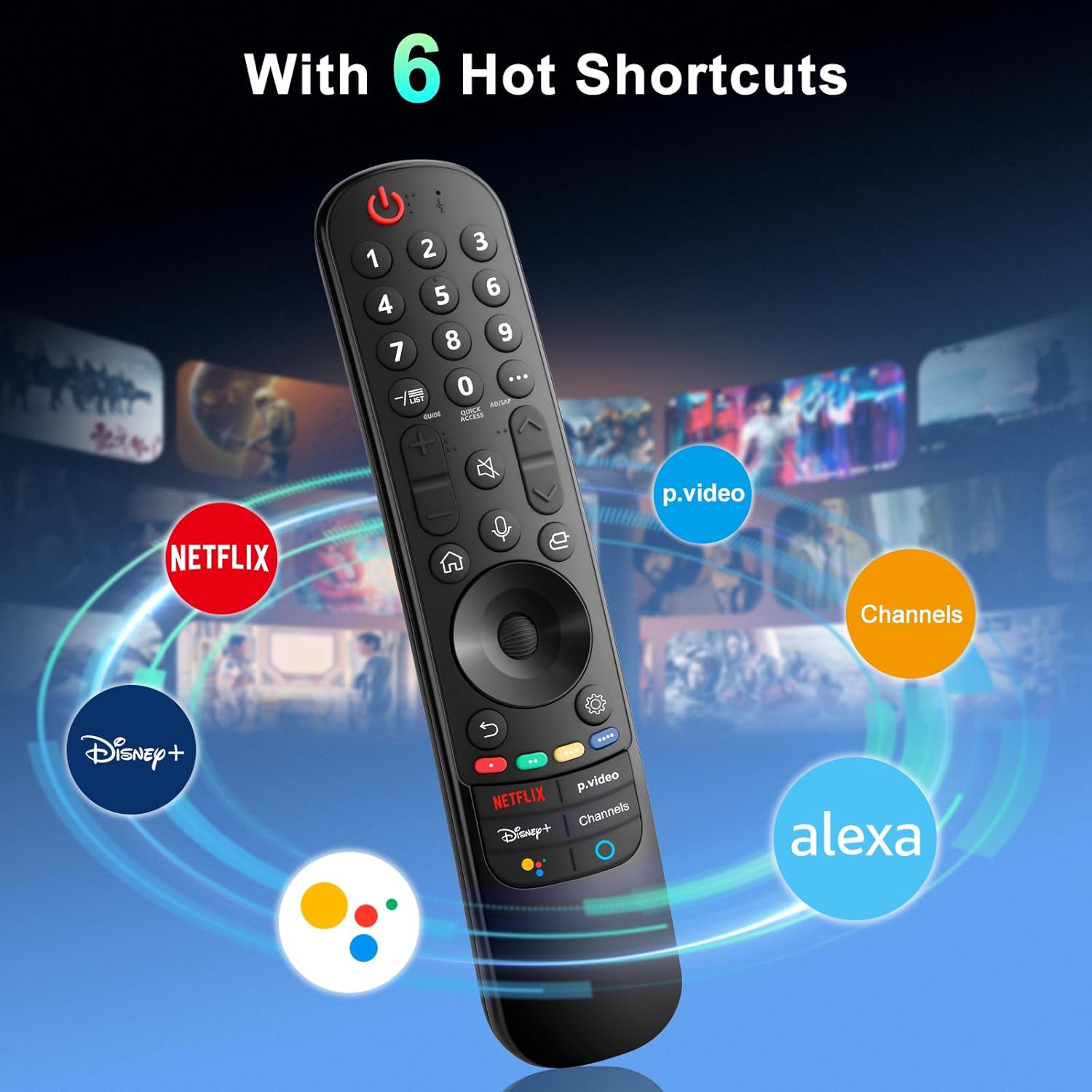
The remote provides dedicated shortcut buttons for quick access to popular streaming services and functions:
- נעטפליקס: לאָנטשיז די Netflix אַפּלאַקיישאַן.
- P.Video: Launches the Prime Video application.
- דיסניי +: לאָנטשט די דיסני+ אַפּליקאַציע.
- טשאַנאַלז: Accesses TV channels.
- גוגל אַססיסטאַנט: Activates Google Assistant for voice commands and searches.
- אַלעקסאַ: Activates Amazon Alexa for voice commands and searches.

דעטאַלירטע קנעפּל פונקציעס
For buttons marked with a circle symbol (©), a long press (more than one second) may activate additional functions:
- 9©: Launch Quick Help.
- - / LIST©: Checking saved channels.
- GUIDE©: Launch Guide.
- 0©: דער שנעל אַקסעס רעדאַגירן פאַרשטעלן איז ארויס.
- ...©: Display additional buttons on the remote control.
- AD/SAP©: Configures SAP.
- Volume Up/Down©: סטרויערן די באַנד מדרגה.
- Channel Up/Down©: איר קענען טוישן דעם קאַנאַל.
- Mute©: Select to turn off the sound from the TV.
- Accessibility©: Enter the Accessibility menu.
- Search©: Check out recommended contents. (Recommendation service may not be available depending on the countries you are in.)
- Voice Button (Microphone)©: Push and hold the button while speaking to use the voice recognition function.
- Home Button©: דיספּלייז די היים מעניו.
- Input Button©: סאַלעקץ אַ אַרייַנשרייַב מקור.
- Settings Button©: Entering into the Home Dashboard.
- Back Button©: מאַך צו די פריערדיקע שריט.
- Exit Button©: קלאָוזיז די מעניו.
- Quick Settings Button©: גייט אריין די קוויק סעטטינגס מעניו.
- All Settings Button©: Enters the All Settings menu.
- Launch Record Button©: Launch Record. (Some models may not be supported.)
טראָובלעשאָאָטינג
- ווייַט ניט ריספּאַנדינג:
- Ensure batteries are correctly inserted and have sufficient charge. Replace with new AA batteries if necessary.
- Re-attempt the pairing process (see "Setup and Pairing" section).
- Ensure there are no obstructions between the remote and the TV's infrared receiver. This remote primarily operates via line-of-sight.
- Pointer Function Not Working:
- זיכער מאַכן אַז די ווײַטקאָנטראָל איז ריכטיק צוגעבונדן.
- Try re-pairing the remote using Method 2 (holding Home and Back buttons).
- שטימע קאנטראל ארבעט נישט:
- Ensure the remote is properly paired and the TV supports voice control.
- Confirm that the voice button is being pressed and held while speaking.
- Check TV settings to ensure voice recognition is enabled.
- Buttons Feel Flimsy or Stick:
- This may indicate a manufacturing defect. Contact customer support for assistance.
ספּעסאַפאַקיישאַנז
| סאָרט | אַנגראָקס |
| מאָדעל נומער | AN-MR21GA |
| פּראָדוקט דימענשאַנז | 7.48 X 1.18 X 1.18 אינטשעס (18.54 X 4.06 X 1.77 סענטימעטער) |
| פּונקט וואָג | 3.2 אונסעס |
| באַטעריז פארלאנגט | 2 אַאַ באַטעריז (ניט אַרייַנגערעכנט) |
| ספּעציעלע פֿעיִקייטן | Ergonomic design, No Programming Required, Universal compatibility (for specified LG models), Voice Search, Pointer Function |
| מאַקס נומער פון שטיצט דעוויסעס | 1 |
| קאַמפּאַטאַבאַל דעוויסעס | LG Smart Televisions (2021-2024 UHD, OLED, QNED, NanoCell series) |
וישאַלט
- רייניקונג: ניצט אַ ווייכע, טרוקענע שטאָף צו רייניקן די ווײַטקאָנטראָל. ניצט נישט קיין פֿליסיקע רייניגער אָדער שרײַבנדיקע מאַטעריאַלן.
- באַטערי פאַרבייַט: Replace batteries when the remote's performance degrades. Remove batteries if the remote will not be used for an extended period to prevent leakage.
- סטאָרידזש: האַלט די ווײַטקאָנטראָלירטע אַפּאַראַטור אין אַ קיל, טרוקן אָרט, ווײַט פֿון דירעקטער זון און עקסטרעמע טעמפּעראַטורן.
- האַנדלינג: פֿאַרמײַדט צו לאָזן פֿאַלן דעם ווײַטקאָנטראָל אָדער אים אויסשטעלן צו שטאַרקע קלאַפּן, ווײַל דאָס קען שאַטן אינעווייניקסטע קאָמפּאָנענטן.
וואָראַנטי און שטיצן
For warranty information or technical support, please contact the manufacturer, Angrox, directly through their official channels or the retailer where the product was purchased. Please retain your proof of purchase for warranty claims.
Manufacturer: Angror
פֿאַר ווייטערדיקע הילף, קענט איר באַזוכן די Angrox Store on Amazon.