
Andoer 2.7K Digital Camera Compact Video Camcorder
Andoer 2.7K Digital Camera 48MP User Manual
Model: 2.7K Digital Camera Compact Video Camcorder
הקדמה
This manual provides essential instructions for the safe and effective operation of your Andoer 2.7K Digital Camera. Please read this manual thoroughly before using the camera and retain it for future reference.
The Andoer 2.7K Digital Camera is a compact device designed for capturing high-resolution photos and videos. It features a 48MP image sensor, 2.7K video recording capabilities, a 2.88-inch IPS screen, 16X digital zoom, and various functions such as anti-shake, face detection, and a built-in LED fill light.
פּעקל אינהאַלט
באַשטעטיקט אַז אַלע זאכן וואָס זענען אויסגערעכנט אונטן זענען אַרייַנגערעכנט אין אייער פּעקל:
- 1 x Andoer 2.7K Digital Camera
- 2 x Lithium Batteries (3.7V 700mAh)
- 1 קס וסב טשאַרדזשינג קאַבלע
- 1 x האַנטגעלענק רימען
- 1 x קערי באַג
- 1 x באַניצער מאַנואַל (ענגליש)

Figure 1: Contents of the camera package.
קאַמעראַ איבערview

פיגור 2: פאָרנט און הינטן view of the camera with included batteries.
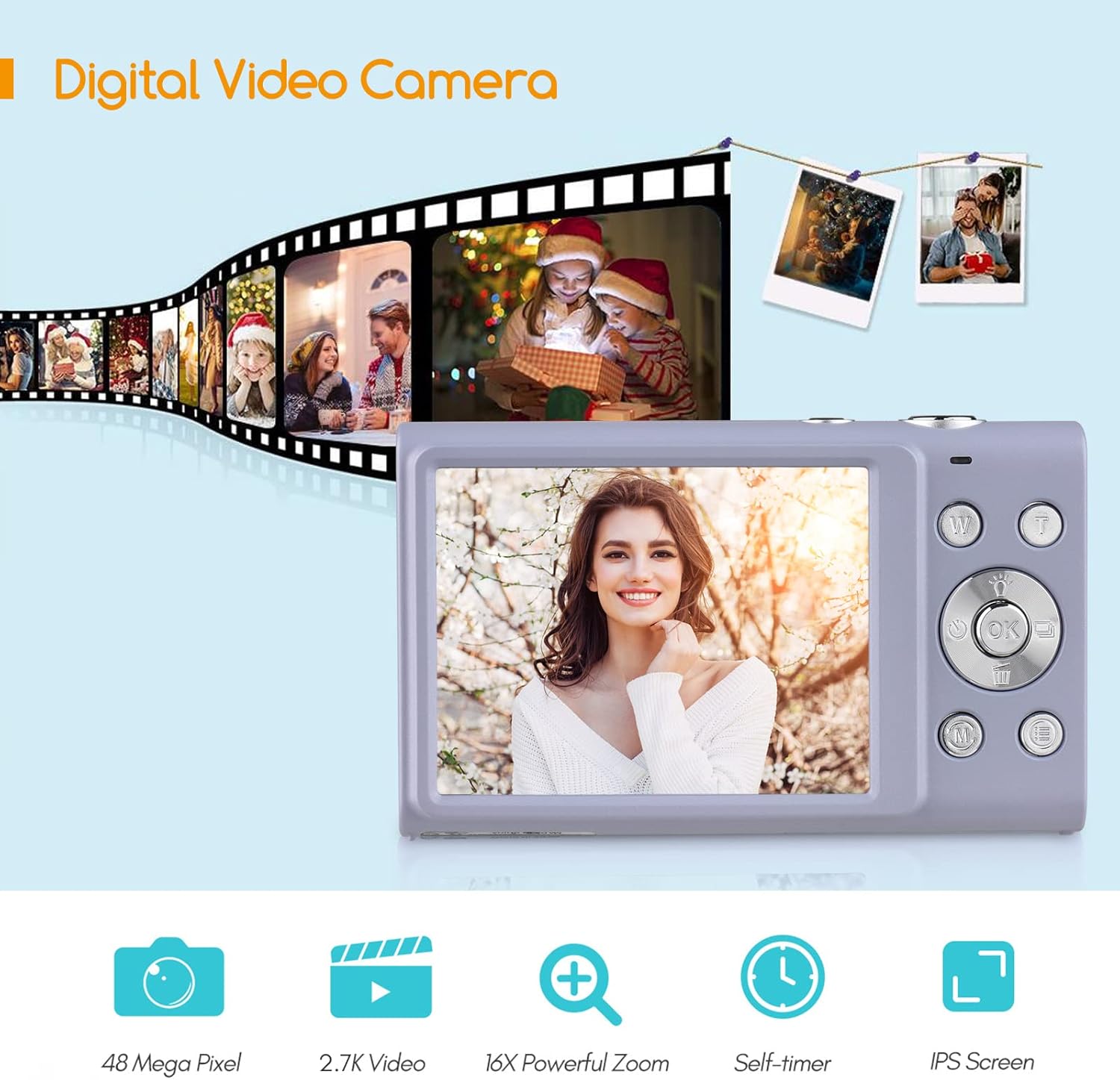
Figure 3: Camera features highlighted.
סעטאַפּ
1. באַטאַרייע ייַנמאָנטירונג
- עפֿנט דעם דעקל פֿון דער באַטעריע־אָפּטיילונג, וואָס געפֿינט זיך אויף דער אונטערשטער זײַט פֿון דער קאַמעראַ.
- Insert a fully charged lithium battery (3.7V 700mAh) into the compartment, ensuring correct polarity.
- פאַרמאַכן די באַטאַרייע אָפּטייל דעקן סיקיורלי.
2. טשאַרדזשינג די באַטערי
- Connect the camera to a power source (e.g., computer USB port or USB wall adapter) using the provided USB charge cable.
- די טשאַרדזשינג אינדיקאַטאָר ליכט וועט זיך אָנצינדן. עס וועט זיך אויסלעשן אָדער טוישן קאָליר אַמאָל די טשאַרדזשינג איז פֿאַרטיק.
- א פולע אויפלאדונג נעמט געווענליך בערך 2-3 שעה.
3. זכּרון קאַרטל ינסטאַלירונג
The camera requires an external Class-10 memory card (up to 128GB, not included) for storing photos and videos.
- געפינען די זכּרון קאָרט שפּעלטל אויף די זייַט פון די אַפּאַראַט.
- Insert the memory card with the metal contacts facing the front of the camera until it clicks into place.
- To remove, gently press the card until it springs out.
4. אַטאַטשינג די האַנטגעלענק רימען
Thread the wrist strap through the strap eyelet on the side of the camera to prevent accidental drops.
5. Tripod Mounting
The camera features a universal 1/4" screw hole on the bottom, allowing it to be mounted on a tripod for stable shots.

Figure 4: Universal 1/4" screw hole for tripod attachment.
אַפּערייטינג ינסטראַקשאַנז
1. מאַכט אויף / אויסגעלאשן
- Press and hold the Power button (usually marked with a circle and a line) to turn the camera on or off.
- The camera has an auto power-off feature (1min/3min/5min) to conserve battery life. This can be adjusted in the settings.
2. גענומען פאָטאָס
- Turn on the camera. The screen will display the live view.
- ראַמען אייער שאָס ניצנדיק דעם 2.88-אינטש IPS פאַרשטעלן.
- Press the Shutter button (typically on top of the camera) halfway down to focus. The camera features auto-focus.
- Press the Shutter button fully down to capture the photo.
Photo Modes and Features:
- רעזאלוציע: Supports up to 48MP. Adjust in settings.
- דיגיטאַל פארגרעסער: Use the W/T (Wide/Telephoto) buttons to zoom in or out (up to 16X digital zoom).
- אַנטי-שייק: Digital image stabilization helps reduce blur from camera movement.
- פנים דעטעקציע און שמייכל קאַפּטשער: The camera can detect faces and automatically capture a photo when a smile is detected.
- Self-Timer: Options for Off, 2 sec, 5 sec, 10 sec delays.
- קעסיידערדיק שאָס: כאַפּט אַ שנעלע סיקוואַנס פון פאָטאָס.
- Built-in LED Fill Light: Activate for additional illumination in low-light conditions.

Figure 5: Demonstrations of Self-Timer, Continuous Shooting, LED Fill Light, and Face Detection.

פיגורע 6: עקסample of 16X Digital Zoom in use.

Figure 7: Face Detection and Smile Capture in action.
3. רעקאָרדינג ווידיאס
- Switch the camera to video mode (if applicable, usually via a mode button or menu option).
- Press the Record button (often marked with a red dot) to start recording.
- דריקן די רעקאָרד קנעפּל ווידער צו האַלטן די רעקאָרדינג.
ווידעא פֿעיִקייטן:
- רעזאלוציע: Supports 2.7K (2688x1520), 1080P (1920x1080), 720P (1280x720), VGA (640x480).
- דיגיטאַל פארגרעסער: Available during video recording.

Figure 8: Camera's 2.7K video and 48MP photo capabilities.
4. פּלייַבאַקק
- דריק דעם פּלייבּעק קנעפּל (אָפט באַצייכנט מיט אַ דרייַעק בילדל) צו אַרייַן פּלייבּעק מאָדע.
- Use the navigation buttons to browse through your photos and videos.
- Press the Playback button again or the Shutter button to exit playback mode.
5. קאַנעקטינג צו אַ קאָמפּיוטער
- קער אַוועק די אַפּאַראַט.
- פאַרבינדן די אַפּאַראַט צו דיין קאָמפּיוטער מיט די צוגעשטעלט וסב קאַבלע.
- The camera will appear as a removable disk drive on your computer.
- You can then transfer photos and videos to your computer.
- Supported Operating Systems: Windows XP/ Vista/ 7/ 8/ 10, Mac 10.2 and above.
וישאַלט
- רייניקונג: Use a soft, dry cloth to clean the camera body. For the lens and screen, use a specialized lens cleaning cloth and solution. Avoid harsh chemicals.
- באַטערי זאָרגן: האַלט די באַטעריעס אין אַ קיל, טרוקן אָרט. שטעלט זיי נישט אויס צו עקסטרעמע טעמפּעראַטורן. אויב איר ניצט נישט די קאַמעראַ פֿאַר אַ לענגערע צייט, נעמט אַרויס די באַטעריע.
- סטאָרידזש: When not in use, store the camera in its carry bag in a dry, dust-free environment.
- וואַסער קעגנשטעל: דעם אַפּאַראַט איז נישט water resistant. Avoid exposure to water or high humidity.
טראָובלעשאָאָטינג
| פּראָבלעם | מעגלעך סיבה | לייזונג |
|---|---|---|
| די קאַמעראַ צינדט זיך נישט אָן. | די באַטעריע איז אויסגעשעפּט אָדער נישט ריכטיק אַרײַנגעשטעלט. | Charge the battery or re-insert it correctly. Ensure the battery compartment is closed. |
| קען נישט נעמען בילדער/ווידעאס. | די זכּרון קאַרטל איז פול, נישט אַרײַנגעשטעלט, אָדער קאָרומפּירט. | אַרײַנשטעלן אַ זכּרון קאַרטל, אויסמעקן נישט-נייטיקע fileס, אדער פֿאָרמאַטירן די קאַרטל (דאָס וועט אויסמעקן אַלע דאַטן). |
| בילדער זענען בלערי. | Camera shake, dirty lens, or out of focus. | Hold the camera steady, clean the lens, ensure auto-focus is engaged (half-press shutter). Use anti-shake feature. |
| פלאַש אַרבעט נישט. | בליץ איז אויסגעלאָשן אָדער באַטעריע איז נידעריק. | Check flash settings. Ensure battery is sufficiently charged. |
| די קאַמעראַ פֿאַרפֿרירט זיך. | ווייכווארג פראבלעם. | Remove and re-insert the battery to reset the camera. |
ספּעסאַפאַקיישאַנז
| שטריך | דעטאַל |
|---|---|
| בילד סענסאָר | קמאָס סענסאָר |
| בילד האַכלאָטע | 48 מפּ, 44 מפּ, 36 מפּ, 24 מפּ, 20 מפּ, 16 מפּ, 12 מפּ, 10 מפּ |
| ווידעא האַכלאָטע | 2.7K (2688x1520), 1080P (1920x1080), 720P (1280x720), VGA (640x480) |
| ווייַז | 2.88 אינטש IPS פאַרשטעלן |
| דיגיטאַל פארגרעסער | 16X |
| עפענונג | עף/3.2 |
| פאָקאַל לענג | f=7.36 מם |
| File פֿאָרמאַט | JPG / AVI |
| אויסגעשטעלטקייט | EV-3 to EV+3 |
| זיך-טיימער | אויסגעלאשן / 2 סעק / 5 סעק / 10 סעק |
| אַוטאָ מאַכט אויסגעלאשן | קסנומקסמין / קסנומקסמין / קסנומקסמין |
| ספּעציעלע פֿעיִקייטן | Anti-Shake, Face Detect, Smile Capture, Built-in LED Fill Light, Continuous Photography |
| סטאָרידזש | Supports Class-10 external memory card up to 128GB (not included) |
| מאַכט צושטעלן | 1 x Lithium battery (3.7V 700mAh) |
| נומער גרייס | 9.4 * 5.6 * 1.9 סענטימעטער / 3.7 * 2.2 * 0.7 אינטש |
| פּונקט וואָג | 115g / 4.1oz (with battery) |
| אַפּערייטינג סיסטעם פאָדערונג | Windows XP/ Vista/ 7/ 8/ 10, Mac 10.2 |
וואָראַנטי און שטיצן
For warranty information, please refer to the documentation provided at the time of purchase or contact your retailer. Andoer products typically come with a standard manufacturer's warranty covering defects in materials and workmanship.
If you encounter any issues not covered in the troubleshooting section, or require further assistance, please contact Andoer customer support through their official webוועבזייטל אדער די קאָנטאַקט אינפֿאָרמאַציע וואָס איז צוגעשטעלט מיט דיין פּראָדוקט.
Ask a question about this manual
Ask about setup, troubleshooting, compatibility, parts, safety, or missing instructions. Manuals+ will review the question and use this page’s manual context to help answer it.