
1. פּראָדוקט איבערview
The elemage ZS-GQ3 is a 2K outdoor security camera designed for reliable surveillance. It features 2K (2560 x 1440) HD resolution, PIR motion detection, two-way audio communication, and advanced night vision capabilities up to 15 meters. With an IP65 waterproof rating, it is suitable for various outdoor conditions. The camera operates on a built-in battery and connects via 2.4 GHz WiFi (5 GHz WiFi is not supported).
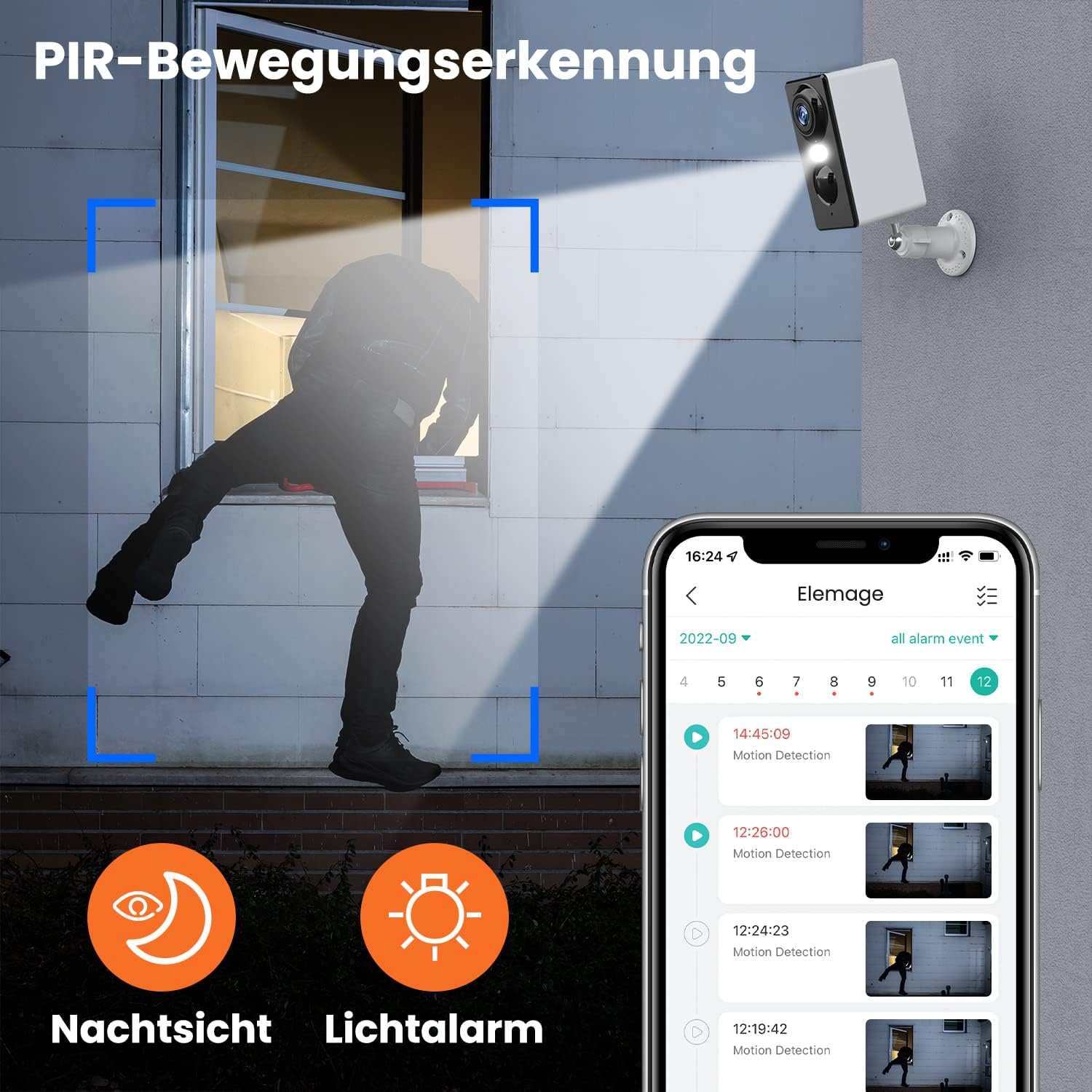
בילד 1.1: The elemage ZS-GQ3 camera features PIR motion detection, night vision, and a light alarm for enhanced security.
2. פּעקל אינהאַלט
ביטע באַשטעטיקן אַז אַלע זאכן וואָס זענען ליסטעד אונטן זענען אַרייַנגערעכנט אין דיין פּעקל:
- elemage 2K Outdoor Security Camera (ZS-GQ3)
- וואנט בארג בראַקעט
- וסב טשאַרדזשינג קאַבלע
- מאָנטירונג שרויפן און וואַנט פּלאַגז
- באַניצער מאַנואַל

בילד 2.1: The complete package contents of the elemage ZS-GQ3 security camera.
3. סעטאַפּ גייד
3.1 ערשט טשאַרדזשינג
Before first use, fully charge the camera's built-in battery using the provided USB cable and a standard 5V USB power adapter (not included). A full charge ensures optimal performance and battery life.
3.2 אַפּ ינסטאַלירונג
אָפּלאָדירן און ינסטאַלירן די 'elemage Cam' application on your smartphone. The app is available for both iPhone and Android devices. זוכן פֿאַר 'elemage Cam' in your device's app store.
3.3 Camera Pairing and WiFi Connection
- Open the 'elemage Cam' app and create an account or log in.
- גיי די אין-אַפּ ינסטראַקשאַנז צו לייגן אַ נייַ מיטל.
- זיכער מאַכן אַז אייער סמאַרטפאָון איז פארבונדן צו אַ 2.4 GHz WiFi נעץ. The camera does not support 5 GHz WiFi.
- During the pairing process, you will be prompted to connect the camera to your home WiFi network. Enter your WiFi credentials carefully.
- Once connected, the camera's status indicator will confirm successful pairing.
3.4 מאָונטינג די אַפּאַראַט
די קאַמעראַ איז דיזיינד פֿאַר וואַנט-מאָנטירונג. קלייַבט אַ אָרט וואָס גיט די געוואונטשענע viewing angle and is within range of your 2.4 GHz WiFi network. Use the included wall mount bracket, screws, and wall plugs for secure installation.
- Mark the drilling points using the mount bracket as a template.
- באָרט לעכער און אַרײַנשטעקן די וואַנט פּלאַגז.
- Secure the mount bracket to the wall with the screws.
- Attach the camera to the mount bracket and adjust the angle as needed.

בילד 3.1: The camera is IP65 waterproof, allowing for outdoor installation in various weather conditions.
4. אַפּערייטינג ינסטרוקטיאָנס
4.1 לעבן View
Access the 'elemage Cam' app on your smartphone to view the live feed from your camera anytime, anywhere. The live view provides real-time monitoring of your property.
4.2 PIR באַוועגונג דעטעקציע
The camera is equipped with PIR (Passive Infrared) motion detection. When motion is detected, the camera will automatically begin recording and send push notifications to your smartphone. You can review recorded events within the app.

בילד 4.1: Intelligent AI sensor provides user-defined motion detection and sends notifications to your phone.
4.3 צוויי-וועג אַודיאָ
Utilize the built-in microphone and speaker for two-way communication. Through the 'elemage Cam' app, you can speak to visitors or deter intruders directly from your smartphone.

בילד 4.2: Engage in real-time conversation with two-way audio functionality.
4.4 נאַכט זעאונג
The camera offers advanced night vision, providing clear surveillance even in low-light conditions. It supports both black-and-white and colored night vision, with an effective range of up to 15 meters.

בילד 4.3: Experience clear color night vision with a long-distance view.
4.5 סטאָרידזש אָפּציעס
The camera supports local storage via a MicroSD card (2GB to 128GB, not included) and cloud storage options (subscription may be required). Recorded footagמען קען צוקומען צו אים און אים ווידער אויפנעמעןviewed through the 'elemage Cam' app.
4.6 Multi-Device Viewing
You can share access to your camera's live feed with multiple users. After sharing, several phones can view the security camera simultaneously through the 'elemage Cam' app.

בילד 4.4: View the camera feed from multiple phones, anytime and anywhere.
5. וישאַלט
5.1 באַטערי מאַנאַגעמענט
The 'elemage Cam' app will send a reminder when the camera's battery level drops below 20%. Recharge the camera promptly to ensure continuous operation. Battery life varies based on usage, motion detection frequency, and environmental factors.
5.2 רייניקונג
Although the camera is IP65 waterproof, regularly clean the lens and camera body with a soft, damp שטאָף צו באַזייַטיקן שטויב, שמוץ אָדער וואַסער פלעקן וואָס קענען פאַרשטאָפּן דעם view. Do not use harsh chemicals or abrasive materials.
5.3 פירמוואַרע דערהייַנטיקונגען
Periodically check the 'elemage Cam' app for available firmware updates. Keeping your camera's firmware up-to-date ensures optimal performance, security, and access to new features.
6. טראָובלעשאָאָטינג
- קאַמעראַ פֿאַרבינדט זיך נישט צו WiFi: Ensure your WiFi network is 2.4 GHz. Verify the WiFi password is correct. Move the camera closer to the router to improve signal strength.
- קיין באַוועגונג דעטעקציע נאָוטאַפאַקיישאַנז: Check the motion detection settings in the 'elemage Cam' app. Ensure notifications are enabled for the app on your smartphone. Verify the camera's battery level.
- נעבעך בילד קוואַליטעט: רייניקט די קאַמעראַ לינז. מאַכט זיכער אַז עס זענען נישטאָ קיין שטערונגען אין דער קאַמעראַ'ס בילדפֿעלד. view. Check your internet connection speed.
- קורץ באַטאַרייע לעבן: Reduce the sensitivity of motion detection or the duration of recorded events. Ensure the camera is not in an area with excessive motion.
- צוויי-וועג אַודיאָ פּראָבלעמען: Ensure your phone's microphone and speaker are enabled for the 'elemage Cam' app. Check the camera's audio settings in the app.
For more detailed troubleshooting or specific issues, refer to the help section within the 'elemage Cam' application or contact customer support.
7. ספּעסאַפאַקיישאַנז
| שטריך | באַשרייַבונג |
|---|---|
| מאָדעל נומער | ZS-GQ3 |
| ווידעא רעקאָרדינג האַכלאָטע | 2K (2560 X 1440) |
| עפעקטיוו ווידעא האַכלאָטע | 1080 Pixels (Note: Product title states 2K, this might be a base resolution) |
| Viewינג אַנגלע | 120 Radians (approx. 68.75 degrees) |
| ראַם קורס | 15 fps |
| ווירעלעסס קאָמוניקאַציע טעכנאָלאָגיע | Wi-Fi (נאָר 2.4 GHz) |
| מאַכט מקור | Battery Powered, Solar Powered (optional accessory) |
| באַטערי טיפּ | Lithium-ion (1 CR2032 battery included for internal clock/memory, main battery is built-in rechargeable) |
| IP שאַץ | IP65 וואָטערפּרוף |
| סטאָרידזש | MicroSD card (2-128GB, not included), Cloud Storage |
| מאַונטינג טיפּ | וואנט בארג |
| קאָליר | ווייַס |
| וואָג | 136 גראַמז |
| סערטיפיקאַטיאָנס | CE, FCC, MSDS, RoHS, UN38.3 |
8. וואָראַנטי און שטיצן
For warranty information, please refer to the documentation provided at the time of purchase or contact elemage customer support directly. If you encounter any issues or have questions regarding your elemage ZS-GQ3 camera, please reach out to the manufacturer's support team for assistance. Contact details are typically available on the product packaging or the official elemage webפּלאַץ.