
הקדמה
This manual provides detailed instructions for the Mohard BC61 Bluetooth FM Transmitter. Please read this manual thoroughly before use to ensure proper operation and to maximize the device's features, including quick charging, hands-free calling, and Hi-Fi music streaming.
וויכטיק סאַפעטי אינפֿאָרמאַציע
ווארענונג:
- This device contains a lithium-ion battery. Do not expose to extreme temperatures.
- Use only with compatible vehicles and charging systems.
- Disconnect the device immediately in case of malfunction.
- Refer to this user manual for proper usage and disposal instructions.
פּראָדוקט פֿעיִקייטן
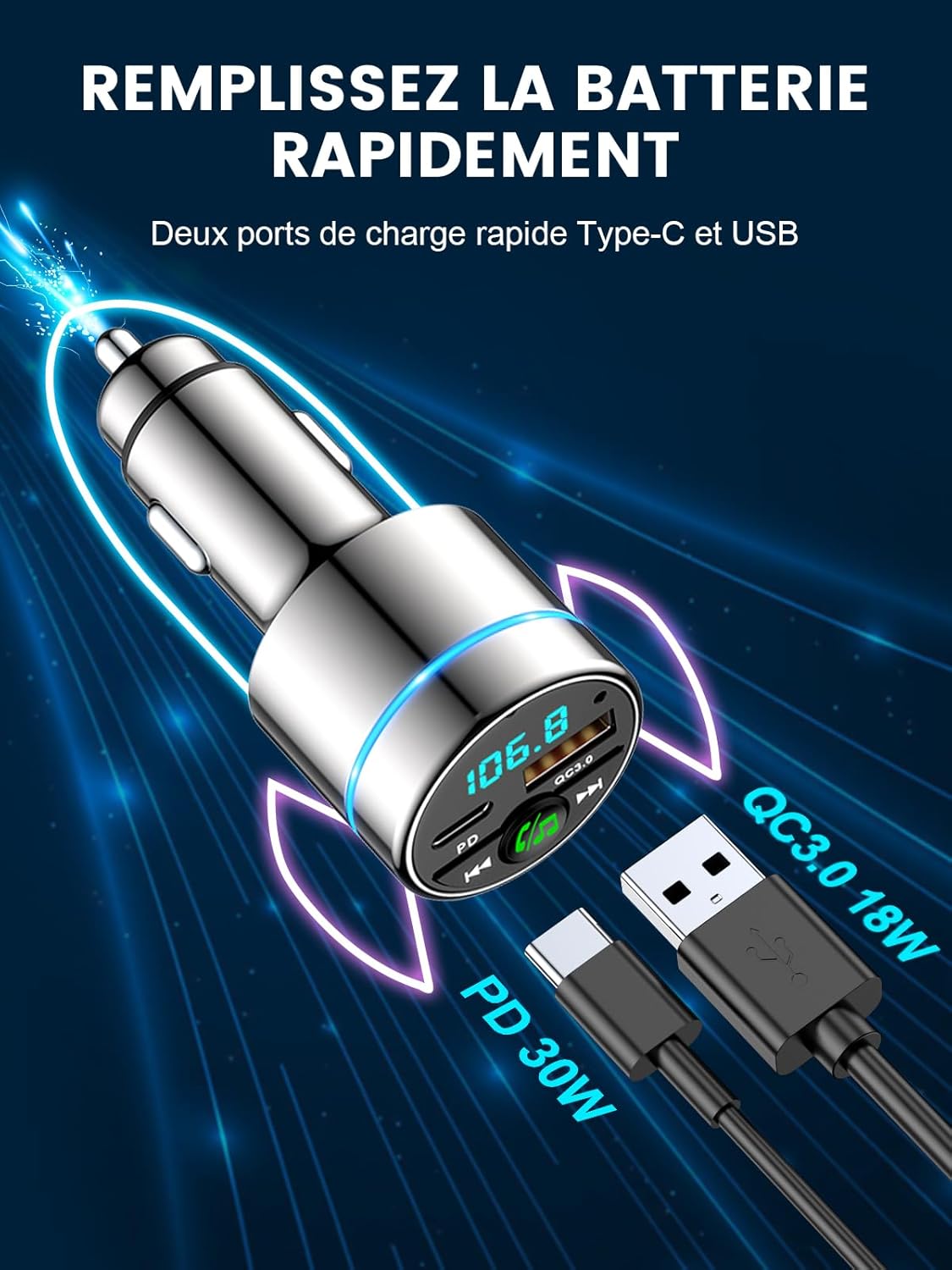
- Dual Fast Charging Ports: Equipped with 18W USB-A QC3.0 and 30W USB-C PD ports for simultaneous fast charging of multiple devices. Intelligent circuits protect against overcurrent, short-circuit, overheating, and overcharging.
- Bluetooth 5.3 & Hi-Fi Music: Advanced Bluetooth 5.3 ensures stable, fast pairing and transmission for seamless, lossless music streaming from any Bluetooth-enabled device.
- קאָמפּאַקט מעטאַל Casing: Features an attractive, elegant unibody design made entirely of highly durable zinc alloy for superior heat dissipation and long-lasting use, offering enhanced safety compared to plastic alternatives.
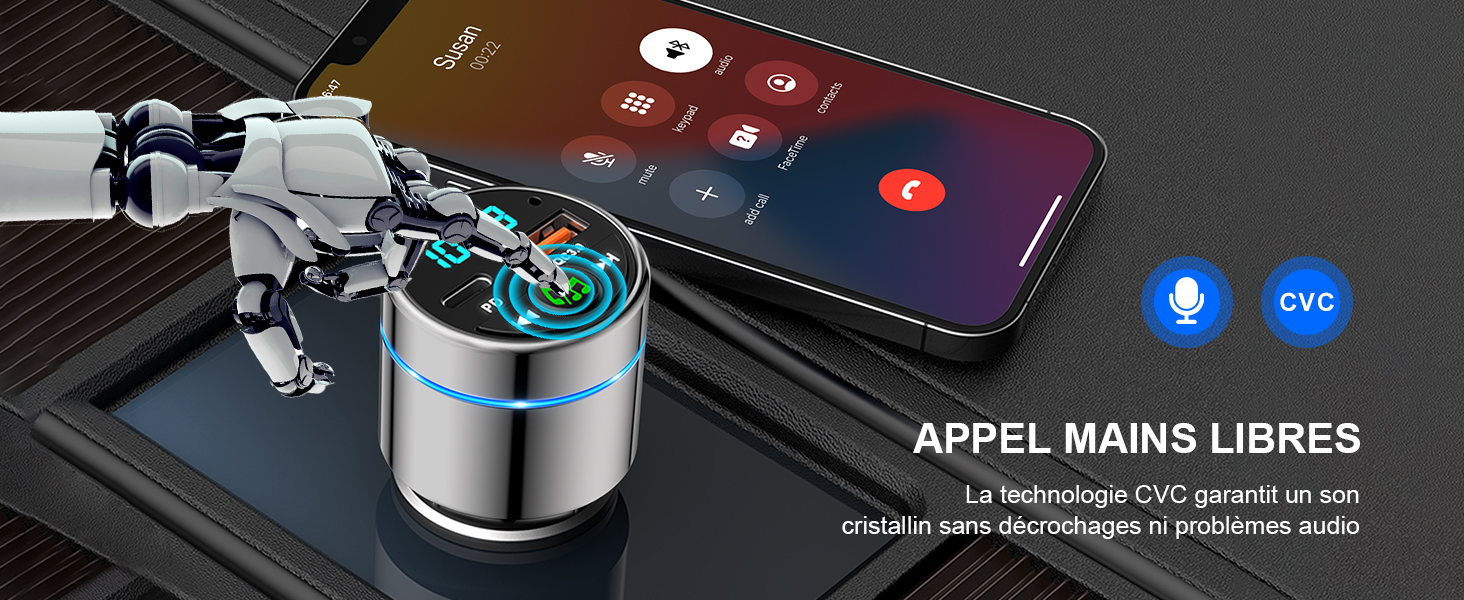
- High-Performance Hands-Free Calling: Integrated high-sensitivity microphone with CVC noise suppression technology ensures clear calls for both driver and caller. Answer and reject calls with a single button press.
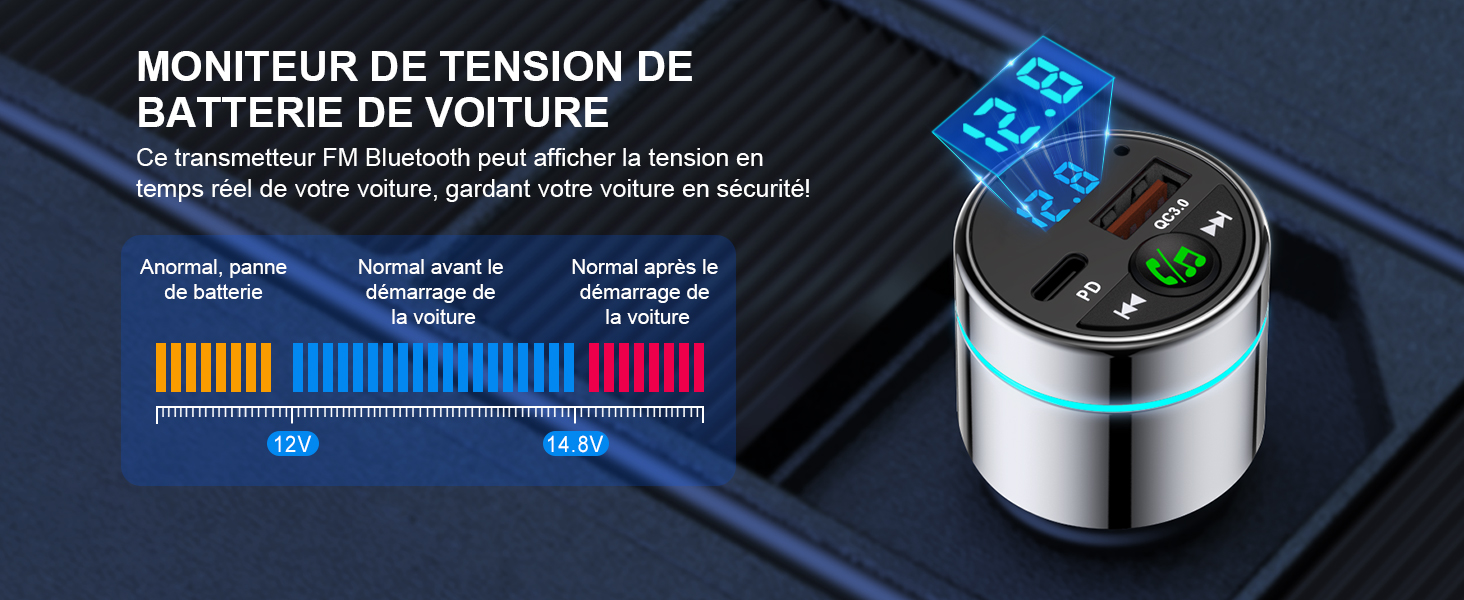
- Enhanced Driving Experience: Monitors car voltage and features a blue ambient light ring for easy location in the dark, adding a stylish touch. Transmits phone audio, including navigation and voice assistant, to your car's system.
סעטאַפּ גייד
Follow these steps to set up your Mohard BC61 Bluetooth FM Transmitter:
- אַרײַנשטעלן אין אויטאָ־לייכטער־סאָקעט: Plug the Mohard BC61 into your car's 12V/24V cigarette lighter socket. The device will power on automatically.
- טונען אויטאָ ראַדיאָ: Set your car radio to an unused FM frequency (e.g., 87.5 MHz - 108.0 MHz). Choose a frequency with no strong broadcast signal to minimize interference.
- שטעלן טראַנסמיטער אָפטקייַט: Long-press the MFB (Multi-Function Button) on the transmitter to enter FM mode. Rotate the MFB to match the transmitter's frequency to the one selected on your car radio.
- פּאָר בלועטאָאָטה: געבן בלועטאָאָטה אויף דיין סמאַרטפאָנע. זוכן פֿאַר "BC61" in the list of available devices and connect. Once paired, the device will confirm the connection.
אַפּערייטינג ינסטראַקשאַנז
מוזיק פּלייַבאַקק
- Once connected via Bluetooth, open your preferred music application on your smartphone.
- Music will stream wirelessly through the FM transmitter to your car's audio system.
- ניצט די "פֿריִערדיקע שפּור" און "נעקסטע שפּור" קנעפּלעך אויף דעם טראַנסמיטער צו קאָנטראָלירן ווידערשפּיל.
- Adjust volume via your smartphone or car radio.

הענט-פריי פאַך
- When a call comes in, press the MFB once to answer.
- To reject an incoming call, long-press the MFB.
- To end an ongoing call, press the MFB once.
- To redial the last number, double-press the MFB.

טשאַרדזשינג דעוויסעס
- Connect your device's charging cable to either the USB-A QC3.0 port (18W) or the USB-C PD port (30W) on the transmitter.
- The device supports fast charging for compatible smartphones, tablets, and other USB-powered devices.
מאַשין וואָלtagE מאָניטאָרינג
- The LED display on the transmitter shows your car's real-time voltage.
- מאָניטאָר די וואַלtage to ensure your car battery is in good condition.
- באַמערקונג: Refer to your car's manual for normal voltage ריינדזשאַז.
וישאַלט
- האַלט דעם אַפּאַראַט טרוקן און ריין. פֿאַרמייַדט אויסשטעלונג צו פֿײַכטקייט אָדער עקסטרעמע טעמפּעראַטורן.
- פרובירט נישט צו צענעמען אדער מאדיפיצירן דעם אפאראט. דאס וועט בטל מאכן די גאראנטיע.
- רייניקט די ייבערפלאַך מיט אַ ווייכן, טרוקענעם שטאָף. ניצט נישט קיין שטרענגע כעמיקאַלן אדער שרײַבנדיקע רייניקונגסמיטלען.
- זיכער מאַכן אַז די ציגאַרעטן-לייטער סאָקעט איז ריין און פריי פון שמוץ פֿאַר אַן אָפּטימאַלער פֿאַרבינדונג.
טראָובלעשאָאָטינג
| פּראָבלעם | לייזונג |
|---|---|
| קיין מאַכט/אַפּאַראַט צינדט זיך נישט אָן. | Ensure the device is fully inserted into the car's cigarette lighter socket. Check if the car's socket is functioning (e.g., by testing with another device). |
| Poor audio quality/Static noise. |
|
| בלועטוט קאנעקט נישט. |
|
| לאנגזאמע טשאַרדזשינג אָדער קיין טשאַרדזשינג. |
|
ספּעסאַפאַקיישאַנז
| שטריך | דעטאַל |
|---|---|
| סאָרט | מאָהאַרד |
| מאָדעל נומער | BC61 |
| קאָליר | זילבער |
| קאַנעקטיוויטי טעכנאָלאָגיע | יו-עס-בי, בלועטוט 5.3 |
| מאַכט מקור | Vehicle Powered (12V/24V cigarette lighter) |
| מאַטעריאַל | Metal (Zinc Alloy) |
| פּראָדוקט דימענשאַנז | 8.4 ל רענטגענ 4.7 וו רענטגענ 4.2 ה סענטימעטער |
| פּונקט וואָג | 36 גראַמז |
| ספּעציעלע פֿעיִקייטן | Bluetooth Car Adapter, Fast Car Charger (PD 30W Type C + QC3.0), All Metal Construction, FM Transmitter Bluetooth 5.3 |
| גאַנץ וסב פּאָרץ | 2 |
| קאַמפּאַטאַבאַל דעוויסעס | Smartphones (e.g., iPhone, Samsung Galaxy), Tablets, and other Bluetooth-compatible devices. |
וואָראַנטי און שטיצן
פאַבריקאַנט ס וואָראַנטי: One year after-sales service is provided by Mohard.
For technical support, warranty claims, or further assistance, please contact Mohard customer service through the retailer where the product was purchased or visit the official Mohard webפּלאַץ.