
R-Music RM483874
R-Music Novo RM483874 Wireless Bluetooth Earbuds User Manual
מאָדעל: RM483874
1. הקדמה
Thank you for choosing the R-Music Novo RM483874 Wireless Bluetooth Earbuds. This manual provides essential information for setting up, operating, and maintaining your earbuds to ensure optimal performance and longevity. Please read this manual thoroughly before use.
2. פּעקל אינהאַלט
זיכער מאַכן אַז אַלע זאכן זענען פאַראַן אין דיין פּעקל:
- R-Music Novo RM483874 Wireless Earbuds
- ווירעלעסס טשאַרדזשינג קאַסע
- וסב-C טשאַרדזשינג קאַבלע
- באַניצער מאַנואַל
3. פּראָדוקט איבערview
The R-Music Novo RM483874 earbuds are designed for daily use, offering clear stereo sound and an integrated microphone for calls. The compact charging case provides extended battery life.

Figure 3.1: R-Music Novo RM483874 wireless earbuds and open charging case.
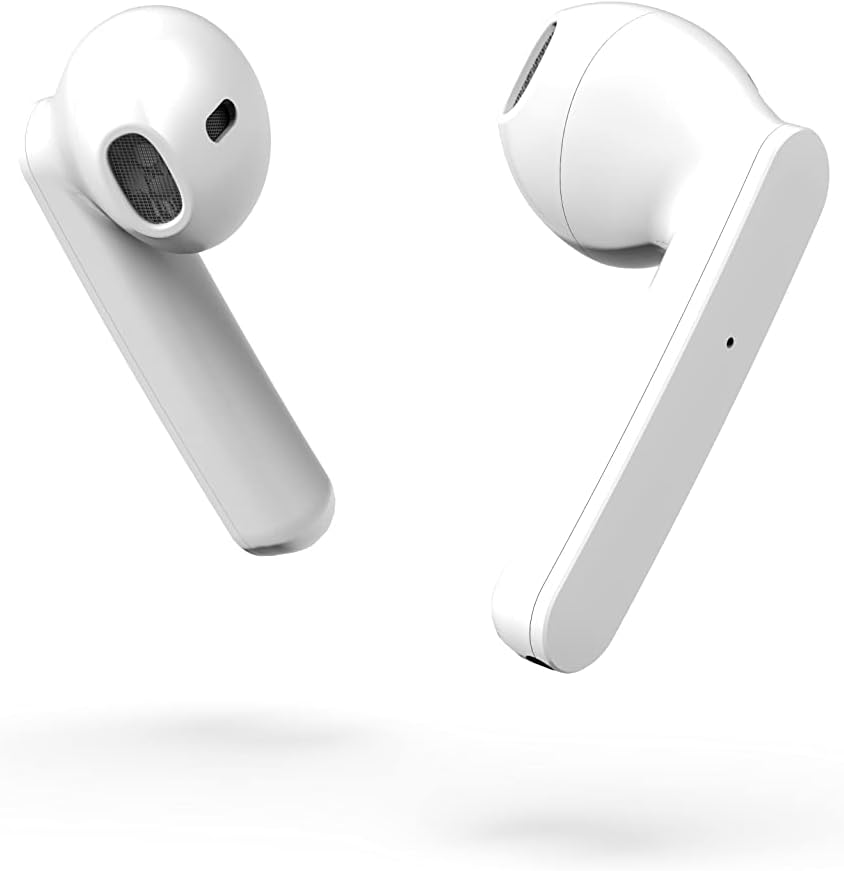
פיגור 3.2: נאָענטע זײַט view of the earbuds, highlighting their design.
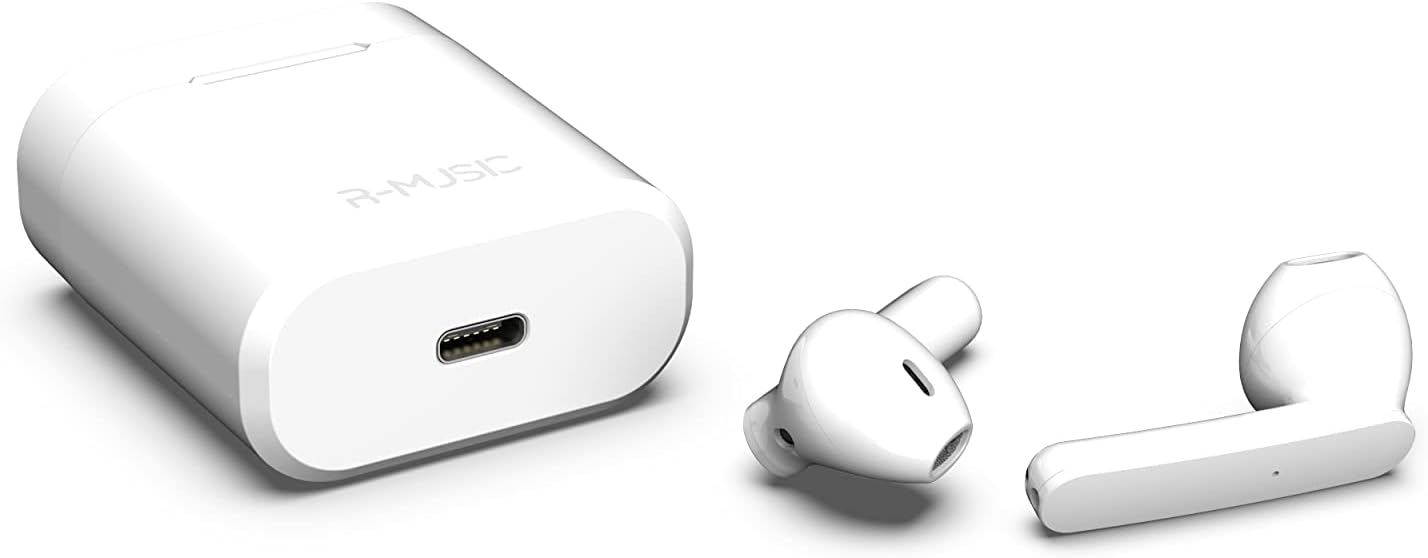
Figure 3.3: Charging case with USB-C port and earbuds.
4. סעטאַפּ
4.1 ערשט טשאַרדזשינג
- פארן ערשטן באניץ, לייגט ביידע אויערן-קנעפלעך אין דעם טשאַרדזשינג קעסטל.
- Connect the USB-C charging cable to the port on the charging case and to a power source.
- An indicator light inside the case will show the battery level during charging. Ensure the case and earbuds are fully charged.
4.2 פּערינג מיט אַ מיטל
The R-Music Novo RM483874 earbuds feature quick and easy pairing:
- עפֿנט דעם טשאַרדזשינג קעסטל און נעמט אַרויס ביידע אויערקנעפּלעך. זיי וועלן אויטאָמאַטיש אַרײַן אין פּערינג מאָדע.
- On your device (e.g., smartphone), navigate to the Bluetooth settings.
- זוכן פֿאַר available devices and select "R-Music Novo" (or similar name) from the list.
- אַמאָל פארבונדן, וועט איר הערן אַן אַודיאָ באַשטעטיקונג, און די אויערקנעפּלעך וועלן זיין גרייט פֿאַר נוצן.
5. אַפּערייטינג ינסטרוקטיאָנס
5.1 מאַכט אויף / אַוועק
- מאַכט אויף: Remove the earbuds from the charging case. They will automatically power on and attempt to connect to the last paired device.
- מאַכט אַוועק: לייגט די אויערקנעפּלעך צוריק אין די טשאַרדזשינג קעסטל. זיי וועלן זיך אויטאָמאַטיש אויסלעשן און אָנהייבן טשאַרדזשינג.
5.2 ריר קאָנטראָלס
The earbuds are equipped with touch controls for convenient operation:
- שפּיל / פּויזע: איין צאַפּן אויף יעדער עאַרבוד.
- ווייַטער שפּור: צאַפּ צוויי מאָל אויף די רעכטע אויערקנעפּל.
- פֿריִערדיקע שפּור: צאַפּ צוויי מאָל אויף די לינקע אויערקנעפּל.
- ענטפֿערן / סוף רופן: איין צאַפּ אויף יעדן אויערקנעפּל בעת אַן אינקאַמינג רוף אָדער אַקטיוון רוף.
- אָפּוואַרפן רופן: דריק און האלט אויף יעדן אויערקנעפל בעת אן אנקומענדיקן רוף.
- אַקטאַווייט קול אַססיסטאַנט: טריפּל צאַפּן אויף יעדן אויערקנעפּעל (די פֿונקציאָנאַליטעט קען זיין אַנדערש לויטן מיטל).
5.3 מאַכן רופן
The integrated microphone allows for hands-free calling. Ensure the earbuds are connected to your phone via Bluetooth. Use the touch controls to manage calls.
5.4 הערן מוזיק
Enjoy clear and balanced stereo sound. Use the touch controls to manage playback.
6. טשאַרדזשינג
The earbuds provide approximately 3 hours of playback on a single charge. The charging case offers an additional 11 hours of battery life, allowing for multiple recharges on the go.
- טשאַרדזשינג עאַרבודז: לייגט די אויערן-קנעפּלעך אין דעם טשאַרדזשינג קעסטל. זיי וועלן זיך אויטאָמאַטיש טשאַרדזשען.
- טשאַרדזשינג קאַסע: Connect the supplied USB-C cable to the charging port on the case and a compatible USB power adapter. The indicator light will show charging status and battery level.
7. וישאַלט
- רייניקונג: ניצט אַ ווייכע, טרוקענע שטאָף צו רייניקן די אויערקנעפּלעך און די טשאַרדזשינג קעסטל. פֿאַרמייַדט די נוצן פון שאַרפע כעמיקאַלן אָדער אַברייסיוו מאַטעריאַלן.
- סטאָרידזש: ווען נישט אין באַנוץ, לייגט די אויערן-קנעפּלעך אין זייער טשאַרדזשינג קעסטל צו באַשיצן זיי און האַלטן זיי טשאַרדזשד.
- וואַסער קעגנשטעל: The earbuds are water-resistant. However, they are not designed for swimming or prolonged submersion. Avoid exposure to saltwater or other corrosive liquids.
8. טראָובלעשאָאָטינג
| פּראָבלעם | מעגלעך לייזונג |
|---|---|
| די אויערקנעפּלעך גייען נישט אן. | Ensure the charging case and earbuds are charged. Place earbuds in case, then remove them. |
| Earbuds do not pair. | Make sure Bluetooth is enabled on your device. Forget the device in your Bluetooth settings and try pairing again. Ensure earbuds are removed from the case. |
| קיין געזונט פון איין עאַרבוד. | Place both earbuds back into the charging case, close the lid, then reopen and remove them. Check device audio settings. |
| די טשאַרדזשינג קעיס טשאַרדזשט זיך נישט. | Check the USB-C cable and power adapter. Ensure the cable is securely connected. |
9. ספּעסאַפאַקיישאַנז
| שטריך | דעטאַל |
|---|---|
| מאָדעל נאָמען | Novo |
| מאָדעל נומער | RM483874 |
| קאַנעקטיוויטי טעכנאָלאָגיע | בלועטאָאָטה (וויירלעסס) |
| קאָנטראָל טיפּ | ריר קאָנטראָל |
| מיקראָפאָן | ינטעגראַטעד |
| באַטעריע לעבן (אויערקנעפּלעך) | בעערעך. 3 שעה |
| באַטעריע לעבן (מיט קעסטל) | Approx. 3H + 11H (total 14 hours) |
| טשאַרדזשינג פּאָרט | וסב-C |
| וואַסער קעגנשטעל מדרגה | וואַסער-קעגנשטעליק |
| מאַטעריאַל | פּלאַסטיק |
| וואָג | 37 גראַמז |
| דימענשאַנז | 5.3 X 4.7 X 2.4 סענטימעטער |
| ימפּידאַנס | 3 Ohm |
| ראַש קאָנטראָל | אַקוסטישע איזאָלאַציע |
| אָפטקייַט ענטפער | 20 הז |
| סענסיטיוויטי | 109 דב |
10. זיכערקייַט אינפֿאָרמאַציע
- דו זאלסט נישט דיסאַסעמבאַל, פאַרריכטן אָדער מאָדיפיצירן די פּראָדוקט.
- האַלט די אויערקנעפּלעך און טשאַרדזשינג קעסטל אַוועק פון עקסטרעמע טעמפּעראַטורן, דירעקט זונשייַן און נעץ.
- ויסמיידן צוגעהערט אין הויך באַנד לעוועלס פֿאַר עקסטענדעד פּיריאַדז צו פאַרמייַדן געהער שעדיקן.
- האַלטן אויס פון דערגרייכן פון קינדער און פּעץ.
- אָפּזאָגן דעם פּראָדוקט ריספּאַנסאַבלי לויט די היגע רעגיאַליישאַנז.
11. וואָראַנטי און שטיצן
R-Music products are designed for reliability and performance. For warranty information or technical support, please refer to the contact details provided at the point of purchase or visit the official R-Music webזייטל. ביטע באַהאַלטן אייער קויפן באַווייַז פֿאַר וואָראַנטי קליימז.
Ask a question about this manual
Ask about setup, troubleshooting, compatibility, parts, safety, or missing instructions. Manuals+ will review the question and use this page’s manual context to help answer it.