
הקדמה
This manual provides essential information for the proper setup, operation, and maintenance of your ZEBRONICS K24 Wired USB Keyboard. Please read this manual thoroughly before using the product to ensure optimal performance and longevity.
פּעקל אינהאַלט
- 1 x ZEBRONICS K24 Wired USB Keyboard
סעטאַפּ אינסטרוקציעס
- ופשליסן די קלאַוויאַטור: נעמט פֿאָרזיכטיק אַרויס די קלאַוויאַטור פֿון איר פּאַקעט.

Image: ZEBRONICS K24 Wired USB Keyboard, showing the keyboard and its USB cable.
- Connect to your Device: Locate an available USB port on your computer or laptop. Insert the USB connector of the keyboard cable into the USB port.
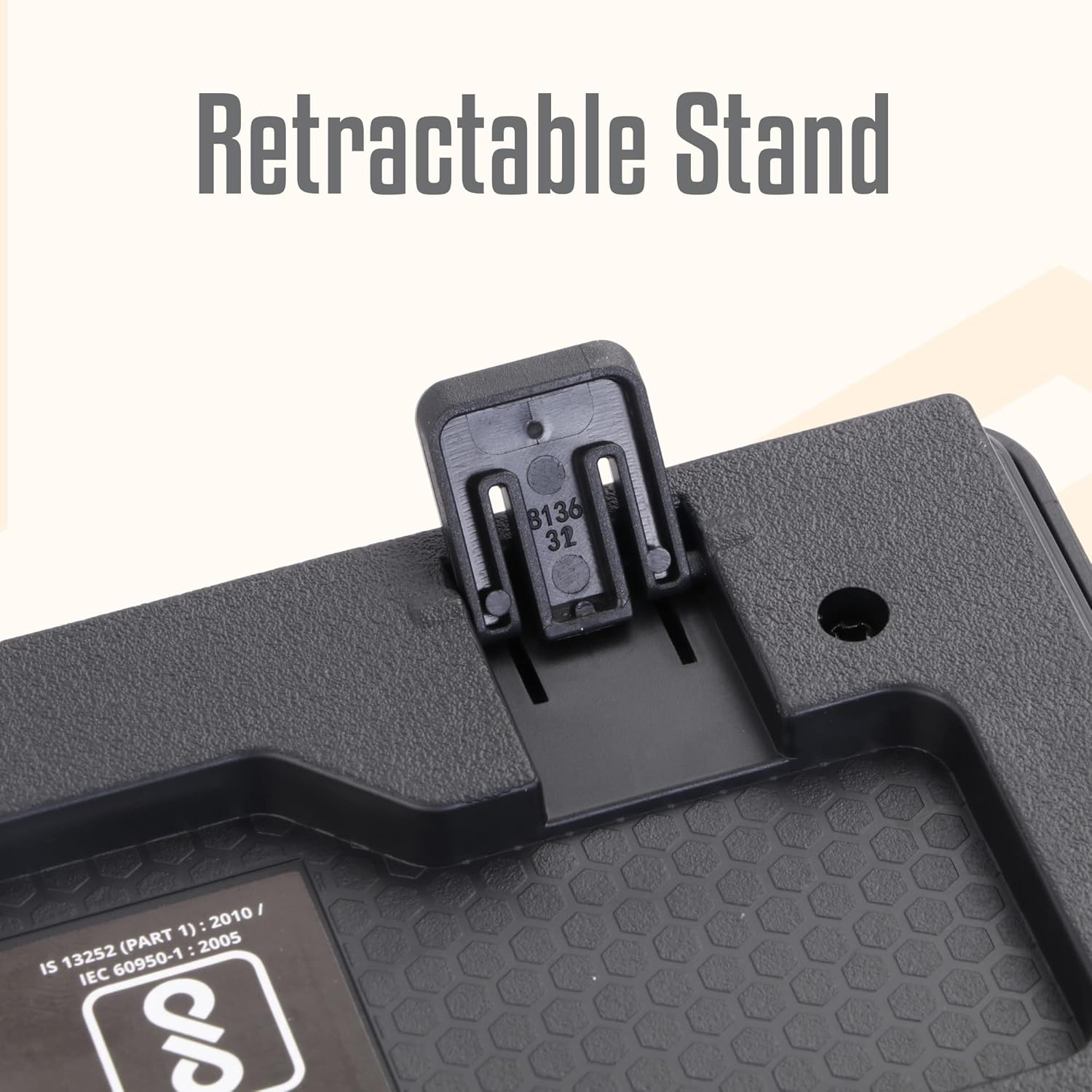
Image: A hand connecting the USB cable of the keyboard to a laptop's USB port.
- דרייווער ינסטאַלירונג: The keyboard is plug-and-play. Your operating system (Windows, macOS, Linux) will automatically detect and install the necessary drivers. No manual driver installation is required.
- Adjust the Stand (Optional): For an ergonomic typing angle, extend the retractable stands located on the underside of the keyboard.

Image: Close-up of the retractable stand on the back of the keyboard, extended for ergonomic use.
אַפּערייטינג ינסטראַקשאַנז
The ZEBRONICS K24 keyboard operates like any standard 104-key keyboard. Simply connect it to your device, and it will be ready for use.
- טייפּינג: Use the keys for text input, data entry, and command execution.
- מולטימעדיאַ שליסלען: The keyboard may feature integrated multimedia functions accessible via the 'Fn' key combined with function keys (F1-F12). Refer to your operating system's settings for specific key assignments if needed.
- Rupee Key: The keyboard includes a dedicated Rupee key for convenient currency input.

Image: Close-up of the keyboard highlighting the Rupee symbol on a key.
פֿעיִקייטן
- Standard Layout with 104 Keys: פול-גרייס קלאַוויאַטור פֿאַר פולשטענדיק פאַנגקשאַנאַליטי.
- UV Coated Keycaps: Ensures durability and prevents legend fading over time.
- Long Life 8 Million Keystrokes: Designed for extended usage and reliability.
- Silent and Comfortable Use: Provides a quiet typing experience suitable for various environments.
- שלאַנק פּלאַן: Space-saving and aesthetically pleasing for any desk setup.
- ריטראַקטאַבאַל שטיין: Offers adjustable ergonomic typing angles.
- 1.5 Meter Textured Cable: גיט ample length and durability for flexible placement.
- וסב קאַנעקטיוויטי: Ensures broad compatibility with PCs and laptops.

Image: Close-up of the keyboard keys, showing their round, chiclet style and UV coating.

Image: The keyboard with its 1.5-meter textured USB cable coiled next to it.
וישאַלט
- רייניקונג: Use a soft, dry cloth to wipe the keyboard surface. For deeper cleaning, use a can of compressed air to remove dust and debris from between the keys. Avoid using harsh chemicals or abrasive materials.
- סטאָרידזש: When not in use, store the keyboard in a clean, dry place away from direct sunlight and extreme temperatures.
- קאַבלע זאָרגן: פֿאַרמײַדט צו בייגן אָדער דרייען דעם USB קאַבל צו פֿיל כּדי צו פֿאַרמײַדן שאָדן.
טראָובלעשאָאָטינג
| פּראָבלעם | מעגלעך סיבה | לייזונג |
|---|---|---|
| קלאַוויאַטור ניט ריספּאַנדינג | לויזע USB פֿאַרבינדונג, דעפֿעקטיווער USB פּאָרט, דרייווער פּראָבלעם. | Ensure the USB cable is securely plugged in. Try a different USB port. Restart your computer. |
| שליסלען נישט ארבעטן | Debris under keys, software conflict. | Clean the keys with compressed air. Check for any software conflicts or update keyboard drivers. |
| אומרעכטע אותיות דערשייַנען | Incorrect keyboard layout setting. | Check your operating system's keyboard language and layout settings. |
If you encounter issues not listed here, please contact ZEBRONICS customer support.
ספּעסאַפאַקיישאַנז
| שטריך | דעטאַל |
|---|---|
| סאָרט | זעבראָניקס |
| מאָדעל נומער | Zeb-k24 |
| קאַנעקטיוויטי טעכנאָלאָגיע | ווייערד (וסב) |
| נומער פון קיז | 104 |
| טיפּ פון שליסל | UV Coated Chiclet Keys |
| קיסטראָוק לעבן | 8 מיליאָן |
| קאַבלע לענג | 1.5 מעטער |
| קאַמפּאַטאַבאַל דעוויסעס | לאַפּטאַפּ, פּיסי |
| קלאַוויאַטור אויסלייג | QWERTY, includes Rupee key |
| פּלאַן | Slim, Ergonomic with Retractable Stand |
| קאָליר | שוואַרץ |
| מאַטעריאַל | פּלאַסטיק |
| נומער דימענשאַנז ל x וו x ה | בעערעך. 435 מם X 133 מם X 20 מם |
| פּונקט וואָג | 510 גראַמז |
Note: Keyboard dimensions are approximate.
וואָראַנטי און שטיצן
וואָראַנטי: The ZEBRONICS K24 Wired USB Keyboard comes with a 1-year carry-in warranty to the service center from the date of purchase.
קונה שטיצן: For any product-related queries, technical assistance, or warranty claims, please contact ZEBRONICS customer support. Refer to the official ZEBRONICS webזייטל פֿאַר די לעצטע קאָנטאַקט אינפֿאָרמאַציע.