
1. הקדמה
This manual provides detailed instructions for the installation, operation, and maintenance of your SCOORNEST Wireless Security Camera. This compact, battery-operated camera is designed for indoor use, offering 1080P HD video, night vision, and remote monitoring capabilities via a mobile application. Please read this manual thoroughly before using the product to ensure proper function and safety.

Image: The SCOORNEST Wireless Security Camera discreetly placed in a living room, providing wide area surveillance.
2. פּראָדוקט פֿעיִקייטן
The SCOORNEST Wireless Security Camera offers a range of features for effective home monitoring:
- 1080P HD ווידעא: כאַפּט קלאָרע און דעטאַלירטע פֿוטערtage.
- ווירעלעסס און באַטאַרייע אַפּערייטאַד: Flexible placement without the need for constant power outlets.
- נאַכט זעאונג: Provides clear monitoring in low-light or dark conditions.
- באַוועגונג דעטעקשאַן: Alerts you to detected movement, enhancing security.
- Remote App Control: Monitor and control the camera from your smartphone or tablet.
- ניצן אין פֿאַרשידענע סצענאַרן: Suitable for monitoring homes, babies, pets, elderly care, and office spaces.

Image: Key features of the camera, including 1080P resolution, motion detection, WiFi connectivity, and wireless operation.

Image: Demonstration of the camera's 1080P resolution, providing clear and smooth video quality.
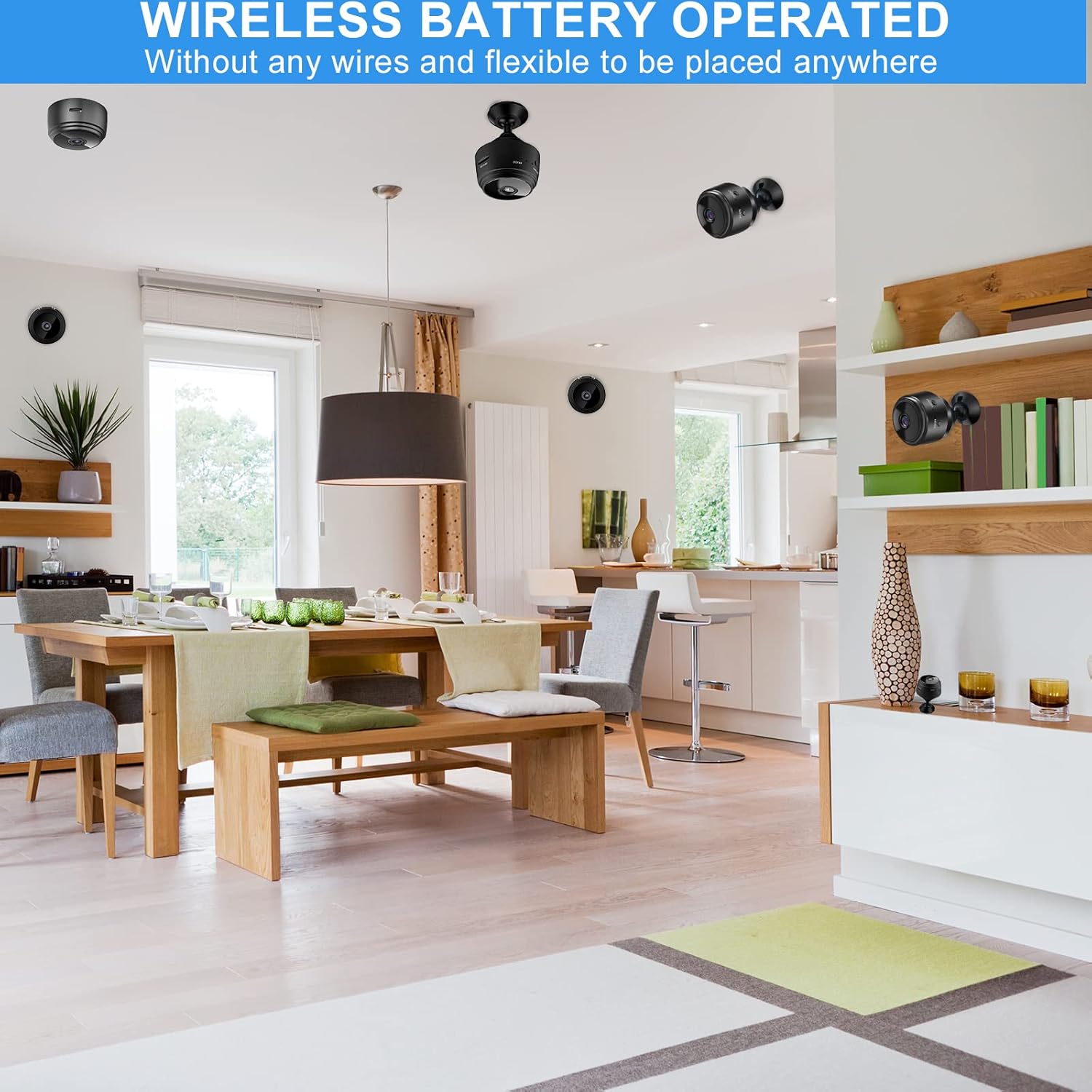
Image: The camera's motion detection feature, sensitive to capture movement and trigger alerts.

Image: Comparison of day and night vision, illustrating the camera's ability to monitor in various lighting conditions.
3. סעטאַפּ גייד
Follow these steps to set up your SCOORNEST Wireless Security Camera:
- טשאַרדזשינג די אַפּאַראַט: Before first use, fully charge the camera using the provided USB cable. A red indicator light typically signifies charging, turning off or changing color when complete.
- אראפקאפיע די אַפּ: זוכן פֿאַר "HDwifiCamPro" in the App Store (iOS) or Google Play Store (Android) and install it on your smartphone.
- מאַכט אויף די אַפּאַראַט: דריקן און האַלטן די מאַכט קנעפּל ביז די גראדן ליכט טורנס אויף.
- פאַרבינדן צו טעלעפאָן: Open the HDwifiCamPro app. Follow the in-app instructions to connect the camera to your phone. This usually involves connecting to the camera's temporary Wi-Fi hotspot first, then configuring it to connect to your home 2.4GHz Wi-Fi network.
- שטעלן די אַפּאַראַט: Place the camera in your desired monitoring location. Its wireless design allows for flexible placement. Ensure it has a clear line of sight to the area you wish to monitor.
Image: Visual guide for connecting the camera to your smartphone and home WiFi network.
4. אַפּערייטינג ינסטרוקטיאָנס
Once your camera is set up, you can begin monitoring:
- לעבן View: Open the HDwifiCamPro app and select your camera to view די לעבן ווידעא קאָרמען.
- רעקאָרדינג: The camera supports continuous recording or motion-activated recording. Ensure a microSD card (not included) is inserted for local storage, or utilize cloud storage options if available through the app.
- באַוועגונג אַלערץ: Enable motion detection in the app settings to receive notifications on your phone when movement is detected.
- Night Vision Activation: נאַכט זעאונג אַקטיוויזירט זיך טיפּיש אויטאָמאַטיש אין שוואַך-ליכט באדינגונגען.
- ווייַט אַקסעס: As long as your camera is connected to Wi-Fi and your phone has internet access, you can view the live feed and manage settings from anywhere.

Image: Live monitoring of the camera feed on a smartphone.

בילד: עקסample of using the camera for pet monitoring via the mobile app.

Image: The camera feed can be viewed on multiple devices, including laptops, tablets, and smartphones.
5. וישאַלט
To ensure the longevity and optimal performance of your camera:
- רייניקונג: ווישט אָפּ די קאַמעראַ לינז און קערפּער מיט אַ ווייכן, טרוקענעם שטאָף. פֿאַרמייַדט ניצן שאַרפע כעמיקאַלן אָדער אַברייסיוו מאַטעריאַלן.
- באַטערי זאָרגן: Recharge the camera regularly, especially if it's not connected to a continuous power source. Avoid fully depleting the battery frequently to prolong its lifespan.
- ווייכווארג דערהייַנטיקונגען: Check the HDwifiCamPro app periodically for firmware updates for your camera. Keeping the software updated can improve performance and security.
- סטאָרידזש: If storing the camera for an extended period, ensure it is fully charged and stored in a cool, dry place.
6. טראָובלעשאָאָטינג
אויב איר טרעפט פּראָבלעמען מיט אייער קאַמעראַ, זעט די פאלגענדע געוויינטלעכע פּראָבלעמען און לייזונגען:
| פּראָבלעם | מעגלעך סיבה | לייזונג |
|---|---|---|
| די אַפּאַראַט איז נישט קאַנעקטינג צו Wi-Fi | Incorrect Wi-Fi password; camera too far from router; 5GHz Wi-Fi network used. | Ensure correct 2.4GHz Wi-Fi password; move camera closer to router; ensure router supports 2.4GHz. |
| נעבעך בילד קוואַליטעט | Dirty lens; insufficient lighting; weak Wi-Fi signal. | Clean the lens; ensure adequate lighting or rely on night vision; improve Wi-Fi signal strength. |
| באַטאַרייע דריינז געשווינד | אָפט לעבן viewing; continuous recording; high motion detection sensitivity. | Reduce live viewing time; use motion-activated recording; adjust motion detection sensitivity; keep camera plugged in if possible. |
| די אַפּלאַקיישאַן וועט נישט באַקומען נאָוטאַפאַקיישאַנז | App notifications disabled; motion detection off; phone in Do Not Disturb mode. | Check app notification settings; enable motion detection; disable Do Not Disturb. |
אויב פראבלעמען בלייבן, ביטע זעט די וואראנטי און שטיצע סעקציע פאר קאנטאקט אינפארמאציע.
7. ספּעסאַפאַקיישאַנז
| שטריך | דעטאַל |
|---|---|
| פּראָדוקט דימענשאַנז | 3.98 X 2.4 X 1.46 אינטשעס |
| פּונקט וואָג | 2.08 אונסעס |
| מאָדעל נומער | FDA MASK 95 |
| סאָרט | SCOORNEST |
| לענס טיפּ | ברייט ווינקל |
| אָביעקטיוו פּלאַן | פארגרעסער |
| פאָקוס טיפּ | מאַנואַל פאָקוס |
| לינז קאָוטינג באַשרייַבונג | הד קאָוטינג |
| ערשטער דאַטע בנימצא | 10 מאי 2022 |
8. וואָראַנטי און שטיצן
SCOORNEST is committed to providing quality products and customer satisfaction. Your SCOORNEST Wireless Security Camera comes with a איין יאָר וואָראַנטי from the date of purchase. Additionally, we offer לעבנס-לאַנג נאָך-פאַרקויף סערוויס.
For any product-related inquiries, technical support, or warranty claims, please contact our customer service team. Refer to the product packaging or the official SCOORNEST webזייטל פֿאַר די מערסט אַקטועלע קאָנטאַקט אינפֿאָרמאַציע.
You can also find a PDF version of the Instructions for Use דאָ.