
1. הקדמה
Thank you for choosing the ILIFE V3s Max Robot Vacuum and Mop Combo. This device is designed to provide efficient and convenient cleaning for your home, combining powerful vacuuming with intelligent mopping capabilities. This manual provides essential information for the safe operation, maintenance, and troubleshooting of your robot vacuum. Please read it thoroughly before use and retain it for future reference.
2. זיכערקייַט אינסטרוקציעס
To reduce the risk of injury or damage, read and follow all safety precautions. This appliance is for household use only.
- Do not operate the robot near open flames or fragile objects.
- האַלטן האָר, פרייַ קליידער, פינגער און אַלע גוף טיילן אַוועק פון אָופּאַנינגז און מאָווינג טיילן.
- Do not allow children to operate the robot. Supervise children and pets when the robot is operating.
- ניצט נאָר דעם אָריגינעלן מאַכט אַדאַפּטער און טשאַרדזשינג דאָק וואָס ווערט צוגעשטעלט דורך דעם פאַבריקאַנט.
- פאַרזיכערן אַז די ראָבאָט איז גאָר באפוילן איידער ערשטער נוצן.
- ניצט נישט דעם ראָבאָט צו אויפהייבן גרויסע שמוץ, פליסיקייטן אדער ברענענדיקע אביעקטן.
- Remove power cords, small objects, and curtains from the cleaning path to prevent entanglement.
- Do not use the mopping function on carpets or rugs.
3. פּעקל אינהאַלט
באַשטעטיקן אַז אַלע קאָמפּאָנענטן זענען פאַראַן און אין גוטן צושטאַנד:
- 1x ILIFE V3s Max Robot Vacuum
- 1x רימאָוט קאָנטראָל
- 1x Filter (pre-installed)
- קסנומקסקס אַק אַדאַפּטער
- 1x טשאַרדזשינג דאָק
- 1x רייניקונג באַרשט
- 2x Side Brushes (spare)
- 1x מאַפּ שטאָף
- 1x Water Tank
- 1x באַניצער מאַנואַל
- 3x שטויב זעקלעך
4. פּראָדוקט איבערview
Familiarize yourself with the main components of your ILIFE V3s Max.

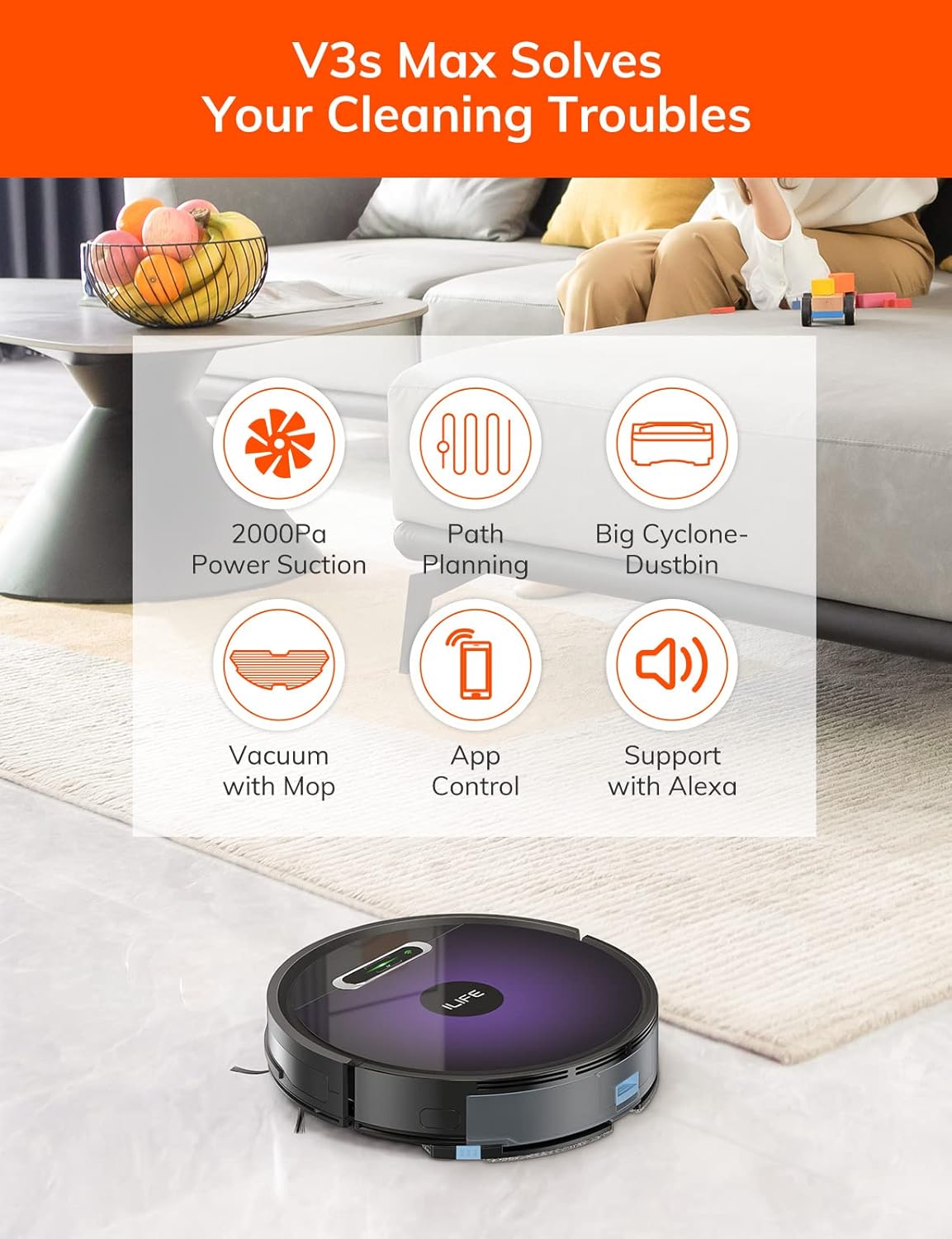
פיגורע 4.1: Top view of the ILIFE V3s Max robot vacuum, illustrating its 2000Pa suction, path planning, large dustbin, vacuum with mop function, app control, and Alexa support.

פיגורע 4.2: אונטערסייד view of the robot vacuum, highlighting the deep edge cleaning brush, powerful suction inlet, and the mop attachment for combined cleaning.
הויפּט קאַמפּאָונאַנץ:
- הויפּט גוף: Contains the motor, dustbin, water tank, and navigation sensors.
- זייט ברושעס: Sweep debris into the suction path.
- דרייווינג רעדער: Allow the robot to move across various surfaces.
- אוניווערסאַל ראָד: Provides directional movement.
- טשאַרדזשינג קאָנטאַקטן: Connects with the charging dock.
- מיסט Collects dry debris.
- וואַסער טאַנק: Holds water for mopping.
- מאַפּ שטאָף: Attaches to the water tank for wet cleaning.
- מאַכט קנעפּל: Turns the robot on/off and starts/pauses cleaning.
- סענסאָרס: Anti-drop, anti-collision, and wall-following sensors.
5. סעטאַפּ
5.1 ערשט טשאַרדזשינג
- Place the charging dock against a wall in an open area, ensuring there are no obstacles within 1 meter to the sides and 2 meters in front.
- Connect the AC adapter to the charging dock and plug it into a power outlet.
- Place the robot onto the charging dock, ensuring the charging contacts align. The indicator light will show charging status.
- Allow the robot to charge completely before first use (approximately 5-6 hours).
פיגורע 5.1: The robot vacuum returning to its charging dock. Ensure the dock is placed in an accessible area.
5.2 אַפּ און Wi-Fi פֿאַרבינדונג
The ILIFE V3s Max supports app control via 2.4G Wi-Fi (5G Wi-Fi is not supported).
- Download the "ILIFEHOME" app from your smartphone's app store (iOS or Android).
- רעגיסטרירן אַ חשבון און קלאָץ אין.
- Ensure your phone is connected to a 2.4G Wi-Fi network.
- Follow the in-app instructions to add your device. This typically involves pressing and holding the robot's power button until it enters pairing mode, then entering your Wi-Fi password in the app.

פיגורע 5.2: The ILIFEHOME app interface, demonstrating features like scheduling, cleaning history, suction settings, and cleaning modes. The robot also supports Amazon Alexa integration.
6. אַפּערייטינג ינסטרוקטיאָנס
6.1 אָנהייבן/פּויזירן רייניקונג
- From Robot: Press the power button once to start or pause cleaning.
- From Remote Control: Press the "Clean" button.
- From App: Tap "Start" or "Pause" in the ILIFEHOME app.
6.2 רייניקונג מאָדעס
The V3s Max offers multiple cleaning modes for different needs:

פיגורע 6.1: Illustration of the robot's multiple cleaning modes: Random, Spot, Edge, and Path (zigzag) cleaning.
- Path Cleaning (Zigzag): The robot cleans in an efficient zigzag pattern, covering the entire area systematically. This is the default mode for general cleaning.
- אָרט רייניקונג: The robot focuses on a specific dirty area, cleaning in a spiral pattern. Activate this mode for concentrated cleaning of spills or heavily soiled spots.
- ברעג רייניקונג: The robot cleans along walls and furniture edges. Useful for thorough cleaning of room perimeters.
- צופֿעליקע רייניקונג: The robot cleans randomly, suitable for small, uncluttered spaces.
6.3 וואַקוום־זויגן און ווישן
The V3s Max can vacuum and mop simultaneously or separately.

פיגורע 6.2: The robot vacuum demonstrating its 2000Pa suction power, effectively picking up food crumbs and pet hair from hard floors.

פיגורע 6.3: The robot vacuum illustrating three types of water adjustment for mopping, catering to various floor cleaning needs.
- וואַקוום: Ensure the dustbin is installed. The robot will use its 2000Pa suction to clean dry debris.
- מאָפּינג: Fill the 200ml water tank with clean water and attach the mop cloth. Insert the water tank into the robot. The robot will then perform wet mopping. Do not use cleaning solutions other than water in the tank.
- קאָמבינירטע רייניקונג: With both the dustbin and water tank installed, the robot will vacuum and mop simultaneously.
6.4 סקעדזשולינג
Use the ILIFEHOME app to set cleaning schedules for automated cleaning sessions.
- Open the ILIFEHOME app.
- Navigate to the scheduling section.
- Set desired cleaning times and days.
- Confirm the schedule. The robot will automatically start cleaning at the programmed times.
7. וישאַלט
רעגולערע אויפהאלטונג גאראנטירט אפטימאלע פאָרשטעלונג און פארלענגערט די לעבנס-צייט פון אייער ראָבאָט וואַקוום.
7.1 רייניקונג פון מיסטקאַסטן און פילטער
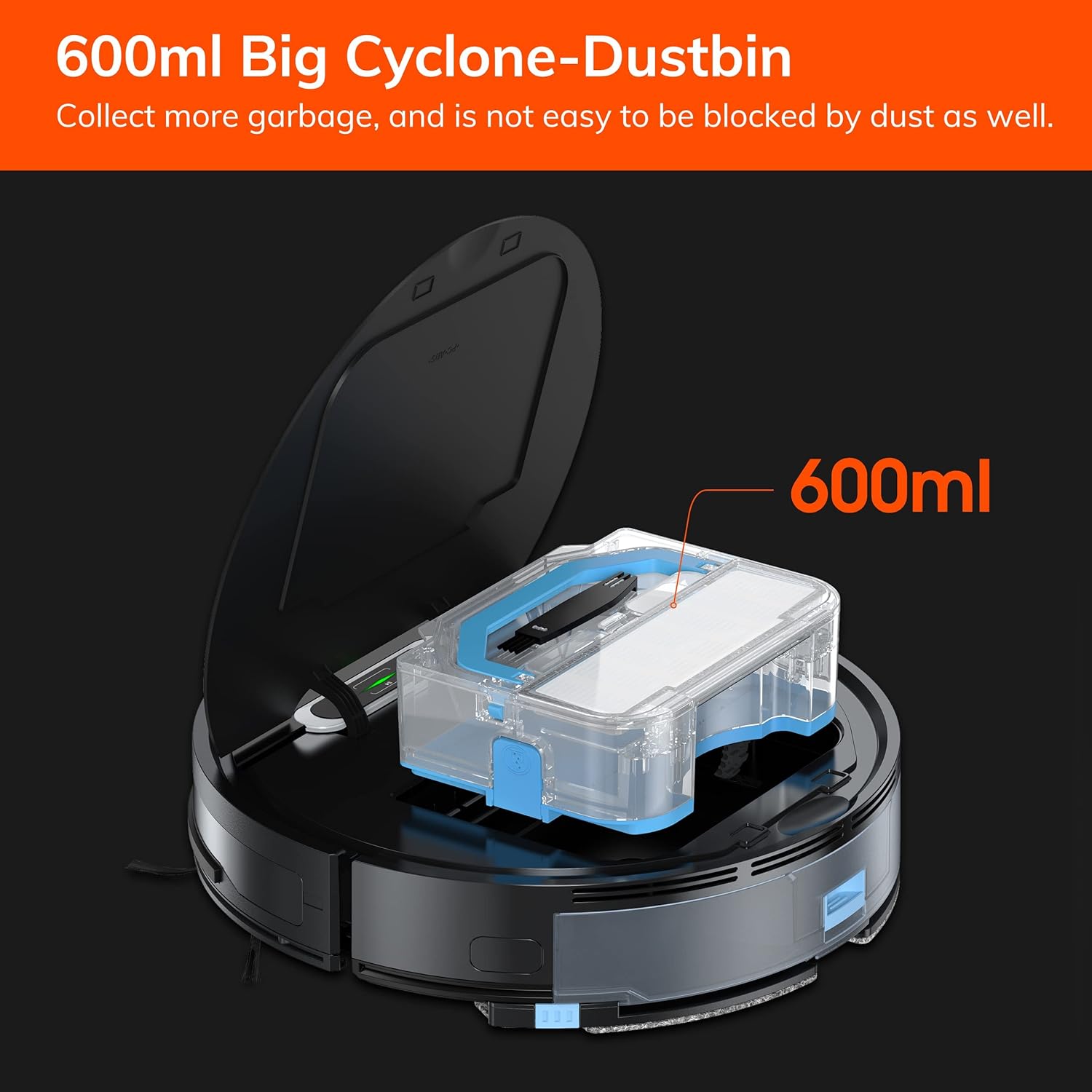
פיגורע 7.1: The 600ml cyclone dustbin, designed to collect more debris and resist clogging.
- Press the "PUSH" button on the robot's top cover to open it.
- Remove the dustbin by pulling it upwards.
- עפֿנט דעם דעקל פֿונעם מיסטקאַסטן און ליידיקט אויס דעם אינהאַלט אין אַ מיסטקאַסטן.
- Remove the filter assembly (pre-filter, sponge filter, high-performance filter).
- Clean the filters with the provided cleaning brush. Do not wash the high-performance filter with water.
- שווענקט אויס דעם מיסטקאסטן מיט וואסער אויב נויטיג, און מאכט זיכער אז עס איז אינגאנצן טרוקן איידער איר עס צוריק אינסטאלירט.
- שטעלט צוריק צוזאם די פילטערס און דעם מיסטקאסטן, און לייגט עס צוריק אריין אין ראָבאָט.
7.2 זייט באַרשט רייניקונג
- Regularly check side brushes for tangled hair or debris.
- ציט די זייט־באַרשטן לײַכט אַרויף צו זיי אַראָפּנעמען.
- Use the cleaning brush or scissors to remove any tangled hair or debris.
- Reinstall the side brushes, ensuring they click into place.
7.3 וואַסער טאַנק און מאַפּ שטאָף וישאַלט
- After each mopping session, remove the water tank.
- ליידיק קיין רוען וואַסער פון דעם טאַנק.
- Detach the mop cloth and wash it by hand or machine. Allow it to air dry completely.
- Rinse the water tank with clean water and allow it to air dry.
7.4 סענסאָר קלינינג
- Use a clean, dry cloth to wipe the anti-drop sensors (located on the bottom of the robot) and the anti-collision sensors (located on the front bumper).
- Clean the charging contacts on both the robot and the charging dock.
8. טראָובלעשאָאָטינג
If you encounter issues with your ILIFE V3s Max, refer to the following common problems and solutions:
| פּראָבלעם | מעגלעך סיבה | לייזונג |
|---|---|---|
| דער ראָבאָט הייבט זיך נישט אָן און רעאַגירט נישט. | נידעריגע באַטעריע; מאַכט אויסשליסן; ראָבאָט פֿאַרשטעקט. | Charge the robot; Turn on the power switch; Clear obstacles. |
| ראָבאָט קען נישט צוריקקומען צום טשאַרדזשינג דאָק. | Charging dock obstructed; Robot too far from dock; Dock not powered. | Ensure clear path to dock; Manually place robot near dock; Check power connection. |
| שלעכטע רייניקונג פאָרשטעלונג. | Dustbin full; Filters clogged; Side brushes worn or tangled. | Empty dustbin; Clean/replace filters; Clean/replace side brushes. |
| ראָבאָט בלייבט אָפט שטעקן. | Obstacles (cables, rugs); Cliff sensors dirty. | Clear cleaning area; Clean cliff sensors. |
| אַפּ קאַנעקשאַן פּראָבלעמען. | Incorrect Wi-Fi (5G); Incorrect password; Router issues. | Ensure 2.4G Wi-Fi; Re-enter password; Restart router and robot. |
If the problem persists, please contact ILIFE customer support.
9. ספּעסאַפאַקיישאַנז
| שטריך | דעטאַל |
|---|---|
| סאָרט | ILIFE |
| מאָדעל נאָמען | V3s Max |
| סאַקשאַן מאַכט | Up to 2000Pa (Spot Mode) |
| דוסטבין קאַפּאַציטעט | 600 מל |
| וואַסער טאַנק קאַפּאַציטעט | 200 מל |
| באַטערי לעבן | אַרויף צו 100 מינוט |
| באַטערי טיפּ | Lithium Ion (14.4 Volts) |
| נאַוויגאַציע | Gyroscopic Path Planning |
| קאָנטראָל מעטהאָדס | App Control, Remote Control, Amazon Alexa |
| Wi-Fi שטיצן | 2.4G Wi-Fi only |
| פּראָדוקט דימענשאַנז | 12.4"ל x 11.81"בר x 2.99"ה |
| פּונקט וואָג | 5.4 פונט |
| ראַש מדרגה | 65 דעציבעלן |
| ייבערפלאַך רעקאָמענדאַציע | Hard Floor, Low-Pile Carpet |
10. וואָראַנטי און שטיצן
ILIFE provides a limited warranty for this product. For detailed warranty information, please refer to the warranty card included in your package or visit the official ILIFE website. For technical support, troubleshooting assistance, or replacement parts, please contact ILIFE customer service through the contact information provided on their website or within the ILIFEHOME app.
אָנליין שטיצן: www.iliferobot.com/support