
1. הקדמה
This manual provides comprehensive instructions for the proper setup, operation, maintenance, and troubleshooting of your U.S. Solid Digital Precision Lab Scale, Model USS-DBS00059. This electronic balance is designed for accurate weighing in various applications, offering a maximum capacity of 15KG with a readability of 0.1g. It features a durable stainless steel weighing pan, multiple measurement units, AC/DC power options, and essential functions such as counting and tare.
Please read this manual thoroughly before using the scale to ensure correct operation and to maximize its lifespan.
2. זיכערקייַט פּריקאָשאַנז
- Operate the scale on a stable, level, and vibration-free surface.
- Avoid placing the scale near strong electromagnetic fields, heat sources, or direct sunlight.
- Do not expose the scale to extreme temperatures or humidity.
- Use only the provided AC adapter or specified DC batteries.
- Keep the weighing pan and surrounding area clean and free from debris.
- Do not overload the scale beyond its maximum capacity of 15KG.
- Disconnect power before cleaning or if the scale will not be used for an extended period.
3. פּראָדוקט איבערview
The U.S. Solid Digital Precision Lab Scale (USS-DBS00059) is equipped with features designed for reliable and precise measurements.
שליסל פֿעיִקייטן:
- קאַפּאַציטעט: 15KG with 0.1g readability.
- Weighing Pan: 150x180 mm stainless steel for corrosion resistance.
- ווייַז: Backlit LCD for clear readings.
- מאַכט: AC (100-240V) and DC (9V battery) operation.
- וניץ: 11 selectable measurement units (g, ct, oz, ozt, lb, GN, t, dwt, kg, dr, tlT, N, %).
- פאַנגקשאַנז: Weighing, parts counting, tare, unit conversion, manual calibration, and fault alerts.
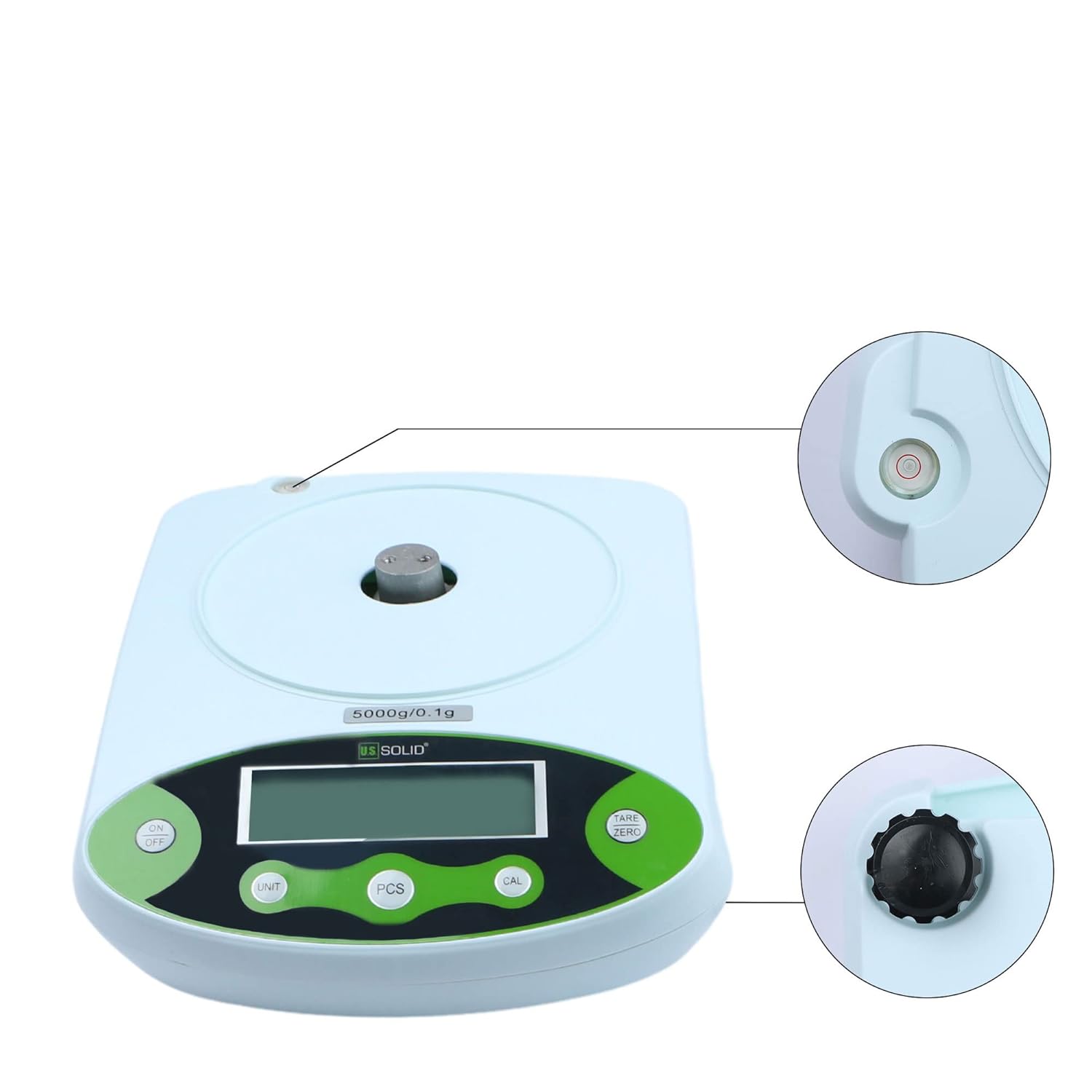
- קאַנסטראַקשאַן: Durable ABS housing with height-adjustable feet and a level bubble.
קאַמפּאָונאַנץ:


4. סעטאַפּ
4.1 אַנפּאַקינג
Carefully remove all components from the packaging. Verify that all items listed in Figure 3.2 are present and undamaged. Retain the packaging for future transport or storage.
4.2 פּלייסמאַנט
Place the scale on a firm, level, and stable surface. Ensure the location is free from vibrations, drafts, direct sunlight, and rapid temperature changes, which can affect measurement accuracy.
4.3 לעוועלינג די וואָג
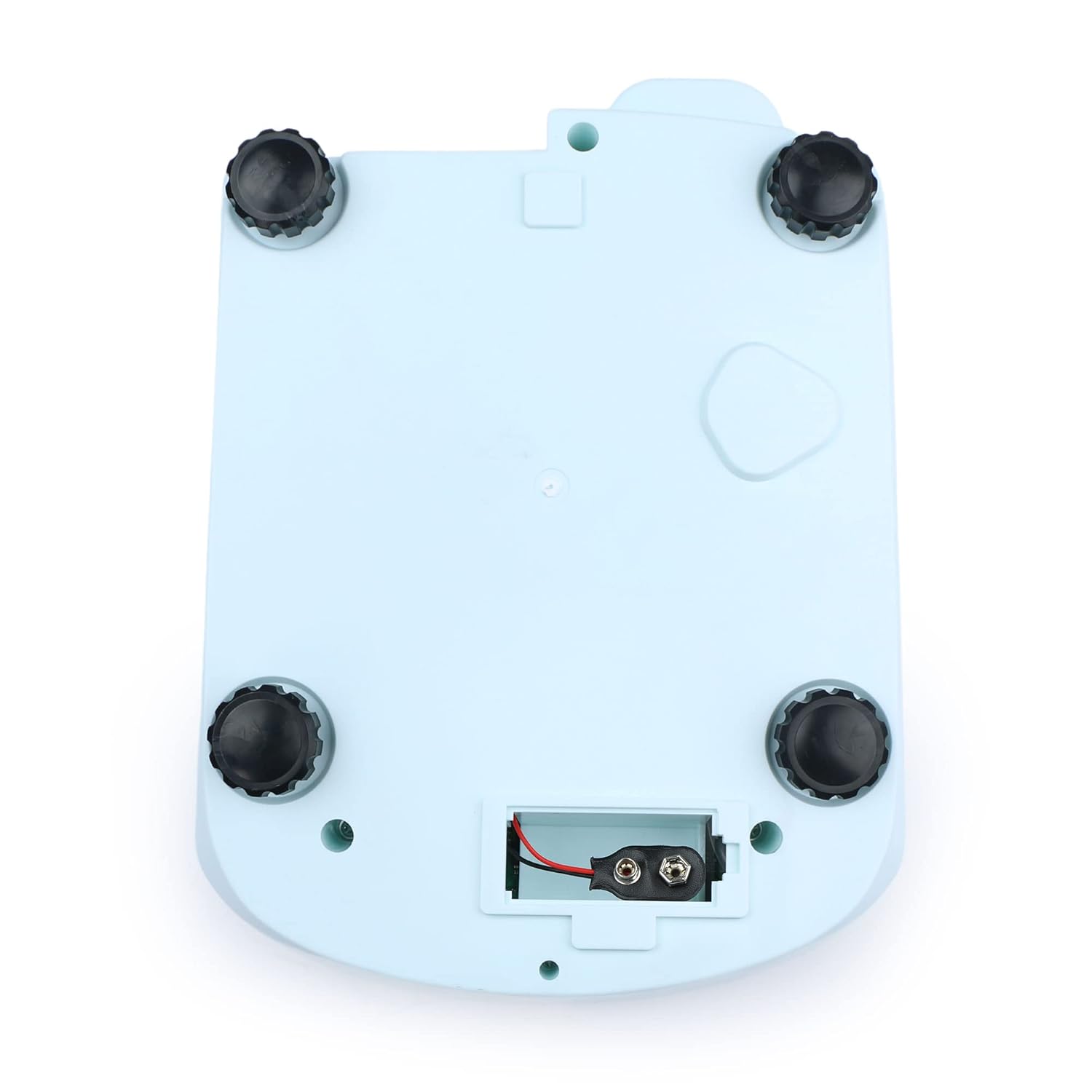
The scale must be perfectly level for accurate readings. Adjust the four height-adjustable feet located on the bottom of the scale until the bubble in the built-in level indicator is centered within the red circle.

4.4 מאַכט קאַנעקשאַן
- AC מאַכט: Connect the provided AC adapter to the power input port on the rear of the scale, then plug it into a suitable electrical outlet (100-240V).
- DC Power (Battery): For portable use, open the battery compartment on the bottom of the scale (Figure 4.3) and insert a 9V DC battery, ensuring correct polarity.
4.5 Initial Warm-up
After connecting power, allow the scale to warm up for at least 30 minutes before performing critical measurements. This stabilizes the internal components and ensures optimal accuracy.

5. אַפּערייטינג ינסטרוקטיאָנס
5.1 קאָנטראָל פּאַנעל איבערview


5.2 מאַכט אויף / אַוועק
- דרוק די ON/OFF קנעפּל צו ווענדן די וואָג אויף.
- דריקן און האַלטן די ON/OFF קנעפּל צו אויסלעשן די וואָג.
5.3 גרונטלעכע וואָג
- Ensure the scale is level and powered on.
- Wait for the display to show "0.0" or "0.00" (depending on the unit).
- Carefully place the item to be weighed onto the center of the stainless steel weighing pan.
- Read the stable weight displayed on the LCD.
5.4 טאַרע פֿונקציע
The tare function allows you to subtract the weight of a container, so only the net weight of the contents is measured.
- שטעלן אַ ליידיק קאַנטיינער אויף די ווייינג פּאַן.
- דרוק די טאַרע/נול קנעפּל. דער עקראַן וועט זיך צוריקשטעלן צו "0.0" אדער "0.00".
- Add the material to be weighed into the container. The display will show the net weight of the material.
5.5 יוניט קאַנווערזשאַן
The scale supports 11 different measurement units.
- דרוק די UNIT button repeatedly to cycle through the available units: g, ct, oz, ozt, lb, GN, t, dwt, kg, dr, tlT, N, and %.
- The selected unit will be indicated on the LCD.

5.6 Parts Counting (PCS)
This function allows you to count a large number of identical items by weight.
- Place a known quantity of items (e.g., 10, 20, 50, 100) on the pan.
- דרוק די פּקס button. The display will show a prompt for sample size (e.g., "P-10").
- דרוק די UNIT קנעפּל צו אויסקלייבן די sample size that matches the number of items you placed on the pan.
- דרוק די פּקס קנעפּל נאכאמאל צו באשטעטיגן. די וואג איז יעצט אין ציילן מאָדוס.
- Add more items of the same type to the pan, and the display will show the total count.

5.7 קאַלאַבריישאַן
Regular calibration ensures the accuracy of your scale. It is recommended to calibrate the scale after initial setup, if it has been moved, or if you suspect inaccurate readings. A calibration weight (not included) is required.
- Ensure the scale is powered on and the pan is empty.
- דריקן און האַלטן די CAL button until "CAL" appears on the display.
- The display will then show the required calibration weight (e.g., "15000g").
- Carefully place the specified calibration weight onto the center of the weighing pan.
- Wait for the display to show "PASS" or return to normal weighing mode, indicating successful calibration.
- Remove the calibration weight.
6. וישאַלט
6.1 רייניקונג
- שטענדיק דיסקאַנעקט די מאַכט צושטעלן איידער רייניקונג.
- Wipe the scale's housing with a soft, damp שטאָף. דו זאלסט נישט נוצן אַברייסיוו קלינערז אָדער סאָלוואַנץ.
- The stainless steel weighing pan can be removed and cleaned with mild soap and water, then dried thoroughly before reattaching.
- Ensure no liquids enter the internal components of the scale.
6.2 סטאָרידזש
When not in use for extended periods, store the scale in a dry, dust-free environment at room temperature. If using battery power, remove the battery to prevent leakage.
7. טראָובלעשאָאָטינג
| פּראָבלעם | מעגלעך סיבה | לייזונג |
|---|---|---|
| וואָג טוט נישט מאַכט אויף | No power supply; AC adapter unplugged; Dead battery. | Check AC adapter connection; Replace 9V battery. |
| ומפּינקטלעך רידינגז | Scale not level; Drafts or vibrations; Needs calibration; Overloaded. | Adjust leveling feet; Move to a stable environment; Perform calibration; Do not exceed 15KG. |
| Display shows "OUE" or "EEEE" | אָווערלאָאַד טעות. | Remove excess weight from the pan. |
| Display shows "UNST" | Unstable reading. | Ensure scale is on a stable surface, free from vibrations or air currents. |
| דיספּליי ווייזט "LO" | נידעריק באַטאַרייע. | Replace the 9V battery or use AC power. |
8. ספּעסאַפאַקיישאַנז

| באַשרייַבונג | ווערט |
|---|---|
| מאָדעל נומער | USS-DBS00059 |
| סאָרט | סאָליד |
| קאַפּאַציטעט | 15 Kilograms (15KG) |
| Readability / Accuracy | 0.1 גראַמז |
| וואָג פּאַן מאַטעריאַל | ומבאַפלעקט שטאָל |
| Weighing Pan Dimensions | 150 רענטגענ 180 מם |
| ווייַז טיפּ | באַקלייט לקד |
| מאַכט צושטעלן | AC 100-240V; DC 9V Battery |
| מעזשערמאַנט וניץ | g, ct, oz, ozt, lb, GN, t, dwt, kg, dr, tlT, N, % |
| פאַנגקשאַנז | Weighing, Counting, Tare, Unit Conversion, Calibration |
| פּונקט וואָג | 4.33 פונט |
| פּעקל דימענשאַנז | 11.61 X 9.37 X 5.55 אינטשעס |
9. וואָראַנטי און שטיצן
U.S. Solid products are manufactured to high-quality standards. For information regarding warranty coverage, please refer to the warranty card included with your product or visit the official U.S. Solid webפּלאַץ.
If you encounter any issues or require technical assistance, please contact U.S. Solid customer support. Contact details can typically be found on the product packaging, the official webזייטל, אדער דורך אייער קויפן פּלאַטפאָרמע.