
הקדמה
Thank you for choosing the Edifier Hecate GT4 Gaming Earbuds. These true wireless earbuds are designed to provide a low-latency audio experience for gaming across multiple platforms, including PS5, PS4, Nintendo Switch, mobile phones, and PCs. Featuring Bluetooth 5.2 connectivity, an IP55 rating for dust and splash resistance, and customizable RGB lighting, the GT4 earbuds offer both performance and convenience. Please read this manual thoroughly to ensure proper use and optimal performance of your new earbuds.
פּעקל אינהאַלט
באַשטעטיקט אַז אַלע זאכן וואָס זענען אויסגערעכנט אונטן זענען פאַראַן אין אייער פּעקל:
- Edifier Hecate GT4 Gaming Earbuds (Left and Right)
- טשאַרדזשינג קאַסע
- וסב-C טשאַרדזשינג קאַבלע
- קייפל גרייסן פון אויער-טיפס (קליין, מיטל, גרויס)
- באַניצער מאַנואַל

Image: The Edifier Hecate GT4 earbuds, charging case, USB-C cable, and extra eartips are shown, representing the package contents.
סעטאַפּ
1. אויפלאָדן די אויערקנעפּלעך און קעסטל
Before first use, fully charge the earbuds and charging case. Place the earbuds into the charging case. Connect the USB-C charging cable to the charging port on the case and the other end to a USB power adapter (not included) or a computer's USB port. The indicator lights on the case will show charging status.
- טשאַרדזשינג צייט: בעערעך 1.5 שעה פֿאַר אַ פול אָפּצאָל.
- באַטאַרייע לעבן: ביז 7 שעה פון ווידערשפּיל אויף איין אָפּצאָל, מיט נאָך 21 שעה צוגעשטעלט דורך די טשאַרדזשינג קעסטל.
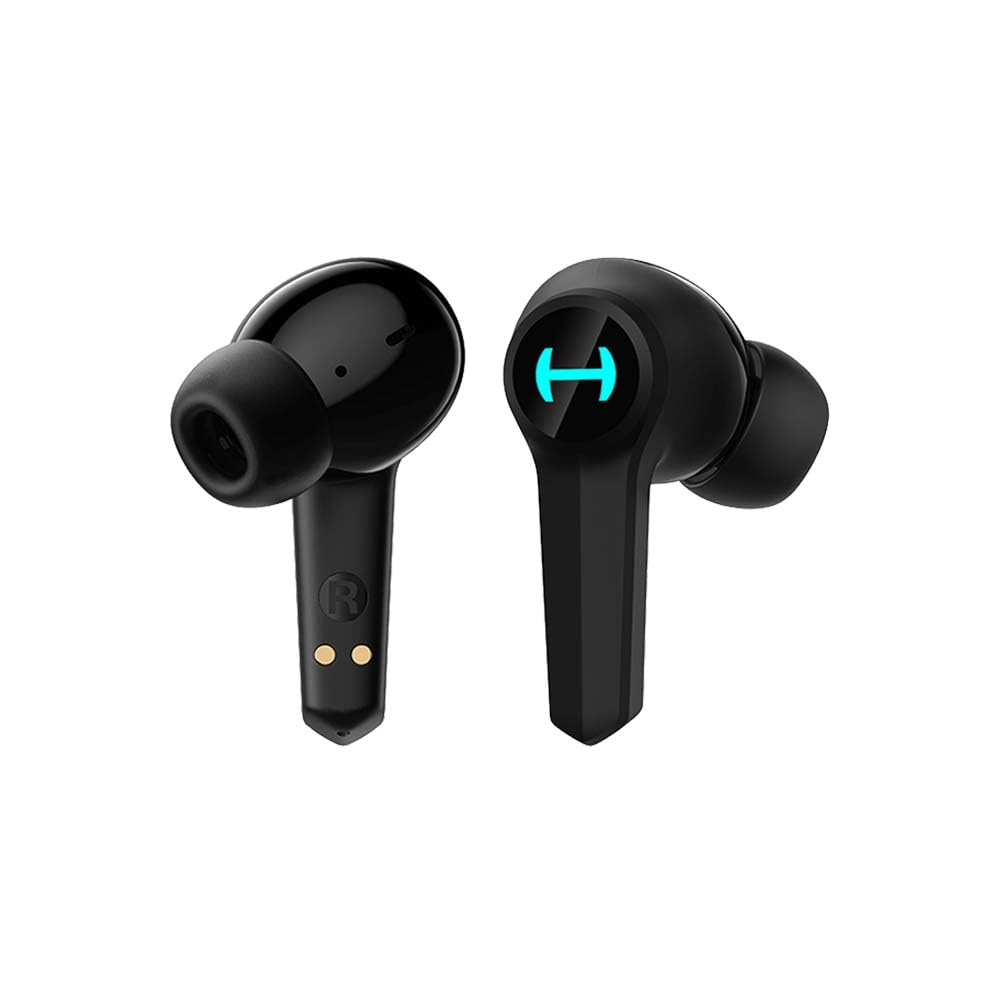
Image: The Edifier Hecate GT4 earbuds are shown inside their open charging case, with the case's RGB lights illuminated.
2. בלועטאָאָטה פּערינג
- מאַכן זיכער אַז די עאַרבודז זענען באפוילן.
- Open the charging case. The earbuds will automatically enter pairing mode, indicated by flashing lights.
- On your device (phone, PC, console), enable Bluetooth and search for new devices.
- Select "EDIFIER HECATE GT4" from the list of available devices to connect.
- Once connected, the earbud lights will stop flashing or show a steady light.
The earbuds support Bluetooth 5.2 for a stable and efficient connection.
אַפּערייטינג ינסטראַקשאַנז
1. מאַכט אויף / אויסגעלאשן
- מאַכט אויף: Open the charging case, or take the earbuds out of the case. They will power on automatically.
- מאַכט אַוועק: לייגט די אויערקנעפּלעך צוריק אין די טשאַרדזשינג קעסטל און מאַכט צו דעם דעקל. זיי וועלן זיך אויטאָמאַטיש אויסלעשן.
2. ריר קאָנטראָלס
The Edifier Hecate GT4 earbuds feature touch-sensitive controls on each earbud. Refer to the diagram below for touch panel location.

Image: A finger is shown touching the outer surface of an earbud, indicating the smart touch control area.
| קאַמף | לינקס עאַרבוד (ל) | רעכט עאַרבוד (ר) |
|---|---|---|
| שפּיל / פּויזע | טאָפּל צאַפּן | טאָפּל צאַפּן |
| ווייַטער שפּור | דרייַיק צאַפּן | דרייַיק צאַפּן |
| ענטפֿערן / סוף רופן | טאָפּל צאַפּן | טאָפּל צאַפּן |
| אָפּוואַרפן רופן | לאנג דריקן (2 ס) | לאנג דריקן (2 ס) |
| אַקטאַווייט שפּיל מאָדע | לאנג דריקן (2 ס) | לאנג דריקן (2 ס) |
| Deactivate Game Mode | לאנג דריקן (2 ס) | לאנג דריקן (2 ס) |
Note: Volume control may need to be adjusted directly on your connected device.
3. Game Mode (45ms Low-Latency)
The Edifier Hecate GT4 features a dedicated Game Mode to reduce audio latency to as low as 45ms, providing a synchronized audio-visual experience crucial for gaming. To activate or deactivate Game Mode, long press either earbud for 2 seconds. You will hear an audio prompt indicating the mode change.

Image: An illustration depicting the low latency feature of the earbuds, highlighting the 45ms response time.
ווידעא: אן אפיציעלע פראדוקט ווידעא ווייזונגasing the features of the EDIFIER HECATE GT4 Gaming Earbuds, including low latency and ergonomic design.
4. RGB לייטינג
The charging case and earbuds feature RGB lighting. The lighting indicates various statuses such as charging, pairing, and game mode activation. The specific patterns and colors are pre-set and provide visual feedback on the earbuds' operational status.

Image: The Edifier Hecate GT4 charging case is shown with its red RGB lighting illuminated, indicating its gaming aesthetic.
וישאַלט
- רייניקונג: Use a soft, dry cloth to clean the earbuds and charging case. Do not use liquid cleaners or abrasive materials.
- וואַסער קעגנשטעל: The earbuds have an IP55 rating, meaning they are protected against dust and low-pressure water jets. Avoid submerging them in water or exposing them to heavy rain. Dry them thoroughly if they get wet.
- סטאָרידזש: ווען נישט אין באַנוץ, לייגט די אויערקנעפּלעך אין זייער טשאַרדזשינג קעסטל צו באַשיצן זיי און האַלטן זיי טשאַרדזשד. לייגט זיי אין אַ קיל, טרוקן אָרט אַוועק פון עקסטרעמע טעמפּעראַטורן.

Image: An Edifier Hecate GT4 earbud is shown with water splashing around it, illustrating its water-resistant feature.
טראָובלעשאָאָטינג
| פּראָבלעם | מעגלעך סיבה | לייזונג |
|---|---|---|
| די אויערקנעפּלעך גייען נישט אן. | נידעריק באַטאַרייע. | לאָדט אויף די אויערקנעפּלעך און די טשאַרדזשינג קעסטל גאָר. |
| קען נישט צופּאַסן מיטן דעווייס. | Bluetooth not enabled, earbuds not in pairing mode, or device too far. | Ensure Bluetooth is enabled on your device. Place earbuds in case, close, then open to re-enter pairing mode. Keep devices within 10 meters. |
| קיין קלאַנג אדער אומגעריכטע קלאַנג. | Earbuds not properly connected, low battery, or interference. | Check Bluetooth connection. Recharge earbuds. Move away from sources of interference (e.g., Wi-Fi routers). |
| איין אויערקנעפל הערט נישט קיין קול. | Individual earbud connection issue. | Place both earbuds back into the charging case, close the lid, then open it again to reset the connection. Re-pair if necessary. |
| Low latency mode not working. | Game Mode not activated. | Long press either earbud for 2 seconds to activate Game Mode. Listen for the audio prompt. |
| Cannot connect to PS4/PS5/Switch. | Console limitations or specific pairing requirements. | Some consoles may require a separate Bluetooth adapter for full compatibility or specific pairing steps. Refer to your console's manual for Bluetooth audio device connection instructions. |
ספּעסאַפאַקיישאַנז
| שטריך | דעטאַל |
|---|---|
| מאָדעל נומער | GT4-BK |
| סאָרט | עדיפיער |
| קאַנעקטיוויטי טעכנאָלאָגיע | ווירעלעסס (בלועטאָאָטה) |
| בלועטאָאָטה ווערסיע | 5.2 |
| אויער פּלייסמאַנט | אין אויער |
| אַודיאָ דרייווער טיפּ | Dynamic Driver (10mm Composite Diaphragm Unit) |
| אָפטקייַט ראַנגע | 20Hz-20KHz |
| נידעריק לייטאַנס | 45ms (שפּיל מאָדע) |
| באַטעריע לעבן (אויערקנעפּלעך) | אַרויף צו 7 שעה |
| גאַנץ באַטאַרייע לעבן (מיט קעסטל) | ביז 28 שעה (7 + 21 שעה) |
| באַטאַרייע אָפּצאָל צייט | בעערעך. 1.5 שעה |
| קאָנטראָל מעטאָד | ריר |
| וואַסער קעגנשטעל מדרגה | IP55 (שטויב און שפּריץ קעגנשטעליק) |
| קאַמפּאַטאַבאַל דעוויסעס | PS5, PS4, Nintendo Switch, Phone (Android, iOS), PC |
| מאַטעריאַל | פּלאַסטיק |
| פּונקט וואָג | 0.12 קילאָגראַמס |
וואָראַנטי און שטיצן
Edifier products are designed and manufactured to the highest quality standards. For information regarding warranty coverage, please refer to the warranty card included in your product packaging or visit the official Edifier website. If you encounter any issues or have questions about your Edifier Hecate GT4 Gaming Earbuds, please contact Edifier customer support through their official channels for assistance.
Official Edifier Webפּלאַץ: www.edifier.com