
הקדמה
א דאנק פארן קויפןasing the LEXiBOOK RC Raptor Control Dinosaur. This remote-controlled velociraptor offers realistic articulated movements, roars, and light effects for an immersive play experience. This manual provides essential information for safe setup, operation, and maintenance of your new toy.
שליסל פֿעיִקייטן:
- Realistic articulated movements, allowing it to walk like a real dinosaur.
- 2.4 GHz frequency remote control for optimized range and reduced interference.
- Light and sound effects, including multiple roars.
- Demonstration mode to showcase its capabilities.
- Rechargeable dinosaur battery (included) and USB charging support.
זיכערקייַט אינפֿאָרמאַציע
Please read all safety warnings before operating the product. Failure to follow these instructions may result in injury or damage to the product.
- עלטער רעקאָמענדאַציע: Suitable for ages 6 years and up. Not for children under 3 years due to small parts.
- באַטערי זיכערקייַט: Do not mix old and new batteries. Do not mix alkaline, standard (carbon-zinc), or rechargeable (nickel-cadmium) batteries. Insert batteries with correct polarity. Remove exhausted batteries promptly. Do not short-circuit battery terminals.
- טשאָקינג סכנה: האַלט קליינע טיילן אַוועק פון יונגע קינדער.
- אַפּערייטינג סוויווע: Operate the dinosaur on a flat, clear surface. Avoid water, sand, or rough terrain. Do not operate near people or animals to prevent collisions.
- השגחה: דערוואַקסן השגחה איז רעקאַמענדיד בעשאַס שפּיל.
- רייניקונג: Clean the product with a soft, dry cloth. Do not immerse in water.
פּעקל אינהאַלט
זיכער מאַכן אַז אַלע זאכן זענען פאַראַן אין פּעקל:
- 1 x RC Raptor Control Dinosaur
- 1 x Fossil Design Remote Control
- 1 x Rechargeable Battery (for dinosaur)
- 1 x וסב טשאַרדזשינג קאַבלע
באַמערקונג: 2 x LR6 / AA batteries for the remote control are ניט אַרייַנגערעכנט און מען דאַרף קויפן באַזונדער.
סעטאַפּ
1. ינסטאָלינג באַטעריז
פֿאַר דער ווײַטקאָנטראָל:
- Locate the battery compartment on the back of the fossil-designed remote control.
- ניצנדיק אַ שרויפנציהער (נישט אַרייַנגערעכנט), עפֿנט דעם דעקל פֿון דער באַטעריע־אָפּטיילונג.
- Insert 2 x LR6 / AA batteries, ensuring correct polarity (+/-).
- נאָענט די דעקן פון די באַטאַרייע אָפּטייל און באַוואָרענען עס מיט די שרויף.
For the Dinosaur:
- Locate the battery compartment on the underside of the dinosaur.
- ניצנדיק אַ שרויפנציהער (נישט אַרייַנגערעכנט), עפֿנט דעם דעקל פֿון דער באַטעריע־אָפּטיילונג.
- Connect the included rechargeable battery to the connector inside the compartment.
- Place the battery inside the compartment, close the cover, and secure it with the screw.
2. Charging the Dinosaur Battery
The dinosaur's rechargeable battery requires approximately 3 hours for a full charge, providing about 30 minutes of play time.
- Ensure the dinosaur is turned OFF.
- Connect the USB charging cable to the charging port on the dinosaur.
- Connect the other end of the USB cable to a USB power source (e.g., computer, USB wall adapter).
- The indicator light on the dinosaur will show charging status (refer to product for specific light behavior).
- אַמאָל גאָר אָנגעלאָדן, אָפּשטעקן דעם USB קאַבל.
3. Pairing the Remote Control and Dinosaur
The 2.4 GHz frequency ensures automatic pairing. Follow these steps:
- Turn ON the dinosaur using the power switch located on its underside.
- Turn ON the remote control using its power switch.
- The remote control and dinosaur should automatically pair. If not, turn both off and on again.
אַפּערייטינג ינסטראַקשאַנז
באקענען זיך מיט די ווייַט קאָנטראָל פאַנגקשאַנז:

Image: The fossil-designed remote control with various buttons for controlling the dinosaur's movements and activating features.
- פֿאָרווערטס: Press the forward button to make the dinosaur walk forward.
- צוריק: Press the backward button to make the dinosaur walk backward.
- דריי לינקס: Use the left turn button to steer the dinosaur left.
- קער רעכט: Use the right turn button to steer the dinosaur right.
- One-Key Demo: Press the 'One Key Demo' button (often indicated by a play symbol or similar) to activate the dinosaur's automatic demonstration mode. The dinosaur will perform a sequence of movements, roars, and light effects.
- Roars and Light Effects: The dinosaur features realistic roars and light effects, particularly from its mouth, which activate during movement and demonstration mode.
אַוטאָ סליפּינג מאָדע
To conserve battery life, the dinosaur will enter an auto sleeping mode after a period of inactivity. To reactivate it, simply press any button on the remote control or turn the dinosaur off and on again.

Image: The LEXiBOOK RC Raptor Control Dinosaur in a dynamic pose, highlighting its detailed texture and light-up mouth feature.
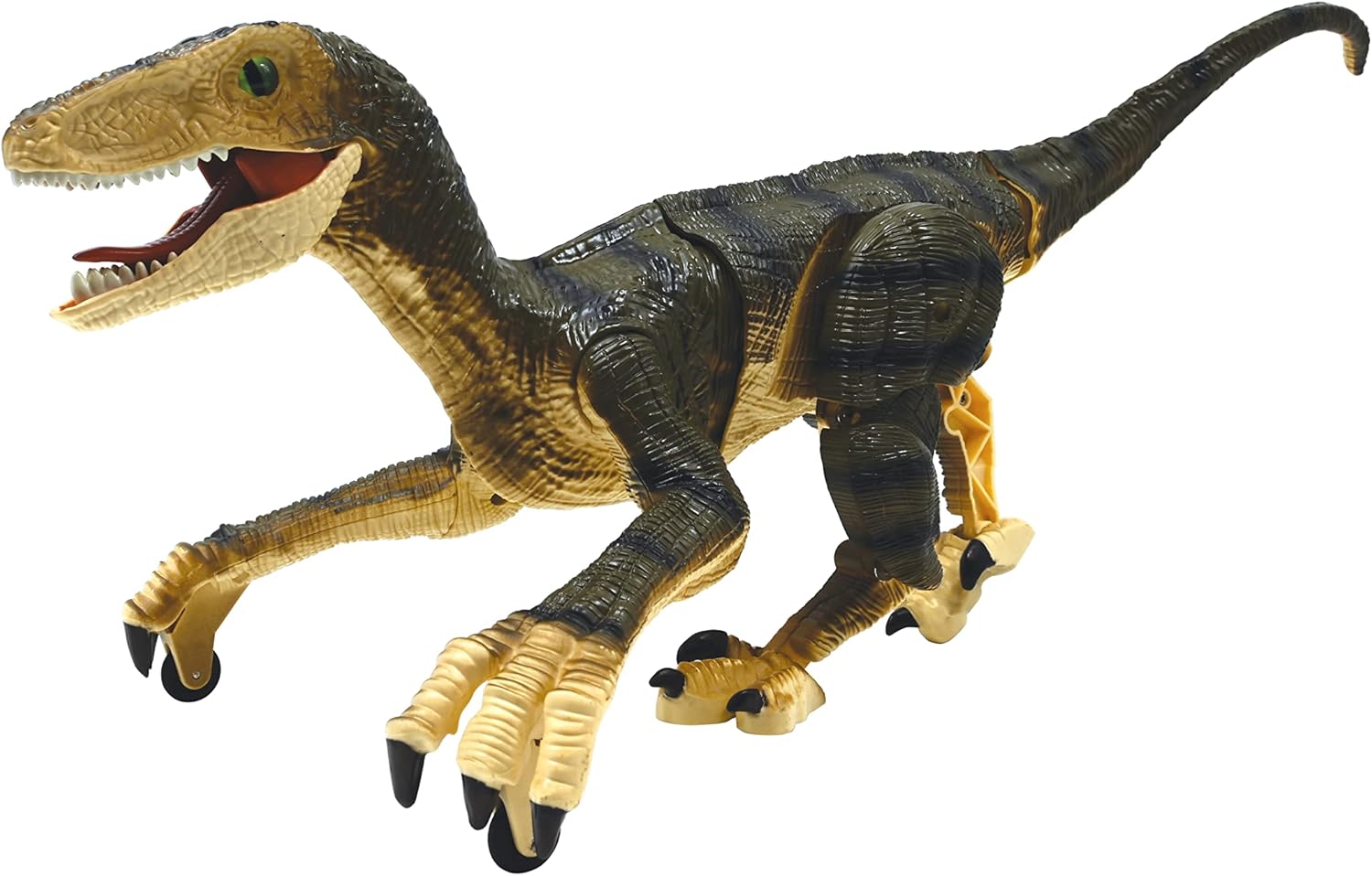
בילד: א זייט פראפעסיאנאלfile of the dinosaur, illustrating its articulated joints that enable realistic walking.
וישאַלט
- רייניקונג: Wipe the dinosaur and remote control with a clean, dry cloth. Do not use harsh chemicals or abrasive cleaners.
- סטאָרידזש: When not in use for extended periods, remove all batteries from both the dinosaur and the remote control. Store the product in a cool, dry place away from direct sunlight.
- באַטערי זאָרגן: Recharge the dinosaur's battery regularly, even if not in use, to maintain its lifespan.
טראָובלעשאָאָטינג
| פּראָבלעם | מעגלעך סיבה | לייזונג |
|---|---|---|
| Dinosaur does not move or respond. | Low battery in dinosaur or remote. Not paired. Power switch OFF. | Charge dinosaur battery. Replace remote batteries. Ensure both power switches are ON. Re-pair by turning both off and on. |
| קורצע שפּיל צייט. | באַטעריע נישט גאָר אויפגעלאָדן. אַלטע באַטעריע. | Ensure battery is fully charged (3 hours). Consider replacing the rechargeable battery if it's old. |
| Interference during operation. | Other 2.4 GHz devices nearby. | אריבערציען זיך צו א געגנט מיט ווייניגער ווייערלעס אריינמישונג. |
| Dinosaur enters auto sleeping mode too quickly. | Normal operation to save battery. | Press any button on the remote to wake it up. |
ספּעסאַפאַקיישאַנז
- סאָרט: LEXiBOOK
- מאָדעל נומער: DINO01
- צאַצקע פיגור טיפּ: ינטעראַקטיווע גיימינג פיגור
- כאַראַקטער: דיינאַסאָר (וועלאָסיראַפּטאָר)
- וואָג: 1:3
- מאַטעריאַל: פּלאַסטיק
- נומער דימענשאַנז (L x W x H): בעערעך 17.64 X 7.95 X 6.69 אינטשעס
- נומער וואָג: 451 גראַמז
- מאַכט מקור: באַטערי
- Dinosaur Battery: 1 x Rechargeable battery (included)
- רימאָוט קאָנטראָל באַטערי: 2 קס אַאַ באַטעריז (ניט אַרייַנגערעכנט)
- טשאַרדזשינג צייט: בעערעך 3 שעה
- שפּיל צייט: בעערעך 30 מינוט
- רעקאַמענדיד עלטער: 6+ יאָר
אפיציעלע פּראָדוקט ווידעאָ
Video: An official demonstration of the LEXiBOOK RC Raptor Control Dinosaur, showcasing its realistic movements, sounds, and light effects in action. This video highlights the product's features and dynamic play.
וואָראַנטי און שטיצן
Manufacturer Warranty: This product comes with a 2-Year Limited Warranty from the manufacturer, LEXiBOOK. Please retain your proof of purchase for warranty claims.
קונה שטיצן: For technical assistance, troubleshooting, or warranty inquiries, please visit the official LEXiBOOK webזייטל אדער קאנטאקטירן זייער קאסטומער סערוויס דעפארטמענט. קאנטאקט אינפארמאציע קען געווענליך געפונען ווערן אויף דער פראדוקט פאקאדזש אדער אויף דער באשטעטיגטער פירמע פון דער בראנד. webפּלאַץ.