
הקדמה
This manual provides essential information for the setup, operation, and maintenance of your Sharp 50EQ3EA Android TV. The Sharp 50EQ3EA is a 50-inch 4K Ultra HD Android TV featuring a frameless design, Quantum Dot display technology for superior color reproduction, and an integrated Harman/Kardon sound system with Dolby Atmos and DTS:X for an immersive audio experience. It operates on Android 11, offering access to numerous applications, Google Assistant, and Chromecast built-in. This television is designed to deliver high-quality visual and auditory entertainment.
סעטאַפּ
1. אַנפּאַקינג און דורכקוק
Carefully remove the TV and all accessories from the packaging. Ensure all components listed below are present and undamaged:
- Sharp 50EQ3EA Television
- ווייַט קאָנטראָל
- 2 X AAA באַטעריז
- TV Stand Installation Kit
- Quick Start Guide (this document serves as a detailed guide)
2. שטיין ייַנמאָנטירונג
If you are not wall-mounting the TV, attach the included stand using the provided installation kit. Refer to the diagrams in the quick start guide for specific screw placement. Ensure the stand is securely fastened before placing the TV on a stable, level surface.
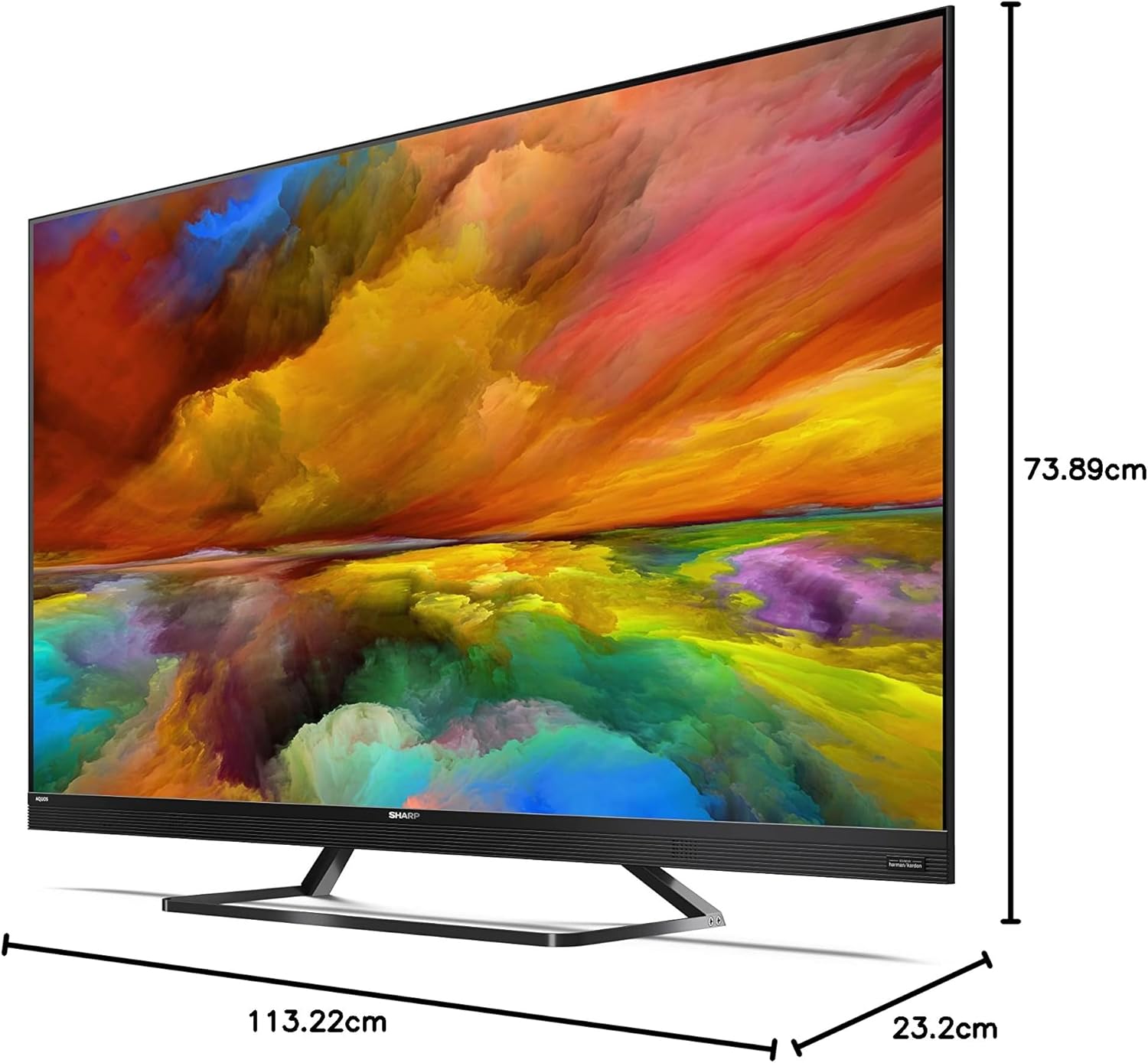
Image: The Sharp 50EQ3EA television with its stand, displaying overall dimensions for placement planning.
3. קאַנעקטינג מאַכט
Connect the power cord to the TV's power input and then to a suitable electrical outlet (220V AC, 50Hz). The TV will enter standby mode.
4. קאַנעקטינג פונדרויסנדיק דעוויסעס
Your Sharp 50EQ3EA TV offers various connectivity options:
- הדמי: Use one of the four HDMI 2.1 ports for high-definition devices like Blu-ray players, gaming consoles, or set-top boxes. These ports support eARC, ALLM, VRR, and QMS for enhanced audio and gaming.
- וסב: Two USB ports are available for connecting USB storage devices to play media or for software updates.
- אַנטענע/סאַטעליט: Connect your terrestrial (DVB-T/T2), cable (DVB-C), or satellite (DVB-S/S2) antenna/dish to the respective inputs for live TV channels.
- עטהערנעט (לאַן): פֿאַר אַ סטאַבילע דראָטיקע אינטערנעט פֿאַרבינדונג, פֿאַרבינדט אַן עטערנעט קאַבל צום לאַן פּאָרט.
- אַודיאָ רעזולטאַט: Optical digital audio output and a headphone jack are available for external audio systems or headphones.
- בלועטוט/וויי-פיי: The TV supports wireless connectivity for internet access and connecting Bluetooth devices.

Image: The back panel of the Sharp 50EQ3EA TV, highlighting the available connection ports.
5. ערשט סעטאַפּ
Upon first power-on, the TV will guide you through the initial setup process. This includes selecting your language, connecting to a Wi-Fi network, signing in with your Google account, and scanning for TV channels. Follow the on-screen instructions.
אַפּערייטינג ינסטראַקשאַנז
1. רימאָוט קאָנטראָל
The TV comes with a remote control. Insert the two AAA batteries into the remote control. The remote supports both infrared and Bluetooth for control, including voice commands via Google Assistant.

Image: The two remote controls included with the Sharp 50EQ3EA TV, featuring dedicated buttons for popular streaming services.
2. גרונטלעכע טעלעוויזיע פונקציעס
- מאַכט: Press the power button on the remote to turn the TV on or off (standby mode).
- באַנד: ניצן די VOL +/- קנעפּלעך צו סטרויערן די באַנד.
- טשאַנאַלז: Use the CH +/- buttons to change channels or the number pad to enter a specific channel.
- מקור: Press the SOURCE button to select input sources (HDMI, AV, TV Tuner).
- נאַוויגאַציע: Use the directional pad and OK button to navigate menus and select options.
3. סמאַרט טעלעוויזיע פֿעיִקייטן (אַנדרויד טעלעוויזיע)
Your Sharp 50EQ3EA runs on Android 11, providing a smart and intuitive user experience.
- היים פאַרשטעלן: Access the Android TV home screen to find recommended content, installed apps, and settings.
- גוגל אַססיסטאַנט: Press the Google Assistant button on your remote and speak into the microphone to control your TV, search for content, or get information.
- Chromecast Built-in: Cast content from your compatible mobile devices or computer directly to your TV.
- אַפּפּליקאַטיאָנס: Access pre-installed apps like Netflix, YouTube, Google Play Movies & TV, Google Play Store, and Prime Video. You can download more apps from the Google Play Store.

Image: The Android TV home screen, showing easy access to popular streaming services and personalized content.
4. בילד סעטטינגס
אָפּטימיזירן דיין viewing experience through the picture settings menu:
- בילד מאָדע: Select from various preset modes (e.g., Standard, Movie, Game, Vivid) or customize your own.
- Quantum Dot (Q-COLOUR): די טעכנאָלאָגיע פֿאַרבעסערט קאָליר אַקיעראַסי און וויבראַנסי.
- HDR שטיצן: The TV supports HDR10, HLG, and Dolby Vision for improved contrast and color in compatible content.
- Active Motion 1000 & AQUOS Motion: These technologies ensure smooth and clear motion, reducing blur in fast-paced scenes.
- OPC (Optical Picture Control): The light sensor automatically adjusts screen brightness based on ambient light conditions for optimal viewing.
5. סאָונד סעטטינגס
Experience immersive audio with the integrated Harman/Kardon sound system:
- געזונט מאָדע: Choose from preset sound modes (e.g., Standard, Music, Movie, Speech) or adjust equalizer settings.
- Harman/Kardon Audio: The system features front-firing tweeters and down-firing woofers for clear sound and solid bass.
- דאָלבי אַטמאָס און DTS:X: These technologies provide a 360-degree virtual surround sound experience.
- DTS Virtual:X: Enhances audio depth and spaciousness.
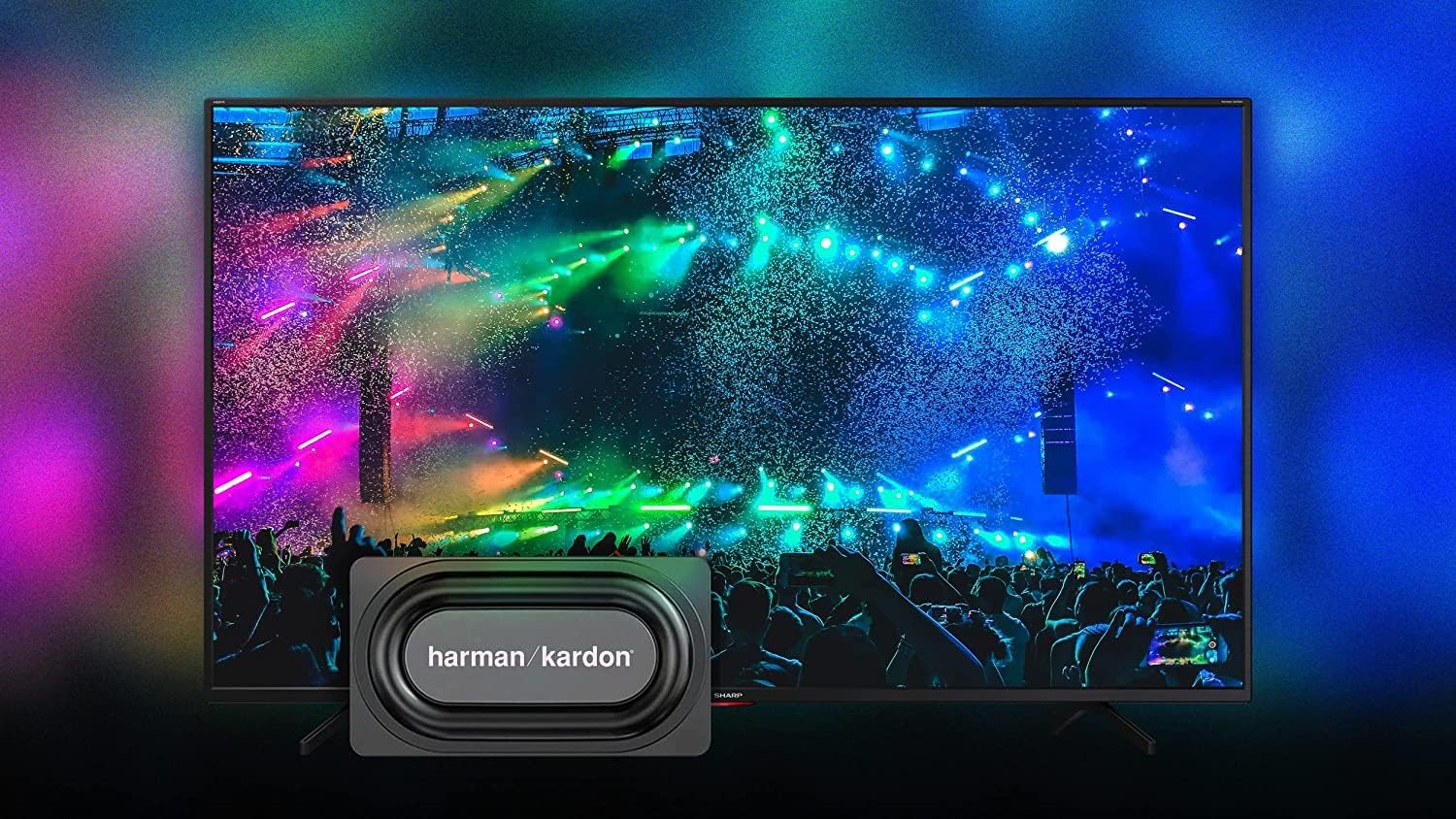
Image: The Sharp 50EQ3EA TV showcasing its Harman/Kardon sound system, designed for an immersive audio experience.
6. גיימינג פֿעיִטשערז
The Sharp 50EQ3EA is equipped with features for an enhanced gaming experience:
- הדמי 2.1: Four HDMI 2.1 ports support advanced gaming features.
- eARC (פאַרבעסערט אַודיאָ צוריקקער קאַנאַל): Allows for high-quality audio passthrough to compatible sound systems.
- ALLM (אַוטאָ נידעריק לייטאַנס מאָדע): אויטאָמאַטיש טוישט דעם טעלעוויזיע צו אַ נידעריק-לעיטענסי מאָדע ווען אַ שפּיל קאַנסאָול ווערט דעטעקטירט.
- VRR (Variable Refresh Rate): Synchronizes the TV's refresh rate with the game console's output to reduce screen tearing and stuttering.
- QMS (Quick Media Switching): Reduces black screen periods when switching between different frame rates.
- Google Stadia Support: The TV supports Google Stadia for cloud gaming.
וישאַלט
1. רייניקן דעם עקראַן
To clean the screen, first turn off the TV and unplug it from the power outlet. Use a soft, dry, lint-free cloth to gently wipe the screen. For stubborn marks, lightly dampווישט דעם שטאָף מיט וואַסער אָדער אַ ספּעציאַליזירטן עקראַן רייניגער. שפּריצט קיינמאָל נישט פליסיקייט גלייך אויפן עקראַן.
2. רייניקן דעם קאַבינעט
Wipe the TV cabinet with a soft, dry cloth. Avoid using abrasive cleaners, waxes, or solvents as they can damage the finish.
3. ווייכווארג דערהייַנטיקונגען
די טעלעוויזיע קען באַקומען ווייכווארג דערהייַנטיקונגען צו פֿאַרבעסערן פאָרשטעלונג און צולייגן נייַע פֿעיִקייטן. זיכער מאַכן אַז דיין טעלעוויזיע איז פארבונדן צום אינטערנעט צו באַקומען די דערהייַנטיקונגען. איר קענט געוויינטלעך קאָנטראָלירן פֿאַר דערהייַנטיקונגען אין די טעלעוויזיע ס סעטטינגס מעניו.
טראָובלעשאָאָטינג
If you encounter issues with your Sharp 50EQ3EA TV, refer to the following common problems and solutions:
- קיין מאַכט:
• Ensure the power cord is securely plugged into both the TV and the wall outlet.
• Check if the wall outlet is functioning by plugging in another device.
• Try pressing the power button on the TV itself, not just the remote. - קיין בילד/שוואַרצער עקראַן:
• Verify the correct input source is selected (e.g., HDMI 1, TV). Press the SOURCE button on the remote.
• Check all cable connections between the TV and external devices.
• Ensure the external device is powered on and functioning correctly.
• Adjust brightness and contrast settings in the picture menu. - קיין קול:
• Increase the volume using the remote control.
• Ensure the TV is not muted. Press the MUTE button.
• Check audio cable connections if using external speakers.
• If using an external audio system, ensure it is powered on and the correct input is selected. - רימאָוט קאָנטראָל נישט ארבעטן:
• Replace the AAA batteries in the remote control.
• Ensure there are no obstructions between the remote and the TV's IR sensor.
• For Bluetooth remote, ensure it is paired with the TV. Refer to the TV's settings for Bluetooth device management. - נעץ פֿאַרבינדונג פּראָבלעמען:
• For Wi-Fi, ensure your router is on and functioning. Try restarting the router.
• Re-enter the Wi-Fi password in the TV's network settings.
• For wired connection, ensure the Ethernet cable is securely connected.
• Try connecting to a different network if available to isolate the issue. - Picture Quality Issues (e.g., blurry, pixelated):
• Check the resolution of the content being played. 4K content will look best.
• Ensure the input source is providing a high-quality signal.
• Adjust picture settings like sharpness, noise reduction, and motion settings.
אויב די פראבלעם בלייבט נאך פרובירן די לייזונגען, ביטע קאנטאקטירט קאסטומער סופארט.
ספּעסאַפאַקיישאַנז
Below are the key technical specifications for the Sharp 50EQ3EA Android TV:
| שטריך | באַשרייַבונג |
|---|---|
| מאָדעל נומער | 50EQ3EA |
| פאַרשטעלן גרייס | 50 אינטשעס (126 סענטימעטער) |
| ווייַז טעכנאָלאָגיע | קוואַנטום דאָט געפירט |
| האַכלאָטע | 4K Ultra HD (3840 רענטגענ 2160) |
| דערפרישן קורס | 60 הז |
| HDR שטיצן | HDR10, Dolby Vision, HLG |
| באַוועגונג ענכאַנסמאַנט | Active Motion 1000, AQUOS Motion |
| אָפּערייטינג סיסטעם | Android 11 (R) |
| סמאַרט פֿעיִקייטן | Google Assistant, Chromecast Built-in, Google Stadia |
| אַודיאָ סיסטעם | Harman/Kardon (2x 15W), Dolby Atmos, DTS:X, DTS Virtual:X |
| HDMI פּאָרץ | 4 x HDMI 2.1 (eARC, ALLM, VRR, QMS) |
| וסב פּאָרץ | 2 רענטגענ וסב 2.0 |
| קאַנעקטיוויטי | Wi-Fi, בלועטוט, עטערנעט (RJ45) |
| טונערס | UHD Triple Tuner DVB-T/T2/C/S/S2 (MPEG4 + H.265 HEVC 10-bit) |
| VESA סטאַנדאַרד | 200 רענטגענ 200 מם |
| דימענשאַנז (מיט שטיין) | 113.22 X 73.89 X 23.2 סענטימעטער (ב X H X D) |
| וואָג | 11.8 קג |
| מאַכט קאַנסאַמשאַן | 83 וואטס |
| ענערגיע קלאַס | G |
וואָראַנטי און שטיצן
וואָראַנטי אינפֿאָרמאַציע
Specific warranty details for your Sharp 50EQ3EA TV are typically provided with your purchase documentation or can be found on the official Sharp website for your region. Please retain your proof of purchase for warranty claims.
קונה שטיצן
For technical assistance, troubleshooting beyond this manual, or warranty inquiries, please contact Sharp customer support. Contact information can usually be found on the Sharp official webוועבזייטל אדער אין די דאקומענטאציע וואס איז אריינגערעכנט מיט אייער טעלעוויזיע.