
1. פּראָדוקט איבערview
The LENRUE TouchGo F4 is a compact, portable Bluetooth speaker designed for clear audio and ease of use. It features touch controls, Bluetooth 5.0 connectivity, and supports TWS (True Wireless Stereo) pairing for an enhanced audio experience. The speaker comes with a hard EVA travel case for protection and portability.

Figure 1: LENRUE TouchGo F4 Bluetooth Speaker.
2. פּעקל אינהאַלט
ביטע טשעק די פּאַקעט פֿאַר די פאלגענדע זאכן:
- LENRUE TouchGo F4 Bluetooth Speaker
- Hard EVA Travel Case
- טיפּ-C טשאַרדזשינג קאַבלע
- באַניצער מאַנואַל
3. סעטאַפּ
3.1 ערשט טשאַרדזשינג
Before first use, fully charge the speaker. Connect the provided TYPE-C charging cable to the speaker's charging port and a compatible USB power adapter (not included). The charging indicator light will show the charging status. A full charge typically takes approximately 4 hours.
3.2 פּאַוערינג אויף / אַוועק
- צו מאַכט אויף: Press and hold the power button (usually the central play/pause button) for a few seconds until you hear an audible prompt and the indicator light illuminates.
- צו מאַכט אַוועק: Press and hold the power button again for a few seconds until you hear an audible prompt and the indicator light turns off.
3.3 בלועטאָאָטה פּערינג
To connect the speaker to your device:
- זיכער מאַכן אַז דער רעדנער איז אנגעצונדן און אין פּערינג מאָדע (די אינדיקאַטאָר ליכט וועט טיפּיש בליצן בלוי).
- אויף אייער דעווייס (סמאַרטפאָן, טאַבלעט, אאז"וו), אַקטיווירט בלועטוט און זוכט פֿאַר פֿאַראַן דעווייסעס.
- Select "ToughGo" or "LENRUE TouchGo" from the list of devices.
- אַמאָל פארבונדן, וועט איר הערן אַ באַשטעטיקונג גערויש, און די אינדיקאַטאָר ליכט וועט ווערן בלוי.
דער רעדנער וועט זיך אויטאָמאַטיש צוריקבינדן צום לעצטן פארבונדענעם אפאראט ווען עס ווערט אנגעצינדן, אויב דער אפאראט איז אין דער געגנט און בלועטוט איז איינגעשטעלט.

Figure 2: Speaker with touch controls for sensitive and elegant operation.
3.4 TWS Wireless Pairing (Connect Two Speakers)
To achieve dual-channel stereo sound, you can pair two TouchGo F4 speakers together:
- Power on both TouchGo F4 speakers.
- Ensure both speakers are disconnected from any other Bluetooth devices.
- On איינער of the speakers, press and hold the "+" button until you hear a prompt indicating TWS pairing mode.
- The two speakers will automatically pair with each other. You will hear a "beep" sound upon successful TWS pairing.
- Now, connect your device's Bluetooth to the device name "ToughGo". Both speakers will play audio in stereo.
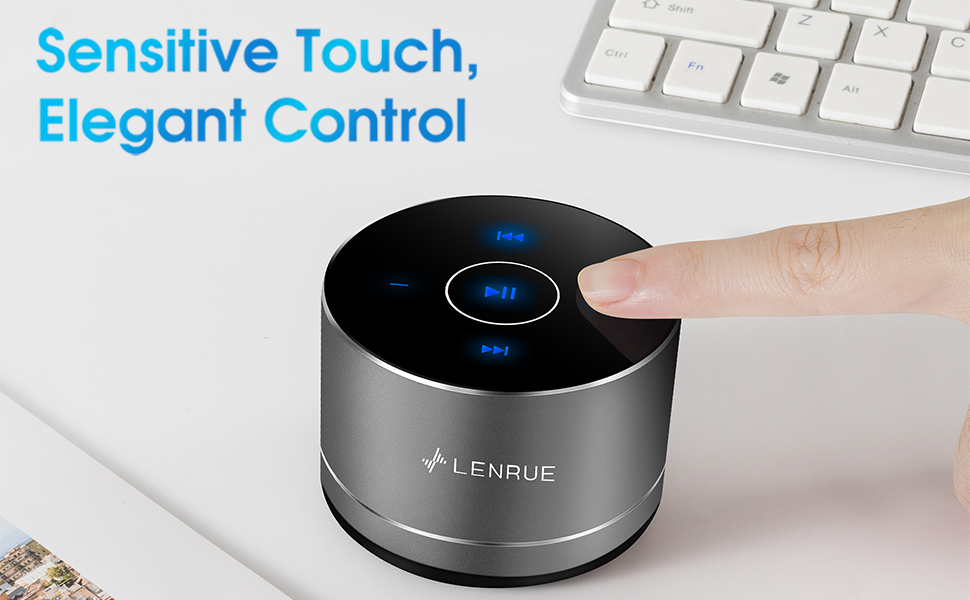
Figure 3: Two speakers connected for TWS wireless stereo pairing.
4. אַפּערייטינג ינסטרוקטיאָנס
4.1 ריר קאָנטראָלס
The speaker features intuitive touch controls located on the top surface:
- שפּיל / פּויזע: Tap the central button once to play or pause music.
- באַנד אַרויף: Tap the "+" button to increase volume.
- באַנד אַראָפּ: Tap the "-" button to decrease volume.
- ווייַטער שפּור: Tap the ">>" button to skip to the next song.
- פֿריִערדיקע שפּור: Tap the "<<" button to go to the previous song.
4.2 הענט-פריי רופן
The speaker includes a built-in microphone for hands-free calls:
- ענטפער רופן: When a call comes in, tap the central button once to answer.
- סוף רופן: During a call, tap the central button once to end the call.
- אָפּוואַרפן רופן: Press and hold the central button for approximately 2 seconds to reject an incoming call.
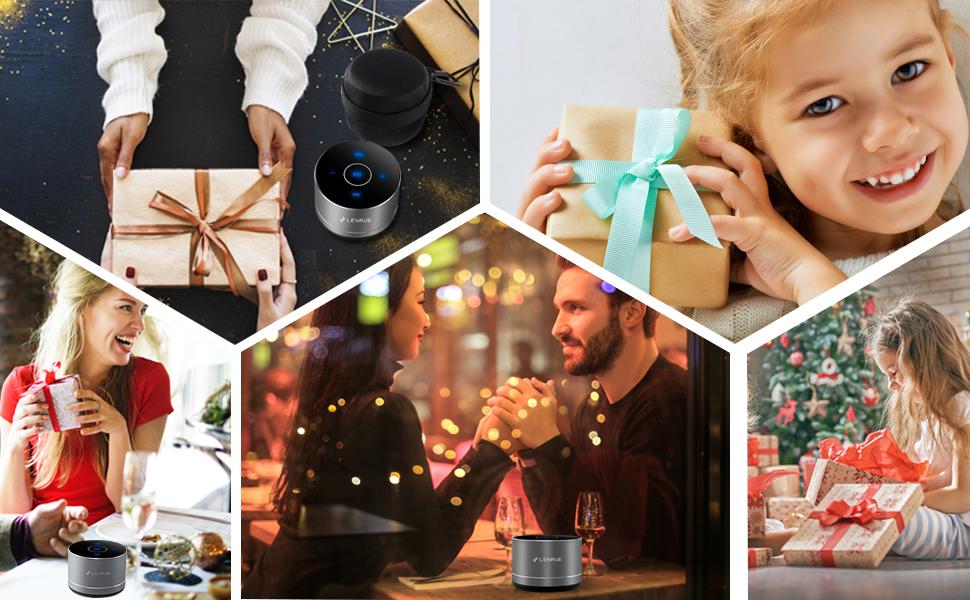
Figure 4: Speaker with hands-free calling capability.
4.3 באַטעריע לעבן און ענערגיע שפּאָרן
The speaker is equipped with a 1200mAh lithium-ion battery, providing 6-15 hours of music playback at 2/3 volume. To conserve power, the speaker will automatically shut down if Bluetooth is disconnected for 30 minutes.
5. וישאַלט
5.1 רייניקונג
To clean the speaker, use a soft, dry cloth. Do not use abrasive cleaners, solvents, or immerse the speaker in water.
5.2 סטאָרידזש
When not in use for extended periods, store the speaker in its hard EVA travel case in a cool, dry place. Avoid extreme temperatures and direct sunlight.
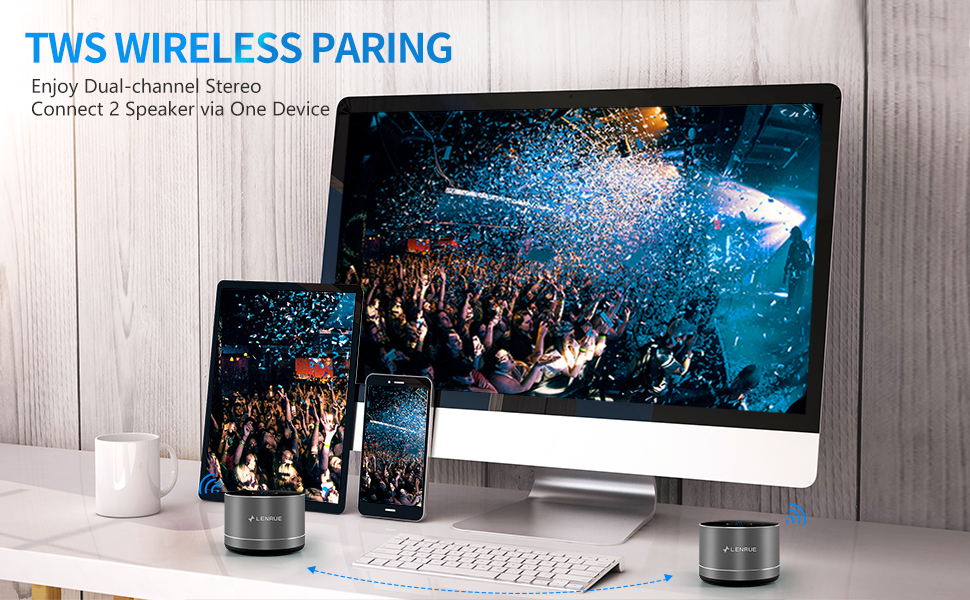
Figure 5: Speaker with its protective hard EVA travel case.
6. טראָובלעשאָאָטינג
| פּראָבלעם | מעגלעך סיבה | לייזונג |
|---|---|---|
| דער רעדנער לאָזט זיך נישט אָנ. | נידעריגע באַטעריע; די מאַכט קנעפּל נישט ריכטיק געדריקט. | Charge the speaker fully; Press and hold the power button for a few seconds. |
| קענען ניט פאַרבינדן מיט בלועטאָאָטה מיטל. | רעדנער נישט אין פּערינג מאָדע; מיטל בלועטוט אויסגעלאָשן; רעדנער שוין פארבונדן צו אן אנדער מיטל. | Ensure speaker is in pairing mode (flashing blue light); Turn on Bluetooth on your device; Disconnect from other devices and try again. |
| Poor sound quality / Muffled sound. | Speaker placement; Obstructions; Low volume. | Ensure the speaker is placed on a flat, open surface, ideally not directly on its bottom where the speaker grille is located. Try placing it on its side for clearer sound. Remove any obstructions; Adjust volume on both speaker and device. |
| TWS פּאָרינג פיילז. | Speakers already paired to a device; Incorrect pairing procedure. | Ensure both speakers are disconnected from any Bluetooth devices before initiating TWS pairing. Follow the TWS pairing steps precisely. |
| קיין געזונט. | Volume too low; Paused playback; Device not connected. | Increase volume on both speaker and device; Press play; Verify Bluetooth connection. |
7. ספּעסאַפאַקיישאַנז
| שטריך | דעטאַל |
|---|---|
| מאָדעל נומער | F4 |
| קאַנעקטיוויטי טעכנאָלאָגיע | בלועטאָאָטה 5.0 |
| רעדנער מאַקסימום רעזולטאַט מאַכט | 5 וואטס |
| מאַכט מקור | באַטאַרייע פּאַוערד (1 ליטהיום יאָן באַטאַרייע אַרייַנגערעכנט) |
| באַטאַרייע קאַפּאַציטעט | 1200 מאַה |
| פּלייַטימע | 6-15 hours (at 2/3 volume) |
| טשאַרדזשינג צייט | בעערעך 4 שעה |
| קאָנטראָל מעטאָד | ריר |
| פּראָדוקט דימענשאַנז | 3.15 X 3.15 X 1.18 אינטשעס |
| פּונקט וואָג | 9 אונסעס |
| ספּעציעלע שטריך | Portable, Hands-Free Calling, TWS Pairing |
8. וואָראַנטי און שטיצן
For warranty information and customer support, please refer to the documentation included with your purchase or contact LENRUE customer service directly. Contact details can typically be found on the official LENRUE webוועבזייטל אדער דורך אייער הענדלער.