
Sauder 430444
Sauder Craft and Sewing Armoire (Model 430444) Instruction Manual
Brand: Sauder | Model: 430444 | Finish: Mystic Oak
1. הקדמה
The Sauder Craft and Sewing Armoire in Mystic Oak finish is a versatile furniture piece designed to maximize space and provide a functional area for crafting, sewing, or home office tasks. It features an expandable work surface, integrated power, and customizable storage options to keep your supplies organized and accessible.
שליסל פֿעיִקייטן:
- מולטי-ציל פאַנגקשאַנאַליטי: Serves as a sewing cabinet, craft station, or home office desk.
- Expandable Work Surface: Includes a slide-out shelf with full extension slides and a drop-leaf extension for increased workspace.
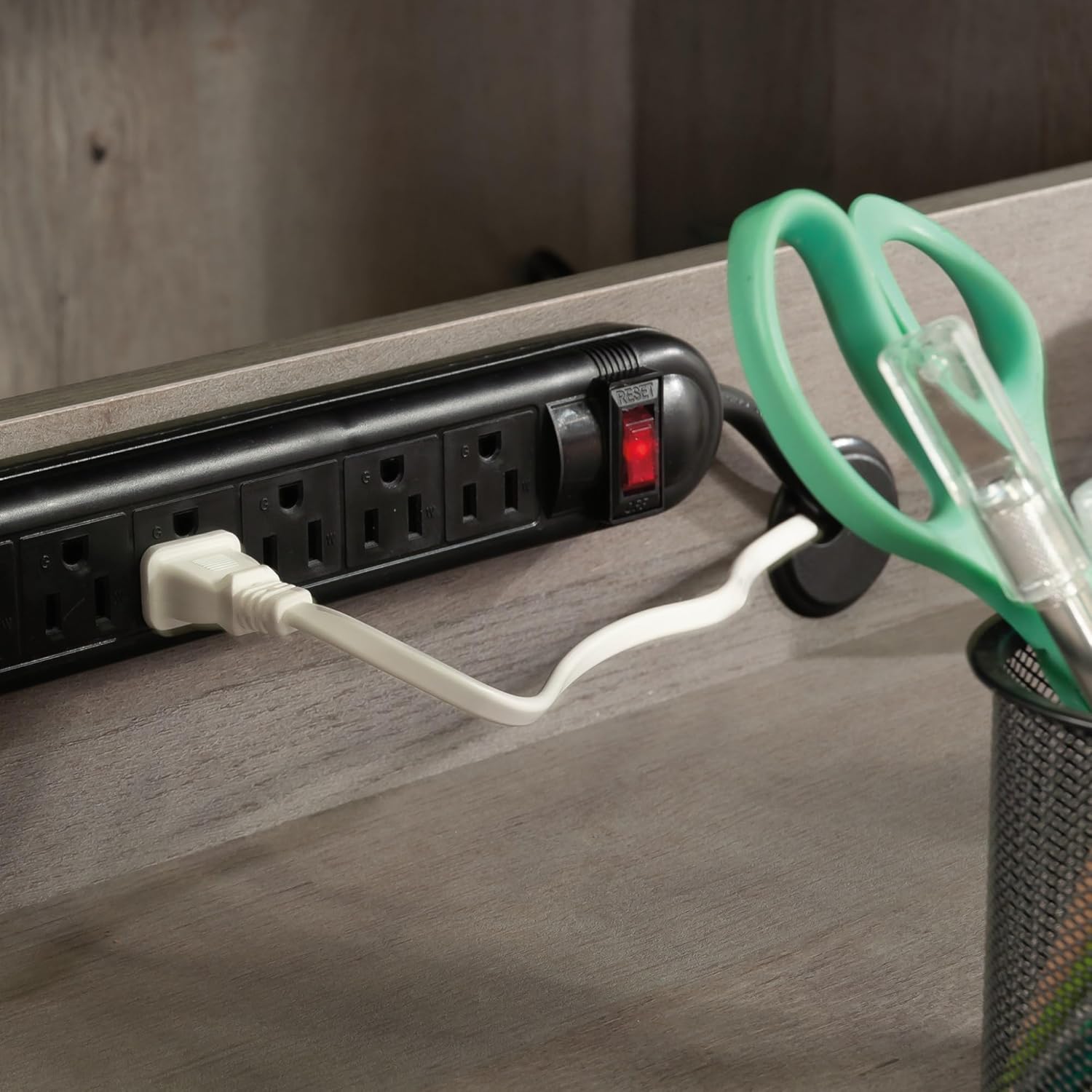
- אינטעגרירטע מאַכט: Features a built-in power strip with six outlets to keep devices charged and cords organized.
- קוסטאָמיזאַבלע סטאָרידזש: Six adjustable shelves allow for flexible organization of various items.
- גרינג אַקסעס: A lower slide-out shelf with metal runners and safety stops provides convenient access to storage bins and supplies.

2. סעטאַפּ און אַסעמבלי
The Sauder Craft and Sewing Armoire requires assembly. Please ensure all parts are present before beginning. Refer to the included assembly instructions for detailed step-by-step guidance. The following videos provide additional visual assistance for specific assembly components.
פֿאַרזאַמלונג עצות:
- Review all instructions and diagrams carefully before starting.
- ניצט די ריכטיקע מכשירים ווי ספּעציפֿירט אין דעם מאַנואַל.
- צוזאַמענשטעלן אויף אַ ווייכער, ריינער ייבערפלאַך צו פאַרמייַדן קראַצן.
Identifying Drawer Rails:
Proper identification of drawer rails is crucial for correct assembly. This video demonstrates how to distinguish between different rail types.
Separating Slides from Extension Rails:
This video provides instructions on how to correctly separate the slides from the extension rails, and how to insert and remove drawers, which is a common step in furniture assembly.
Attaching Twist-Lock Fasteners:
Learn how to securely attach the Sauder Twist-Lock fasteners, an essential component for stable construction.
3. Operating the Armoire
The Sauder Craft and Sewing Armoire is designed for ease of use and adaptability. Follow these guidelines to utilize its features effectively.
Expanding the Work Surface:
- Open both cabinet doors fully to access the interior.
- Locate the slide-out shelf and gently pull it forward until it is fully extended.
- Unfold the drop-leaf extension to create a larger, stable work area.

Utilizing the Power Strip:
A built-in power strip with six outlets is located within the armoire. Plug the armoire's main power cord into a wall outlet. You can then plug in your sewing machine, laptop, printer, or other electronic devices directly into the integrated power strip.
אַדזשאַסטינג שעלוועס:
The armoire features six adjustable shelves. To reposition a shelf, remove all items from the shelf, lift the shelf from its supports, and reinsert the supports into the desired holes. Place the shelf back onto the supports, ensuring it is level and secure.

פּראָדוקט איבערview and Functionality:
דעם ווידעא גיט אַ פולשטענדיק איבערview of the Sauder Storage Craft Armoire, demonstrating its features and how it functions as a versatile workspace.
4. וישאַלט
To ensure the longevity and appearance of your Sauder Craft and Sewing Armoire, regular maintenance is recommended.
- רייניקונג: ווישן סערפאַסיז מיט אַ ווייך, דamp שטאָף. פֿאַרמײַדט שאַרפֿע כעמיקאַלן אָדער אַברייסיוו רייניגער, ווײַל די קענען שאַטן די ענדיקונג.
- ייַזנוואַרג: Periodically check all fasteners and connections to ensure they remain tight. Tighten any loose screws as needed.
- מאָווינג: When moving the armoire, always empty it first and lift it carefully. Do not drag the unit, as this can damage the base and floor.
5. טראָובלעשאָאָטינג
If you encounter any issues with your Sauder Craft and Sewing Armoire, please refer to the original assembly manual for specific troubleshooting steps or contact Sauder customer support for assistance.
6. ספּעסאַפאַקיישאַנז
| שטריך | דעטאַל |
|---|---|
| סאָרט | Sauder |
| מאָדעל נאָמען | Miscellaneous Storage |
| נומער מאָדעל נומער | 430444 |
| קאָליר | Mystic Oak |
| פּראָדוקט דימענשאַנז (ד רענטגענ וו רענטגענ ה) | 21.81"ד רענטגענ 35.12"וו רענטגענ 61.58"ה |
| מאַטעריאַל | ענדזשאַנירד האָלץ |
| נומער פון שעלוועס | 6 (אַדזשאַסטאַבאַל) |
| ספּעציעלע שטריך | Drop Leaf Extension, Slide-Out Shelf with Metal Runners and Safety Stops, Built-in Power Strip |
| אַסעמבלי פארלאנגט | יא |
| פּונקט וואָג | 90.2 פונט (41 קילאָגראַמס) |
7. וואָראַנטי און שטיצן
For warranty information, replacement parts, or further assistance, please refer to the documentation included with your product or visit the official Sauder website. You may also contact Sauder customer support directly.
Sauder Customer Support:
- Live Chat: On-demand support available.
- Assembly Tip Videos: Helpful insights for assembly.
- Replacement Parts: Quick shipping for needed components.
- Domestic Call Center: Ready to assist with inquiries.
Ask a question about this manual
Ask about setup, troubleshooting, compatibility, parts, safety, or missing instructions. Manuals+ will review the question and use this page’s manual context to help answer it.