
שטאַרק SRT8119
באַניצער מאַנואַל
Strong SRT 8119 Digital Terrestrial DVB-T2 HDMI Decoder with Display
מאָדעל: SRT8119
1. הקדמה
This manual provides comprehensive instructions for the installation, operation, and maintenance of your Strong SRT 8119 Digital Terrestrial DVB-T2 HDMI Decoder. Please read this manual carefully before using the device to ensure proper functionality and to prevent damage.
The Strong SRT 8119 is designed to receive free-to-air TV programs in high definition, supporting the H.265 standard. It offers features such as recording capabilities, a 700-channel memory capacity, Electronic Program Guide (EPG), parental controls, and various channel editing options for an enhanced viewינג דערפאַרונג.
2. זיכערקייַט אינפֿאָרמאַציע
Always observe the following safety precautions to avoid electric shock, fire, or damage to the device:
- דו זאלסט נישט ויסשטעלן די מיטל צו רעגן אָדער נעץ.
- נישט עפענען דעם סיasinז. איבערגעבן אלע סערוויסינג צו קוואַליפֿיצירטע פּערסאָנעל.
- Ensure proper ventilation around the device. Do not block ventilation openings.
- ניצן בלויז די מאַכט אַדאַפּטער סאַפּלייד מיט די מיטל.
- Disconnect the device from the power outlet during lightning storms or when unused for long periods.
- האַלט דעם אַפּאַראַט אַוועק פון דירעקטער זונשייַן, היץ־קוואַלן און שטאַרקע מאַגנעטישע פעלדער.
3. פּעקל אינהאַלט
באַשטעטיקן אַז אַלע זאכן זענען פאַראַן אין פּעקל:
- Strong SRT 8119 Digital Terrestrial DVB-T2 HDMI Decoder
- ווײַטקאָנטראָל (מיט 2 AAA באַטעריעס אַרײַנגערעכנט)
- באַניצער מאַנואַל (דעם דאָקומענט)
- מאַכט אַדאַפּטער

Figure 3.1: Packaging of the Strong SRT 8119 decoder, showing the product box with branding and key features listed.
4. פּראָדוקט איבערview
4.1. פראָנט פּאַנעל

פיגורע 4.1: פראָנט view of the Strong SRT 8119 decoder, featuring the display, Strong logo, Dolby Audio branding, and a USB port on the right.
- ווייַז: ווײַזט קאַנאַל נומער אָדער צײַט.
- וסב פּאָרט: For connecting USB storage devices for media playback and software updates.
- מאַכט ינדיקאַטאָר: ווײַזט אָן דעם אַפּאַראַט'ס מאַכט סטאַטוס.
4.2. דערציען פּאַנעל

פיגורע 4.2: דערציען view of the Strong SRT 8119 decoder, clearly showing the input and output ports labeled for connection to a terrestrial antenna, HDMI TV, SCART TV, and S/PDIF coaxial audio output.
- אַנט אין: פֿאַרבינדט זיך צו אייער טעראַסטרישער אַנטענע.
- הדמי: High-Definition Multimedia Interface output for connecting to an HD TV.
- טעלעוויזיע SCART: SCART output for connecting to older TVs.
- Coaxial S/PDIF: דיגיטאַל אַודיאָ רעזולטאַט.
- דק אין: Power input for the external power adapter.
4.3. רימאָוט קאָנטראָל

Figure 4.3: The remote control for the Strong SRT 8119 decoder, showing various buttons for power, channel navigation, volume, menu access, EPG, media playback, and numeric input.
The remote control allows full operation of the decoder. Familiarize yourself with the button layout for easy navigation.
5. סעטאַפּ
5.1. Connecting the Decoder
- פאַרבינדן אַנטענע: פֿאַרבינדט אייער טעראַסטריאַל אַנטענע קאַבל צו דער ANT IN port on the rear panel of the decoder.
- פאַרבינדן צו טעלעוויזיע:
- For HD TVs: Connect an HDMI cable from the HDMI port on the decoder to an available HDMI input on your TV.
- For older TVs: Connect a SCART cable from the טעלעוויזיע SCART port on the decoder to the SCART input on your TV.
- פאַרבינדן מאַכט: Insert the power adapter cable into the DC IN port on the decoder, then plug the adapter into a wall outlet.
- אַרייַנלייגן באַטעריז: Open the battery compartment on the remote control and insert the two AAA batteries, observing polarity.
5.2. ערשטער מאָל ינסטאַלירונג
Upon first power-on, the decoder will guide you through the initial setup process:
- אויסקלייַבן דיין בילכער שפּראַך.
- קלייַבן דיין לאַנד.
- The decoder will then perform an automatic channel scan. This may take several minutes. Do not interrupt this process.
- Once the scan is complete, the decoder will display the first available channel.
6. אַפּערייטינג ינסטרוקטיאָנס
6.1. יקערדיק אָפּעראַציע
- מאַכט אויף / אַוועק: דרוק די מאַכט קנעפּל אויף די ווייַט קאָנטראָל.
- קאַנאַל טוישן: ניצן די טש +/- buttons or enter the channel number directly using the numeric keypad.
- באַנד קאָנטראָל: ניצן די וואָל +/- קנעפּלעך.
- מעניו אַקסעס: דרוק די MENU button to access system settings and features. Use arrow keys to navigate and OK צו באַשטעטיקן.
6.2. עלעקטראָנישער פּראָגראַם גייד (EPG)
The EPG provides a schedule of current and upcoming programs.
- דרוק די EPG קנעפּל אויף די ווייַט קאָנטראָל.
- Navigate through channels and program times using the arrow keys.
- דרוק OK צו view details about a selected program.
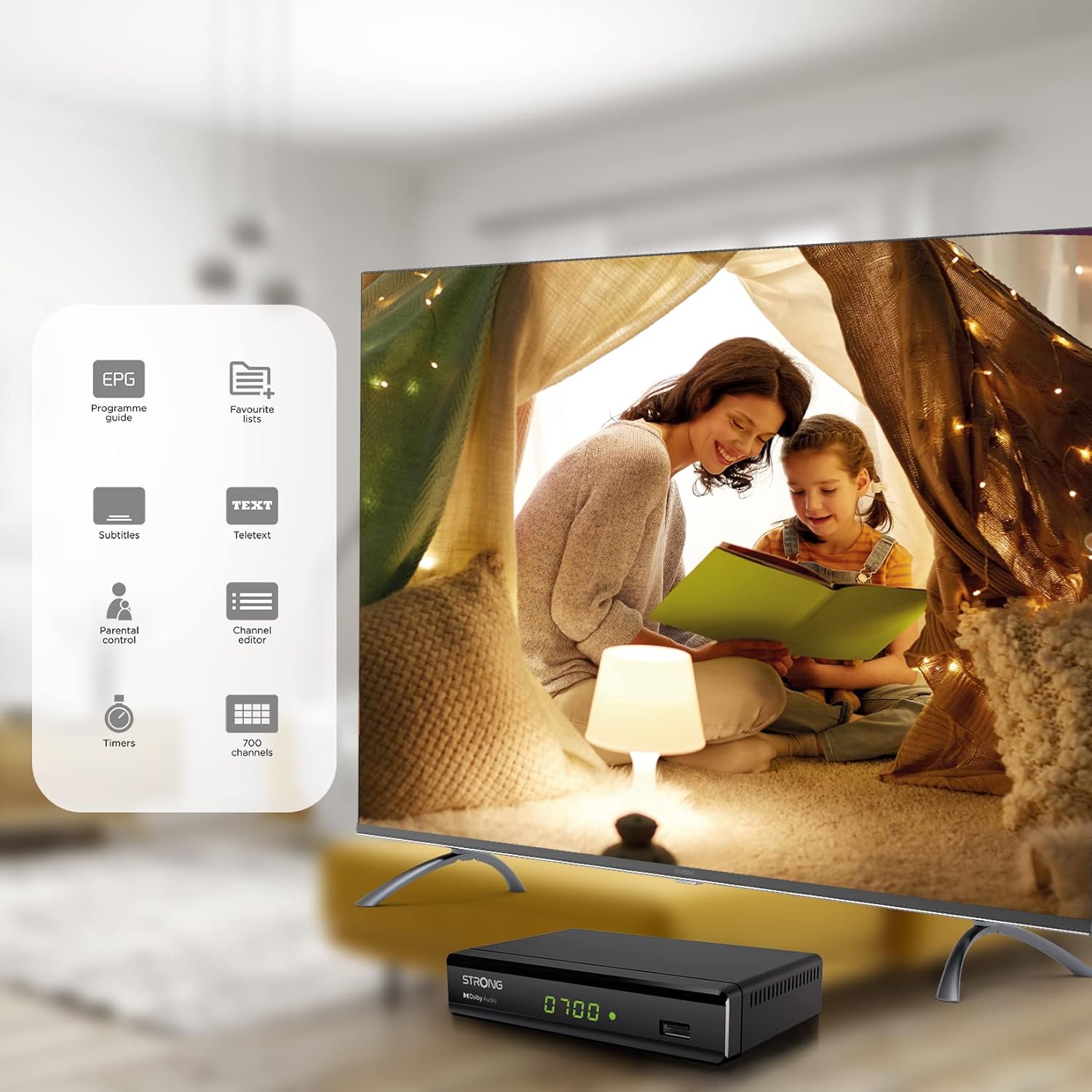
Figure 6.1: Visual representation of the Strong SRT 8119's features, including Electronic Program Guide (EPG), favorite lists, subtitles, teletext, parental control, channel editor, timers, and 700 channel capacity.
6.3. Media Playback and Recording (USB)
The decoder supports media playback from a USB storage device connected to the front USB port. Note: Recording function may not be active in all regions (e.g., Italy).
- Insert a USB flash drive or external hard drive into the front USB port.
- דרוק די מעדיאַ button on the remote control to access the media player.
- נאַוויגירן צו דער געוואלט file (video, audio, image) and press OK צו שפּילן.
- To record a program, press the REC button during live TV. Ensure a USB device with sufficient free space is connected.
- To schedule a recording, use the EPG and select the program, then follow the on-screen prompts to set a timer.

Figure 6.2: The Strong SRT 8119 decoder shown in a living room setting, highlighting its USB playback and recording capabilities. A note indicates that recording is not implemented for Italy.
6.4. קאַנאַל פאַרוואַלטונג
- Channel Editor: Access the channel editor via the MENU to move, delete, or lock channels.
- Favorite Lists: Create up to 4 favorite lists for TV and radio programs for quick access to your preferred channels.
- פּאַרענטאַל קאָנטראָל: Set a password to restrict access to certain channels or programs.
7. וישאַלט
- רייניקונג: Use a soft, dry cloth to clean the exterior of the decoder. Do not use liquid or aerosol cleaners.
- ווייכווארג דערהייַנטיקן: פּעריִאָדיש קאָנטראָלירן די שטאַרקע website for available software updates. Updates can typically be installed via the USB port.
- סטאָרידזש: אויב איר לייגט דאָס אַפּאַראַט אַוועק פֿאַר אַ לענגערע צײַט, זאָלט איר עס אָפּשטעקן פֿון עלעקטרישן נעץ און עס אַוועקלייגן אין אַ קילן, טרוקענעם אָרט.
8. טראָובלעשאָאָטינג
| פּראָבלעם | מעגלעך סיבה | לייזונג |
|---|---|---|
| קיין מאַכט | שטראָם קאַבל נישט פארבונדן; שטראָם אַוטלעט דעפעקטיוו. | קאָנטראָלירט די עלעקטרישע פֿאַרבינדונגען; פּרוּווט אַן אַנדער ווענטיל. |
| No signal / "No Signal" message | Antenna not connected; Antenna faulty; Incorrect input selected on TV. | Check antenna connection; Ensure antenna is working; Select correct HDMI/SCART input on your TV. |
| קיין בילד נישט, אבער סאונד איז דא | Video cable (HDMI/SCART) loose or faulty. | Check video cable connections; Try a different cable. |
| ווייַט קאָנטראָל נישט ארבעטן | Batteries depleted or inserted incorrectly; Obstruction between remote and decoder. | Replace batteries; Ensure correct polarity; Remove obstructions; Point remote directly at the decoder. |
| Cannot record programs | USB device not connected or full; Recording function not available in your region. | Connect a USB device with sufficient space; Check regional limitations for recording. |
9. ספּעסאַפאַקיישאַנז
| מאָדעל נומער | SRT8119 |
| פּראָדוקט דימענשאַנז | 4.41 X 5.98 X 1.5 אינטשעס |
| פּונקט וואָג | 9.5 אונסעס |
| קאַנעקטיוויטי טעכנאָלאָגיע | Antenna (DVB-T2), HDMI, SCART, USB, Coaxial S/PDIF |
| ווידעא קאָדירונג | ה.265 |
| קאַנאַל קאַפּאַסיטי | 700 טשאַנאַלז |
| באַטעריז | 2 AAA באַטעריעס (אַרייַנגערעכנט פֿאַר ווייַטקאָנטראָל) |
| אַודיאָ רעזולטאַט מאָדע | אַרומרינגלען |
| אַרומרינגלען סאָונד קאַנאַל קאַנפיגיעריישאַן | 5.1 |
10. שטיצן
For further assistance, technical support, or to find useful resources, please visit the official Strong website. You can also find information and support on their Facebook profile and LinkedIn page.
Note: Specific contact numbers or direct links are not provided in this manual. Please refer to the official Strong webזייטל פֿאַר די מערסט אַרויף-צו-דאַטע שטיצע אינפֿאָרמאַציע.
Ask a question about this manual
Ask about setup, troubleshooting, compatibility, parts, safety, or missing instructions. Manuals+ will review the question and use this page’s manual context to help answer it.