
1. וויכטיק סאַפעטי אינפֿאָרמאַציע
Please read all safety and operating instructions carefully before using this television. Keep this manual for future reference. Always follow basic safety precautions to reduce the risk of fire, electric shock, and injury.
- דו זאלסט נישט ויסשטעלן דעם אַפּפּליאַנסע צו רעגן אָדער נעץ.
- בלאָקירט נישט קיין ווענטילאַציע עפענונגען. אינסטאַלירט לויט די אינסטרוקציעס פונעם פאַבריקאַנט.
- דו זאלסט נישט ינסטאַלירן לעבן קיין היץ קוואלן אַזאַ ווי ראַדיאַטאָרס, היץ רעדזשיסטערז, סטאָוווז אָדער אנדערע אַפּאַראַט (אַרייַנגערעכנט ampליפיערס) וואָס פּראָדוצירן היץ.
- באַשיצן די מאַכט שנור פון אַ גיין אָדער קניפּ פון די מאַכט שנור, דער הויפּט אין פּלאַגז, קאַנוויניאַנס קאַנטיינערז און די פונט ווו זיי אַרויסגאַנג פון די אַפּפּליאַנסע.
- נאָר נוצן אַטאַטשמאַנץ / אַקסעסעריז ספּעסיפיעד דורך דער פאַבריקאַנט.
- קאָנטאַקט אַלע קוואַלאַפייד סערוויס פּערסאַנעל. סערוויסינג איז פארלאנגט אויב די אַפּאַראַט איז דאַמידזשד אין קיין וועג.
2. וואָס איז אין דער קעסטל
Carefully unpack your new Sansui TV and ensure all items listed below are present.
- 1 x Sansui 4K Ultra HD Android LED TV (JSW50ASUHD)
- 2 x טיש שטאַנד באַזע
- 1 x Wall Mounting Set
- 4 x Screws for stand/mount
- 1 x באַניצער מאַנואַל
- 1 רענטגענ וואָראַנטי קאַרד
- 1 x רימאָוט קאָנטראָל
- 2 x AAA באַטעריעס (פֿאַר ווייַטקאָנטראָל)
- קסנומקס X מאַכט קאָרד
- 1 x מיני AV קאַבלע
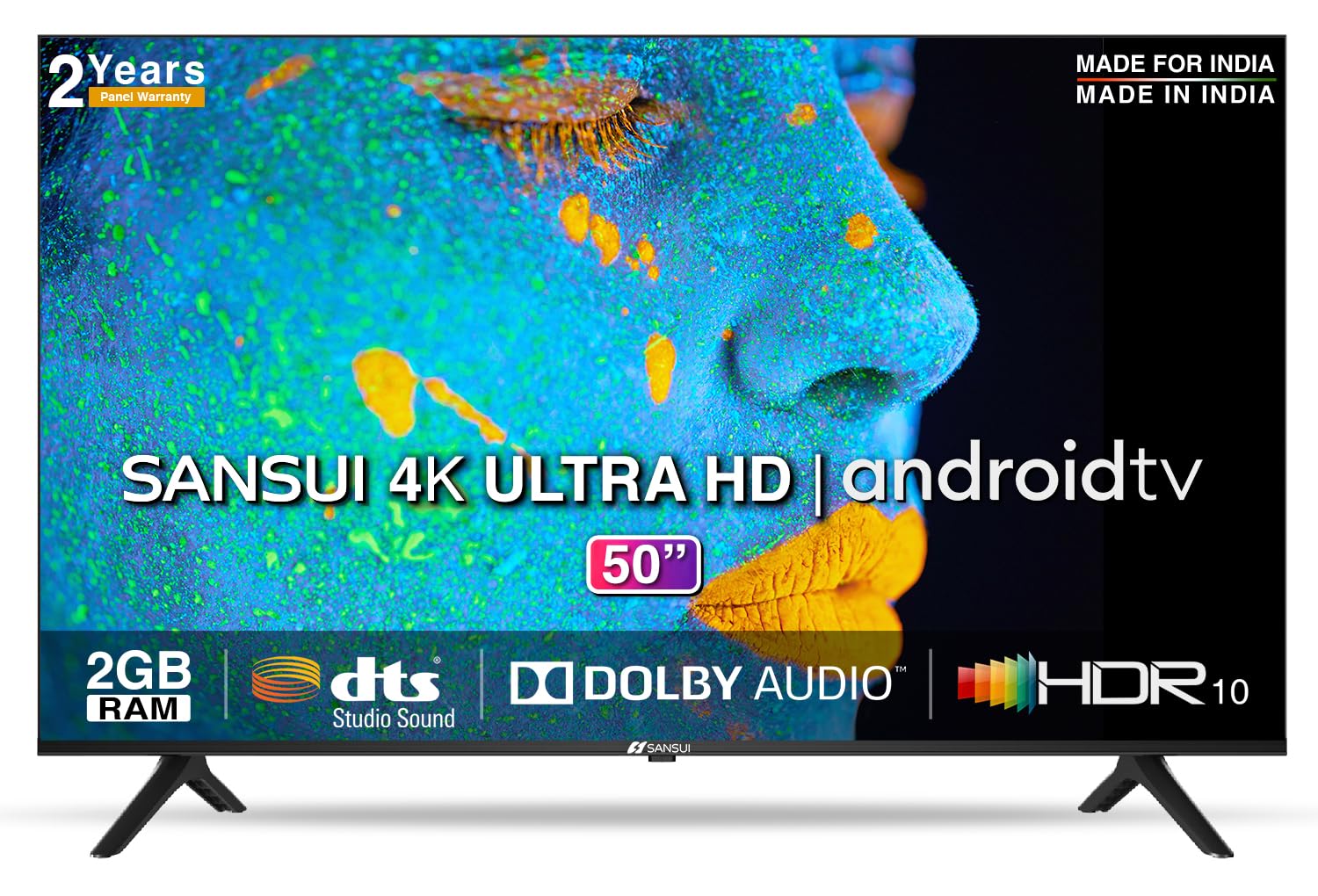
Image: Sansui 50-inch 4K Ultra HD Android LED TV with its table stand.
3. פּראָדוקט איבערview
3.1. שליסל פֿעיִקייטן
- ווייַז: 4K Ultra HD (3840x2160) resolution, 60Hz refresh rate, Wide Viewing Angle, A+ Grade Panel, Wide Colour Gamut, HDR 10, Crystal Clear Display, High Brightness, Bezel-less Design.
- אַודיאָ: Dolby Audio, DTS Studio Sound, 20 Watts Audio Output.
- סמאַרט טעלעוויזיע פֿעיִקייטן: Android 10.0 (Certified by Google), Google Assistant, Alexa Enabled Support, Built-in Chromecast, CA53 Quad Core Processor, 2GB RAM, 8GB ROM.
- שטיצט אַפּפּס: Prime Video, Netflix, Disney + Hotstar, YouTube, Google Play.
- קאַנעקטיוויטי: 3 HDMI ports, 2 USB ports, 3.5mm audio jack, Bluetooth, Wi-Fi, RJ45 (Ethernet), Antenna.

Image: Visual representation of the TV's main features and capabilities.
3.2. דימענשאַנז
The TV features a 50-inch screen (127 cm diagonal) with a bezel-less design for an immersive viewינג דערפאַרונג.

Image: Detailed dimensions of the Sansui 50-inch TV, including width, height, and depth with and without the stand.
4. סעטאַפּ
4.1. Installing the Table Stand
- לייגט דעם טעלעוויזיע מיטן עקראַן אַראָפּ אויף אַ ווייכער, גלאַטער ייבערפלאַך צו פאַרמייַדן שאָדן.
- Align the table stand bases with the corresponding slots at the bottom of the TV.
- Secure the bases using the provided screws. Ensure they are tightened firmly.
4.2. וואַנט מאָונטינג (אַפּשאַנאַל)
If you choose to wall mount your TV, please use the provided wall mounting set and screws. The VESA mount standard is 800 x 400 mm. It is recommended to seek professional assistance for wall mounting to ensure proper and safe installation.
4.3. קאַנעקטינג דעוויסעס
The TV offers various connectivity options for your external devices.
- מאַכט: פֿאַרבינדט דעם עלעקטרישן שנור צום טעלעוויזאָר'ס עלעקטרישן אַרײַנגאַנג און דערנאָך צו אַ וואַנט אַוטלעט.
- הדמי: Use HDMI cables to connect devices like set-top boxes, gaming consoles, or Blu-ray players to the 3 HDMI ports.
- וסב: Connect USB drives or other USB devices to the 2 USB ports for media playback.
- אַודיאָ אָוט: Use the 3.5mm jack to connect headphones or external audio systems.
- עטהערנעט (RJ45): For a stable internet connection, connect an Ethernet cable from your router to the RJ45 port.
- אַנטענע: Connect your antenna cable to the RF input for terrestrial broadcasting.
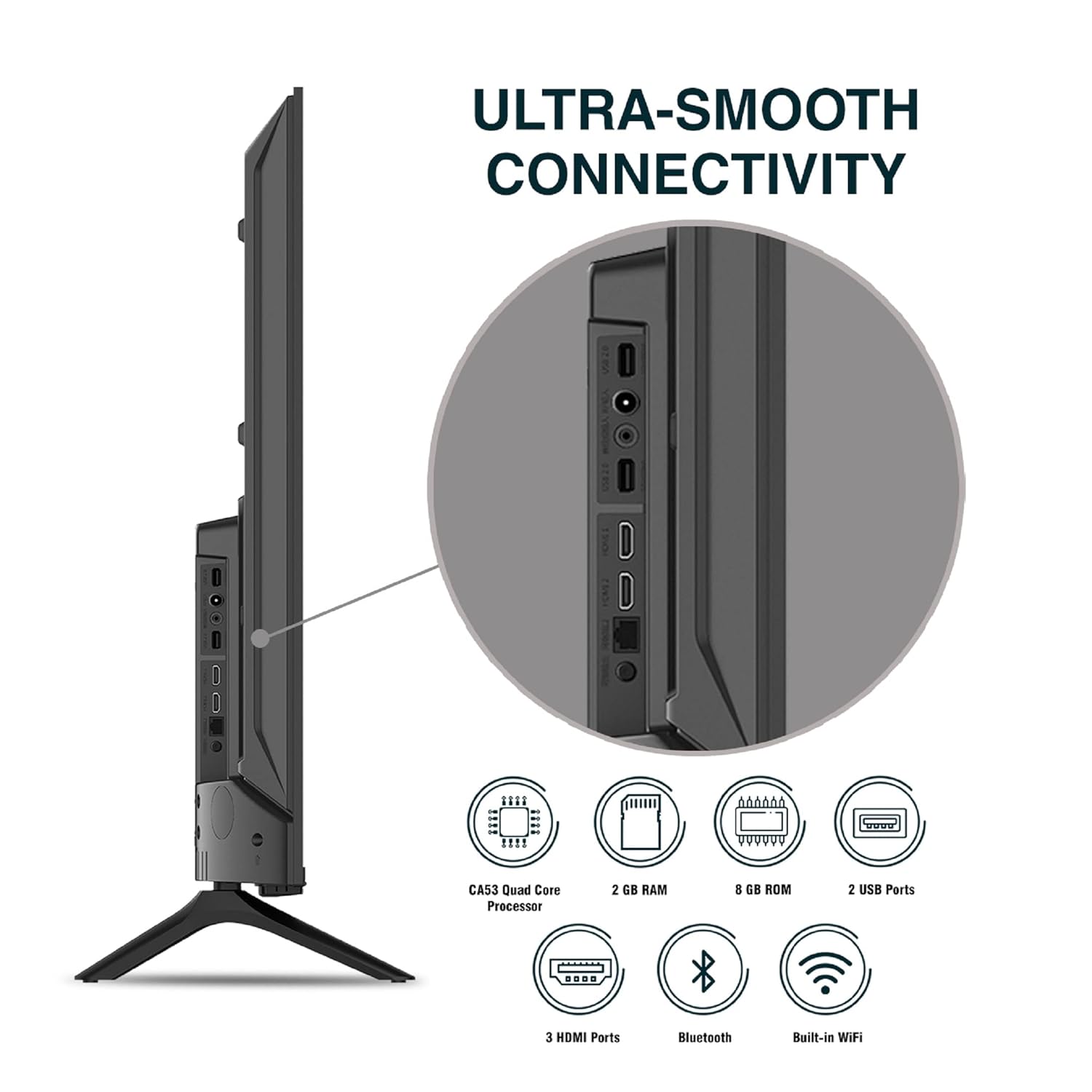
בילד: דעטאַלירט view פון די טעלעוויזיע'ס קאַנעקטיוויטי פּאָרץ.
5. אַפּערייטינג ינסטרוקטיאָנס
5.1. יקערדיק אָפּעראַציע
- מאַכט אויף / אַוועק: דריק דעם מאַכט קנעפּל אויף דער ווײַטקאָנטראָל אָדער אויף דער טעלעוויזיע צו עס אנצינדן אָדער אויסלעשן.
- ערשט סעטאַפּ: Upon first power-on, follow the on-screen instructions to set up language, network connection, and Google account.
- אַרייַנשרייַב מקור: Press the 'Input' button on the remote to select between HDMI, AV, TV, or other connected sources.
- באַנד קאָנטראָל: ניצט די וואָלומען אַרויף/אַראָפּ קנעפּלעך אויף דער ווײַטקאָנטראָל.
5.2. Using the Smart Remote
The included remote control features voice control and dedicated hotkeys for quick access to popular streaming services.
- קול קאָנטראָל: Press the Google Assistant button (microphone icon) and speak your commands to search for content, control smart home devices, or ask questions.
- האָטקייס: Directly launch Netflix, Prime Video, YouTube, and Google Play with a single press.
- נאַוויגאַציע: Use the directional pad and 'OK' button to navigate the Android TV interface.

Image: Sansui Smart Remote Control with voice control and app hotkeys.
5.3. Android TV Interface and Smart Features
Your Sansui TV runs on Android 10.0, providing access to a wide range of apps and smart functionalities.
- היים פאַרשטעלן: The home screen displays your favorite apps, recommended content, and input sources.
- Google פּלייַ סטאָר: Download and install additional apps, games, and content from the Google Play Store.
- איינגעבויטע Chromecast: Cast content (videos, photos, music) from your smartphone, tablet, or computer directly to the TV.
- גוגל אַסיסטאַנט/אַלעקסאַ: Use voice commands via the remote or a compatible Alexa device to control your TV and other smart home devices.

Image: Android TV home screen showing available applications.
6. וישאַלט
געהעריגע זאָרג און וישאַלט וועט פֿאַרלענגערן דאָס לעבן פֿון אייער טעלעוויזיע.
- רייניקונג די פאַרשטעלן: ווישט אָפּ דעם עקראַן מיט אַ ווייכן, לינט-פֿרייע שטאָף. פֿאַר שווערע פֿלעקן, ניצט אַ עקראַן רייניגער ספּעציעל דיזיינד פֿאַר טעלעוויזיעס, אויפֿגעטראָגן אויף דעם שטאָף, נישט גלייך אויף דעם עקראַן.
- רייניקונג די קאַבינעט: ניצט אַ ווייכע, טרוקענע שטאָף צו ווישן דעם טעלעוויזיע קאַבינעט. ניצט נישט קיין שרײַבנדיקע רייניגערס אדער סאָלווענטן.
- ווענטילאַטיאָן: זיכער מאַכן אַז די ווענטילאַציע עפענונגען זענען ריין פון שטויב און שמוץ צו פאַרמייַדן איבערהיצונג.
- מאַכט שנור: Regularly check the power cord for any damage. If damaged, replace it with an authorized part.
7. טראָובלעשאָאָטינג
אויב איר טרעפט זיך מיט פראבלעמען, זעט די פאלגנדע אלגעמיינע פראבלעמען און לייזונגען.
| פּראָבלעם | מעגלעך סיבה | לייזונג |
|---|---|---|
| קיין מאַכט | שטראָם שנור אפגעריסן; פּראָבלעם מיט שטראָם אַוטלעט | קאָנטראָלירט די פֿאַרבינדונג פֿון דער עלעקטרישער שנור; פּרובירט די אַוטלעט מיט אַן אַנדער אַפּאַראַט. |
| קיין בילד, נאָר קלאַנג | Incorrect input source; External device issue | Select correct input source; Check external device connection and power. |
| No Sound, Only Picture | Volume muted/low; External audio system issue | Unmute or increase volume; Check external audio system connections. |
| ווייַט קאָנטראָל איז נישט ארבעטן | באַטעריעס אויסגעשעפּט; שטערונג צווישן ווײַטקאָנטראָל און טעלעוויזיע | פאַרבייַטן באַטעריעס; אַראָפּנעמען אַלע שטערונגען. |
| Wi-Fi קאַנעקשאַן ישוז | אומרעכט פּאַראָל; ראַוטער פּראָבלעמען; סיגנאַל ינטערפיראַנס | Re-enter password; Restart router; Move TV closer to router or use Ethernet. |
אויב די פראבלעם בלייבט נאך פרובירן די לייזונגען, ביטע קאנטאקטירט קאסטומער סופארט.
8. ספּעסאַפאַקיישאַנז
Detailed technical specifications for the Sansui JSW50ASUHD TV.
| שטריך | באַשרייַבונג |
|---|---|
| מאָדעל נאָמען | SANSUI LED - JSW50ASUHD |
| פאַרשטעלן גרייס | 50 אינטשעס (127 סענטימעטער) |
| ווייַז טעכנאָלאָגיע | געפירט |
| האַכלאָטע | 4K אולטרא HD (3840x2160) |
| דערפרישן קורס | 60 הז |
| אָפּערייטינג סיסטעם | Android 10.0 (Certified by Google) |
| פּראַסעסער | CA53 קוואַד קאָר |
| באַראַן | 2 גיגאבייט |
| ראָם (סטאָרידזש) | 8 גיגאבייט |
| אַודיאָ רעזולטאַט | 20 וואטס |
| סאָונד טעכנאָלאָגיע | Dolby Audio, DTS Studio Sound |
| HDMI פּאָרץ | 3 |
| וסב פּאָרץ | 2 |
| ווירעלעסס קאַנעקטיוויטי | ווי-פי, בלועטאָאָטה |
| אנדערע קאַנעקטיוויטי | Ethernet (RJ45), 3.5mm Audio Jack, Antenna |
| HDR שטיצן | HDR10 |
| מאַונטינג טיפּ | וואַנט מאָונט און טיש מאָונט |
| וועסאַ מאָונט סטאַנדאַרט | 800 רענטגענ 400 מם |
| מאַכט קאַנסאַמשאַן | 120 וואטס |
| פּונקט וואָג | 9650 גראַמז |
| קאָליר | Mystique Black |
9. וואָראַנטי און שטיצן
Your Sansui TV comes with a comprehensive warranty and dedicated customer support.
- וואָראַנטי: 1 year comprehensive warranty and 1 year additional on panel from the date of purchase.
- וואָראַנטי שטיצן: For warranty-related queries, please contact Sansui Toll Free No.: 1800-419-3777.
- אימפארטירער קאנטאקט: Jaina India Pvt Ltd., D170, Okhla Industrial Area, Phase-1, New Delhi-110020 INDIA | Email: sansuicare@jainaindia.com.
ביטע באַהאַלטן אייער קויף קוויטל פֿאַר וואָראַנטי קליימז.