
הקדמה
The Festool Cordless VECTURO Oscillating Multi-Tool is designed for versatile cutting, sanding, and scraping applications. This manual provides essential information for the safe and efficient operation, maintenance, and care of your tool.
The VECTURO OSC 18 HPC 4,0 EI-Set features a StarlockMax® holding system for quick blade changes, a brushless EC-TEC motor for durability, and vibration isolation for user comfort. It operates on an 18V lithium-ion battery system.
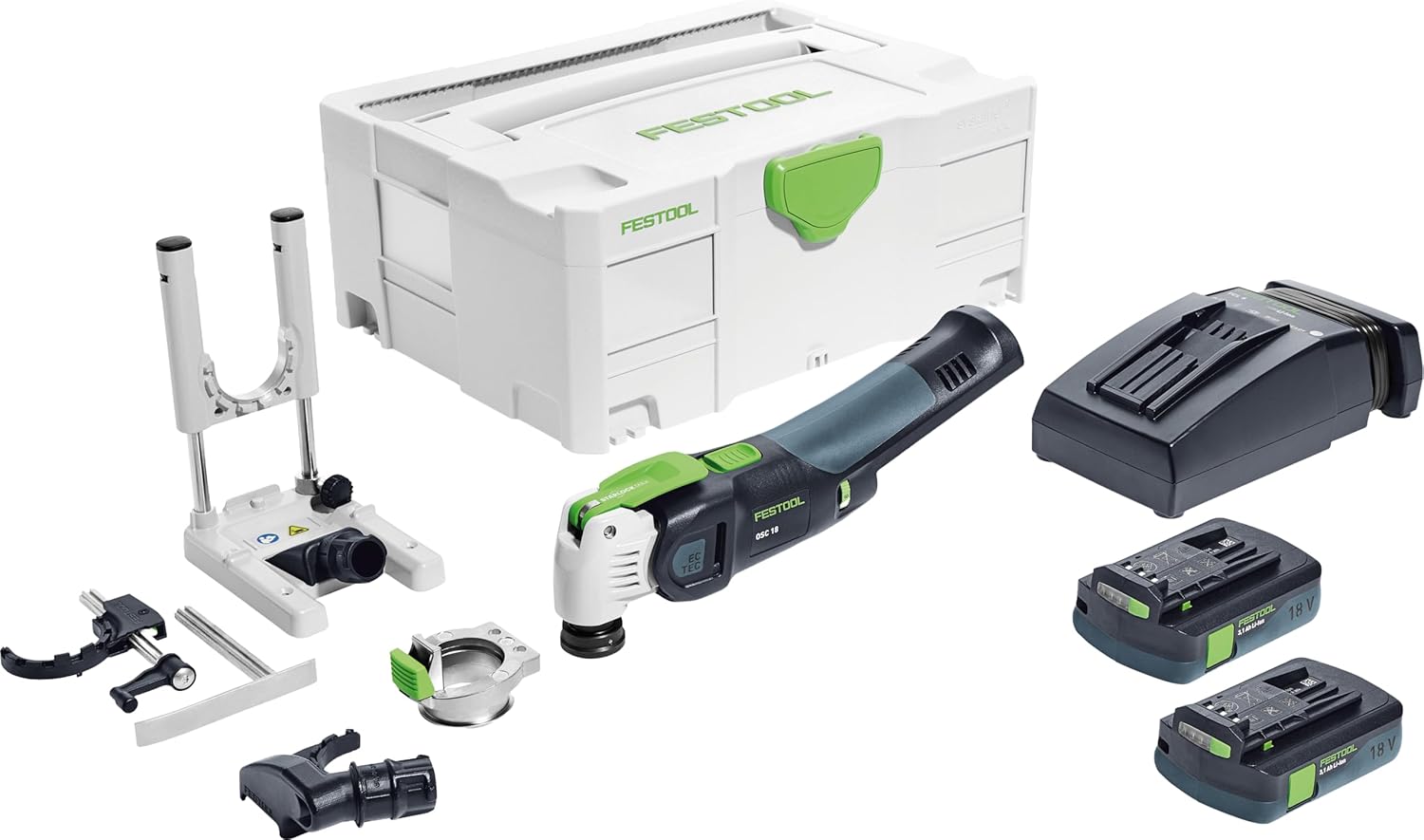
פיגורע 1: The Festool VECTURO OSC 18 HPC 4,0 EI-Set, including the multi-tool, two 18V battery packs, a rapid charger, various accessories, and a Systainer SYS3 M 187 for storage and transport.
זיכערקייַט אינפֿאָרמאַציע
Always observe general power tool safety guidelines. Read all safety warnings, instructions, illustrations, and specifications provided with this power tool. Failure to follow all instructions listed below may result in electric shock, fire, and/or serious injury.
- טראָגט פּאַסיקע פּערזענלעכע שוץ-עקוויפּמענט (PPE) ווי זיכערהייטס-ברילן, הערן-שוץ און הענטשקעס.
- Ensure the workpiece is securely fastened before operation.
- Keep hands and body parts away from the oscillating blade during operation.
- טרענט אָפּ די באַטעריע פּאַק איידער איר מאַכט קיין אַדזשאַסטמאַנץ, טוישן אַקסעסאָריעס, אָדער לייגן אַוועק דאָס געצייַג.
- Use only Festool-approved accessories and replacement parts.
אַרייַנגערעכנט קאַמפּאָונאַנץ
The Festool VECTURO OSC 18 HPC 4,0 EI-Set includes the following items:
- Vecturo Multi-Tool
- Two BP 18 Li 4.0 Ah HPC-ASI Battery Packs
- TCL 6 Rapid Charger
- OSC-A Adapter
- OSC-AH Position Aid
- OSC-AV Dust Extraction Device
- OSC-TA Depth Stop
- USB 78/32/Bi/OSC Universal Saw Blade
- USB 50/35/Bi/OSC Universal Saw Blade
- HSB 100/Bi/OSC Wood Saw Blade
- Systainer SYS3 M 187
סעטאַפּ
1. באַטעריע טשאַרדזשינג און ינסטאַלירונג
- Insert the battery pack into the TCL 6 Rapid Charger. The charger's indicator light will show the charging status.
- אַמאָל גאָר באפוילן, אַראָפּנעמען די באַטאַרייע פון די טשאַרדזשער.
- Align the charged battery pack with the battery slot on the VECTURO Multi-Tool and slide it in until it clicks securely into place.
2. Blade Installation (StarlockMax System)
The VECTURO features a keyless StarlockMax® quick-change system for fast and easy blade replacement.
- זיכער מאַכן אַז די באַטאַרייע איז אַרויסגענומען פֿון דעם געצייַג.
- Press the green lever on the tool head to release the blade holder.
- Align the desired StarlockMax blade with the holder and press it firmly until it clicks into place.
- Verify the blade is securely attached before use.
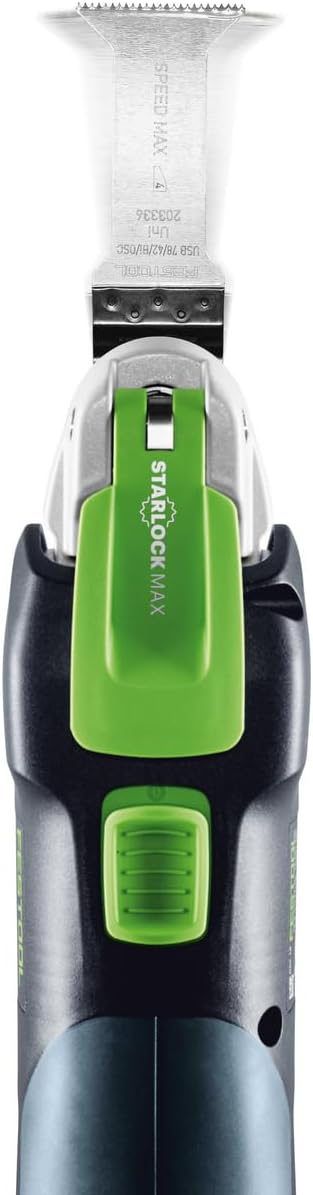
פיגורע 2: Top view of the tool demonstrating the StarlockMax blade attachment mechanism.
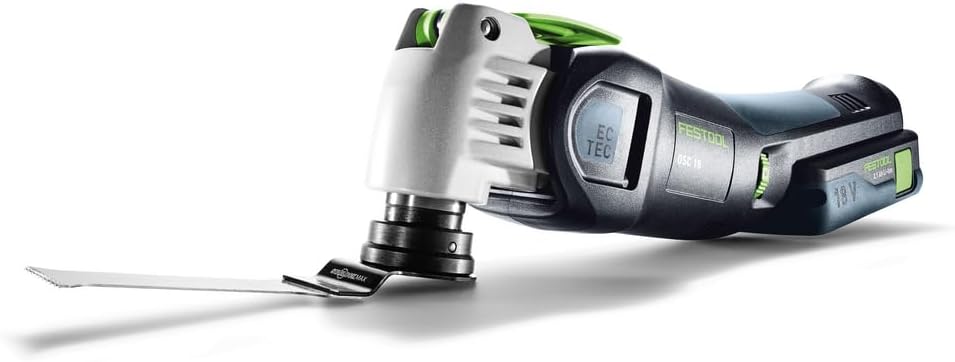
פיגורע 3: The VECTURO Multi-Tool with a saw blade securely installed.
3. Accessory Attachment (Dust Extraction, Depth Stop, Position Aid)
Attach optional accessories as needed for specific applications.
- OSC-AV Dust Extraction Device: Slide the dust extraction device onto the tool head until it locks into place. Connect a compatible dust extractor hose for dust-free operation.
- OSC-TA Depth Stop: Attach the depth stop for controlled plunge cuts. Adjust the depth setting according to your requirements.
- OSC-AH Position Aid: Use the position aid for precise guidance during cuts, especially for delicate or intricate work.
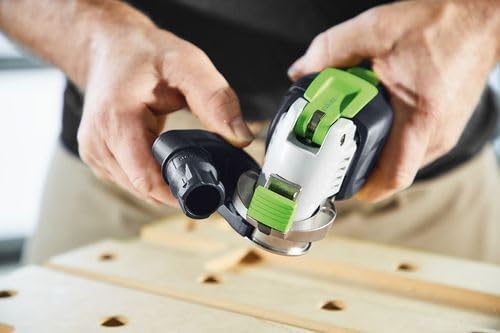
פיגורע 4: Attaching the OSC-AV Dust Extraction Device to the VECTURO Multi-Tool.
אַפּערייטינג ינסטראַקשאַנז
1. אײַנשטעלן/אויסלעשן און גיכקייט קאָנטראָל
- To turn the tool on, press the power switch.
- To turn the tool off, release the power switch.
- The brushless EC-TEC motor features variable speed control. Adjust the speed dial to match the material and application for optimal results.
2. מאכן קאַץ
Always ensure the workpiece is stable and secured. Apply gentle, consistent pressure. The tool's vibration isolation system enhances comfort during extended use.
- אַראָפּגאַנג קאַץ: For precise plunge cuts, use the OSC-TA Depth Stop. Position the blade over the desired cutting area and slowly lower the tool into the material.
- אַלגעמיינע קאַטינג: Guide the tool along the cutting line, allowing the blade to do the work. Avoid forcing the tool, which can lead to overheating or damage.

פיגורע 5: Demonstrating a controlled plunge cut with the VECTURO Multi-Tool.

פיגורע 6: The VECTURO Multi-Tool performing a cut with the OSC-TA Depth Stop attached for accuracy.
וישאַלט
1. רייניקונג
- After each use, disconnect the battery and clean the tool with a dry cloth.
- Remove any dust or debris from the ventilation openings to prevent overheating.
- Periodically clean the blade holder mechanism to ensure smooth operation.
2. בלייד פאַרבייַט
Replace blades when they become dull or damaged to maintain cutting efficiency and safety. Refer to the "Blade Installation" section for detailed steps.
3. באַטערי קער
- האַלט די באַטעריע פּאַקס אין אַ קיל, טרוקן אָרט אַוועק פון דירעקט זונשייַן און עקסטרעמע טעמפּעראַטורן.
- Do not allow battery packs to fully discharge for extended periods. Recharge them regularly.
- If a battery pack is damaged, discontinue use and replace it with an authorized Festool battery.
טראָובלעשאָאָטינג
This section addresses common issues you might encounter with your Festool VECTURO Multi-Tool.
| פּראָבלעם | מעגלעך סיבה | לייזונג |
|---|---|---|
| געצייַג טוט נישט אָנהייבן | באַטעריע נישט אויפגעלאָדן אָדער נישט ריכטיק אינסטאַלירט. | זיכער מאַכן אַז די באַטאַרייע איז גאָר אויפגעלאָדן און זיכער אַרײַנגעשטעלט. |
| נעבעך קאַטינג פאָרשטעלונג | Dull or incorrect blade. Incorrect speed setting. | Replace blade. Select appropriate speed for the material. |
| יבעריק ווייבריישאַן אָדער ראַש | בלייד נישט ריכטיק באַפעסטיקט. צעבראָכענע בלייד. | קאָנטראָלירט די בלייד אינסטאַלאַציע. פאַרבייט די צעבראָכענע בלייד. |
| געצייַג אָוווערכיץ | Blocked ventilation. Overloading the tool. | Clean ventilation openings. Reduce pressure and allow tool to cool. |
If you encounter issues not listed here or if solutions do not resolve the problem, contact Festool customer support.
ספּעסאַפאַקיישאַנז
| שטריך | דעטאַל |
|---|---|
| סאָרט | Festool |
| מאָדעל נומער | 576590 |
| מאַכט מקור | באַטאַרייע פּאַוערד |
| Voltage | 18 וואלטס |
| באַטערי טיפּ | ליטיום יאָן (2 אַרייַנגערעכנט) |
| מאָטאָר טיפּ | Brushless EC-TEC |
| Blade Holder System | StarlockMax® |
| פּונקט וואָג | 13.58 pounds (with packaging) |
| פּראָדוקט דימענשאַנז | 15.59 X 11.65 X 7.36 אינטשעס |
| שעפּן מאַטעריאַל | Thermoplastic Elastomers or Plastic |
| ייבערפלאַך רעקאָמענדאַציע | Wood (compatible with various materials depending on blade) |
| קאָליר | Dark Gray Or Black |
וואָראַנטי און שטיצן
וואָראַנטי אינפֿאָרמאַציע
All Festool power tools, including the VECTURO OSC 18 HPC 4,0 EI-Set, come with a comprehensive 3-year wear-and-tear warranty. This warranty also includes a 2-day standard repair time און א 1-חודש צופֿרידנקייט גאַראַנטירן.
For detailed warranty terms and conditions, please refer to the official Festool webפּלאַץ אָדער קאָנטאַקט קונה שטיצן.
קונה שטיצן
For technical assistance, service, or warranty claims, please contact Festool customer support through their official channels. Visit the פעסטואָל קראָם אויף עמעזאָן אָדער זייער באַאַמטער webפּלאַץ פֿאַר קאָנטאַקט אינפֿאָרמאַציע.