
TAOPON smartwatch zl02g
TAOPON Smart Watch User Manual
Model: smartwatch zl02g
1. הקדמה
Welcome to the TAOPON Smart Watch user manual. This guide provides essential information for setting up, operating, and maintaining your new smartwatch. The TAOPON Smart Watch is designed for both Android and iOS phones, featuring IP67 waterproofing, a full touch screen, and comprehensive fitness and health tracking capabilities.

Figure 1: TAOPON Smart Watch, showcasinזײַן גלאַטן דיזײַן און לעבעדיקן אַרויסווײַז.
2. שליסל פֿעיִקייטן
- מאָדערן פּלאַן: Features a 1.28-inch full touch color screen with 240x240 pixel resolution, offering high-definition clarity. Customize your watch face with various pre-set dials or your own photos.
- קאָמפּרעהענסיוו פיטנעס טראַקינג: Supports 8 sports modes including walking, running, cycling, skipping rope, badminton, basketball, football, and swimming. Tracks calorie consumption, steps, distance, activity minutes, and heart rate. Connects to your mobile phone's GPS for detailed movement tracking.
- אַוואַנסירטע געזונט מאָניטאָרינג: Accurately monitors real-time health data such as heart rate, blood oxygen, and blood pressure. Includes a sleep monitor to track deep sleep, light sleep, and overall sleep quality trends.
- Convenient Smart Tools: Integrates practical tools like weather forecast, pedometer, sedentary reminder, remote camera control, music control, theater mode, timer, deep breathing guide, and adjustable brightness. Supports up to 3 alarms.
- סמאַרט נאָוטאַפאַקיישאַנז: Receives message notifications from the 'Da Fit' APP, including call reminders, call rejection, SMS, Facebook, Twitter, LinkedIn, WhatsApp, Line, and InstagRAM.
- Long Battery Life & Durability: Equipped with a 200mAh battery providing up to 7 days of typical use and 30 days of standby time on a single charge. Features an IP67 waterproof rating, suitable for hand washing and rainy conditions.
3. סעטאַפּ גייד
3.1 אויספּאַקן און ערשטע אָפּצאָל
Upon unboxing, ensure all components are present: the TAOPON Smart Watch, charging cable, and user manual. Before first use, fully charge the device.
- פֿאַרבינדט דעם מאַגנעטישן טשאַרדזשינג קאַבל צו די טשאַרדזשינג פונקטן אויף דער הינטערשטער זייגער.
- שטעקט אריין דעם USB עק פונעם קאבל אין א סטאנדארטן USB פאוער אדאפטער (5V/1A רעקאמענדירט) אדער א קאמפיוטער USB פארט.
- The watch display will indicate charging status. A full charge typically takes about 2 hours.

Figure 2: Illustration of the smartwatch's ultra-thin dial and charging process, highlighting its long battery life.
3.2 אַפּ אינסטאַלאַציע און פּערינג
To unlock the full potential of your TAOPON Smart Watch, download and install the 'Da Fit' application on your smartphone.
- Scan the QR code in the manual or search for 'Da Fit' in your smartphone's app store (Google Play Store for Android, Apple App Store for iOS).
- Install the 'Da Fit' app and open it.
- מאַכן זיכער אַז בלועטאָאָטה איז ענייבאַלד אויף דיין סמאַרטפאָנע.
- In the 'Da Fit' app, navigate to the 'Device' section and select 'Add Device'.
- The app will search for available devices. Select 'smartwatch zl02g' from the list to pair.
- Follow any on-screen prompts to complete the pairing process. Once connected, the watch will synchronize time and data with your phone.
4. אַפּערייטינג ינסטרוקטיאָנס
4.1 יקערדיק נאַוויגאַציע
- ריר סקרין: סווייפּ לינקס/רעכטס, אַרויף/אַראָפּ צו נאַוויגירן דורך מעניוז און פֿעיִקייטן. צאַפּן צו סעלעקטירן.
- זייַט קנעפּל: Press the side button to return to the home screen or to turn the screen on/off.
- כאַפּן צו וועקן: The display automatically lights up when you raise your wrist.
4.2 קאַסטאַמייזן זייגער פנימער
Personalize your smartwatch by changing the watch face.
- From the home screen, long-press the watch face to enter the watch face selection mode.
- Swipe left or right to browse pre-installed watch faces. Tap to select.
- For more options, open the 'Da Fit' app, go to 'Watch Faces' or 'Dial Settings' to download new designs or set a custom photo as your watch face.
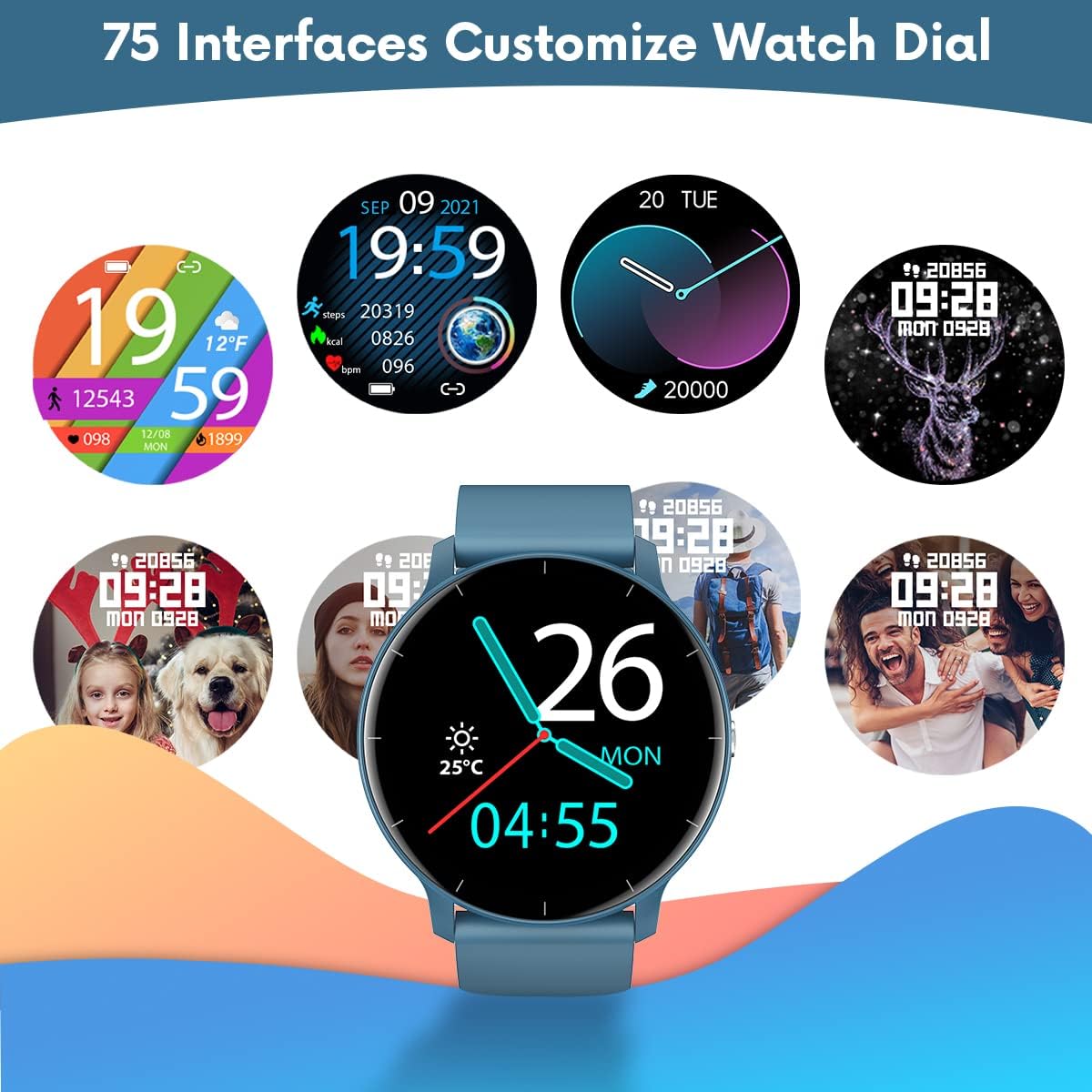
פיגורע 3: עקסamples of customizable watch faces available on the TAOPON Smart Watch.
4.3 פֿיטנעס טראַקינג
Utilize the various sports modes to track your workouts.
- Swipe on the watch to find the 'Exercise' or 'Sports Modes' icon.
- Select your desired activity (e.g., Walking, Running, Cycling).
- The watch will begin tracking your activity, including steps, distance, calories burned, and heart rate.
- Connect to your phone's GPS via the 'Da Fit' app for detailed route mapping during outdoor activities.
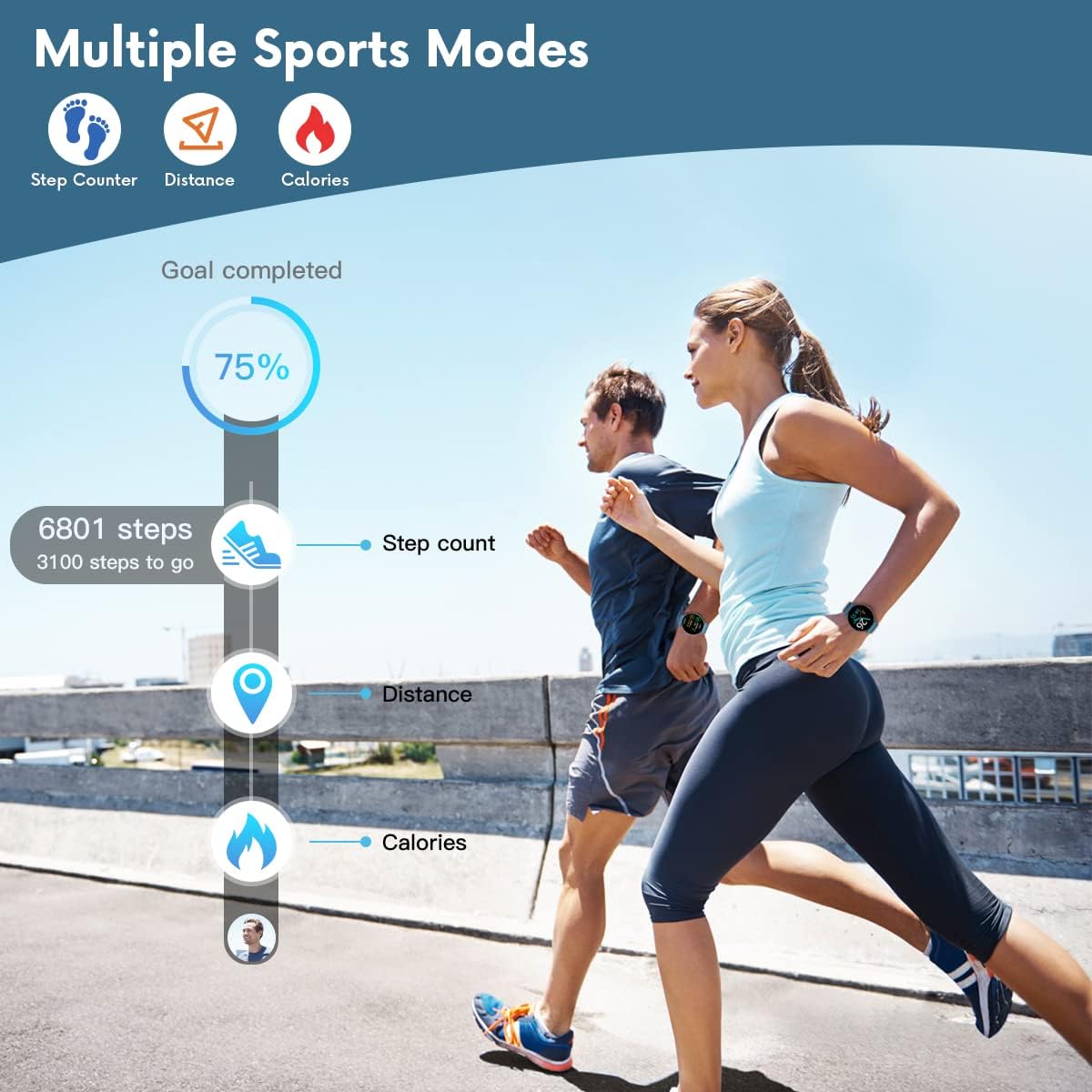
Figure 4: The smartwatch displaying fitness metrics like step count, distance, and calories during a workout.
4.4 געזונט מאָניטאָרינג
Monitor your vital health metrics directly from your wrist.
- הארץ ראטע: Navigate to the heart rate monitoring interface. The watch will automatically measure your heart rate. Continuous monitoring can be enabled via the 'Da Fit' app.
- בלוט דרוק און בלוט זויערשטאָף (SpO2): Access these functions from the watch menu. Ensure the watch is worn snugly on your wrist for accurate readings.
- שלאָף מאָניטאָרינג: Wear the watch to bed. It will automatically track your sleep patterns, including deep sleep, light sleep, and wake times. View detailed sleep reports in the 'Da Fit' app.

Figure 5: Visual representation of the smartwatch's health monitoring capabilities, including heart rate, blood pressure, blood oxygen, and sleep tracking.
4.5 סמאַרט פֿעיִקייטן
- נאָטיפיקאַטיאָנס: Ensure the 'Da Fit' app has necessary permissions. You will receive call, SMS, and social media notifications directly on your watch. You can reject calls from the watch.
- ווייַט אַפּאַראַט קאָנטראָל: Open the camera function in the 'Da Fit' app. Use the watch as a remote shutter button to take photos on your phone.
- מוזיק קאָנטראָל: Control music playback on your smartphone (play/pause, next/previous track) directly from the watch.
- וועטער פאָרעקאַסט: View current weather conditions and forecasts after syncing with the 'Da Fit' app.
- אַלאַרמס און רימיינדערז: Set up to 3 alarms via the 'Da Fit' app. Enable sedentary reminders to prompt you to move after periods of inactivity.

Figure 6: Using the smartwatch to remotely control your phone's camera for group photos.

Figure 7: The smartwatch interface showing music playback controls.
5. וישאַלט און קער
Proper maintenance ensures the longevity and optimal performance of your TAOPON Smart Watch.
- רייניקונג: ווישט רעגולער אויס דעם זייגער־עקראַן און רימען מיט אַ ווייכן, טרוקענעם שטאָף. פֿאַר שווערן שמוץ, ניצט אַ לייכט טרוקענעם שטאָף.amp שטאָף און דערנאָך טרוקן גוט אויס. פֿאַרמייַדן שאַרפע כעמיקאַלן אָדער אַברייסיוו מאַטעריאַלן.
- וואַסער קעגנשטעל: The watch is IP67 waterproof, meaning it can withstand splashes, rain, and brief immersion in shallow water (e.g., hand washing). Do not use it for hot showers, diving, or prolonged submersion. Avoid contact with hot water, steam, or corrosive liquids.
- סטאָרידזש: האַלט די זייגער אין אַ קיל, טרוקן אָרט אַוועק פון דירעקט זונשייַן און עקסטרעמע טעמפּעראַטורן.
- טשאַרדזשינג: Use only the provided charging cable. Do not attempt to charge the watch if it or the cable is wet.
6. טראָובלעשאָאָטינג
If you encounter issues with your TAOPON Smart Watch, refer to the following common solutions:
| פּראָבלעם | מעגלעך לייזונג |
|---|---|
| וואַך נישט אויסגעדרייט אויף | זיכער מאַכן אַז די זייגער איז גאָר אויפגעלאָדן. פֿאַרבינדט עס צום טשאַרדזשער און וואַרט אַ פּאָר מינוט איידער איר פּרוּווט עס אָנצוצינדן. |
| ניט געקענט צו פאַרבינדן מיט טעלעפאָן | Ensure Bluetooth is enabled on your phone and the watch is within range. Restart both the watch and your phone. Check if the 'Da Fit' app has necessary permissions. |
| אומגענויע געזונטהייט דאַטן | Ensure the watch is worn snugly on your wrist, not too loose or too tight. Avoid excessive movement during measurements. Clean the sensor on the back of the watch. |
| נאָוטאַפאַקיישאַנז ניט באקומען | Verify that the 'Da Fit' app is running in the background and has notification permissions enabled for the desired apps. Check phone's notification settings. |
| קורץ באַטאַרייע לעבן | Reduce screen brightness, disable continuous heart rate monitoring, and limit frequent notifications. Ensure background app refresh is managed. |
7. ספּעסאַפאַקיישאַנז
| שטריך | דעטאַל |
|---|---|
| מאָדעל נומער | smartwatch zl02g |
| דימענשאַנז | 1.77 X 1.77 X 0.39 אינטשעס |
| וואָג | 1.23 אונסעס (35 גראַם) |
| פאַרשטעלן גרייס | 1.28 אינטשעס |
| ווייַז האַכלאָטע | 240x240 פּיקסעלס |
| באַטאַרייע קאַפּאַציטעט | 200 מאַה ליטהיום פּאָלימער |
| באַטאַרייע לעבן (טיפּיש נוצן) | אַרויף צו 7 טעג |
| סטאַנדביי צייט | אַרויף צו 30 טעג |
| וואַסער קעגנשטעל | IP67 |
| קאַמפּאַטאַבילאַטי | iOS 9.0 און אַנדרויד 5.0 אָדער העכער |
| קאַנעקטיוויטי | בלועטאָאָטה |
| גפּס | דורך סמאַרטפאָנע |
| פאַבריקאַנט | TAOPON |
8. וואָראַנטי און שטיצן
For warranty information and customer support, please refer to the documentation included with your product or contact TAOPON customer service directly. Keep your purchase receipt as proof of purchase.
Ask a question about this manual
Ask about setup, troubleshooting, compatibility, parts, safety, or missing instructions. Manuals+ will review the question and use this page’s manual context to help answer it.