
הקדמה
The havit GK58B is a USB plug-and-play gaming microphone designed for clear voice communication. It features omnidirectional sound pickup, a flexible gooseneck, a stable base, and unique RGB lighting effects. This manual provides instructions for setup, operation, maintenance, and troubleshooting to ensure optimal performance.
פֿעיִקייטן
- USB Plug and Play: Simple connection without driver installation.
- אָמנידירעקטיאָנאַל פּיקאַפּ: Captures sound from all directions for clear communication.
- Flexible Gooseneck: Adjustable microphone position for optimal voice capture.
- סטאַביל באַזע: Ensures the microphone remains securely in place.
- RGB לייטינג: Integrated lighting for an enhanced aesthetic.
פּעקל אינהאַלט
The havit GK58B package includes:
- 1 x havit GK58B USB Gaming Microphone
- 1 x באַניצער מאַנואַל (דאָס דאָקומענט)

בילד: פראָנט view of the havit GK58B USB Gaming Microphone retail packaging.

בילד: צוריק view of the havit GK58B USB Gaming Microphone retail packaging, showing product specifications.
סעטאַפּ
- ופשליסן די מיקראָפאָן: Carefully remove the havit GK58B microphone from its packaging.
- שטעלן די מיקראָפאָן: Place the microphone on a stable, flat surface. Adjust the flexible gooseneck to position the microphone head optimally for your voice, typically 15-30 cm (6-12 inches) from your mouth.
- פאַרבינדן צו קאָמפּיוטער: Plug the USB connector of the microphone cable into an available USB port on your computer.
- דרייווער ינסטאַלירונג: The microphone is plug-and-play and does not require additional driver installation. Your operating system should automatically detect and configure the device.
- אויסקלייבן ווי דיפאָלט מיטל:
- Windows: גיין צו געזונט סעטטינגס > געזונט קאָנטראָל פּאַנעל > רעקאָרדינג tab. Select "havit GK58B" or similar as your default recording device.
- macOS: גיין צו סיסטעם פּרעפֿערענצן > געזונט > אַרייַנשרייַב tab. Select "havit GK58B" or similar as your input device.
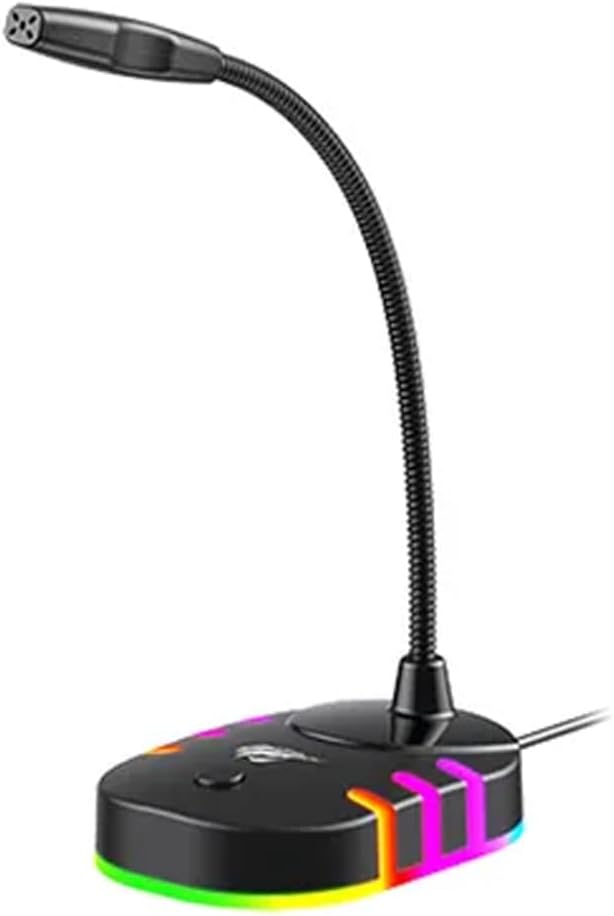
בילד: פראָנט-זייט view of the havit GK58B USB Gaming Microphone, showing the gooseneck and base with RGB lighting.
אַפּערייטינג ינסטראַקשאַנז
- מיקראָפאָן אַקטיוואַציע: Once connected and selected as the default input device, the microphone is ready for use. The RGB lighting on the base will illuminate, indicating it is powered on.
- אַדזשאַסטינג באַנד: Microphone input volume can be adjusted through your computer's sound settings or within the specific application you are using (e.g., game chat, communication software).
- אָמנידירעקטיאָנאַל פּיקאַפּ: The GK58B features an omnidirectional polar pattern, meaning it picks up sound equally from all directions. This is suitable for capturing ambient sound or multiple speakers around the microphone. For best voice clarity, speak directly towards the microphone head.
- RGB לייטינג קאָנטראָל: The microphone base features RGB lighting. While specific controls are not detailed, typically these lights cycle automatically or can be toggled via a button on the base if present. Refer to the product's physical buttons for any lighting control options.
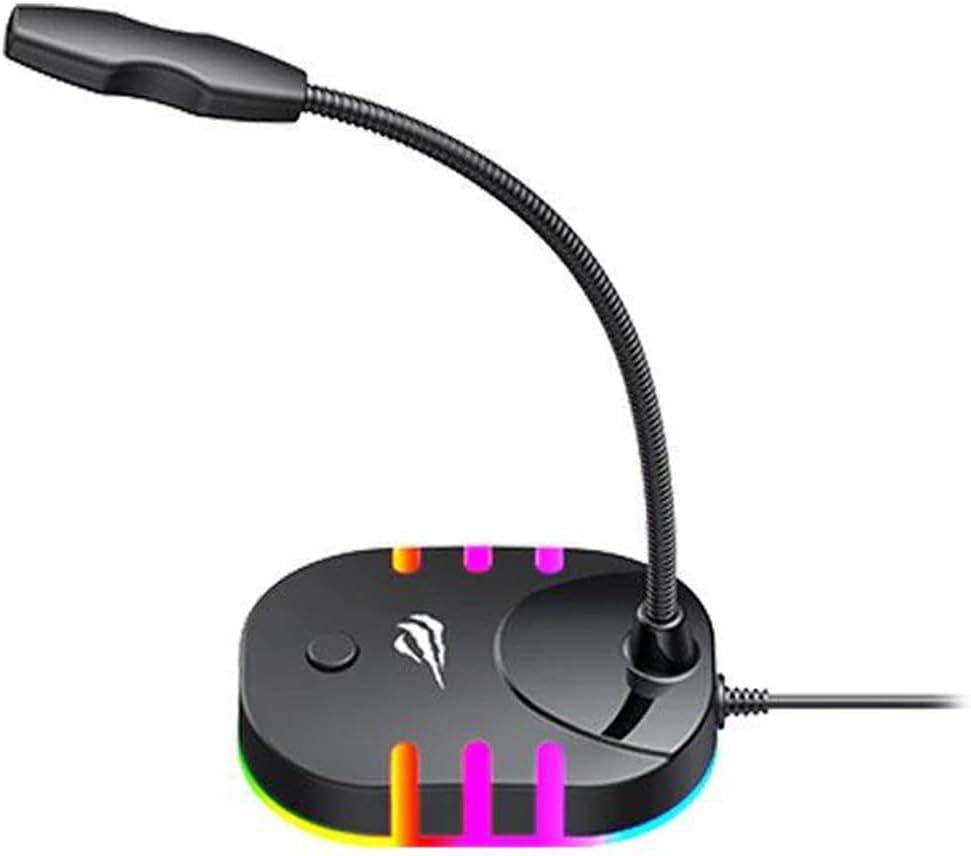
Image: Back-side view of the havit GK58B USB Gaming Microphone, showing the USB cable connection point and the base with RGB lighting.
וישאַלט
- רייניקונג: Use a soft, dry cloth to wipe the microphone and its base. Avoid using liquid cleaners or abrasive materials, as these can damage the device.
- סטאָרידזש: When not in use, store the microphone in a clean, dry environment away from direct sunlight and extreme temperatures.
- קאַבלע זאָרגן: בייגט אדער קנייטשט נישט דעם USB קאבל צו שטארק. כאַפּט שטענדיק דעם פּלאָג, נישט דעם קאבל, ווען איר ציט עס אָפּ.
טראָובלעשאָאָטינג
| פּראָבלעם | מעגלעך סיבה | לייזונג |
|---|---|---|
| מיקראָפאָן נישט דעטעקטירט / קיין געזונט אַרייַנגאַנג |
|
|
| נידעריק מיקראָפאָן באַנד |
|
|
| RGB לייטינג טוט נישט אַרבעטן |
|
|
ספּעסאַפאַקיישאַנז
| מאָדעל נאָמען | GK58B |
| קאַנעקטיוויטי טעכנאָלאָגיע | וסב |
| קאַנעקטער טיפּ | וסב טיפּ-א |
| פּאָליאַר מוסטער | אָמנידירעקטיאָנאַל |
| סענסיטיוויטי | -36 ± 3 דב |
| ימפּידאַנס | 2.2kΩ |
| אָפטקייַט ענטפער | 30 הז - 16 כז |
| קאַבלע לענג | 1.5 ם |
| אַפּערייטינג וואָלtage | 5.0V |
| אַפּערייטינג קראַנט | 90מאַ |
| דימענסיאָנס מיקראָפאָן | φ6*5מם |
| פּראָדוקט דימענשאַנז | 7.5 X 13 X 11 סענטימעטער |
| פּונקט וואָג | 2 ג |
| קאַמפּאַטאַבאַל דעוויסעס | לאַפּטאַפּ, פערזענלעכע קאָמפּיוטער |
| ספּעציעלע שטריך | Stand, RGB Lighting |
וואָראַנטי און שטיצן
For warranty information and technical support, please refer to the official havit webזייטל אדער קאָנטאַקט אייער לאקאלן הענדלער. האַלט אייער קויף קוויטל פֿאַר וואָראַנטי קליימז.
פאַבריקאַנט: האַוויט