
Acrojoy D501
ACROJOY D501 Native 1080P Mini Projector User Manual
מאָדעל: D501
1. הקדמה
This manual provides essential information for the safe and efficient operation of your ACROJOY D501 Native 1080P Mini Projector. Please read it thoroughly before using the product and retain it for future reference.
2. זיכערקייַט אינפֿאָרמאַציע
- קוק נישט גלייך אריין אין די פּראָיעקטאָר לינז ווען די לamp איז אָן. די אינטענסיווע ליכט קען שאַטן די אויגן.
- זיכער מאַכן אַז עס איז דאָ געהעריקע ווענטילאַציע אַרום דעם פּראָיעקטאָר. בלאָקירט נישט די ווענטילאַציע עפענונגען.
- האַלט דעם פּראָיעקטאָר אַוועק פון וואַסער, נעץ און עקסטרעמע טעמפּעראַטורן.
- ניצט נאָר דעם מאַכט אַדאַפּטער וואָס ווערט צוגעשטעלט מיטן פּראָיעקטאָר.
- פרובירט נישט צו פאררעכטן דעם פראיעקטאר אליין. לאָזט איבער אלע סערוויסעס צו קוואַליפֿיצירטע פּערסאָנעל.
- האַלטן אויס פון דערגרייכן פון קינדער.
3. פּעקל אינהאַלט
באַשטעטיקן אַז אַלע זאכן זענען פאַראַן אין דיין פּעקל:
- 1x ACROJOY D501 Projector
- 1x User Manual/Quick Start/Warranty Information
- 1x Cleaning Kit
- 1x HDMI קאַבלע
- 1 קס מאַכט שנור
- 1x Projector Lens Cover
- 1x 120-inch Projector Screen
- 1x רימאָוט קאָנטראָל
4. פּראָדוקט איבערview
Familiarize yourself with the main components of your ACROJOY D501 projector.

פיגורע 4.1: ACROJOY D501 Projector and included 120-inch screen. The image highlights key features such as native 1080p resolution, 5G+2.4G WiFi, 9500 lumens (as indicated in image), and 4K support.

פיגורע 4.2: זייַט view of the projector illustrating its connectivity options, including ports for PS5, Nintendo Switch, TV Stick, Phone/Tablet, USB, Laptop/PC, and Audio output.
5. סעטאַפּ
5.1 פּראָיעקטאָר פּלאַצירונג
Position the projector on a stable, flat surface or mount it (ceiling, tripod) according to your preference. Ensure the projector is perpendicular to the projection surface for optimal image quality.
- פּרויעקציע דיסטאַנסע: The optimal projection distance ranges from 4 to 40 feet.
- פאַרשטעלן גרייס: The projector can produce an adjustable display size from 35 inches to 400 inches. A 120-inch screen is included for convenience.

פיגורע 5.1: The ACROJOY D501 Projector in an outdoor setting, demonstrating its portability and the use of the bundled 120-inch projector screen for an enjoyable viewינג דערפאַרונג.
5.2 מאַכט קאַנעקשאַן
- פֿאַרבינדט דעם מאַכט שנור צום פּראָיעקטאָר'ס מאַכט אַרייַנגאַנג פּאָרט.
- Plug the other end of the power cord into a suitable electrical outlet (120 Volts).
- די מאַכט אינדיקאַטאָר ליכט אויף דעם פּראָיעקטאָר וועט זיך אָנצינדן.
5.3 פאָקוס און קיסטאָון אַדזשאַסטמענט
After powering on the projector, adjust the image for clarity and shape:
- פאָקוס רינג: Rotate the focus ring on the projector lens until the projected image is sharp and clear.
- Keystone Correction: Use the keystone correction dial or digital adjustment (if available) to correct trapezoidal distortion, ensuring a rectangular image. The projector supports ±15 degrees keystone correction.
6. אַפּערייטינג ינסטרוקטיאָנס
6.1 מאַכט אויף / אַוועק
- מאַכט אויף: דרוק די מאַכט קנעפּל אויף די פּראַדזשעקטער אָדער די ווייַט קאָנטראָל.
- מאַכט אַוועק: דריק נאכאמאל דעם פאוער קנעפל. באשטעטיגט דעם אפשטעל אויב געבעטן.
6.2 אויסוואל פון איינגאבע מקור
The projector supports multiple input sources. Use the 'Source' button on the projector or remote to select the desired input:
- הדמי: Connect devices like laptops, TV sticks, gaming consoles (PS5, Xbox) via HDMI cables. The projector has 2 HDMI ports.
- וסב: אַרײַנשטעלן אַ USB דרייוו צו שפּילן מעדיע files גלייַך.
- פון: פֿאַרבינדט עלטערע דעווייסעס מיט אַן AV קאַבל.
6.3 וויירלעסע קאָנעקטיוויטי (WiFi און בלועטוט)
6.3.1 WiFi סקרין שפּיגלונג
The projector features 5G+2.4G dual-band WiFi for fast and stable screen mirroring from your smartphone or tablet.
- Ensure your projector and mobile device are connected to the same WiFi network.
- Select the 'Screen Mirroring' or 'Wireless Display' option on the projector's menu.
- On your iOS device, use 'Screen Mirroring'. On Android, use 'Wireless Projection' or similar.
- אויסקלייבן דעם פּראָיעקטאָר פֿון דער רשימה פֿון פֿאַראַן דעוויסעס.
באַמערקונג: Due to copyright restrictions, streaming services like Netflix, Amazon Prime Video, and Hulu cannot be wirelessly mirrored directly from your device. Use an HDMI-connected TV stick or similar device for these services.

פיגורע 6.1: Demonstrates 5G WiFi screen mirroring for seamless video streaming from iOS, Android, or Windows devices to the projector.
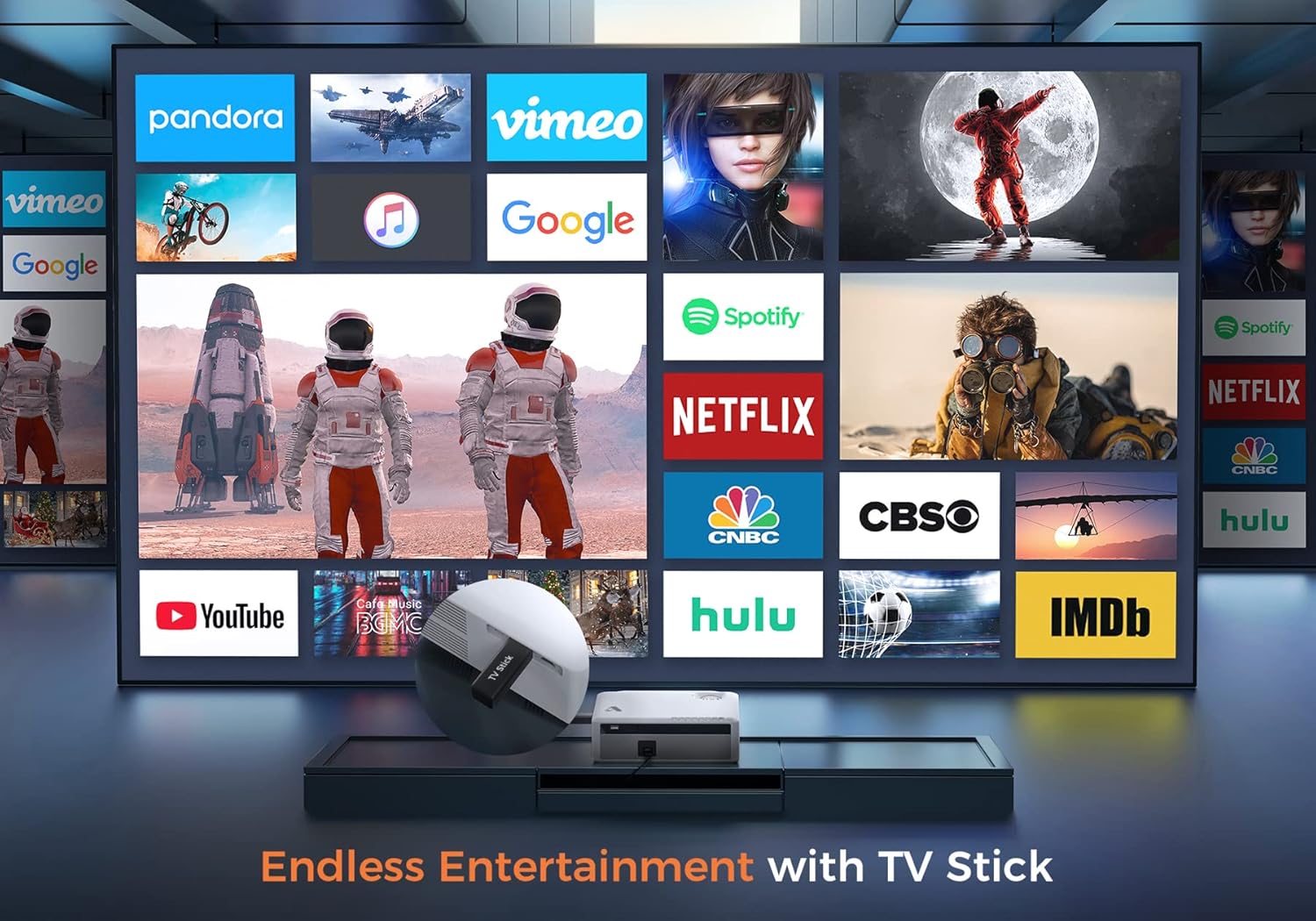
פיגורע 6.2: Illustrates how to access various entertainment apps like YouTube, Netflix, and Hulu by connecting a TV stick to the projector.
6.3.2 בלועטאָאָטה קאַנעקשאַן
פֿאַרבינדט עקסטערנע בלועטוט רעדנערס אדער כעדפאָונז פֿאַר פֿאַרבעסערטן אַודיאָ.
- Enable Bluetooth on your external audio device and set it to pairing mode.
- On the projector's menu, navigate to 'Bluetooth Settings'.
- אויסקלייבן אייער דעווייס פון דער ליסטע צו פארבינדן.
The projector also features a built-in Hi-Fi speaker for direct audio output.
6.4 פארגרעסער פֿונקציע
Adjust the image size without moving the projector using the 50%-100% zoom function, typically found in the projector's display settings menu.
7. וישאַלט
- לענס רייניקונג: Use the provided cleaning kit or a soft, lint-free cloth specifically designed for optical lenses. Do not use abrasive cleaners.
- באַזייַטיקונג פון שטויב: Regularly clean the projector's exterior with a soft, dry cloth. Use a small brush or compressed air to gently clear dust from ventilation openings.
- סטאָרידזש: When not in use, store the projector in a cool, dry place, protected from dust and direct sunlight. Always replace the lens cover.
8. טראָובלעשאָאָטינג
- קיין מאַכט: זיכער מאַכן אַז די מאַכט שנור איז זיכער פארבונדן צו ביידע דעם פּראָיעקטאָר און די מאַכט אַוטלעט. פּרוּווט אַן אַנדער אַוטלעט.
- קיין בילד: Check the input source selection. Ensure the connected device is powered on and sending a signal. Verify HDMI/USB cable connections.
- בלערי בילד: Adjust the focus ring. Ensure the projection distance is within the recommended range.
- בילד איז טראַפּעזאָידאַל: סטרויערן די קיסטאָנע קערעקשאַן.
- קיין אַודיאָ: Check the volume settings on both the projector and the source device. If using external speakers, ensure they are properly connected or paired via Bluetooth.
- WiFi Mirroring Issues: Ensure both devices are on the same WiFi network. Some copyrighted content cannot be mirrored wirelessly.
9. ספּעסאַפאַקיישאַנז
| סאָרט | אַקראָדזשוי |
| מאָדעל נומער | D501 |
| געבוירן האַכלאָטע | 1920 רענטגענ 1080 (פול הד) |
| מאַקס סופּפּאָרטעד האַכלאָטע | 3840 X 2160 (4K) |
| ברייטנאַס | 5500 לומענס |
| קאַנטראַסט פאַרהעלטעניש | 12000:1 |
| ווייַז טיפּ | לקד |
| קאַנעקטיוויטי | 5G+2.4G WiFi, Bluetooth 5.1 |
| אַרייַנשרייַב פּאָרץ | 2x HDMI, 1x USB, AV |
| רעזולטאַט פּאָרץ | 3.5 מם אַודיאָ אָוט |
| פּרויעקציע גרייס | 35" - 400" |
| פּרויעקציע דיסטאַנסע | 4 - 40 פֿוס |
| אַספּעקט פאַרהעלטעניש | 4:3 / 16:9 |
| קייסטאָנע קערעקשאַן | ± 15 דיגריז |
| פארגרעסער פונקציע | 50% - 100% |
| פּראָדוקט דימענשאַנז | 22.86 X 17.75 X 7.62 סענטימעטער |
| פּונקט וואָג | 3.19 קג |
| מאַכט מקור | עלעקטריש מיט שנור (120 וואלט, 600 וואטס) |
10. וואָראַנטי און שטיצן
ACROJOY provides comprehensive support for your projector:
- וואָראַנטי: A 3-year warranty covers manufacturing defects and malfunctions.
- טעכניש שטיצן: Lifetime professional technical support is available.
- קאָנטאַקט: For any questions or assistance, please refer to the contact information provided in your Quick Start Guide or Warranty Information document.
Ask a question about this manual
Ask about setup, troubleshooting, compatibility, parts, safety, or missing instructions. Manuals+ will review the question and use this page’s manual context to help answer it.